
Meta description: Product backlog vs sprint backlog explained for PMs who need sharper planning. Learn ownership, prioritization, product backlog sprint backlog difference, product backlog grooming, and better backlog management agile practices.
Monday morning, sprint planning starts on time and still goes sideways.
A PM is arguing for a roadmap promise. An engineer is asking whether the API dependency is resolved. A designer wants clarity on edge cases. Someone pastes a half-written user story into Jira. Ten minutes later, the room is debating tasks for work that was never ready to enter the sprint in the first place.
That meeting failure usually gets blamed on estimation, communication, or tooling. Most of the time, the core problem is simpler. The team has confused two very different planning horizons. That is the heart of product backlog vs sprint backlog. One backlog is for deciding what matters to the product. The other is for deciding what the team can deliver next.
Teams that treat those as the same list create a constant tax on decision-making. Teams that keep them distinct move with more confidence, because strategy and execution stop tripping over each other.
The Two Horizons of Agile Work
The cleanest way to understand this is to stop thinking of backlogs as lists.
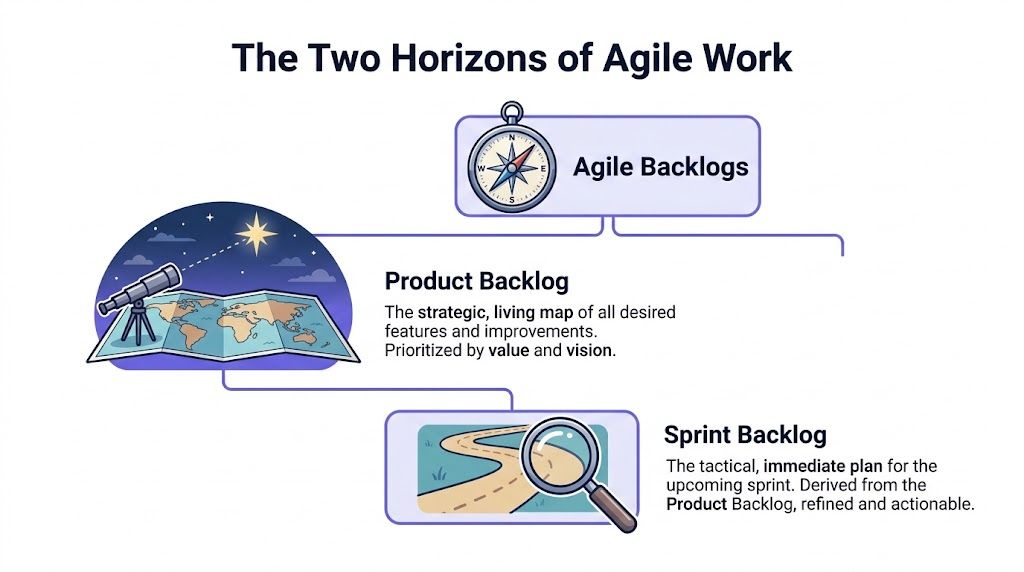
Think of the product backlog as a living map. It holds the possible routes, the destination, and the trade-offs along the way. Think of the sprint backlog as the itinerary for the next leg of the trip. It tells the team what they are doing now, in what order, and with enough detail that nobody has to guess.
That structure isn't accidental. Scrum introduced these as core artifacts in the 1995 paper by Jeff Sutherland and Ken Schwaber, and 71% of Agile teams report improved delivery speed in the 2023 State of Agile Report from Digital.ai, based on a survey of 3,900+ practitioners across global markets, according to Digital.ai's State of Agile Report.
One backlog holds possibility
The product backlog covers the whole product lifecycle. Features. bugs. technical debt. experiments. improvements. open questions. It changes as the market changes, as users complain, as sales learns something uncomfortable, as support tickets pile up, and as strategy gets sharper.
That makes it broad by design.
A healthy product backlog doesn't promise that every item will ship. It records and orders potential work so the team can revisit it with better judgment later. If you want a wider lens on where backlog decisions fit into the broader product development lifecycle stages, that framing helps.
The other backlog holds commitment
The sprint backlog is narrower and tougher. It is the subset selected for a specific sprint, usually a short fixed window. It exists to support the sprint goal, not to preserve every stakeholder wish.
This is what I mean: the product backlog is where you negotiate value, sequence, and learning. The sprint backlog is where the team turns selected items into executable work.
A lot of confusion comes from teams asking the sprint backlog to do the product backlog's job. They drag in fuzzy ideas, unresolved dependencies, and roadmap politics, then wonder why the sprint feels unstable by day three.
A useful rule: if an item still needs a strategy debate, it belongs in the product backlog, not the sprint backlog.
Why two lists exist at all
Because software teams live in two time horizons at once.
They need a long-range instrument for product direction, and a short-range instrument for delivery control. Collapse them into one list and you get noise. Separate them properly and you create a decision boundary. That boundary protects focus.
If someone on your team still needs a plain-language grounding in what Agile methodology entails, it's worth sharing before the next planning cycle. A lot of backlog confusion is really framework confusion wearing a Jira costume.
Early in the article, it helps to see the contrast directly:
| Aspect | Product backlog | Sprint backlog |
|---|---|---|
| Core purpose | Strategic inventory of potential product work | Tactical plan for the current sprint |
| Time horizon | Ongoing across the product lifecycle | Fixed to one sprint |
| Nature | Dynamic and continuously reordered | Relatively fixed around the sprint goal |
| Typical content | Epics, stories, bugs, technical debt, ideas | Selected sprint items broken into tasks |
| Main question | What should matter next | What will we deliver now |
| Primary owner | Product Owner | Development team |
That is the basic product backlog sprint backlog difference. One is expansive. One is constraining. You need both.
Defining Ownership and Accountability
Ownership sounds procedural until you've watched a team ignore it.
Last week I watched a PM at a growth-stage SaaS company try to micromanage a sprint backlog line by line. The intention was good. The effect was not. Engineers stopped treating the sprint as their commitment and started treating it as a managed checklist from above. By the end of the week, people were still shipping work, but nobody felt responsible for the plan.
That is what weak ownership does. It doesn't just blur process. It hollows out accountability.
The Product Owner owns product direction
The Product Owner manages the product backlog. That ownership is strategic. It means deciding what belongs in the backlog, how it is ordered, and how it reflects product goals, business priorities, and user needs.
This isn't admin work. It's judgment work.
The Product Owner decides which opportunities deserve attention and which don't. They absorb input from stakeholders, but they don't hand the ordering over to the loudest voice in the room. If your team needs a sharper view of that role, this breakdown of product owner roles and responsibilities is useful.
The development team owns the sprint plan
The development team owns the sprint backlog because they own execution.
Once sprint planning ends, the sprint backlog becomes the team's operating plan. They break selected backlog items into tasks, sequence the work, and adjust within the sprint as needed to hit the sprint goal. That matters because the people doing the work are the ones best positioned to judge technical order, effort, and feasibility.
If a Product Owner owns the sprint backlog in practice, one of two things usually happens. Either the team stops thinking for itself, or it works around the plan and maintains a shadow plan in its head.
Neither outcome is healthy.
If the Product Owner controls the sprint backlog, the team loses autonomy. If the team controls the product backlog, strategy gets fragmented.
Why ownership is really about incentives
Backlog ownership isn't a ceremony detail. It's an economic design choice.
The Product Owner is incentivized to maximize product value over time. The team is incentivized to deliver a coherent increment inside a fixed window. Those incentives are supposed to be different. That's the whole point.
When they get mixed, bad behaviors follow:
- Stakeholder pressure leaks into execution: urgent requests bypass refinement and land directly in active sprint work.
- Teams overcommit to please others: they accept work that looked attractive in roadmap terms but wasn't ready in delivery terms.
- No one feels the cost of change: mid-sprint additions seem harmless until context switching eats the week.
Accountability needs a hard edge
People often ask, what is sprint backlog ownership in practical terms?
It means the team can say no to work that threatens the sprint goal. It means they can re-plan tasks without reopening strategic debates. It means commitment becomes credible because the people making it are the people carrying it.
The Product Owner still participates. The Scrum Master still facilitates. Stakeholders still provide context. But the sprint backlog cannot become a communal suggestion box.
Teams move faster when authority matches responsibility.
That sounds obvious. In planning meetings, it often isn't.
Comparing Prioritization and Purpose
Two backlogs. Two different questions.
The product backlog asks, "What should we invest in next?" The sprint backlog asks, "How do we finish this sprint goal without chaos?" Teams that answer both questions with the same logic usually create either bloated strategy or brittle delivery.
Product backlog prioritization is about value under uncertainty
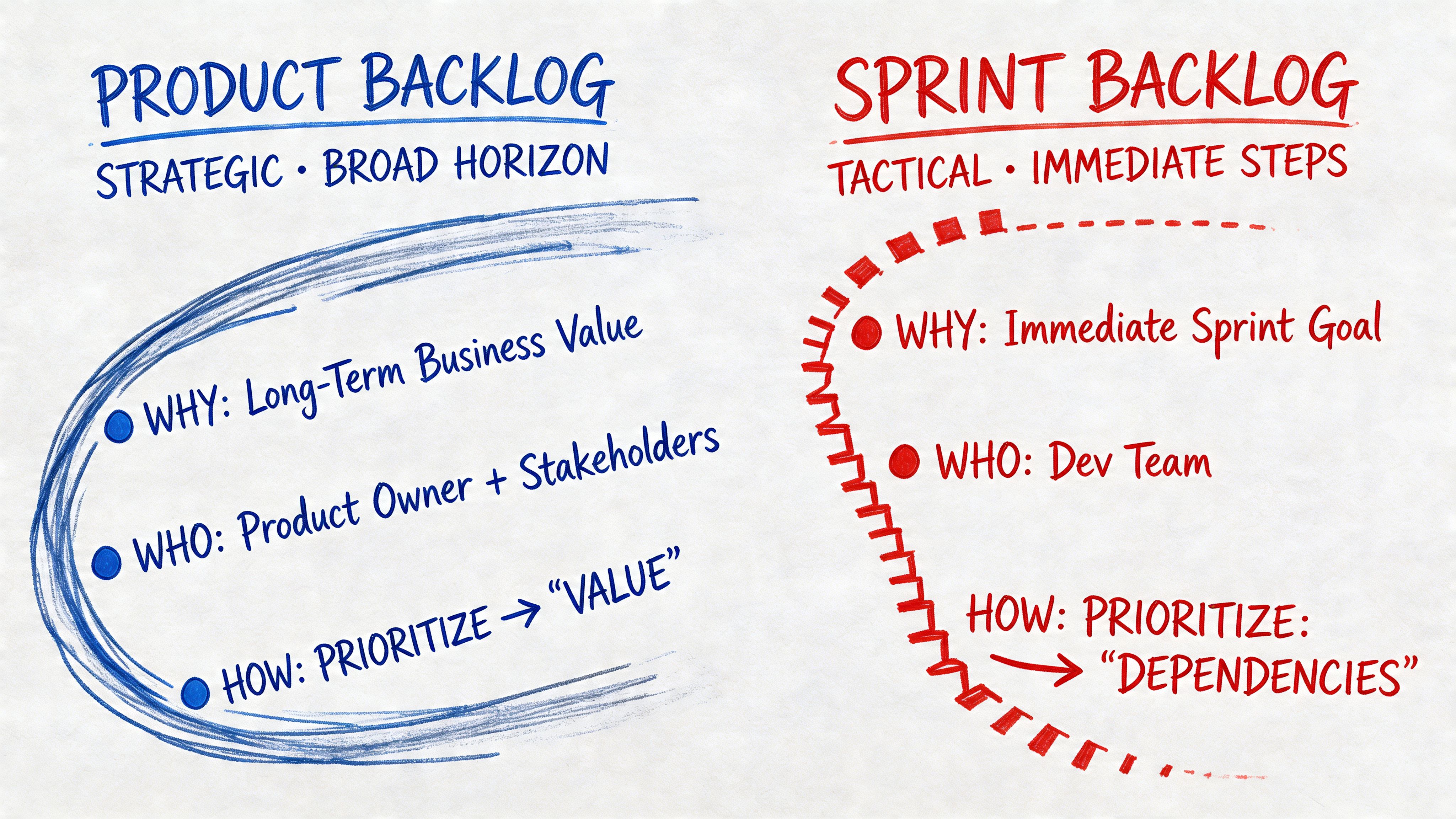
A product backlog should be ordered around strategic value. That can include customer pain, market timing, risk reduction, technical enablement, and business opportunity. Many teams use methods like WSJF or MoSCoW because they force a conversation about trade-offs instead of letting every request masquerade as urgent.
If you want a practical framework for how to prioritize product backlog, start there. The discipline isn't the framework itself. It's the habit of making trade-offs explicit.
A backlog item near the top of the product backlog should have a reason for being there. "The CEO asked" isn't a reason. "This unblocks onboarding friction tied to activation" is a reason. One is politics. The other is product thinking.
Sprint backlog prioritization is about sequence and completion
The sprint backlog has a different job. Once the team chooses work for the sprint, prioritization becomes more tactical. Now the questions are about execution order, dependencies, testability, and team capacity.
According to a Scrum.org discussion on Product Backlog Items vs Sprint Backlog Items, items in the sprint backlog are typically 30-50% smaller on average than items in the product backlog, after refinement and breakdown. That smaller size is what makes execution realistic inside fixed sprints, and 66% of teams use 2-week sprints according to the same 2023 State of Agile context referenced there.
That detail matters more than it seems. Smaller items create tighter feedback loops. They expose blockers earlier. They make progress visible. They also make failure easier to diagnose.
The map and itinerary behave differently
Here is where teams often get tangled:
- In the product backlog, bigger items can still be useful if they represent meaningful areas of investment.
- In the sprint backlog, bigger items are dangerous because they hide uncertainty inside the sprint.
- In the product backlog, change is healthy.
- In the sprint backlog, change should serve the sprint goal, not destroy it.
A team can survive a messy roadmap for a while. It can't survive sprint work that never becomes specific enough to finish.
The real trade-off is economic
This is the zoom-out moment most backlog advice misses.
The product backlog optimizes for long-term return on investment. It helps leadership decide where effort should go next. The sprint backlog optimizes for short-term predictability. It helps a team turn intent into delivered work with minimal waste.
Those are different economic functions.
When a team drags low-clarity items into a sprint, it converts strategic uncertainty into delivery risk. That creates rework, context switching, and delayed feedback. When a team over-refines the entire product backlog too early, it spends time detailing work that may never be built. Different waste, same root problem.
The product backlog should absorb uncertainty. The sprint backlog should remove enough uncertainty to make execution sane.
A practical comparison
The fastest way to decide where an item belongs is to test what kind of question it still raises.
- If the item still raises questions about value, timing, customer outcome, or scope, it belongs in the product backlog.
- If the item mainly raises questions about task order, implementation detail, and who will pick up what first, it belongs in the sprint backlog.
- If the item triggers both kinds of questions, it probably isn't ready.
That last category causes most sprint planning pain.
For teams connecting backlog decisions to roadmap sequencing, release trade-offs, and delivery windows, the discipline of agile release planning helps keep the horizons separate.
And if you're shaping large initiatives before they become sprint-sized work, reviewing a few sample agile epics is often enough to spot whether your backlog is still thinking in outcomes or has already collapsed into premature task lists.
The Art of Product Backlog Grooming and Refinement
Refinement is where product ambition meets delivery reality.
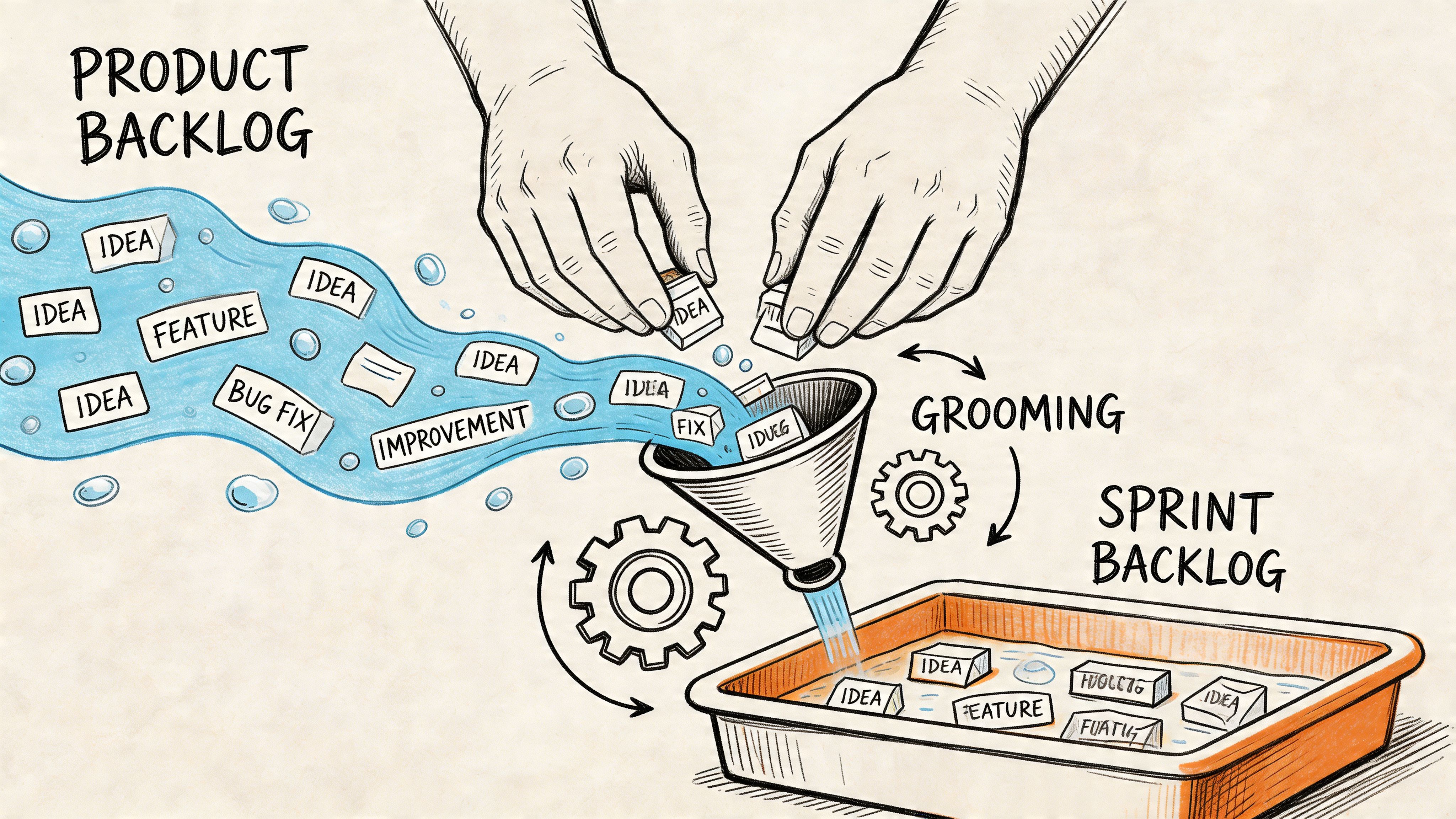
A promising item enters the product backlog as a rough shape. Through discussion, slicing, estimation, and clarification, it becomes something the team can pull into a sprint. If that handoff is weak, the sprint backlog inherits confusion. If it's strong, sprint planning becomes shorter, calmer, and more honest.
Product backlog grooming is continuous, not ceremonial
A lot of teams still treat product backlog grooming as a recurring meeting on the calendar. That's too narrow. Real refinement happens across the sprint, in design reviews, technical conversations, stakeholder check-ins, and follow-up questions after customer feedback.
The basic gist is this: refinement is the work of reducing ambiguity without pretending you can eliminate it.
That means turning broad requests into smaller units, clarifying acceptance criteria, exposing assumptions, and deciding what still needs validation. A good user story mapping template helps here because it forces teams to organize work around user behavior rather than internal department structure.
What a ready item usually has
A refined item doesn't need a novel attached to it. It needs enough signal that the team can estimate and execute it without discovering the whole problem mid-sprint.
Useful signs of readiness often include:
- Clear user or business outcome: people know why this matters.
- Scope boundaries: the team can tell what is in and out.
- Open questions surfaced early: hidden assumptions don't wait until implementation.
- Dependencies identified: blocked work doesn't sneak into sprint planning.
According to Go To Market Alliance's comparison of sprint and product backlogs, the sprint backlog is constrained by sprint capacity, with teams filling to 80-100% of their velocity. That pressure forces teams to refine backlog items into smaller, granular tasks before sprint work begins, and that refinement process can improve on-time delivery by 25-40%.
Visuals reduce expensive misunderstandings
Text-only backlog items often hide disagreement. Everyone nods until they realize they imagined different workflows, different error states, or different user intent.
That is why visual thinking belongs in refinement.
When a team sketches the path a user will follow, disagreements appear earlier and cheaper. Reviewing user flow examples, broader user experience flows, and the larger context of digital customer journeys can expose where a "simple feature" is four screens, two permissions checks, and a reporting requirement.
A friend at a Series C company put it well after a messy rollout: the team hadn't built the wrong thing. They had built three different interpretations of the same sentence.
Refinement should listen to feedback, not just requests
Strong refinement also depends on learning loops. Teams that capture product feedback well tend to refine with better judgment because they can distinguish a pattern from a one-off complaint. If your system for learning from users is still fuzzy, this guide to mastering the product feedback loop is worth your time.
Practical rule: refine until the team can discuss delivery trade-offs, not basic meaning.
That is the handoff standard.
Real Examples and Common Mismanagement Pitfalls
Most backlog advice sounds tidy because it skips the messy middle.
In real teams, backlog items rarely arrive clean. They arrive as half-formed requests, strategic bets, customer escalations, bug reports, or executive anxieties. The work is turning that noise into something the team can reason about.
What goes where in practice
Take a product backlog item like this: Improve user onboarding.
That belongs in the product backlog because it is still a strategic statement. It names an outcome area, not a sprint-sized commitment. It may contain multiple paths, trade-offs, and dependencies. It might relate to activation, education, friction removal, or analytics visibility.
By the time that idea is ready for a sprint, the sprint backlog might hold work such as:
- Create welcome modal copy and states
- Implement dashboard tooltip sequence
- Add completion event tracking
- Handle skip and return behavior
- Write QA cases for first-session onboarding
Same theme. Different altitude.
Another example: Improve billing reliability belongs in the product backlog as a problem space. Update retry logic for failed payment webhook processing may belong in the sprint backlog if it is ready, scoped, and tied to the sprint goal.
The graveyard backlog
One common failure mode is the backlog graveyard.
That is the product backlog full of stale ideas nobody reviews, removes, or reorders. Teams keep adding work because deleting feels risky. Over time, the backlog stops being a decision tool and becomes an archaeological site.
You can spot this backlog quickly. Items have vague titles. Old assumptions remain untouched. Nobody remembers why the bottom half exists. During planning, people scroll instead of deciding.
The overprotected sprint backlog
The opposite failure is a sprint backlog treated like sacred scripture.
A sprint backlog should not become unstable because a stakeholder remembered a new request. But it also shouldn't become frozen in a way that prevents sensible adaptation when the team learns something important. Healthy sprint backlogs support adjustment in service of the sprint goal. Unhealthy ones turn process rigidity into a badge of honor.
That distinction matters. Adaptation is not the same as uncontrolled scope movement.
The best sprint backlogs are stable in purpose and flexible in execution.
Dependencies are where theory meets pain
The most under-discussed backlog problem is dependency handling.
A common pitfall, as noted in ProjectManager's discussion of product backlog and sprint backlog, is mishandling dependencies between the two. Product backlogs map strategic dependencies. Sprint backlogs need those dependencies resolved tactically enough that the team can execute. Unresolved dependencies during refinement are a key reason sprints fail.
Many teams fool themselves. They say an item is "high priority," but what they really mean is "politically visible." If it depends on another team, a missing decision, or unfinished design logic, it is not ready, no matter how important it sounds.
A few patterns help:
- Expose blockers before sprint planning: dependency discovery during the sprint is almost always late.
- Split dependency-heavy work: separate the enabling work from the customer-facing change when possible.
- Make blocked items visible: hidden dependencies don't become manageable just because they're inconvenient.
- Prefer readiness over urgency theater: urgent and ready are not synonyms.
If you're comparing sprint backlog vs product backlog, this is often the sharpest difference. The product backlog can hold dependency-laden ideas. The sprint backlog has to survive them.
Modern Tooling for Backlog Management
Tooling doesn't fix bad planning, but it does reveal what your planning habits are.
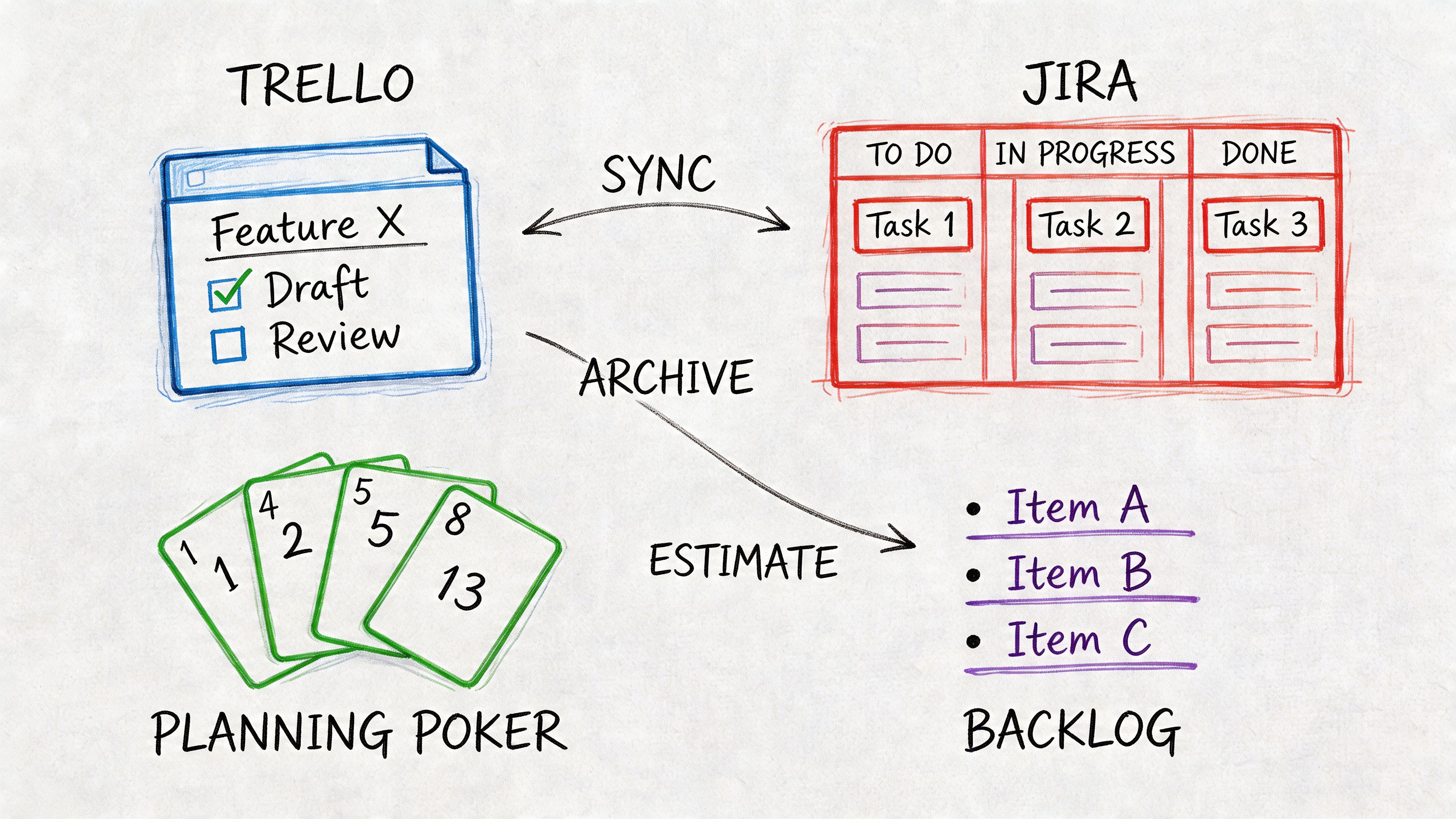
A decent backlog system should make the distinction between strategic inventory and sprint commitment harder to blur. Jira, Azure DevOps, and similar platforms are useful when teams configure them to reflect decision horizons, not just to capture tickets. The software matters less than the model underneath it.
Good tools separate intent from commitment
For backlog management agile teams can trust, a tool should support a few simple realities.
The product backlog needs room for broad items, ranking, notes, and ongoing refinement. The sprint backlog needs stronger constraints, clearer task breakdown, and visibility into what threatens the sprint goal. If both views look identical, people start treating them identically.
That is usually where trouble begins.
Useful setups often include:
- Distinct backlog states: not every idea should look sprint-ready.
- Clear links between epics, stories, and tasks: teams need traceability without clutter.
- Dependency visibility: blocked work should be obvious before commitment.
- A lightweight path from discovery to delivery: handoffs should not destroy context.
For a broader stack view, The Top 12 Product Manager Software Tools for 2026 is a helpful place to compare how different tools support planning, alignment, and execution.
Visual collaboration belongs in the workflow
Backlog tools often capture text well and meaning poorly.
That gap matters most when a story looks ready in writing but remains fuzzy in everyone's head. Teams often need a visual artifact between product intent and engineering commitment. That can be a flow, a prototype, a sequence diagram, or a design review linked to the backlog item.
A connected workflow matters more than a "best" tool. When backlog records, design artifacts, and implementation tasks drift apart, every meeting turns into reconstruction work.
For a practical walkthrough on keeping those systems connected, see this guide to managing product backlogs and design tasks.
A short visual explainer helps here too:
Validation before commitment saves pain later
AI-assisted tooling is useful, not decorative.
When backlog items need validation before committing to a sprint, Figr helps. Feed it a user story from your product backlog along with your product context, and it generates an interactive prototype in minutes. Sprint planning becomes faster when stakeholders can see the feature before it enters the sprint.
For a concrete example of how complex product behavior can be visualized, this Cal.com full canvas example shows the kind of end-to-end flow clarity that backlog text alone often misses.
That doesn't replace refinement. It improves it.
Your Next Step A Simple Health Check for Your Backlogs
You don't need a process overhaul tomorrow. You need a diagnostic.
Open your product backlog and your current sprint backlog side by side. Then ask a few blunt questions.
- Is the product backlog ordered by value: or by recency, politics, and who complained last?
- Are top items refined enough for near-term discussion: or still vague enough to trigger strategy debate in sprint planning?
- Does every sprint item support the sprint goal: or are there passengers nobody had the energy to challenge?
- Are dependencies visible before commitment: or discovered after work starts?
- Can the team explain what is in the sprint backlog without reopening the product roadmap: if not, the horizons are still mixed.
If the answers make you uncomfortable, that's useful.
The backlog isn't just administrative hygiene. It is one of the clearest signals of whether your product organization can distinguish direction from commitment. Teams that do this well waste less motion, have fewer performative planning meetings, and protect autonomy where it matters most.
For the complete framework on this topic, see our guide to agile sprint planning.
When your team needs to turn a rough backlog item into something people can react to, Figr can help close the gap between product intent and sprint-ready clarity. It gives product teams a faster way to visualize user stories, validate ideas before development, and reduce the ambiguity that usually shows up too late in sprint planning.
