
At 9:12 a.m., a product manager opens a fresh mockup for the company homepage. It’s clean. The spacing is disciplined. The CTA is where it should be. And yet the reaction is immediate: this already feels old.
That moment matters more than most trend roundups admit.
The best web design trends 2025 conversation has turned into something else entirely. Product teams aren’t really asking which gradients, grids, or motion styles look current. They’re asking whether their interface still matches the way people now expect software to behave. That’s a different question, and it leads to different decisions.
What’s sticking from 2025 into 2026 isn’t just a look. It’s a shift in user expectations. People now assume websites and product surfaces will adapt, clarify, and guide. They expect intelligence, not just polish. That’s why the most important web design trends are no longer purely visual.
Last week I watched a PM at a B2B SaaS company reject a beautifully executed redesign for a simple reason: it solved for Dribbble, not for the roadmap. The design team had pushed toward a louder visual style, but the bigger user problem was still unresolved. New visitors couldn’t find the right path fast enough, and returning users saw the same generic interface every time.
This is what I mean when I say trends are signals.
The useful ones point to changing customer behavior, platform economics, and implementation constraints. The useless ones ask teams to repaint the surface while ignoring performance, accessibility, security, and iteration speed. If you’re responsible for product outcomes, not just visual freshness, that distinction is everything.
The best web design trends 2026 aren’t the loudest ones. They’re the ones that improve decision speed for users and shipping speed for teams.
Introduction
Most articles about website design trends start with style cues. More motion. More texture. More experimental layouts. That’s the easy part, and frankly, it’s the least interesting one.
The harder question is this: which trends survive contact with enterprise product work?
A trend only sticks when it clears four tests at once:
- User clarity: Does it help people decide faster?
- Team feasibility: Can design and engineering ship it without blowing up timelines?
- Business impact: Does it improve conversion, trust, or retention in a measurable way?
- Operational safety: Can you support it inside your privacy, accessibility, and security constraints?
That lens changes the whole conversation around modern web design trends.
Some 2025 ideas are clearly carrying forward because they solve structural problems. AI-powered personalization helps users see more relevant content without digging. Composable layouts such as bento grids make dense information easier to scan. Leaner, grid-based systems support speed and maintainability.
Other trends are already aging out. Not because they look bad, but because they ask too much from users and teams while giving too little back.
Practical rule: If a trend increases interpretation effort for users, it usually increases maintenance effort for teams too.
That’s why this article treats trends as product decisions, not style inspiration. You’ll see what’s sticking, what’s fading, and where implementation tension lives for SaaS teams, especially those balancing speed with governance.
If you came here searching for the best web design trends 2025, the answer is less about copying what looked current last year and more about identifying what still compounds in 2026.
The Great Re-Platforming From Aesthetics To Intelligence
A few years ago, most design trend debates were visual. Flat or dimensional. Sparse or expressive. Minimal or maximal. Those debates still exist, but they’re no longer the center of gravity.
The center has moved to intelligence.
The interface is becoming a decision engine
According to SQ Magazine’s web design statistics, nearly 93% of web designers are incorporating AI tools in 2026, and websites with real-time AI-powered personalization boost visitor-to-lead conversions by 31%. The same source notes that great UX design, often AI-enhanced, can drive conversion rates up to 400%.
Those numbers matter because they reframe design from a presentation layer into a performance layer.
A homepage used to be judged by first impression. Now it’s also judged by whether it can interpret context, reduce friction, and guide the next best action. A pricing page isn’t just a page anymore. It’s a response system. A dashboard isn’t just a layout. It’s a prioritization engine.
That’s the re-platforming.
Why this shift keeps accelerating
User expectations don’t stay in one category. People learn interaction patterns in one product and carry them into the next. When they use adaptive feeds, personalized recommendations, and context-aware onboarding elsewhere, they don’t forget that behavior when they land on your site.
So the trend isn’t “AI design.”
It’s expectation transfer.
Users now expect relevance by default. They may not ask for it explicitly, but they feel the absence of it right away. A generic interface now reads as a low-signal interface.
That has implications beyond UX. It changes content strategy too. If you want your site to be both discoverable and referenced by AI systems, it helps to structure your website content for AI citation, because retrieval and comprehension are increasingly linked.
The smartest websites in 2026 don’t just look current. They reduce the cost of understanding.
What product managers should take from this
For PMs, this is no longer a design team side quest. It’s a roadmap issue.
Aesthetic trends can wait. Intelligent adaptation usually can’t, especially when buyers expect faster paths to value. That’s also why many teams are discovering that design acceleration alone isn’t enough. If the screen gets faster but the journey gets messier, the product doesn’t improve. Figr made a strong point about that in its piece on how AI is accelerating product design but the customer journey is falling behind.
The broader pattern is economic, not cosmetic.
As interfaces become more adaptive, static experiences lose ground because they force users to do the work of translation. That hidden labor shows up as bounce, hesitation, lower trust, and weaker conversion. Teams that understand this early won’t chase every visual novelty. They’ll invest in systems that help the product think with the user.
That’s the backbone of ui design trends 2026.
Trend That's Sticking AI-Powered Personalization
If one trend deserves to survive the hype cycle, it’s this one. Not because it sounds advanced, but because it solves a plain product problem: most websites still ask every visitor to be presented with the same experience, even when their intent is clearly different.
Personalization works when it changes the right layer
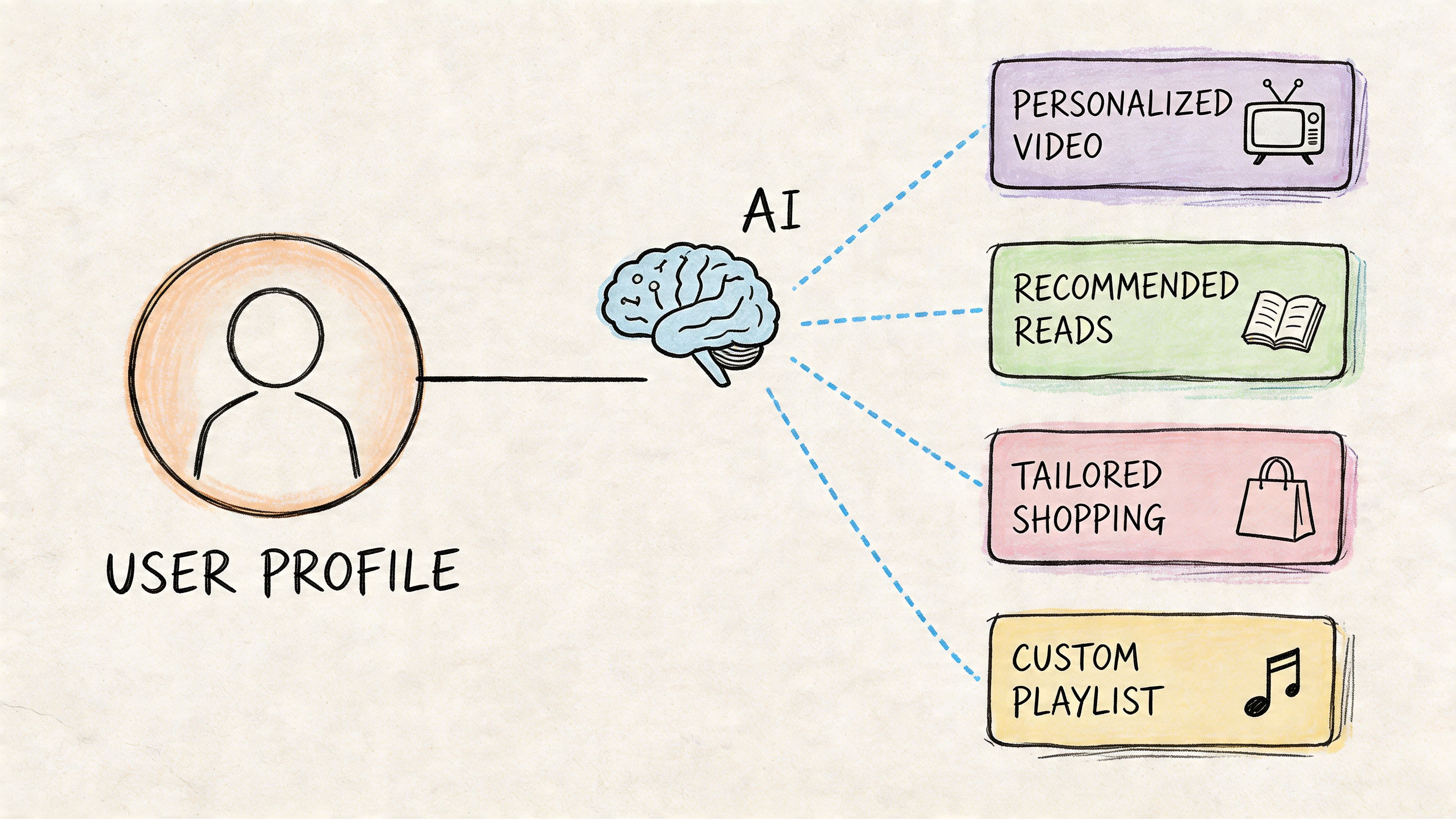
A Red Rattler Creative analysis found that sites with dynamic AI-driven personalization see a 20-30% uplift in conversion rates, and 50% of consumers link design adaptability to brand trust. The same source also warns that over-personalization can cause a 68% user drop-off because of privacy concerns, which makes implementation discipline essential: Red Rattler Creative analysis.
That mix of upside and risk is why PMs need to think in layers.
Don’t start by personalizing everything. Start by asking which part of the journey suffers most from generic treatment. For some SaaS companies, that’s the homepage hero and CTA. For others, it’s pricing logic, onboarding prompts, or recommended next steps inside the app.
A practical rollout model
The strongest teams usually move through personalization in a simple sequence.
- Capture behavior: Start with what users do, not what stakeholders assume they want. Session replays, heatmaps, traffic source, geography, and browsing depth help teams form useful hypotheses.
- Model intent: Once patterns appear, machine learning can predict likely goals based on historical interaction data, transforming a generic visitor into a probable evaluator, buyer, admin, or returning power user.
- Adapt in real time: Then the interface changes what matters most, such as headlines, layouts, content blocks, or CTAs, instead of rewriting the whole experience.
That logic should be visible in your maps and specs, not buried in a backend note. If your team needs help grounding those decisions, these user flow examples, these guides to user experience flows, and this perspective on digital customer journeys are useful because they force personalization back into journey design rather than surface decoration.
The technical trade-off PMs should watch
This trend becomes dangerous when teams treat personalization as a layer of extra complexity instead of a replacement for wasted steps.
The source material here points to sub-100ms latency through edge computing and notes that Core Web Vitals can maintain LCP under 2.5s, even on mobile, when implementations are designed carefully. That matters because a slower “smart” experience often undercuts its own gains.
Your product questions should sound like this:
- Which decisions are frequent enough to automate
- Which inputs are reliable enough to trust
- Which UI elements can change without confusing users
- Which data should remain off-limits for privacy reasons
A useful companion for teams exploring adaptive interfaces is this article on AI tools that adjust UI in real time based on behavior.
Here’s a concise walkthrough that helps frame the implementation side:
Where teams usually get this wrong
Most failures come from one of three mistakes.
First, teams personalize too visibly. When a user feels watched rather than helped, trust drops fast.
Second, they personalize without representative training data. The source material warns that model bias can reduce accuracy in diverse markets. In practice, that means the experience gets “smart” for your core segment and erratic for everyone else.
Third, they skip continuous testing. A personalized variant is still a variant. It needs the same scrutiny as any experiment.
Personalization should feel like better timing, not surveillance.
If you’re looking at web design trends latest roundups, this is the one to treat as infrastructure. Not garnish. Not a homepage trick. Infrastructure.
Trend That's Sticking Composable Bento Grids
A lot of people describe bento grids as a style trend. That undersells what’s happening.
They’re really a response to interface overload.
Why modular layouts keep winning
The basic gist is this: when users face too much information, modular blocks create a visual contract. Each block says, “Here is one thing, with one job.” That reduces the effort required to scan, compare, and choose.
That’s why bento-style composition has become one of the most useful website design trends to carry into 2026. It handles density without surrendering order.
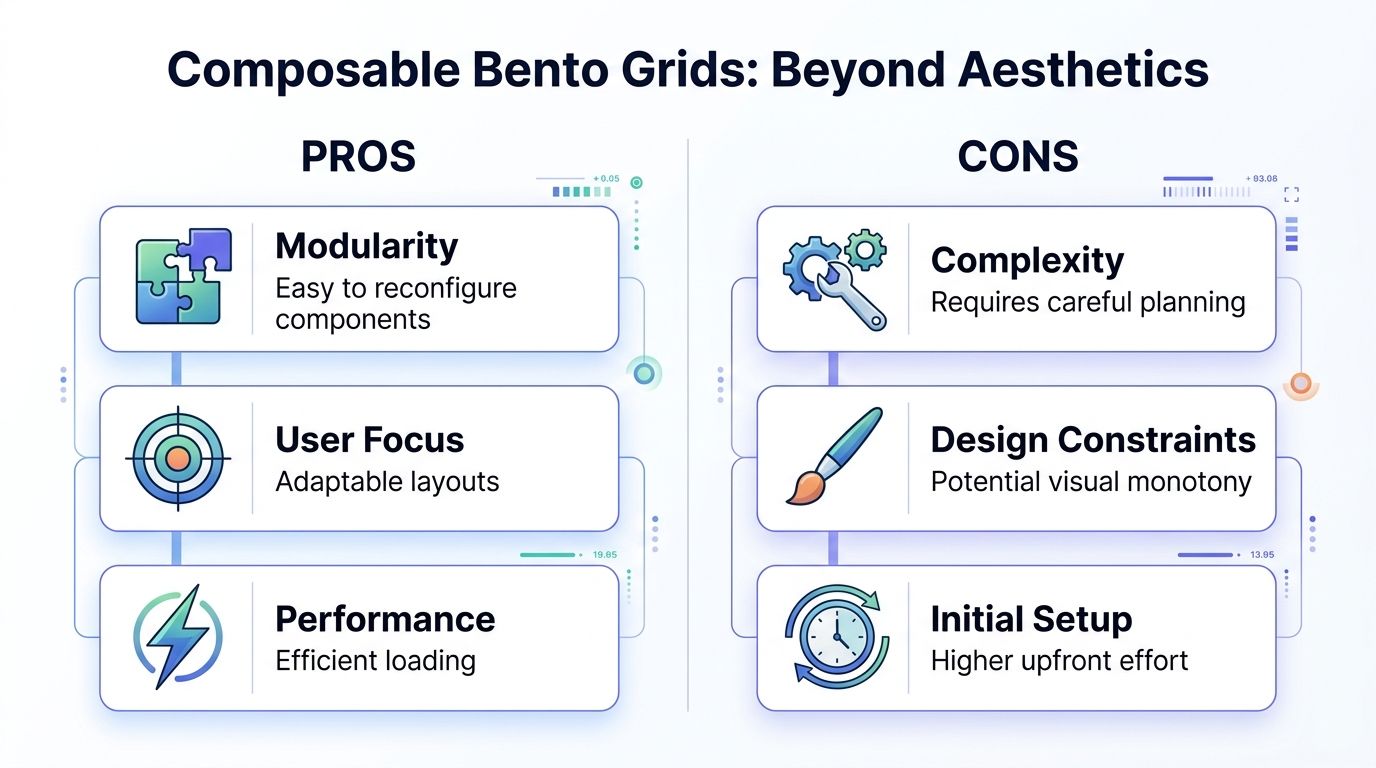
The performance case is stronger than the aesthetics case. A Figma resource library summary citing emerging HTTP Archive analysis reports that anti-grid organic layouts have risen 35% in creative portfolios, while structured, sustainable sites built on lean code and grid systems load 2.5x faster and boost conversions by 15-20% in key EU and US markets: Figma resource library on web design trends.
That’s the hidden pattern. The layouts that look freer in portfolios often become harder to parse and heavier to maintain in production.
The PM lens on bento systems
For product managers, composable grids are attractive because they solve two problems at once.
They help users scan.
They help teams ship.
A modular layout gives content, design, and engineering a shared structure. It’s easier to prioritize card order, define fallback states, and swap content blocks without reopening the entire page architecture. That’s especially useful for SaaS landing pages, feature hubs, pricing explainers, and in-app dashboards where content changes often.
If your team wants a stronger foundation, this guide to designing with grids is a good companion, and this breakdown of types of grids helps when deciding how rigid or flexible the system should be.
Where bento grids fail
Not every modular layout is a good one.
Bento turns into clutter when every block competes at the same visual weight. It also breaks down when teams use cards as an excuse to avoid hierarchy. A pile of equally bright, equally animated rectangles is still a pile.
A few design criteria keep the system honest:
- Primary path first: One block should clearly own the first decision.
- Asymmetry with discipline: Variation helps scanning, but the user should still predict where to look next.
- Content fit: Not every message needs a box. Some ideas need narrative flow instead.
- Performance over novelty: The layout should support lean code, not decorative complexity.
A good bento layout doesn’t fragment the experience. It packages complexity into choices users can actually process.
This is why bento grids are sticking while looser anti-grid styles are already narrowing into portfolio territory. The former support product clarity. The latter often celebrate creative control at the expense of user control.
Trend That's Fading Overwrought Visual Metaphors
Some trends fade because culture moves on. Others fade because they never scaled in the first place.
This category belongs to the second group.
When visual cleverness obscures function
Overwrought visual metaphors, especially soft pseudo-physical interfaces and heavily stylized tactile effects, still get attention in showcases. They can create a strong first impression. But they rarely survive serious product scrutiny.
The old lesson from neumorphism design still applies. Once buttons, fields, toggles, and cards begin to rely on subtle shadows and ambiguous edges for meaning, users have to work harder to understand what’s interactive and what isn’t.
That’s a tax on comprehension.
And for product teams, it becomes a tax on consistency too. Every stylized component needs more visual precision, more edge-case handling, and more accessibility review. Teams end up debating surface treatment when they should be improving task completion.
Why this style keeps losing ground
The reason isn’t that designers suddenly dislike expressive interfaces. It’s that product organizations now have stronger filters.
Accessibility expectations are higher. Performance constraints are tighter. Users switch devices constantly. Enterprise products need clarity across roles, contexts, and lighting conditions. In that environment, visual metaphor can’t be allowed to obscure action.
The teams that build durable systems tend to favor plain signals over decorative ambiguity. If you need a good standard for that thinking, this piece on good interface design is a useful benchmark because it centers comprehension instead of style theater.
A better way to judge trend viability
Ask three questions before adopting any dramatic style language.
- Can users identify interactive elements immediately
- Does the pattern hold up across accessibility checks
- Will the design system remain coherent as the product expands
If the answer to any of those is shaky, the trend probably belongs in a campaign, a concept site, or a brand moment, not in your core product surfaces.
That’s the broader point.
A trend can be visually memorable and still be strategically weak. PMs who learn to separate those two things make better calls. They don’t reject experimentation. They just refuse to let metaphor outrank usability.
How Product Teams Implement These Website Design Trends
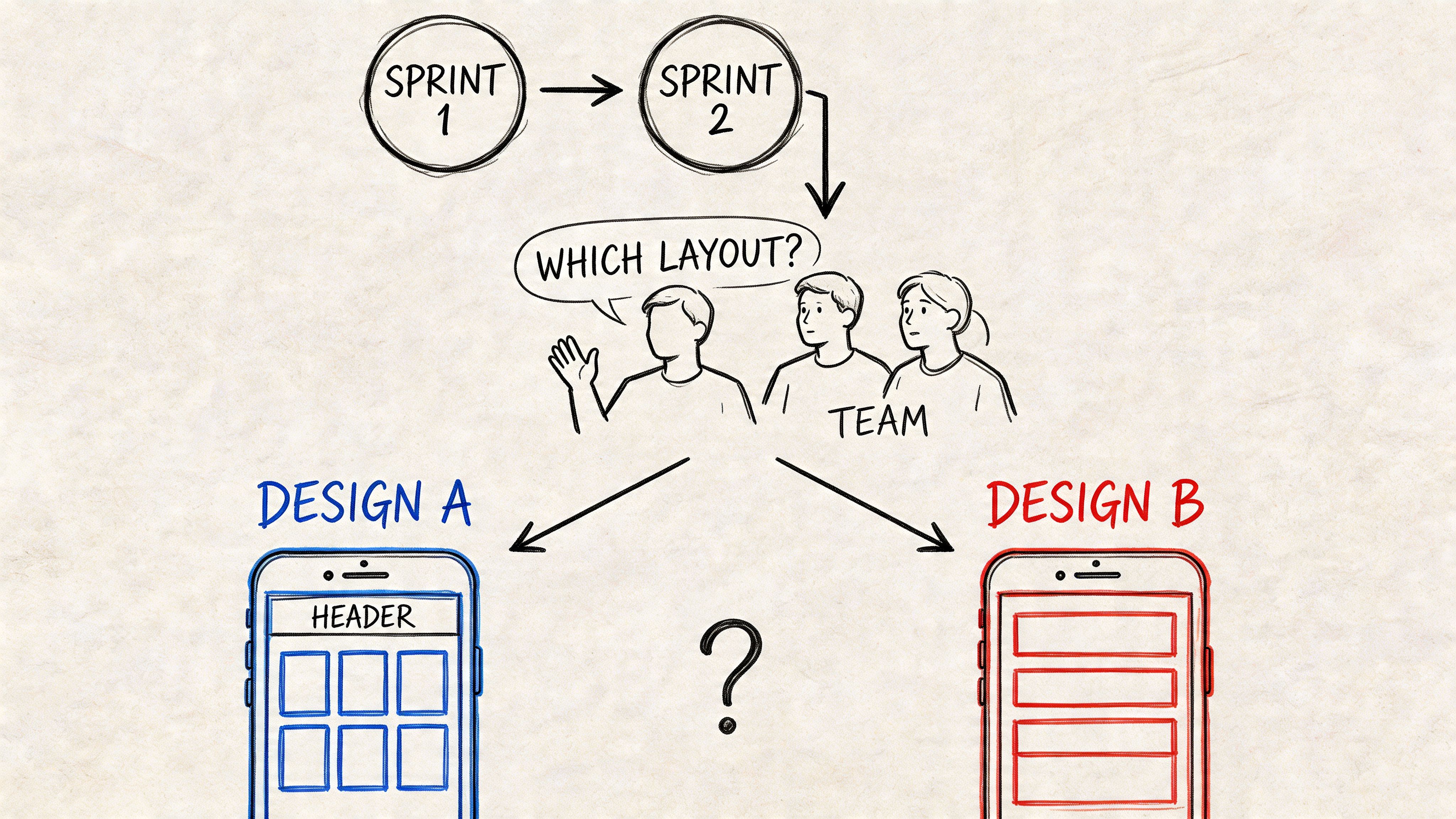
A friend at a Series C company told me they spent two sprints debating a layout change inspired by a trend, then shelved it when security and implementation questions surfaced. Nobody lacked taste. They lacked a safe path from inspiration to production.
That’s the primary bottleneck for SaaS teams.
Start with one flow, not a visual overhaul
Directgraphix reports that 70% of SaaS teams cite security as the top barrier to AI adoption, and that tools grounding AI in a live app’s context can reduce rework by 40% while helping teams meet SOC 2 compliance: Directgraphix on 2026 design trends.
That should change how PMs scope trend adoption.
Don’t launch a redesign initiative because a trend looks current. Pick a single high-friction flow and test whether one modern pattern improves it. A signup path. A pricing decision. A search result state. A dashboard summary. Something bounded enough to evaluate and important enough to matter.
Teams benefit from stronger prototyping discipline. If you need a process, this guide to rapid prototyping for product teams is a practical place to start.
Use assets that reduce decision drag
Trend adoption gets easier when teams stop inventing every component from scratch.
A strong starting point might be a curated library of patterns, or one of these best UI kits, especially when the goal is to explore structure before polishing expression. The point isn’t to copy someone else’s interface. It’s to shorten the gap between hypothesis and critique.
This is also where current inspiration needs a reality filter. Gallery browsing is useful, but only if you translate visual patterns into product logic. For that, the Figr gallery and this Perplexity search artifact are helpful references because they show trend-adjacent outputs in a product-oriented context.
And yes, there’s a tooling shift behind this. Figr stays current with design trends because it's trained on 200k+ real-world screens. When you generate prototypes, Figr applies modern patterns like glassmorphism, bento grids, and variable fonts while matching your existing design system.
That matters because many design teams don’t need more ideas. They need design exploration that respects existing tokens, flows, and constraints.
The operating model that actually works
Teams that implement web design trends latest ideas well usually follow a sequence like this:
- Choose one problem frame: Define the user hesitation you’re trying to reduce.
- Select one pattern: Personalization, composable layout, hierarchy cleanup, or another specific intervention.
- Prototype in context: Use existing design systems and realistic content, not abstract mockups.
- Review with security and engineering early: Don’t wait until sign-off to discover governance blockers.
- Measure behavior, not taste: Judge success by task clarity and business movement.
For broader reading on how company sites are evolving, Frank Digital Agency’s take on best practices for designing a company website in 2026 is a useful outside perspective.
The best trend implementation plan is usually smaller than the first draft and more measurable than the original ambition.
That’s the difference between trend tourism and product leadership.
Your Next Move Is A Question Not A Redesign
If you take one thing from the best web design trends 2026 discussion, let it be this: trends are better used as prompts than as mandates.
Don’t ask, “How do we make the site feel modern?”
Ask, “Where is one user journey still forcing too much interpretation?”
That question is far more useful. It points your team toward a real intervention. Maybe that means AI-powered personalization on a key entry page. Maybe it means replacing a sprawling layout with a composable grid. Maybe it means removing a visually clever pattern that slows users down.
A good next move looks like this:
- Pick one journey: onboarding, upgrade, search, demo request, or support deflection.
- Name the friction: confusion, slow scanning, generic messaging, weak next-step guidance.
- Test one trend as a product hypothesis: not as a rebrand.
In short, the right trend work in 2026 is less about taste and more about precision.
For the complete framework on this topic, see our guide to user interface design.
If you want to turn trend signals into prototypes your team can ship, Figr is worth exploring. It helps product teams generate context-aware UX artifacts, map flows, and test modern interface patterns against real product constraints, so you can move from inspiration to execution without guessing.
