
The review starts at 4:07 p.m. The designer is walking through polished mockups. The engineer squints and says the interaction breaks the current permissions model. The PM interrupts because the flow solves the wrong customer problem anyway. Someone asks who approved the direction. Nobody has a clean answer.
If that scene feels familiar, you're not looking at a design problem. You're looking at an alignment problem.
That is why teams search for ways to define design brief clearly. They don't need another document for its own sake. They need one artifact that gets everyone to agree on the problem, the constraints, and the intended outcome before execution starts.
A design brief is that artifact. Not a ceremonial PDF. Not a watered-down spec. A working agreement that keeps a feature from drifting into opinion, rework, and expensive confusion.
The Meeting That Should Have Been An Email
Last week I watched a PM walk into a review already on the defensive. They had a deck, a few user quotes, and a set of shiny frames from Figma. Ten minutes in, the room split into three different conversations. Design was discussing hierarchy, engineering was discussing feasibility, and leadership was asking whether the feature mattered enough to ship this quarter.
The problem wasn't effort. Everyone had done work.
The problem was that each person had started from a different version of reality.
A lot of teams try to solve this with more meetings. That almost never works. Meetings expose misalignment. They rarely repair the original cause. If the team never agreed on the user problem, business context, mandatory constraints, and decision-makers, the review becomes theater.
The brief is not extra process. It's the missing precondition for useful process.
When teams skip this step, they often compensate with scattered artifacts. A Slack thread holds the business rationale. A ticket holds half the scope. A deck from planning contains old assumptions. Someone pastes a goal into Notion and calls it alignment. That isn't alignment. It's fragmentation wearing a project manager's badge.
A cleaner starting point looks much more like a concise project framing document. If you're trying to tighten that early thinking, this project proposal outline is a useful companion because it forces the same discipline before execution begins.
The full cost of a missing brief is rarely visible on day one. It shows up later, when a team debates choices that should have been settled upstream. It shows up when design explores concepts that engineering can't support. It shows up when a stakeholder says, "This isn't what I expected," even though nobody ever wrote down what they expected.
That's the pattern worth naming.
A bad review is usually just the smoke. The missing design brief is the fire.
How to Define a Design Brief
When people ask, what is a design brief, they often expect a tidy sentence. Here's the practical version: a design brief is a problem-framing document that aligns a team before design work begins. It captures why the work exists, who it's for, what constraints matter, and how success will be judged.
That sounds simple, but the distinction matters. A brief frames the problem. It does not prematurely lock the solution.
What a brief is, and what it isn't
A friend at a Series C company told me they don't approve projects, they approve briefs. That's a sharper operating model than what is typically employed, because it forces clarity before momentum takes over.
This is what I mean. A good brief says, "We're losing qualified users during onboarding because trust signals are weak on mobile, and we need a solution that fits existing authentication constraints." A bad brief says, "Design a new onboarding carousel with three slides and a progress bar."
One frames the challenge. The other disguises a preselected answer.
Here is the clean mental model:
- A brief is not a PRD: It comes earlier and sets up the logic that a fuller spec can expand. If you need the downstream structure, a strong PRD template helps turn brief-level clarity into execution detail.
- A brief is not a Jira ticket: Tickets track work. Briefs justify and shape it.
- A brief is not a creative wishlist: It should reduce ambiguity, not decorate it with buzzwords.
- A brief is not only for designers: Product, engineering, research, and leadership all rely on it.
Why the practice has lasted
The discipline has been around for decades. The design brief originated in the mid-20th century, and a 1985 Design Management Institute finding summarized in the design brief history reported that firms using detailed design briefs experienced 25% fewer scope changes and completed projects 15% faster on average.
That result makes intuitive sense. Teams move faster when they stop rediscovering the assignment.
A useful way to think about a brief is as the answer to a sharper question than "What are we building?" The better question is, "What problem are we solving, for whom, under which constraints, and how will we know we solved it?" If your team struggles to write that down, it usually means the problem still isn't defined. This what is a problem statement guide can help tighten that first move.
Practical rule: If your brief can be approved without naming the user, the business reason, and the main constraint, it isn't ready.
The basic gist is this: a design brief is the smallest document that creates a shared understanding strong enough to begin good work.
The Anatomy of an Effective Design Brief
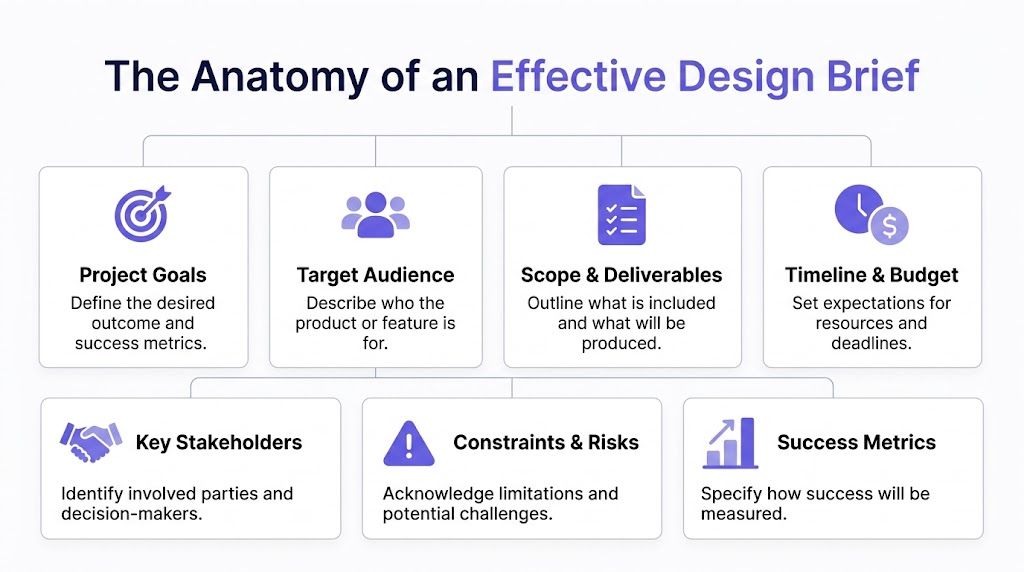
Teams often don't need a fancy design brief template. They need a brief that answers the right questions in the right order. The best ones read like a chain of reasoning. Why now. For whom. Under what limits. Toward what outcome.
Start with the pressure behind the project
Open with the business and user context. Not a paragraph of brand language. Not "improve experience." Write what changed, what hurts, and why the work matters now.
Useful prompts include:
- Business trigger: What happened that made this project necessary now?
- User friction: Where are users struggling, hesitating, or abandoning the flow?
- Decision context: What strategic priority does this support?
When this section is weak, teams invent their own narrative later. That's how a simple improvement request turns into three conflicting interpretations.
Name success before you name screens
The next move is to define outcomes. Many briefs often drift into vagueness during this process. "Modernize the interface" isn't a goal. It's an aesthetic preference pretending to be strategy.
A stronger brief names the intended change in user or business behavior and the evidence that will count as success. Sometimes that evidence is quantitative, sometimes it's directional. Either way, write it down.
If a stakeholder can't tell whether the project succeeded, the brief didn't do its job.
The brief should shape later artifacts, whether that's a spec, prototype, or implementation plan. If you're turning the brief into a fuller execution doc, this guide on how to write a PRD helps carry that logic forward.
Get specific about audience and constraints
The fastest way to create rework is to describe the audience as "everyone." A real design brief for product teams identifies the primary user, the relevant context, and any segment differences that matter to the design.
That often includes:
- Primary user: Who is the main person this work serves?
- Usage context: Are they on mobile, under time pressure, in a regulated workflow, or collaborating with others?
- Accessibility needs: What must be considered from the start, not patched in later?
- Technical limits: Which platform, architecture, legal, or operational constraints are real?
Strong briefs become useful for UX and engineering at the same time. According to the IxDF overview of design briefs, effective UX briefs specify technical design requirements such as WCAG AA contrast ratios of at least 4.5:1 and responsive breakpoints at 320px, 768px, and 1440px. That level of specificity cuts iteration by reducing brand and accessibility inconsistency.
Later in the process, that same clarity improves downstream artifacts such as user experience flows, because the intent behind each interaction is already grounded.
A quick walkthrough can help make this concrete.
Define the boundaries of the work
A brief should also say what is in scope and what is not. This sounds obvious, yet it's one of the most skipped sections. Teams love aspiration. They resist boundaries. The result is uncontrolled expansion.
Write down the guardrails:
- Included deliverables: What artifacts should exist by the end?
- Excluded work: What related requests are explicitly not part of this project?
- Dependencies: What must happen elsewhere for this to succeed?
- Decision-makers: Who gives final approval when trade-offs appear?
That final point matters more than people admit. A brief without named approvers is an invitation to late-stage opinion.
What should not go into the brief
Many drafts become bloated here. Don't stuff the brief with every requirement, every user story, or every implementation detail. Those belong in more detailed documents later.
Keep these out:
- Premature UI prescriptions: Don't lock in a solution before design exploration.
- Verbose history: Include only background that affects present decisions.
- Orphan metrics: If a number doesn't influence a design or product choice, it doesn't belong.
- Ticket-level granularity: Save that for specs and delivery planning.
A strong brief is compact because it is selective. It creates clarity by filtering.
Design Brief Examples for Product Teams
Abstract advice gets forgotten. A concrete design brief example usually sticks.
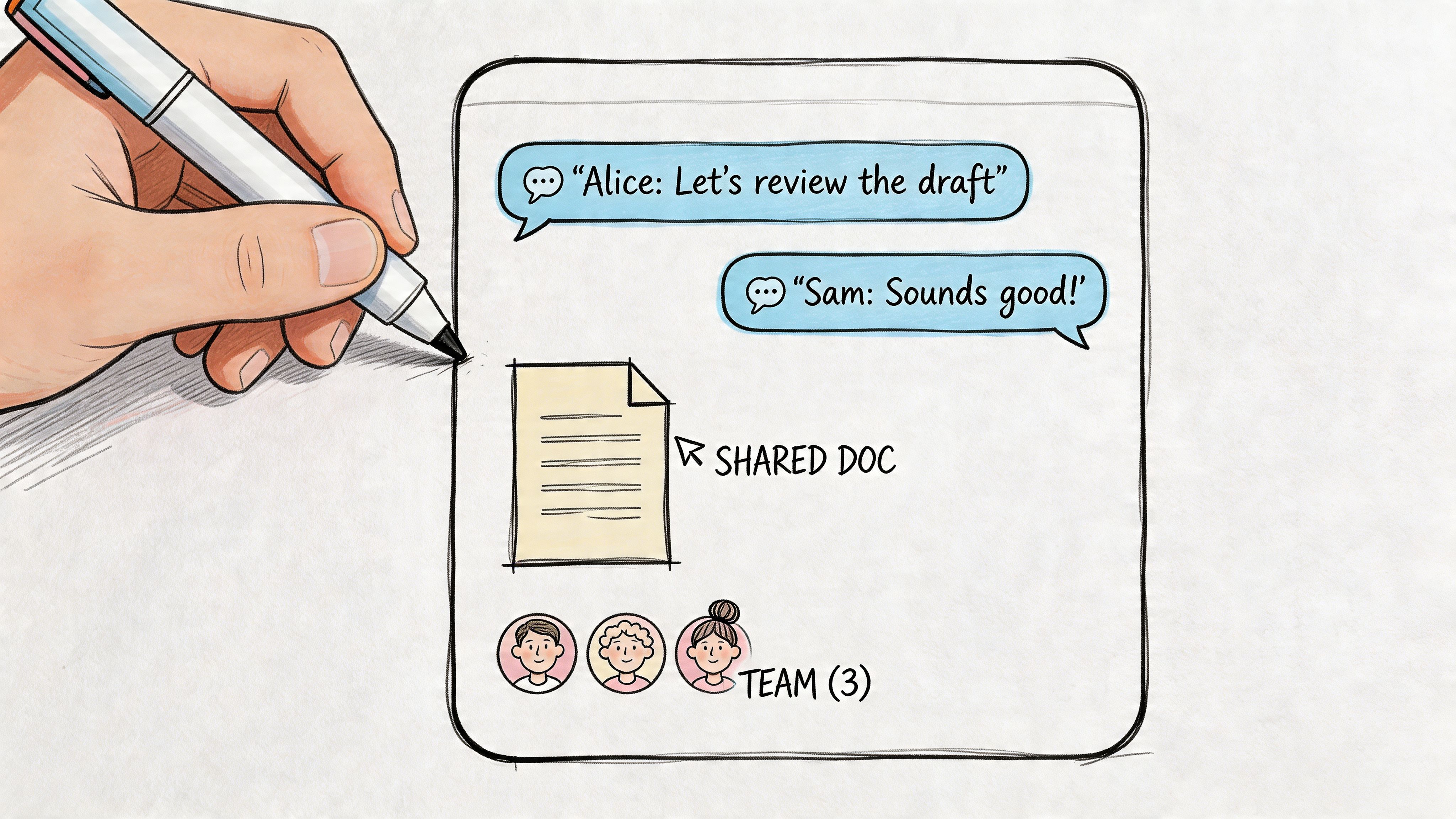
Let's say your company runs a project management product and wants to add team collaboration inside a task detail view. Right now, users jump to chat, email, and comments spread across other tools. Leadership wants tighter collaboration, but engineering is concerned about permissions, notifications, and activity history.
A brief snippet that works
A compact brief might sound like this in practice:
Project background
Teams managing cross-functional work leave the product to coordinate decisions, creating fragmented task history and slower follow-through.
Objective
Help task collaborators discuss decisions in context without leaving the task workflow.
Primary user
Project leads and contributors working across design, engineering, and operations.
Constraints
The first release must work with existing role permissions and current notification infrastructure. Mobile responsiveness is required.
Success criteria
Users can discuss, resolve, and reference task decisions in a shared thread without creating ambiguity about ownership.
Deliverables
Interaction concepts, high-fidelity screens, core states, edge cases, and a specification package for handoff.
Notice what this doesn't do. It doesn't dictate "add a right-side comments panel with emoji reactions." It leaves room for design judgment while still giving the team enough structure to act.
What product teams often add
For software teams, a brief gets better when it includes competitive and operational context. A 2024 Capterra analysis of 1,200 design projects found that teams without briefs faced 35% higher budget overruns. That same source notes that, for SaaS products, briefs that integrate competitor insights and brand guidelines lead to 50% improved alignment.
That's why a useful brief often includes:
- Competitive references: Which adjacent products solve similar workflow problems well?
- Brand and system guidance: Which patterns or components must remain consistent?
- Operational implications: What support, QA, analytics, or rollout concerns should shape the design?
If you want a good parallel resource for shaping the opening context of a brief, these project overview example templates are helpful because they force tighter project framing before the solution hardens.
For teams that need to bridge from brief to implementation detail, a functional specification document example can help separate framing from execution without mixing them together too early.
What the finished output can look like
The brief should feed tangible artifacts, not sit untouched in a folder. For a more advanced project, that may become an interactive working canvas like the Mercury canvas, or a more developed product document like the Mercury PRD.
That progression matters because a brief is not the end product. It is the aligned starting point for better specs, cleaner decisions, and more coherent digital customer journeys.
Three Pitfalls That Turn Briefs into Wasted Effort
Some briefs fail even when they exist. The document gets written, shared, approved, and still doesn't create alignment. Usually that's because it falls into one of three recognizable traps.
The solution disguise
This is the most common failure mode. Someone calls it a brief, but it's really a feature prescription with branding. It says exactly what the interface should be, how many steps the flow should include, and which interactions to ship. Design becomes decoration, not problem-solving.
You can spot this quickly. If the brief contains far more UI decisions than user, business, and constraint clarity, the team has skipped straight to output.
The empty vessel
This version looks polished and says almost nothing. The goals are broad. The audience is generic. The constraints are absent. Everyone nods because the language sounds strategic, then they interpret it differently once work starts.
These briefs often use phrases like "enhance the experience" or "create an efficient workflow." Nobody can act on that. A useful brief has enough sharpness that two smart people reading it would roughly describe the same problem.
A brief should reduce interpretation space, not expand it.
The exclusionary default
This is the trap many teams underestimate. They write for a generic user, then tend to design for the most convenient one. Accessibility, inclusive research, and edge cases arrive later, if they arrive at all.
That is not only a product quality issue. It is a scoping failure.
A Nous Group perspective on overlooked users argues that most design brief guidance fails to address inclusive design from the outset. The same source notes that 15% to 20% of the global population is neurodivergent, and that briefs prioritizing equity over generic audiences can yield 2x higher user retention.
That should change how teams write briefs.
Instead of asking only, "Who is the main user?" ask:
- Who gets excluded by our default flow
- Which cognitive, visual, mobility, or language needs matter here
- What assumptions are we making about speed, literacy, memory, or device access
It is at this juncture that the economics and the ethics line up. Teams that ignore these questions tend to discover them later through support tickets, failed adoption, and redesign requests. Teams that include them early build products that are more resilient from the start.
From Document to Dynamic Workflow
The old model of a brief is static. Someone writes it, maybe in Notion or Google Docs, then the team manually translates it into flows, specs, prototypes, tickets, and review notes. That handoff chain creates loss. Context thins out with each transfer.
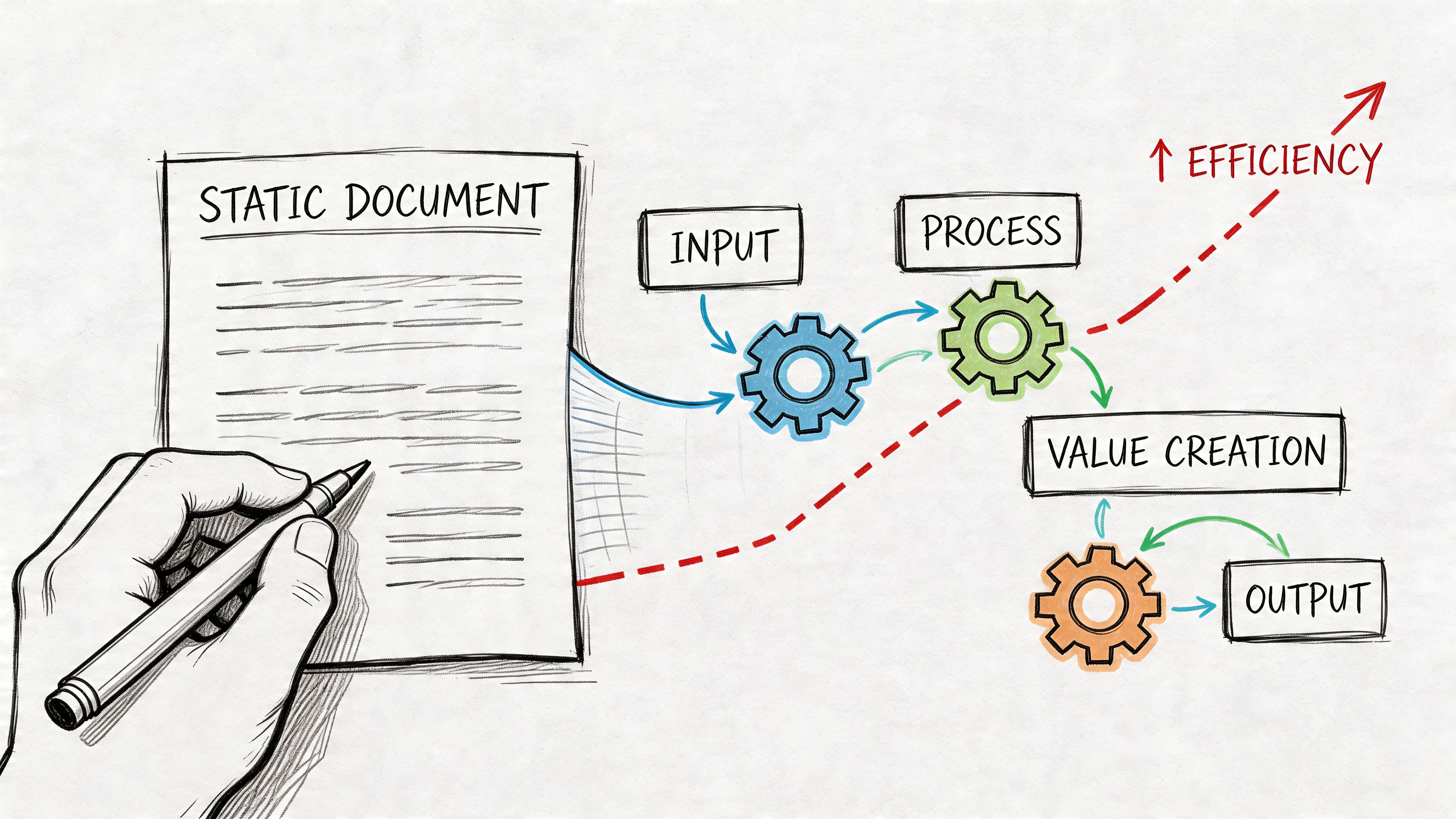
A more modern model treats the brief as structured input to a workflow. The document doesn't just explain the project. It drives subsequent artifacts.
Why this shift matters
At scale, the brief is an economic instrument. It decides whether teams spend their time exploring the right problem or cleaning up confusion from the wrong one. Every vague assumption moved downstream gets more expensive in coordination cost, review time, and implementation churn.
That's why the recent move toward dynamic, AI-augmented briefs is worth paying attention to. According to Parallel's discussion of modern design briefs, AI-driven briefs have been shown to reduce design cycle time by 50% by integrating analytics and automating checks, and this practice is now used by over 500 enterprise teams.
That should not be read as "let AI write vague documents faster." Its value is different. Analytics, product context, and system rules can now inform the brief while the work is being scoped.
What dynamic looks like in practice
A dynamic brief can pull in signals that static templates usually ignore:
- Product context: Existing screens, patterns, and system behavior
- Behavior data: Drop-off points, friction signals, and key journey moments
- Design system rules: Components, tokens, and accessibility requirements
- Execution outputs: Draft specs, early flows, and review-ready artifacts
That shift also changes operating models. Teams moving from isolated project briefs to ongoing design support often need a more continuous briefing practice, which is why this piece on the transition from one-off briefs to a design subscription is a useful lens on how briefing evolves with a steadier production cadence.
The category around ai assistants for product design documentation is growing because it addresses a real bottleneck. Product teams don't just need help writing. They need help carrying context from brief to output without dropping key decisions along the way.
The tools around that workflow are expanding fast. Some teams use them to draft user flow examples, others to support broader AI tools for product strategy documents. The pattern is the same. Better inputs create better downstream decisions.
A strong brief still needs human judgment. It just no longer has to remain a dead document.
The One-Page Mandate
A feature kicks off on Monday. By Thursday, product is asking for a different outcome, design is polishing the wrong flow, and engineering has already scoped work against assumptions nobody wrote down. That pattern is common, and it is expensive.
The fix is usually one page.
Before the next feature starts, write a brief that states the problem, the user, the constraints, the outcome, and who has decision authority. Keep it short enough that people will read it, but specific enough that nobody can pretend they heard something else. Small projects do not need a heavy process. They do need a clear mandate.
The design brief works as an alignment contract. It gives the team a shared point of reference before opinions harden into mockups, tickets, and deadline promises. I have seen teams skip this step because it felt faster. They usually pay for it in review cycles, reversals, and tense handoffs a week later.
The practical rule is simple. Review the one-page brief before you review design. That adds a few minutes up front and removes a lot of preventable churn after work is already in motion.
A strong brief should also be usable by systems, not just people. Figr helps product teams turn that page into execution input. Feed it the brief with your product context, and it can generate PRDs, user flows, and interactive prototypes aligned to your existing design system. The brief stops being a static document and starts driving work.
