

A Product Requirements Document isn't a fossil buried in a wiki. It’s a blueprint for focused action. Yet, most start with a blank page, a cursor blinking in the void, inviting scope creep and misalignment. The problem isn’t the PRD itself, but the starting point.
A great prd template is not a fill-in-the-blanks exercise; it’s a thinking tool. It translates abstract goals into concrete questions. It forces clarity on the problem before anyone writes a line of code. Last week, I watched a product manager at a growth-stage company spend two days just trying to structure a spec for a new onboarding flow. The friction wasn't the idea, it was the format. A great PRD is less a document and more a structured conversation.
This is what I mean: instead of just a 'Features' section, a powerful template asks, 'What user problem does this solve?' and 'How will we measure success?' It reframes work around outcomes, not outputs. This shift is crucial because, as stated in a foundational Harvard Business Review article on product development, "the single biggest cause of project failure is a poorly defined scope." A good template acts as a forcing function for that definition.
This roundup is not just a list of links. It is a curated set of starting points designed to anchor those conversations and give your team the clarity it needs to build the right thing, faster. We'll explore a range of options, from simple documents to dynamic platforms, each with direct links and screenshots. We will analyze how each prd template helps you move from a blank page to a clear, actionable blueprint.
1. Figr
Figr is not another blank canvas for writing documents. It’s a product-aware AI agent designed to bridge the chasm between a raw idea and production-ready UX. Instead of starting with a generic template, Figr begins with your actual product. It uses a one-click Chrome capture to ingest your live application, learning its components, styles, and user flows. This context is its foundation.
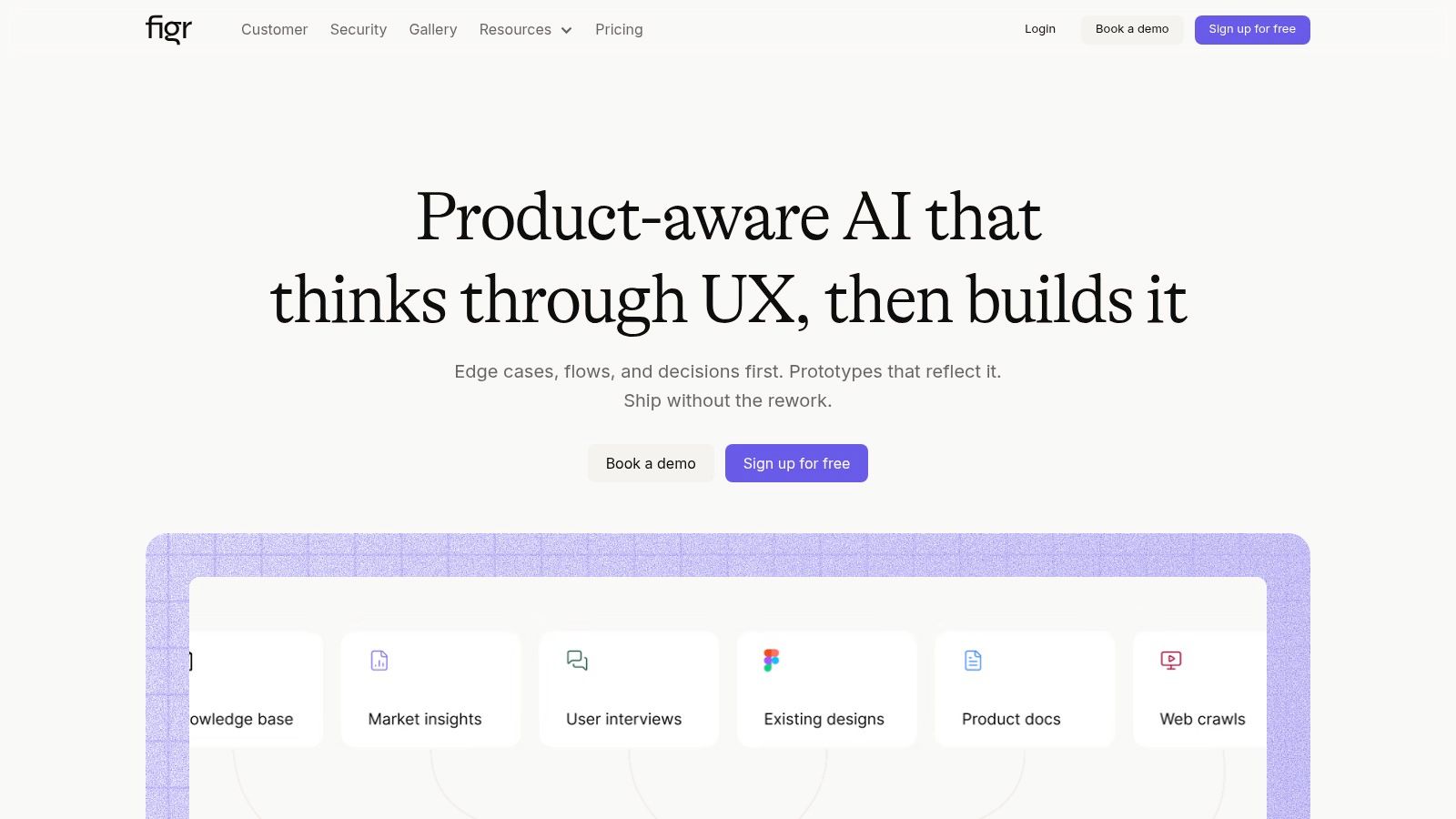
The platform’s core strength is its "design thinking first" approach. Before generating a single UI element, it maps user flows, identifies potential edge cases, and drafts the initial PRD. For product managers, this means the prd template is not a separate, static document but an integrated artifact that evolves with the design. It connects to your Figma design system, ensuring any proposed UI uses your team's real components and tokens, dramatically reducing handoff friction.
Figr goes a step further by connecting to analytics, allowing it to propose changes backed by your own metrics and benchmark data from over 200,000 analyzed screens. You can see this in action through various artifacts built with the tool, like this detailed PRD for a Mercury runway forecasting feature or the comprehensive test cases for a Waymo trip modification. For a deeper dive, Figr's blog offers an excellent example of a complete requirements document built with its AI.
Pros:
- Product-Aware Outputs: Captures your live app and Figma system so prototypes use your real components and styles, not generic UI kits.
- Design Thinking First: Maps flows, drafts PRDs, and uncovers edge cases, grounding UI work in solid UX decisions.
- Data-Backed Recommendations: Connects to analytics to propose changes with a measurable rationale.
- Enterprise-Grade: SOC 2 compliance, SSO, and zero data retention make it suitable for teams with strict security needs.
Cons:
- Opaque Pricing: You must request a demo or sign up to get pricing details, which can slow down the evaluation process.
- Setup Overhead: Requires access to your live site, Figma files, and analytics to deliver maximum value, which may involve initial setup time and permissions.
Website: https://figr.design
2. Atlassian Confluence – Product requirements template
For teams already breathing the Atlassian air, the native Confluence PRD template is less a choice and more a natural extension of their workflow. It’s the default, the common language spoken between product and engineering. The template provides a structured page within a familiar wiki environment, with pre-built sections for objectives, user stories, designs, and scope, ensuring a degree of consistency across projects.
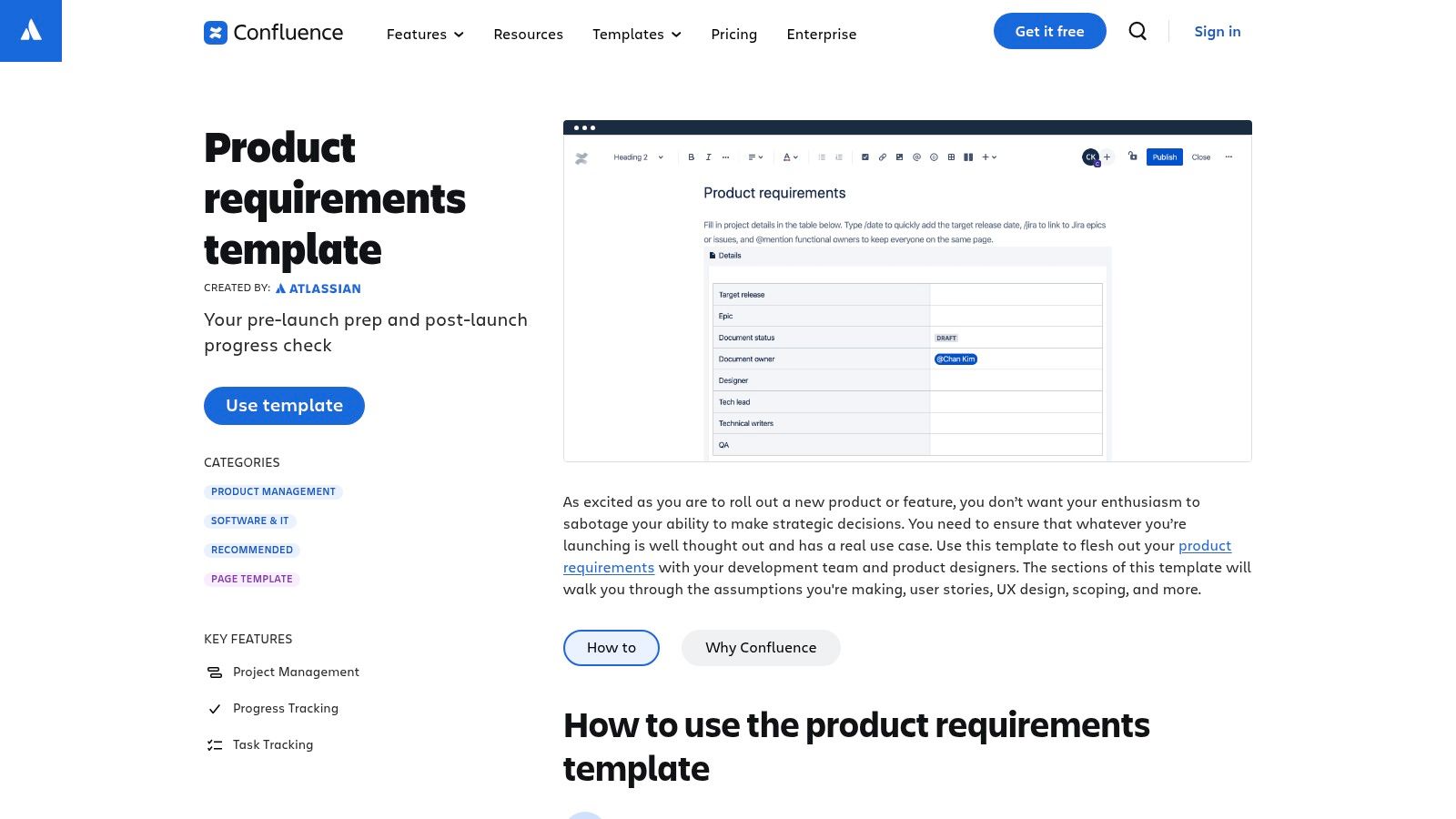
Its primary strength is its deep, almost inseparable, connection to Jira. Think of it as a river with a tributary: the requirements flow from the Confluence document directly into Jira issues. You can embed issues directly, creating a powerful link between the "why" in Confluence and the "how" in Jira. This traceability is critical for regulated industries or large enterprises where audit trails are non-negotiable. While it excels as a central knowledge repository, it can feel rigid. Exporting a clean PDF for external stakeholders often requires frustrating format adjustments.
Key Considerations:
- Best For: Product teams deeply embedded in the Atlassian ecosystem (Jira, Trello).
- Pros: Excellent for traceability when linked to Jira epics. Familiar interface for engineering teams.
- Cons: Best suited for teams already committed to the Atlassian stack. Formatting for export can be cumbersome.
- Pricing: Included with Confluence subscriptions. A Free plan is available for up to 10 users. Standard plans start at $6.05 per user/month.
- Link: Atlassian Confluence – Product requirements template
For those looking for guidance on the substance of the document itself, beyond the tool, it's useful to understand the core components of a well-written PRD and how to adapt them to your specific project needs.
3. Miro – PRD template (board)
Miro shifts the PRD from a linear document to a spatial conversation. Instead of a scrolling page, you get an infinite canvas where the problem statement can live next to user flow diagrams, and requirement lists can sit beside brainstormed sticky notes. The PRD isn't a static artifact; it's a living map. This format is built for the messy, non-linear reality of product discovery, allowing teams to map out dependencies and discussions visually.
This visual approach makes it a powerful asset during collaborative workshops. Stakeholders don't just read a document; they interact with a board. You can pull them into a session to comment, add ideas, or follow a guided "Talktrack" walkthrough of the requirements. The optional AI features can provide a head start by generating a draft PRD, but the real power comes from the shared, persistent space that connects early discovery to final delivery. The process is a good reminder of how a team can go from PRD to prototype in two hours with the right workflow.
Key Considerations:
- Best For: Collaborative product teams who value visual context and run frequent workshops.
- Pros: Excellent for maintaining discovery-to-delivery continuity on a single board. Easy for stakeholders to engage. Large community template library (Miroverse).
- Cons: Can feel unconventional for teams expecting a linear document. The free-form canvas requires discipline to prevent sprawl and maintain clarity.
- Pricing: A Free plan is available with limited boards. Paid plans start at $10 per user/month (billed annually).
- Link: Miro – PRD template
4. Figma FigJam – PRD template
For teams where design is not just a department but the very medium of thought, the FigJam PRD template feels like coming home. It swaps the linear rigidity of a text document for the freeform canvas of a digital whiteboard. The template is not a container for text, it's a shared workspace for ideas. It’s for assembling a visual argument, combining early ideation, user flows, and core requirements in a single, collaborative space right next to the Figma design files.
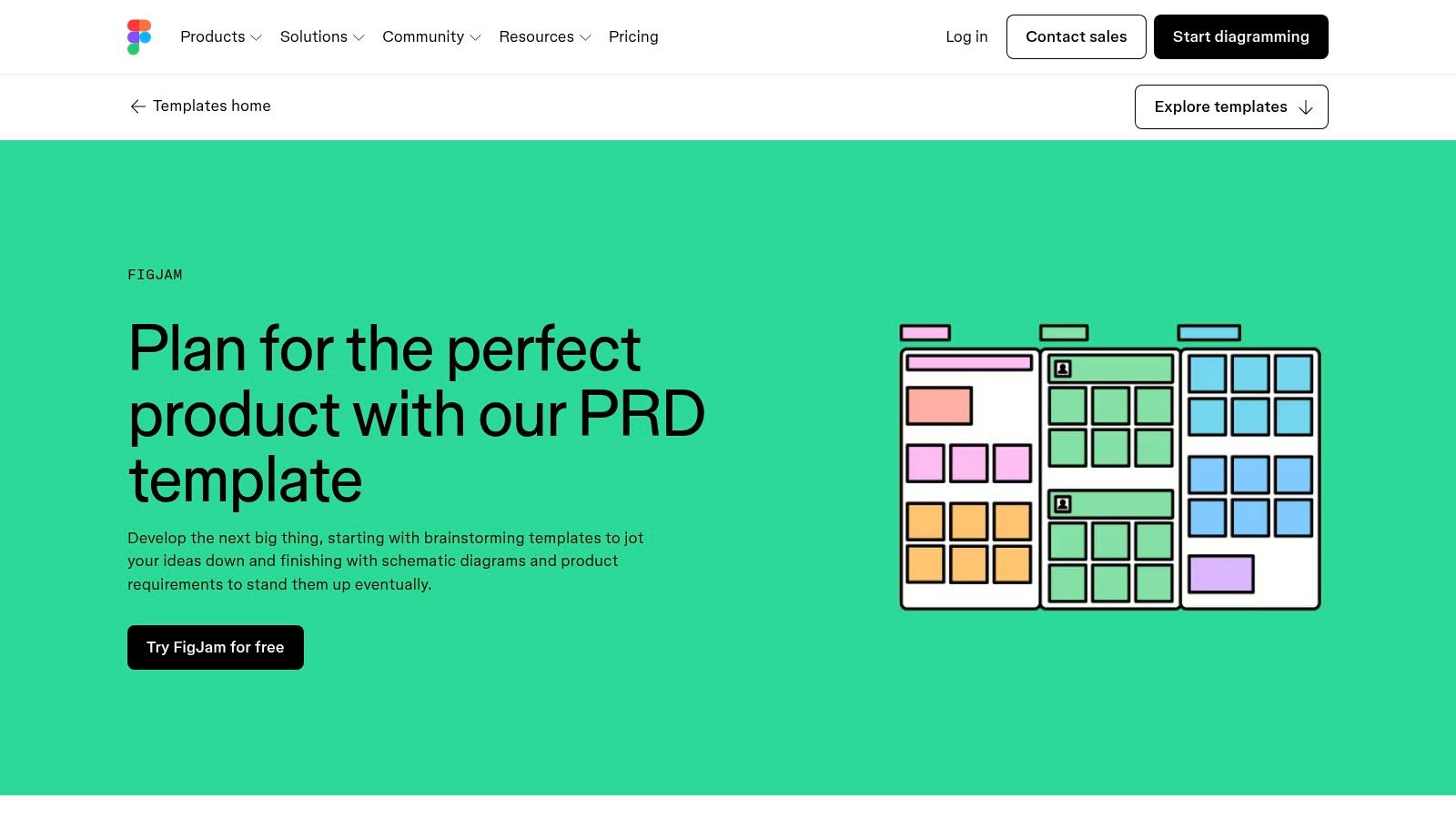
Its real power is proximity. The line between the PRD and the prototype blurs, allowing for a fluid conversation between product managers and designers. You can use its built-in sections for purpose and personas, then immediately start diagramming a user flow with sticky notes and connectors. It’s perfect for the early, messy phase of creation. However, it’s less suited for generating the dense, long-form narrative specs that engineering teams often need for complex backend logic or that a project like mapping Dropbox's extensive upload failure states would demand.
Key Considerations:
- Best For: Visually-oriented product and design teams who live in Figma.
- Pros: Low barrier for collaboration between PM and design. Bridges the gap between early brainstorming and high-fidelity design work.
- Cons: Not ideal for long-form narrative specifications. Requires the whole team to be comfortable working within the Figma/FigJam ecosystem.
- Pricing: A free plan is available. FigJam Professional plans start at $3 per editor/month.
- Link: Figma FigJam – PRD template
Exploring different templates and frameworks for PRDs can help teams decide when a visual canvas like FigJam is appropriate versus when a more structured document is necessary.
5. Notion – PRD template (Template Gallery)
Notion is where documents pretend to be Lego sets. It offers a doc-plus-database approach, allowing teams to interlink specs, tasks, research, and decisions in a way that feels organic and interconnected. The official PRD template from their gallery is a starting point, a canvas rather than a rigid form, built on customizable blocks and properties. Its strength is its sheer flexibility; you can embed databases, link pages bi-directionally, and tailor every section to your team’s dialect.
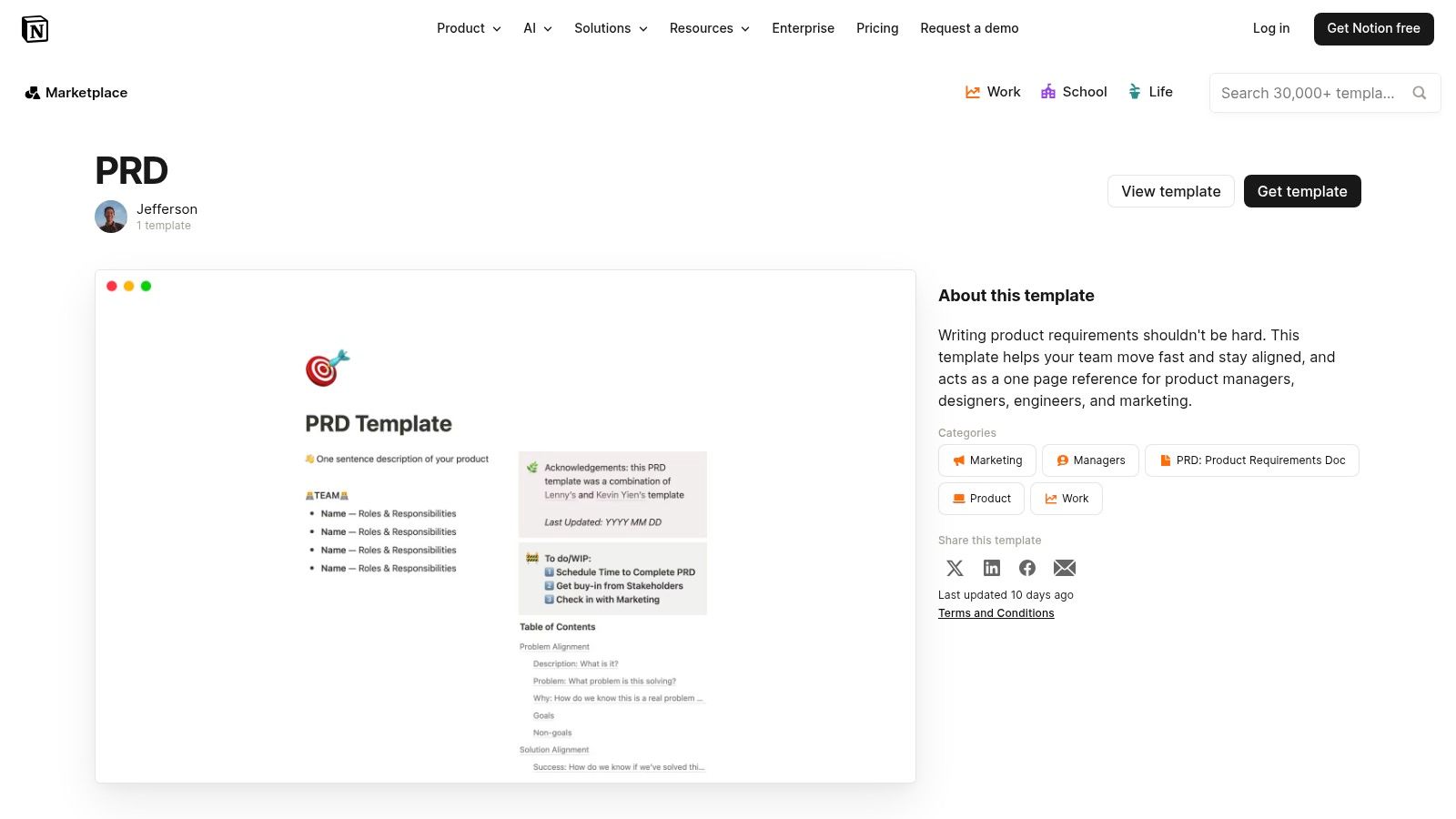
This structure is ideal for living documents that evolve with the product. A PRD can start as a simple page and grow to include inline tables of user interview notes, a gallery of design mockups, and a kanban board of related engineering tasks. However, this freedom is also its primary risk. Without strong team discipline, every PRD can become a unique work of art, killing consistency. The rich third-party ecosystem offers many PRD variants, but settling on one and enforcing its use is key to avoiding chaos. Exports are functional but basic, often losing the dynamic nature of the original document.
Key Considerations:
- Best For: Teams that value flexibility and want to build a connected knowledge base around their product specs.
- Pros: Highly flexible structure without rigid formatting. Easy to tag, filter, and roll up PRDs into high-level views.
- Cons: Can become inconsistent if teams over-customize. Exports are basic compared with dedicated document tools.
- Pricing: Free for personal use. Plus plans for teams start at $10 per user/month.
- Link: Notion – PRD template (Template Gallery)
6. Coda – PRD templates (Doc Gallery)
Coda is what happens when a document decides it wants to be an application. It blurs the line between narrative text and structured data, creating a single source of truth that is both readable and interactive. A Coda doc isn't just a page, it's a small machine. For product teams tired of juggling Google Docs for narrative, spreadsheets for requirements, and a separate tool for status tracking, Coda offers a unified canvas. It combines pre-built sections for problem statements and solutions with powerful, interactive tables.
Its core strength is the fusion of docs and databases. You can write your product vision and, in the next paragraph, embed a filterable table of user stories, each with its own status button and owner. These are not just static tables; they are living parts of the doc that can be connected to automations or integrations via "Packs" for Figma, Miro, and more. While this makes Coda incredibly potent for capturing decisions and creating custom views for different stakeholders, it does introduce a learning curve for its more advanced features, and offline support can be a limitation for teams on the move.
Key Considerations:
- Best For: Teams wanting to consolidate narrative, data, and light-touch project management into one document.
- Pros: Excellent for combining structured data with narrative. Supports powerful automations and custom views.
- Cons: Advanced features have a notable learning curve. Limited offline functionality can be a hindrance.
- Pricing: Free plan with core features. Paid plans with more advanced features and automation start at $10 per Doc Maker/month.
- Link: Coda – PRD templates (Doc Gallery)
7. ClickUp – Product Requirements Doc template and PRD AI agent
For teams whose entire universe of work resides in ClickUp, building a PRD anywhere else feels like a context-switching tax. ClickUp’s approach is to embed the PRD directly into the project management machine. It offers a structured document template that coexists with the tasks, timelines, and dashboards a team uses daily, turning the PRD into an active, connected artifact rather than a static file.
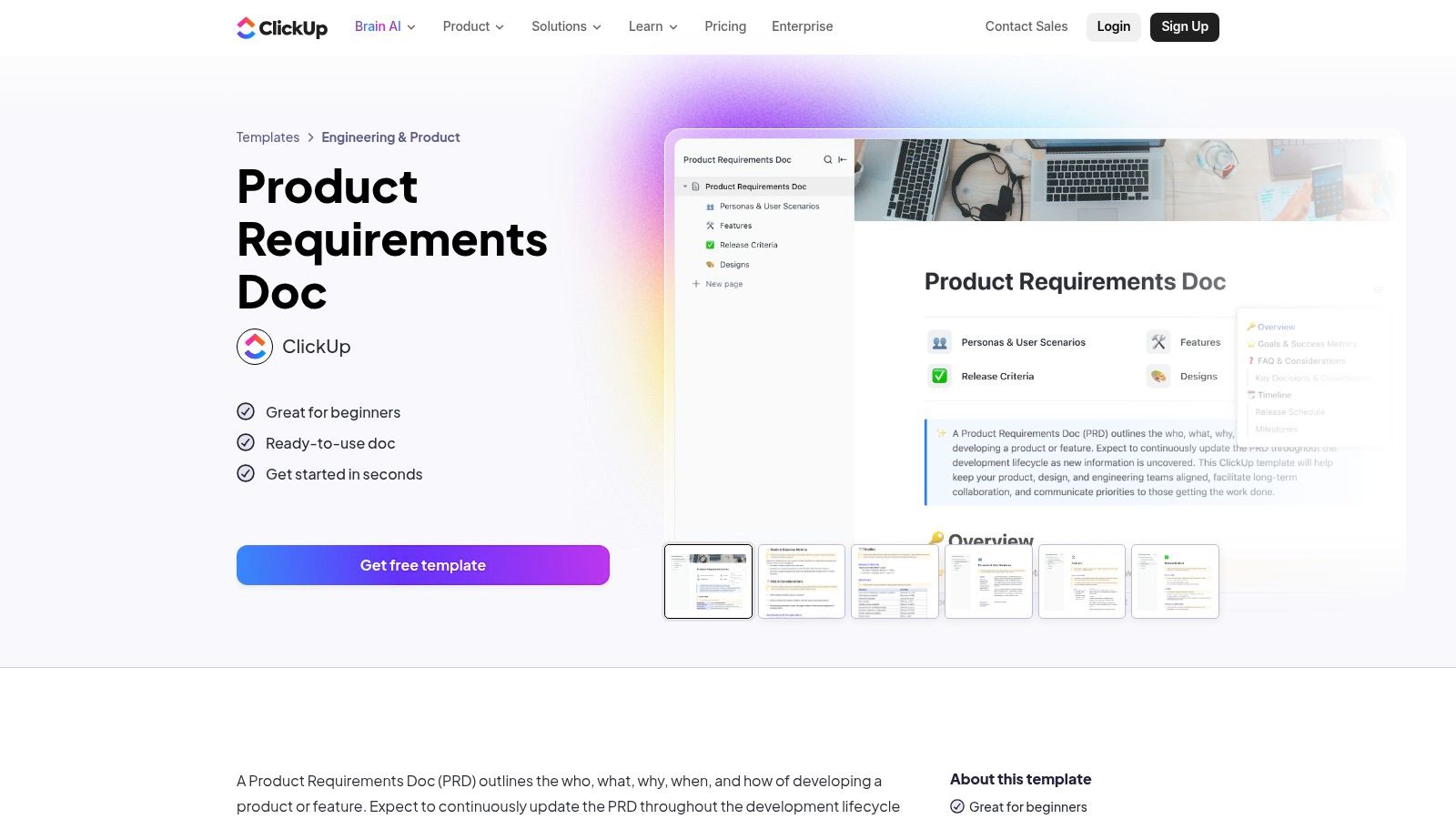
The platform’s unique advantage is its AI Super Agent. This isn't just about filling in blanks; it can ingest a collection of messy tasks, notes, or even a chaotic brainstorming doc and generate a coherent first-draft PRD. It's a translation layer. The goal is to eliminate the cold start problem, turning fragmented ideas into a structured document. The basic gist is this: it connects the unstructured "what if" phase to the highly structured "what gets built" phase, all within one system.
Key Considerations:
- Best For: Teams that use ClickUp as their central nervous system for project management.
- Pros: Tight connection between the PRD and tracked work. The AI agent is a genuine accelerator for drafting documents from existing tasks and notes.
- Cons: The most powerful AI agent features are tied to higher-tier plans. Some users on the free tier report that importing templates can be finicky.
- Pricing: A Free Forever plan exists. Paid plans start at $7 per member/month, with Business plans (which include more AI features) at $12 per member/month.
- Link: ClickUp – Product Requirements Doc template
8. ProdPad – PRD (product requirements) template (download)
Sometimes the best tool is no tool at all, or rather, a template that works with any tool you already use. ProdPad's approach is to provide a free, downloadable product requirements document that serves as a starting point. It's less about locking you into their ecosystem and more about evangelizing a specific, outcome-driven way of thinking about requirements. The template is a thought-starter, not a software system.
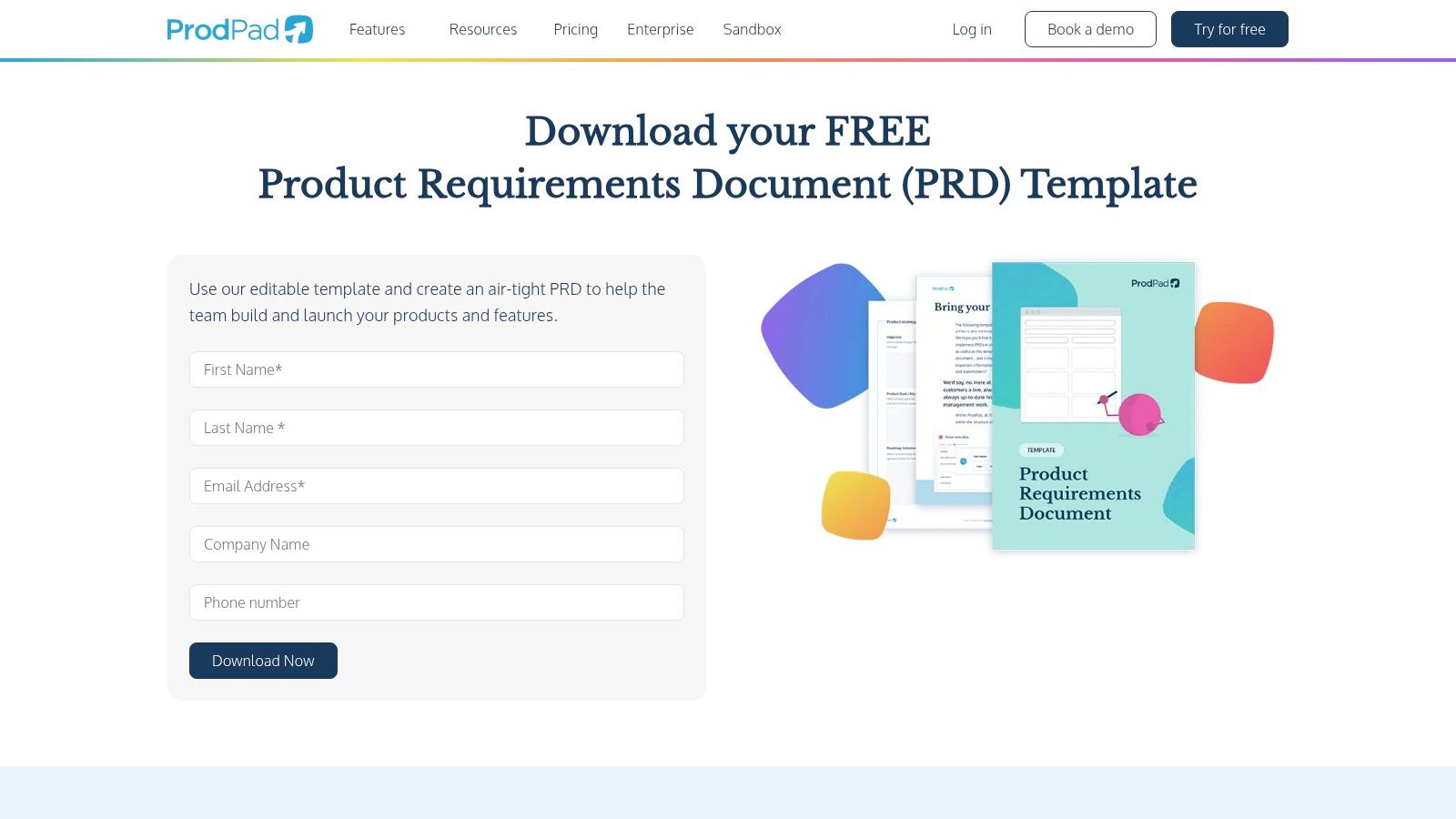
This is a teaching tool disguised as a file download. By providing clear sections for the problem, scope, user stories, and acceptance criteria, it guides PMs away from feature lists and toward defining success. Its strength lies in its agnosticism: you can use it in Google Docs, Notion, or Word, standardizing how your team writes a PRD without forcing a new software subscription. The main limitation is its static nature; it's a document, not a system. It lacks the live, dynamic link to development tasks unless you manually integrate it into a tool like Jira or Linear.
Key Considerations:
- Best For: Teams wanting to standardize their PRD format without committing to a new platform.
- Pros: Vendor-agnostic and easy to customize. Helpful prompts encourage stronger acceptance criteria. It’s free.
- Cons: Not a live, collaborative web document by default. No built-in linkage to tasks unless imported elsewhere.
- Pricing: The template is free to download.
- Link: ProdPad – PRD (product requirements) template (download)
9. Aha! – Product requirements document template
For organizations where product management is a formal discipline, Aha! is the central nervous system. Its product requirements document template isn't just a document, it's a node in a much larger network connecting high-level corporate strategy directly to the features being built. The tool is designed for top-down traceability, allowing a PMO to see a clear line from a company objective to a roadmap initiative, then to an epic, and finally to a specific requirement in a PRD.
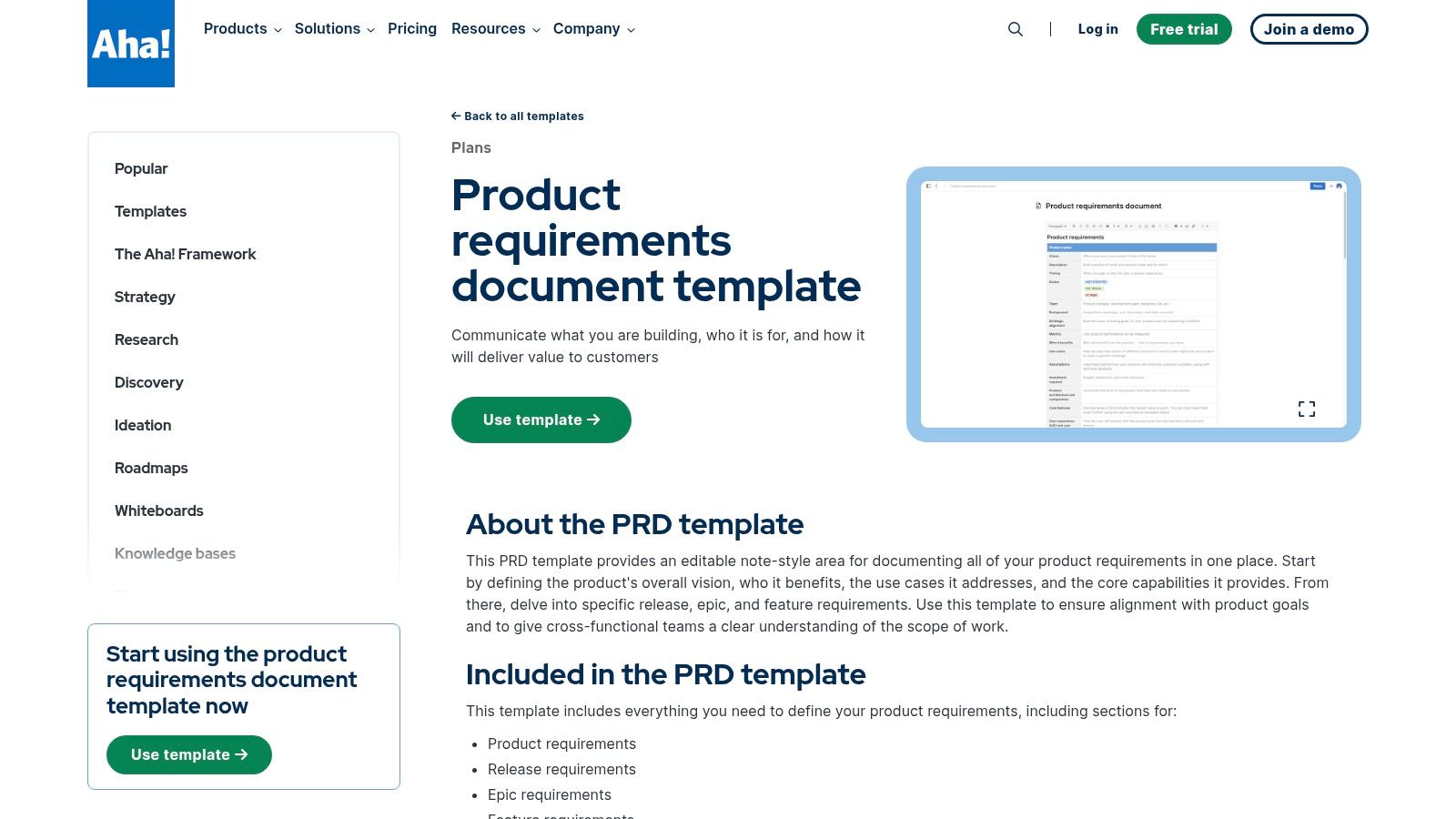
The power here is structural alignment. Instead of existing in a separate space, the Aha! PRD is a living part of the strategic plan, with built-in status tracking and collaboration features. This tight integration ensures that every piece of work can be justified against a larger goal. The trade-off is commitment: realizing its full potential means adopting the entire Aha! suite for roadmapping and strategy, which can feel heavyweight for smaller, more agile teams that favor decentralized tools.
Key Considerations:
- Best For: Enterprise product teams and PMOs that have standardized on the Aha! product management suite.
- Pros: Excellent for connecting strategy, roadmaps, and requirements. Creates strong organizational alignment from top to bottom.
- Cons: The full value is locked behind a complete Aha! subscription. Can be overly complex for lightweight product teams.
- Pricing: Included within Aha! subscriptions. The "Roadmaps" plan, which includes this functionality, starts at $59 per user/month.
- Link: Aha! – Product requirements document template
10. Nuclino – Product Requirements Document template
Nuclino represents a conscious uncoupling from the feature-heavy suites that dominate the product toolkit. It’s the deep breath in a loud room, offering a lightweight, almost spartan environment for crafting a PRD. For small to mid-size teams drowning in process, this simplicity is its core value proposition. The platform provides a focused PRD template with just enough structure: purpose, features, and scope, all within a fast, minimalist editor built for real-time collaboration.
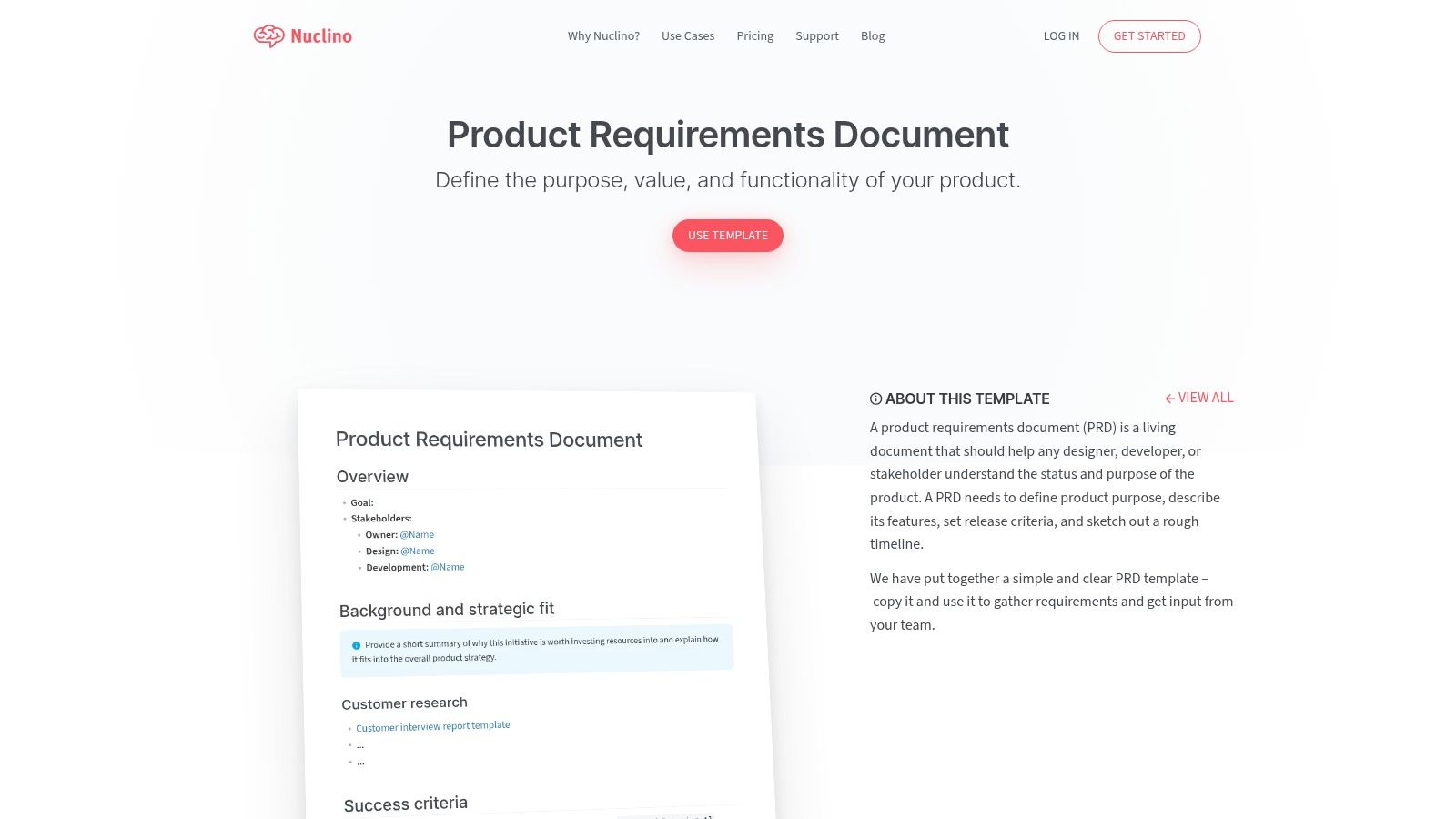
Its strength lies in what it removes: the layers of configuration, the endless plugins, the cognitive overhead. The result is a document that is quick to start, easy to share, and distraction-free to write. You can embed a Figma prototype or link to other internal docs with zero friction, keeping the PRD connected but not cluttered. It’s like a shared notebook, not a bureaucratic filing system. While this minimalism is liberating for quick-moving teams, it becomes a limitation when you need deep integrations or complex workflow automations that tie directly into engineering pipelines.
Key Considerations:
- Best For: Teams that prioritize speed and clarity over deep, system-level integration. Startups and smaller product groups will feel right at home.
- Pros: Extremely fast and minimalist user experience. The distraction-free editor helps teams focus on the substance of the PRD.
- Cons: Lacks the advanced workflow automations and native integrations found in more comprehensive project management ecosystems.
- Pricing: A Free plan is available. The Standard plan starts at $6 per user/month.
- Link: Nuclino – Product Requirements Document template
11. monday.com – Free PRD template (guide + access in product)
For teams where the line between a PRD and a project plan is intentionally blurred, monday.com offers a compelling proposition. It treats the PRD not as a static document but as the very first board in a continuous delivery pipeline. This approach embeds the product requirements directly within the execution environment, placing them alongside epics, OKRs, and delivery boards. It’s less about writing a doc and more about building the project's living blueprint.
The platform’s power lies in its board-based collaboration and automations. A change in the PRD's scope can automatically trigger notifications or create tasks in the engineering backlog. This tight coupling ensures that the journey from "why" to "done" happens in one place, providing unparalleled visibility for stakeholders through customizable dashboards. However, this structure has a strong project management feel, which can feel constricting for teams accustomed to the narrative freedom of a classic document-based PRD.
Key Considerations:
- Best For: Organizations that already use monday.com for cross-functional project management.
- Pros: Strong visibility across product and delivery. Excellent for stakeholder updates via dashboards. Good continuity from the PRD template to execution on connected boards.
- Cons: Can feel more like a project management tool than a dedicated document editor. Best if your entire organization is committed to the monday.com ecosystem.
- Pricing: The template is free. Platform pricing includes a Free plan for up to 2 users. Paid plans start at $9 per seat/month.
- Link: monday.com – Free PRD template (guide + access in product)
12. Pendo – Downloadable PRD template (PDF)
Sometimes the most effective tool isn't a complex platform but a simple, well-structured starting point. Pendo’s downloadable PRD template embodies this principle. It’s a clean, vendor-agnostic PDF that serves as a universal blueprint. You can’t edit it directly, but that’s the point: you copy its structure into your tool of choice, whether that’s Google Docs, Notion, or your company’s internal wiki, creating a consistent format across disparate teams.
The template offers a straightforward outline covering goals, scope, requirements, and success metrics, accompanied by best-practice content. Its real value is as a conversation starter. It’s a neutral artifact that helps a new or growing product organization standardize what "good" looks like for a PRD before committing to a specific software ecosystem. Think of it as establishing a common language before building the house. The primary limitation is its static nature; it provides the skeleton but requires you to find a collaborative home for it and manually connect it to your task trackers.
Key Considerations:
- Best For: Teams seeking a standardized PRD format without immediate tool commitment or those needing a simple starting point.
- Pros: Establishes a common format quickly and is free to download. Easily shared with anyone, regardless of their software stack.
- Cons: A static file that needs to be manually copied and maintained. Lacks any built-in integrations for task or issue tracking.
- Pricing: Free to download.
- Link: Pendo – Downloadable PRD template (PDF)
Top 12 PRD Template Comparison
Turning the Template into a System
We've explored a dozen tools, each offering a distinct take on the product requirements document. From the structured wiki of Confluence to the freeform canvas of Miro, the options seem endless. But to focus only on the document itself is to miss the point entirely. The true value isn't found in the static words on a page. A prd template is not an artifact, it's a catalyst. Its job is to translate an idea into executable work with as little loss of fidelity as possible.
The core problem with a traditional PRD is that it's a dead end. It describes the "what" and "why," but it lives in isolation from the "how" and "what if." An engineer reads your spec, then switches to a separate tool to see the user flow. A QA tester reads your spec, then has to manually invent test cases to cover the logic you described. Each context switch, each manual translation, is a potential point of failure. It’s a crack in the foundation where ambiguity seeps in, leading to questions, rework, and delays.
From Document to Dynamic System
The real leverage comes when the PRD is no longer a document, but the nucleus of an interconnected system. What if your PRD was directly linked to the user flow it describes? What if it could automatically generate test cases to validate its own requirements? This isn't a futuristic vision, it's a change in process enabled by a new class of tools.
For instance, starting your specification in a tool like Figr allows you to generate not just the PRD, but also the user flow diagrams and even a high-fidelity UI that is grounded in your product’s actual context. You can witness this connection firsthand. Explore how the complex requirements for a new Shopify checkout flow are mapped, defined, and visualized in one continuous process. Or see how the PRD for a new runway forecasting feature in a tool like Mercury connects directly to the final UI design, ensuring nothing is lost in translation.
The Economic Driver of Clarity
This is the zoom-out moment. The economic driver here is simple: every question a developer has to ask after the handoff is a delay. Every missed edge case is a future bug ticket. The incentive structure of modern software development rewards speed, but sustainable speed comes from clarity, not haste. As documented in studies on software project failure, such as those by the Project Management Institute, "inaccurate requirements gathering" consistently ranks as a primary cause of project failure. Connecting your requirements directly to design and testing isn't just a workflow improvement; it's risk mitigation.
The most effective teams aren't just writing better PRDs. They are building systems that connect requirements to execution, reducing the gaps where ambiguity and rework thrive. They’ve recognized that a prd template is the beginning of a conversation, not the end of one. Your next step, then, is not simply to download a template.
In short, your goal is to transform the document from a static snapshot into a living guide.
- Pick a Tool, Any Tool: Choose one of the templates we've discussed as your starting point. Don't overthink it.
- Adapt and Evolve: Use it for one small feature. Notice where it feels clunky. Where do questions arise? Modify the template.
- Build the Connections: This is the most crucial step. Ask yourself, "How can I connect this to the rest of my workflow?" Does it link to the Figma file? Can it generate a user story in Jira? How can you ensure the test cases, like these for a Wise card-freeze feature, are derived from the spec itself?
It should be a system that minimizes translation errors and maximizes shared understanding, ensuring that what you specified is exactly what gets built.
The difference between a document and a system is the difference between writing a spec and shipping a feature with confidence. A great prd template is a starting point, but an integrated workflow is the destination. See how Figr closes the gap by turning your requirements into interactive user flows, prototypes, and test cases, all from a single canvas.