

A requirements document defines what a product, feature, system, or website needs to achieve. It gives product, design, engineering, QA, and stakeholders one shared place to understand the problem, scope, expected behavior, constraints, edge cases, and measures of success.
This guide includes seven free requirements document templates in both Google Docs and Word, along with filled examples that show what useful requirements look like in practice. You will also find an annotated walkthrough, a PRD vs BRD vs SRS vs FSD comparison, and a step-by-step writing process.
Quick take: if you only need a document, use the free templates below. If you already have the requirements and the next job is turning them into flows, states, and product screens, see the PRD-to-UX workflow.
Jump directly to the free templates, the annotated example, or how to write a requirements document.
In this guide
- Free requirements document templates
- What is a requirements document?
- What goes into a requirements document?
- Annotated requirements document example
- PRD vs BRD vs SRS vs FSD
- Seven tools and approaches
- How to write a requirements document
- Common mistakes
- Frequently asked questions
Free Requirements Document Templates
Use the blank version to start a new project, or open the filled example to see how the same structure works with realistic content. Every template is ungated and available in Google Docs and Word.
Product Requirements Document (PRD)
Best for product teams defining a feature, user problem, goals, scope, user stories, success metrics, and edge cases.
- Copy the blank template in Google Docs
- Download the blank template as Word
- Copy the filled example in Google Docs
- Download the filled example as Word
Business Requirements Document (BRD)
Best for aligning business goals, expected value, stakeholders, scope, operational impact, constraints, and approval before product work begins.
- Copy the blank template in Google Docs
- Download the blank template as Word
- Copy the filled example in Google Docs
- Download the filled example as Word
Software Requirements Specification (SRS)
Best for defining system behavior, interfaces, data, performance, reliability, security, observability, and verification criteria.
- Copy the blank template in Google Docs
- Download the blank template as Word
- Copy the filled example in Google Docs
- Download the filled example as Word
Functional Specification Document (FSD)
Best for documenting how a feature behaves, including screens, states, business rules, fields, permissions, interactions, errors, and analytics.
- Copy the blank template in Google Docs
- Download the blank template as Word
- Copy the filled example in Google Docs
- Download the filled example as Word
Technical Requirements Document
Best for architecture and platform work that needs explicit interface, data, security, performance, reliability, deployment, and operational constraints.
- Copy the blank template in Google Docs
- Download the blank template as Word
- Copy the filled example in Google Docs
- Download the filled example as Word
User Requirements Document
Best for capturing user needs, goals, context, journeys, accessibility requirements, recovery needs, and research-based acceptance evidence.
- Copy the blank template in Google Docs
- Download the blank template as Word
- Copy the filled example in Google Docs
- Download the filled example as Word
Website Requirements Document
Best for defining a website or landing page across audience, content, information architecture, functionality, SEO, analytics, accessibility, and launch.
- Copy the blank template in Google Docs
- Download the blank template as Word
- Copy the filled example in Google Docs
- Download the filled example as Word
Already have a requirements document? Turn the PRD into a UX flow or try Figr free.
What Is a Requirements Document?
A requirements document is the shared definition of what a product, feature, system, or website needs to achieve. It explains the problem, the people affected, the intended outcome, what the solution must do, the constraints the team must respect, and how completion will be judged.
A useful document removes ambiguity rather than simply recording decisions. It makes the happy path clear, exposes failure states early, separates required scope from future ideas, and gives the team testable criteria for deciding whether the work is complete.
What Goes Into a Requirements Document?
Problem Statement
Describe what is happening today, who experiences the problem, what evidence shows it matters, and why it is worth solving now.
Goals and Success Metrics
State the outcome the project should produce and how the team will measure it. Use observable metrics rather than broad goals such as “make the experience better.”
Target Users and Personas
Identify the people affected by the change, including their roles, needs, permissions, devices, and relevant context. Avoid invented detail that does not change a product decision.
User Stories
Describe the important tasks users need to complete. Each story should clarify the user, the intended action, and the value they receive.
Functional Requirements
List what the product or system must do. Keep each requirement specific, observable, testable, and connected to a user or business need.
Non-Functional Requirements
Define expectations for performance, security, reliability, accessibility, privacy, scalability, and compatibility. These qualities often determine whether a feature is usable in production.
Edge Cases and Failure States
Document what happens when data is missing, permissions are insufficient, a request times out, a dependency fails, or the user partially completes the flow. Include the recovery path, not just the error.
.png)
See more edge case examples.
Dependencies and Constraints
Capture technical, legal, operational, design-system, data, budget, and timeline constraints. Note external systems or teams the work depends on.
Out of Scope
State what the project will not solve. A clear out-of-scope section prevents adjacent ideas from quietly expanding the work during implementation.
Requirements Document Example: An Annotated Walkthrough
A strong requirements document connects the problem to expected product behavior. Consider a workspace invitation feature:
- Problem: Workspace administrators need a reliable way to invite people and assign the correct access.
- Goal: Increase successful invitations while reducing permission mistakes and support requests.
- Users: Workspace administrators, invited members, and guests.
- Core flow: Enter an email, choose a role and team, send the invitation, and confirm the pending state.
- Rules: Validate the email, enforce seat limits, prevent duplicate invitations, and restrict privileged roles.
- Failure states: Expired links, duplicate users, insufficient seats, invalid domains, and network failure.
- Success: The invitation is delivered, visible in the member list, and auditable by an administrator.
For a working example, open the Mercury forecasting PRD and its corresponding product design. The document, flow, and interface stay connected instead of becoming separate artifacts.
PRD vs BRD vs SRS vs FSD: Which One Do You Need?
| Document | Primary question | Main audience | Use it when |
|---|---|---|---|
| PRD | What product outcome and user experience are we building? | Product, design, engineering | Defining a product or feature |
| BRD | What business need, value, and constraint does the initiative address? | Business stakeholders, product, operations | Aligning a broader business initiative |
| SRS | What must the software system do, and under what technical conditions? | Engineering, architecture, QA | Specifying system-level behavior and quality |
| FSD | How should a specific function or feature behave? | Product, design, engineering, QA | Documenting detailed feature rules and states |
Many teams use more than one. A business initiative may begin with a BRD, move into a product requirements document guide, and use an SRS or functional specification document example for implementation detail.
Seven Requirements Document Tools and Approaches
The templates above give you files you can copy. The following tools and methodologies solve a different problem: where requirements live, how they connect to delivery work, and how teams keep them current.
1. Figr
Requirement documents are often static. They are snapshots in time, outdated the moment a developer asks their first question. Figr operates on a different principle entirely. What if the requirements document was not just a document, but a living workspace that understands your product and helps you think? It is not only about writing requirements; it is about generating them from deep product context.
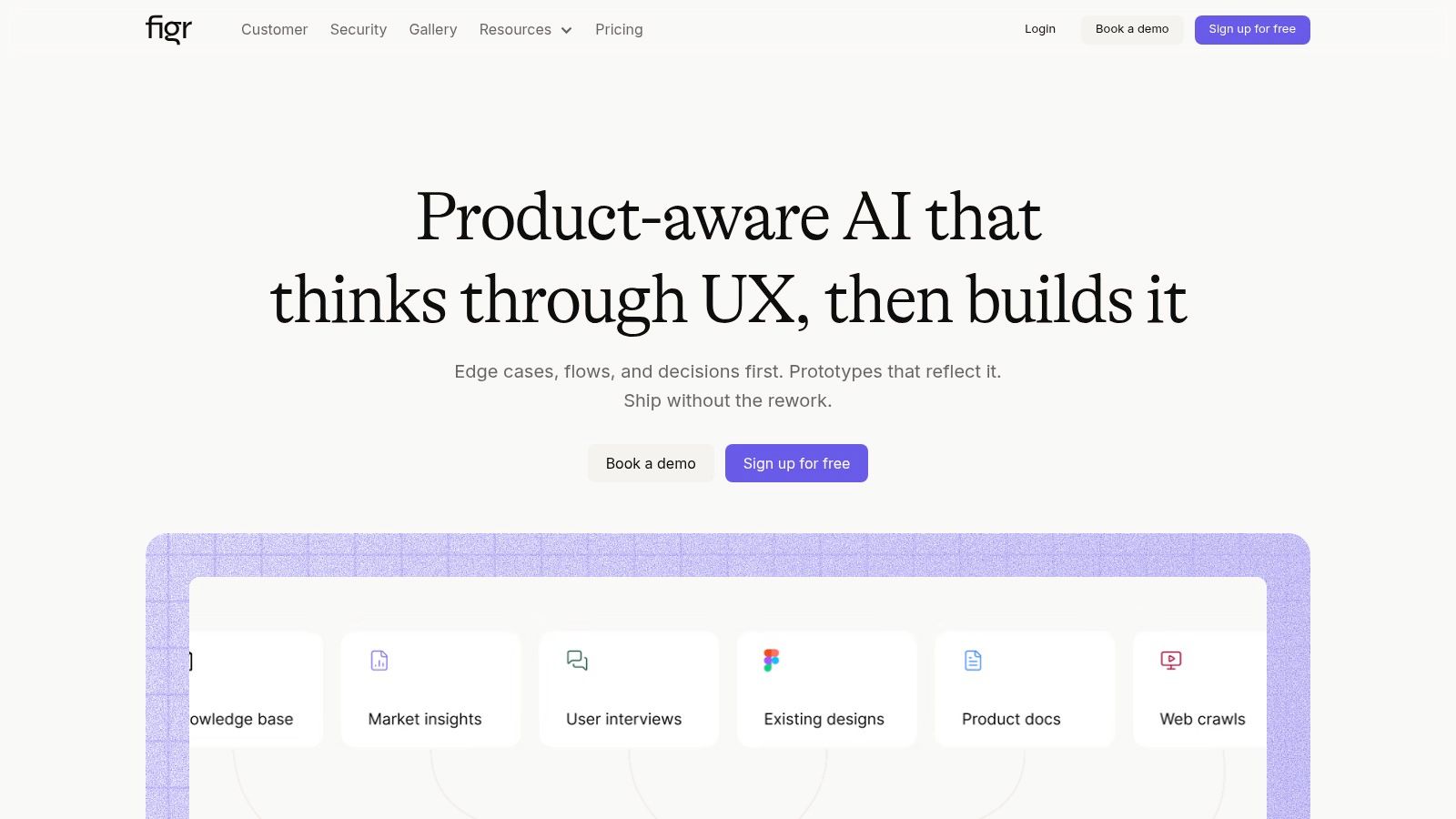
Figr is an AI design partner that moves teams from initial ideas to production-ready UX. Its core differentiator is its product-aware engine. Unlike generic AI or mockup tools that produce aesthetically pleasing but contextually weak designs, Figr first learns the actual product. Through screen recordings, Figma imports, documents, and analytics, it ingests the existing UI, components, and user data. The result is that every artifact it generates, from a PRD to a high-fidelity prototype, feels like an extension of the existing system rather than a stock template.
A product manager can give Figr a recording of a complicated user flow, and the agent can map the current journey, identify gaps, and propose a clearer version using the company's established design tokens and components. For a practical example, see how Figr generated a full PRD for a Spotify AI playlist feature, complete with connected product flows.
A useful example of a requirements document prevents ambiguity before it starts. Figr does this by treating requirements as a connected system of artifacts: PRDs, user flows, edge-case maps, test cases, and prototypes all live together and inform one another.
Strategic Analysis: From Text to Tangible Artifacts
The platform's strength is its ability to generate a complete set of connected development assets. This is not just about writing a better PRD; it is about making the PRD the starting point for a cascade of useful outputs.
- Context-driven PRDs: Start with a vague idea and use existing screens, user data, or competitive research to turn it into a structured document. Figr's analysis of Mercury's financial forecasting needs produced both a detailed viewable PRD and a corresponding forecasting UI design.
- Automated edge-case and test-case generation: By analyzing a flow, Figr can identify failure states, empty states, permission errors, and recovery paths. It can generate comprehensive test cases before implementation begins.
- Data-informed design: By connecting to analytics, Figr can highlight funnel drop-offs and ground recommendations in real product behavior.
Figr's practical advantage is that the document does not need to end as text. A requirements section can become a visible user flow, a set of interface states, or a prototype for review. That makes it easier for a designer to challenge unclear behavior, for engineering to understand dependencies, and for QA to see what must be verified.
The product-aware approach matters when a team already has an established interface. Generic output may invent components, navigation, or states that do not exist. Grounding the work in current screens and a design system can reduce the amount of translation required before the idea is useful.
Practical Application and Takeaways
Figr is best suited for established product teams looking to reduce rework and accelerate their design-to-development cycle.
Pros:
- Product-aware outputs: Generates designs and documents that can match the live product's UI and logic.
- End-to-end artifacts: Creates PRDs, flows, prototypes, edge cases, and test cases in one workspace.
- Data-grounded recommendations: Can use product analytics to prioritize changes.
- Enterprise controls: Includes SOC 2, SSO, and zero-data-retention options for security-conscious organizations.
Cons:
- Requires existing context: Teams without a live UI, design system, or product artifacts will not experience the full value immediately.
- Enterprise pricing is custom: Enterprise plans require a conversation, while the product also has a free tier for trying the workflow.
To get started effectively, focus on a single, well-defined problem. Instead of asking it to improve the entire product, provide a specific flow, feature, or competitor to analyze. The platform is one of several useful product manager software tools shifting work from manual documentation to connected product analysis.
Try Figr free on one requirement set, or see the PRD-to-UX workflow.
Website: figr.design
2. Atlassian Confluence
For teams deeply embedded in the Atlassian ecosystem, the PRD is not a standalone artifact; it is the nervous system connecting strategy to execution. Confluence's product requirements template acts as this central hub. It is less a blank page and more a guided workflow designed to create a living document that moves with the development cycle, from ideation to ticket creation and beyond.
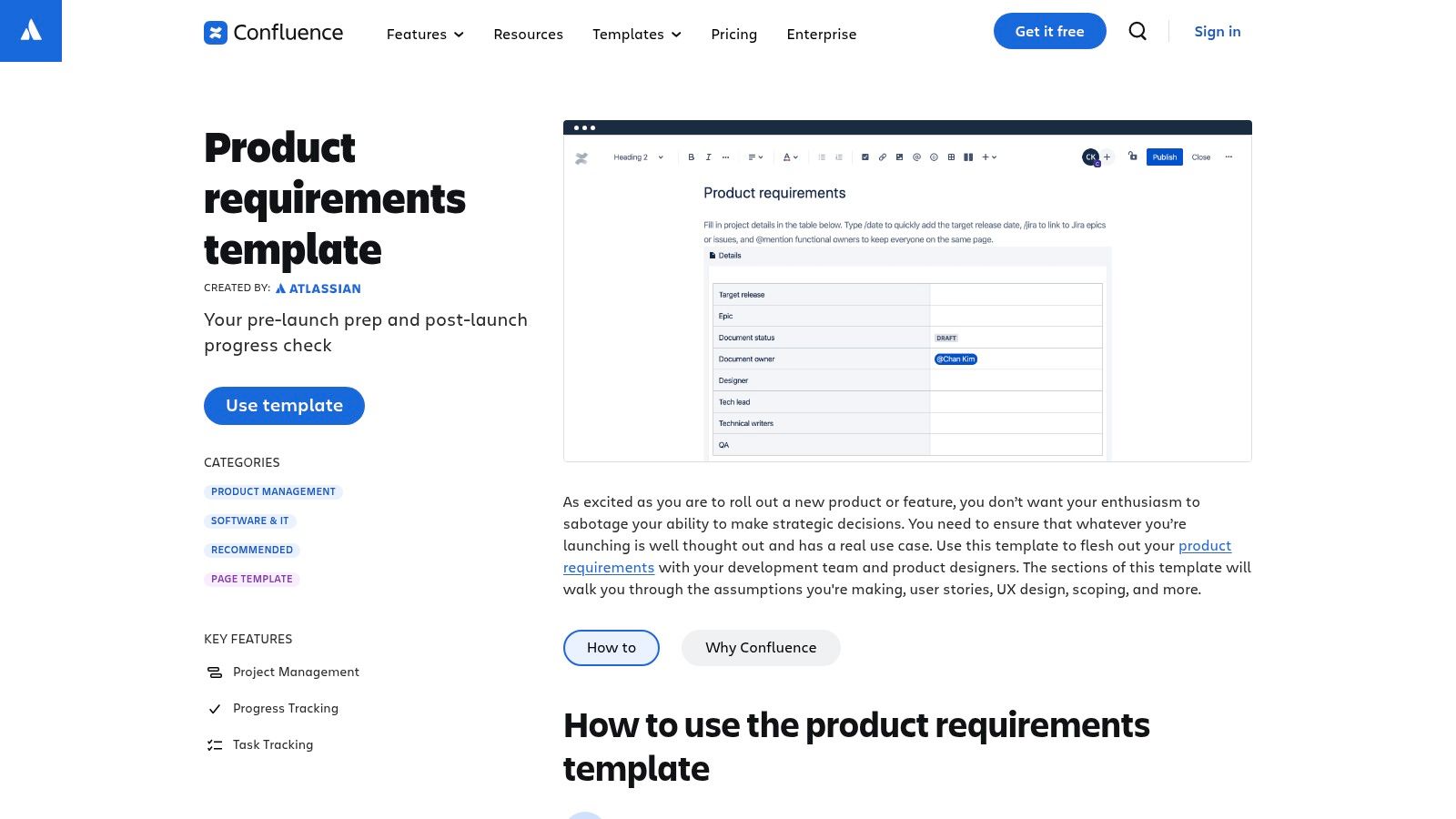
This is not only about writing requirements; it is about connecting them directly to the work. The template provides an opinionated structure with dedicated sections for goals, success metrics, assumptions, and user stories. The real power lies in its native integration with Jira.
Strategic Analysis
The key differentiator for Confluence is its role as a single source of truth that is both auditable and actionable. The /jira command is not just a link; it is a tether. When a product manager writes a user story in Confluence, they can create a corresponding Jira epic or issue. This forges a direct connection between the why in the requirements document and the how in the development task.
The core strategy of the Confluence PRD is to treat requirements not as a static snapshot, but as a dynamic control panel for development. It reduces the friction between documentation and delivery.
When an engineer views a Jira ticket, the full context of the PRD is one click away. When a product leader reviews the PRD, they can see the current status of associated tickets. It closes the loop that often breaks in disconnected systems, making it a strong example of a requirements document that lives with the project.
This tight coupling is useful for distributed teams because the document and delivery status remain visible to the same people. Comments, mentions, and page history also create a review trail around decisions. The risk is that a template can become a ritual: teams still need to remove sections that do not matter and write requirements in testable language.
Confluence works best when the organization already uses Jira consistently. Without that operating discipline, the document can become another page that links to incomplete tickets rather than a true source of truth.
Actionable Takeaways
- Standardize with the template: Ensure each product manager starts from the same structured baseline. Consistency improves cross-team visibility and onboarding.
- Use the Jira integration: Link user stories to delivery work so requirements and implementation stay traceable.
- Document out of scope explicitly: The template's “What we're not doing” section can prevent scope creep before development begins.
Pricing and Access
Confluence is available through Atlassian's subscription model and is often used alongside Jira. A free plan supports small teams, while paid plans add analytics, permissions, administration, and larger-scale collaboration.
Website: Atlassian Confluence Product Requirements Template
3. Notion
If Confluence is the nervous system of an Atlassian-centric organization, Notion is the shared brain for teams that prioritize flexibility over a rigid process. It starts as a blank canvas, but its power comes from treating documents as databases and connecting separate thoughts into a coherent whole. The Product Requirement Doc template is less a form to be filled and more a launchpad for building a custom, wiki-style specification.

Notion is not only for writing; it is for contextualizing. It combines narrative such as the problem and goals with execution details such as feature specifications and acceptance criteria. Embeds from tools like Figma and Loom can bring product designs and walkthroughs directly into the document.
Strategic Analysis
The key differentiator for Notion is its flexibility, transforming the PRD from a static file into a connected workspace. Backlinks and relations are central to this strategy. A user story can be linked to research, meeting notes, a competitive analysis, and a design inspiration library.
The core strategy of the Notion PRD is to treat requirements as nodes in a knowledge graph rather than items in an isolated list. It prioritizes cross-functional context over hierarchy, which makes it useful for teams that need information to remain discoverable.
An engineer can see an embedded prototype beside the acceptance criteria. A marketer can connect a launch plan to the feature's goals. Notion AI can help draft initial text or summarize a dense technical section, though the quality still depends on the source context.
This approach is particularly useful when product decisions depend on evidence spread across research, support conversations, strategy notes, and design work. Relations and backlinks can make that evidence discoverable without forcing everything into one long page.
The same flexibility can become a weakness. Without agreed naming, ownership, and database structure, different teams can build incompatible systems inside the same workspace. A good Notion requirements process therefore needs lightweight governance: standard templates, clear owners, and a reliable location for final decisions.
Actionable Takeaways
- Build a kit of parts: Create database templates for user research, competitive analysis, decisions, and meeting notes, then relate them to PRDs.
- Centralize visuals with embeds: Embed the relevant Figma frame or recording directly in the section it supports.
- Use synced blocks for critical information: Reuse goals and success metrics across project pages so they update in one place.
Pricing and Access
Notion operates on a freemium model. The free plan works well for individuals and small teams, while paid tiers add more collaboration, administration, security, and enterprise controls.
Website: Notion Product Requirement Doc Template
4. Aha!
For product managers whose work begins with a strategic goal rather than a feature, a requirements document in a separate system can feel disconnected. Aha! addresses this by treating the PRD as a downstream artifact of strategy. Its structured notes template lives inside a broader ecosystem of roadmaps, goals, initiatives, releases, epics, and features.
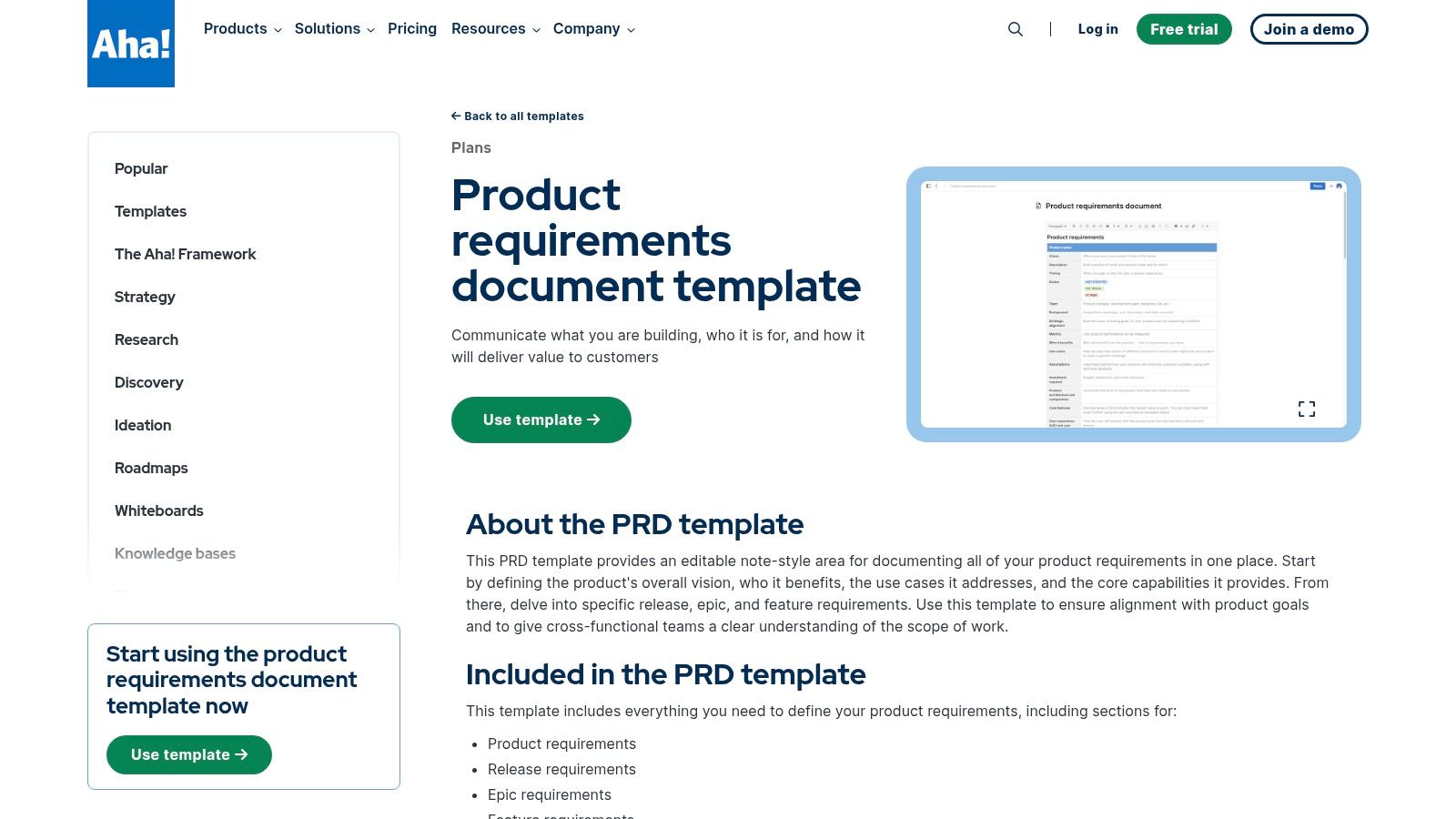
The default structure cascades from product-level needs into release, epic, and feature-specific requirements. It supports co-authoring, comments, review tasks, and change history, but its core purpose is ensuring that each requirement can be traced to a business objective.
Strategic Analysis
The differentiating strategy of Aha! is its treatment of requirements as evidence of strategic alignment. A requirement justifies its existence by linking to a higher-level objective. This creates a system of record where effort can be weighed against intended impact.
Aha!'s core principle is that a PRD is not merely a project brief; it is a node in a strategic graph. Its value comes from its connections to the roadmap above it and development work below it.
This integrated approach forces discipline. If a feature cannot be connected to a strategic imperative, its priority is immediately questionable. A product leader can move from a company objective to the individual feature or story intended to achieve it.
The traceability is useful during prioritization and portfolio reviews. A team can ask which initiative a feature supports, how the work contributes to a goal, and whether the delivery status matches the roadmap. It also makes changes easier to audit when priorities shift.
Aha! is less suitable for a team that only needs a simple, copyable document. Its value comes from adopting the broader system of roadmaps, goals, releases, and linked work. That creates more setup and governance than a lightweight template, but it can be valuable at portfolio scale.
Actionable Takeaways
- Build from the top down: Define goals and initiatives first, then link requirements upward.
- Use tasks for review cycles: Assign approvals to legal, marketing, security, or other stakeholders inside the document.
- Use change history as the official record: Keep material changes visible instead of allowing conflicting direction in side channels.
Pricing and Access
Aha! is a paid product-management suite. Requirements documentation is part of its broader roadmap and product-planning offering rather than a standalone product.
Website: Aha! PRD Template
5. ClickUp
Where does a requirements document begin when the requirements are already scattered across tasks, comments, and side documents? ClickUp treats the PRD as an act of assembly, pulling distributed context from the existing workspace into a coherent whole. Its templates and AI features are designed to organize what is already there rather than create from an empty page.
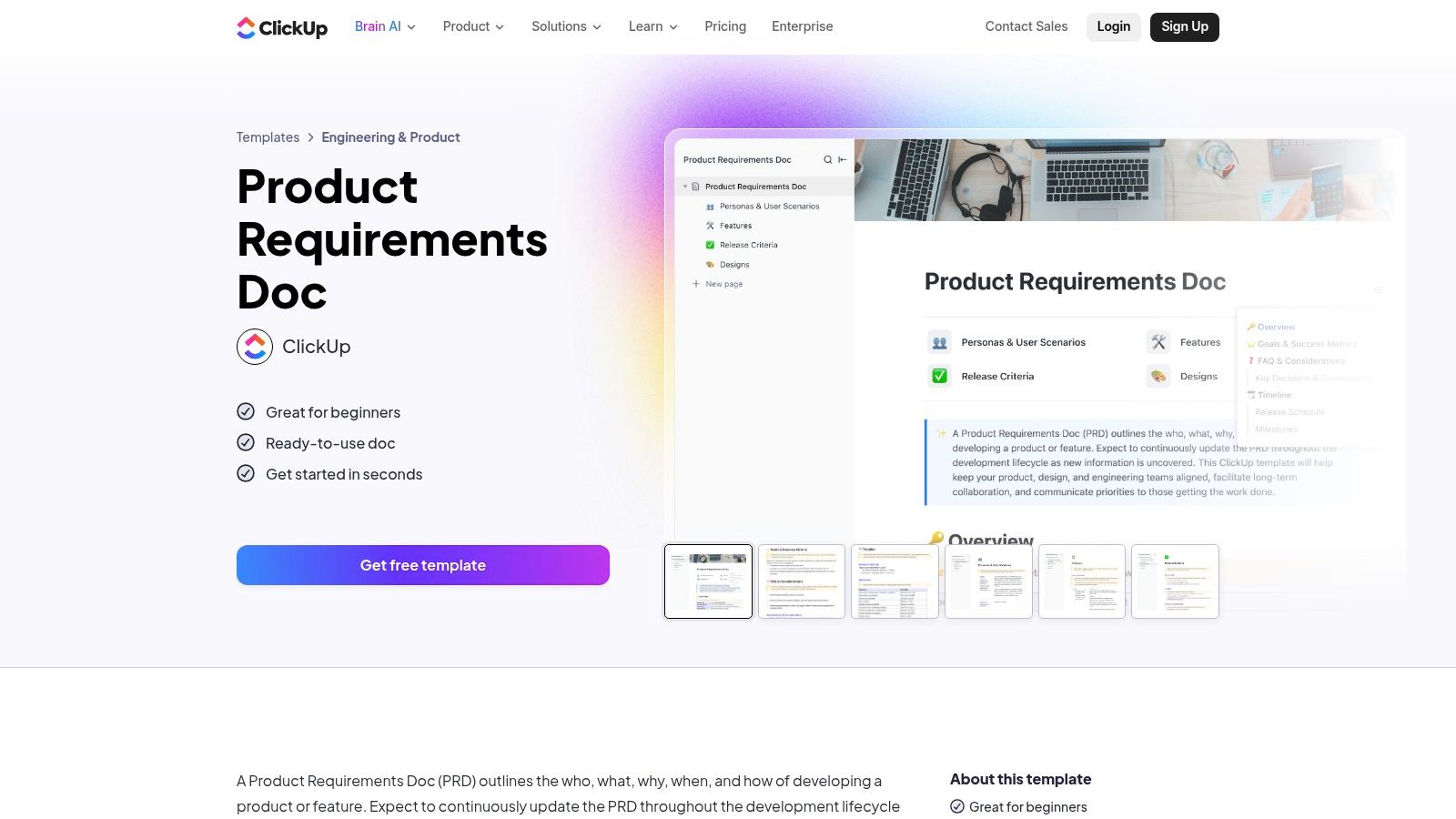
The ClickUp Doc template provides a guided structure covering the who, what, why, when, and how. Its AI summarization features can assemble an initial PRD from existing tasks and documents for teams whose work already lives inside ClickUp.
Strategic Analysis
ClickUp's core strategy is to position the PRD as a culminating artifact rather than an initiating one. It acknowledges that requirements often emerge from task-level conversations before they are formally documented. The document becomes an act of intelligent aggregation.
This makes the PRD less of a blank-page writing exercise and more of a curatorial one. By linking to tasks, sprints, comments, and dependencies, it becomes a high-level index to ground-level work.
The summarization approach can reduce the blank-page burden for a product manager who already has substantial context inside ClickUp. It can also reveal contradictions between tasks, comments, and the intended outcome when the draft is reviewed carefully.
It should not be treated as an automatic source of truth. A generated document may reproduce outdated decisions or give equal weight to casual comments and approved requirements. The owner still needs to verify the problem, scope, constraints, and acceptance criteria with the relevant team.
Actionable Takeaways
- Audit the source artifacts first: The quality of an AI-generated draft reflects the quality of the tasks and documents it summarizes.
- Use the template as a sanity check: Validate whether the generated draft covers the problem, solution, users, success metrics, scope, and constraints.
- Embed task relationships: Link the PRD to the relevant epics, tasks, and sprints so the context remains traceable.
Pricing and Access
ClickUp offers a free plan and multiple paid tiers. AI capabilities are generally offered as an add-on to paid plans.
Website: ClickUp Product Requirements Doc Template
6. GitLab
For teams where software delivery is a continuous motion, the requirement is not only a document; it is a testable state. GitLab Requirements Management treats each requirement as a first-class artifact inside the DevOps lifecycle rather than as a precursor to it.
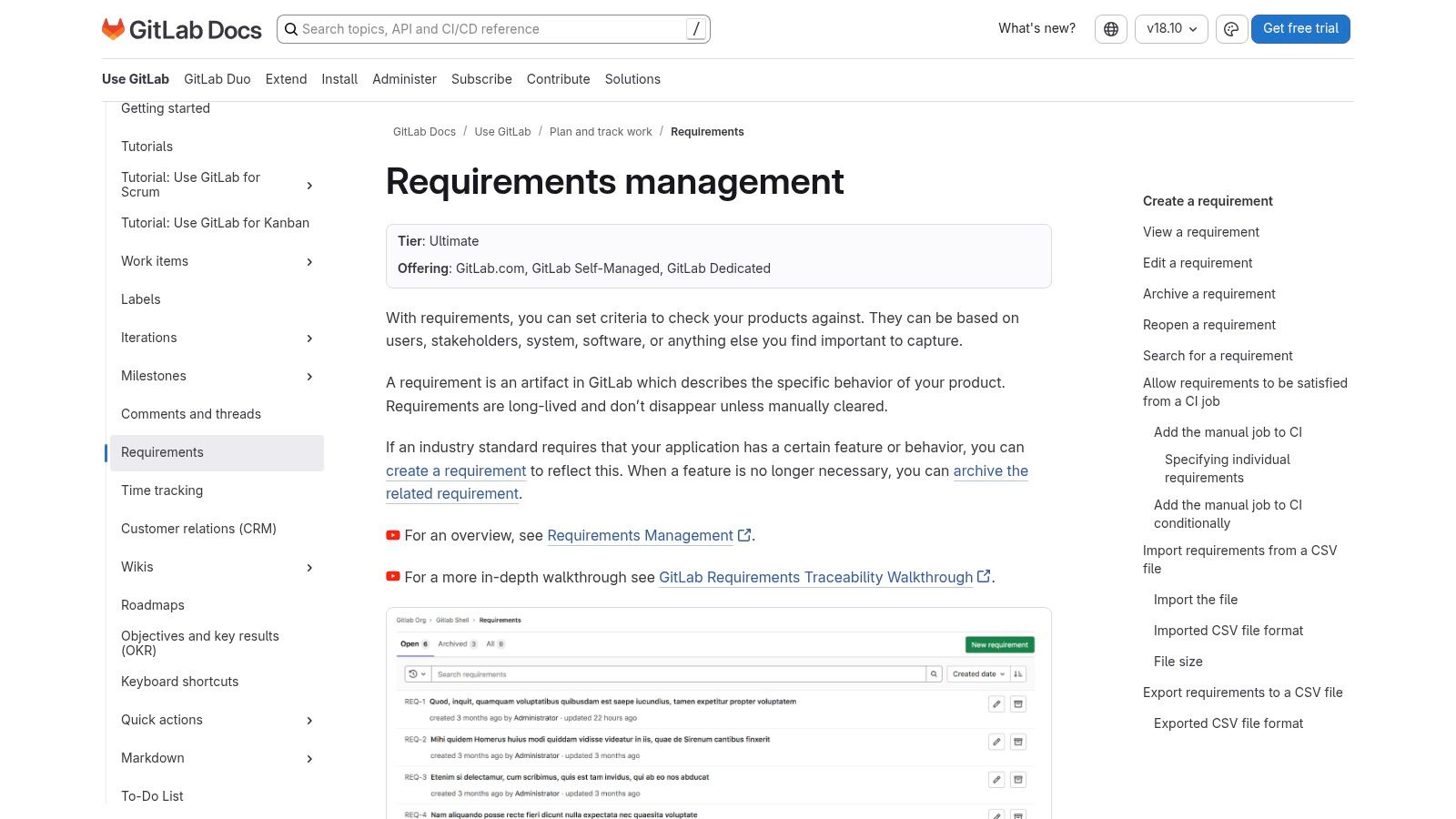
The system transforms requirements from static text into structured objects with their own lifecycle status. They can be created, edited, archived, and linked to tests. Their status can be updated from CI/CD verification results, which is useful for traceability and compliance.
Strategic Analysis
The key differentiator is the treatment of requirements as executable and verifiable items. Where other tools link a document to a task, GitLab can link a requirement to a test result. This shifts traceability from manual linking to automated evidence.
A requirement is not considered satisfied simply because code was shipped. It is satisfied when the associated verification passes. This creates an unbroken chain from requirement to implementation and evidence.
For regulated industries, this is valuable because an auditor can see the exact job that verified a requirement, the code version it ran against, and the outcome.
The structured model is well suited to software that needs auditable verification. Each requirement can have a lifecycle, an owner, and evidence of satisfaction. This reduces the gap between a specification and the actual test result.
GitLab's approach is less suited to early product discovery, where the team still needs narrative context, user research, and visual exploration. Many organizations will still use a PRD or BRD above the structured requirements, then move the implementation-facing statements into GitLab for traceability.
Actionable Takeaways
- Structure requirements for testability: Write clear, atomic statements rather than broad narrative requirements.
- Automate status through CI/CD: Report verification results back to the requirement.
- Use structured import for large specifications: Bulk-create requirements when a project begins with an existing list.
Pricing and Access
GitLab Requirements Management is available on GitLab's higher paid tiers rather than the free plan.
Website: GitLab Requirements Management
7. Volere
When a team moves from a lightweight software feature to a regulated or high-stakes system, the definition of a requirement changes. Lightweight PRDs give way to rigor, auditability, and explicit fit criteria. The Volere Requirements Specification Template is a comprehensive methodology for capturing functional and non-functional detail with precision.
Delivered as a detailed document package, Volere provides guidance, checklists, and worked examples. Its Snow Card is a schema for defining atomic, testable requirements so that each statement has a clear source, rationale, and fit criterion.
Strategic Analysis
The key differentiator for Volere is its philosophy of completeness. It forces teams to confront project drivers, constraints, functional behavior, and non-functional requirements early. The priority is not speed; it is reducing the risk of hidden complexity.
The core strategy of the Volere template is to treat requirements specification as a formal engineering discipline. It creates a structured, auditable record that can withstand complex reviews and regulated delivery.
This is particularly useful where traceability is non-negotiable. An auditor may need a unique requirement ID, source, rationale, fit criterion, and change history rather than a link to a task.
Volere is designed for work where omissions are expensive and reviewers need a formal record. Its prompts force the team to consider stakeholders, project drivers, constraints, interfaces, quality attributes, and acceptance in a systematic way.
The cost is weight. Applying the full methodology to a small feature would create unnecessary overhead. Teams can still borrow the strongest ideas, especially unique identifiers, rationale, source, fit criteria, and the non-functional requirements checklist, without adopting the entire package.
Actionable Takeaways
- Adopt the Snow Card schema: Give each requirement a unique ID, rationale, source, and fit criterion.
- Focus on non-functional requirements: Use the checklist to review security, usability, performance, reliability, and operational qualities.
- Use it as a training tool: The methodology teaches teams to separate scope, constraints, stakeholders, functional behavior, and quality attributes.
Pricing and Access
The Volere Requirements Specification Template is a paid downloadable package. Academic access may be available separately for qualified students.
Website: Volere Requirements Specification Template
How to Write a Requirements Document in 7 Steps
- Define the problem. Start with the user or business problem, not a proposed interface.
- Set goals and success metrics. Decide what observable outcome would make the work successful.
- Identify users and stakeholders. Clarify who uses, approves, supports, and builds the solution.
- Map the flow. Show the steps, decisions, states, and handoffs involved in completing the task.
- Write testable requirements. Separate functional behavior from performance, security, accessibility, and other quality requirements.
- Add edge cases and constraints. Cover failures, permissions, empty states, dependencies, and what is explicitly out of scope.
- Review and maintain it. Resolve open questions with the team and update the document when an agreed requirement changes.
Teams that want to move directly from written requirements into product exploration can use an AI PRD generator or turn PRDs into UX flows.
Requirements Document Mistakes That Cost You Sprints
- Starting with a solution: The document describes screens before establishing the problem.
- Writing vague requirements: Words such as fast, seamless, flexible, and intuitive are not testable by themselves.
- Documenting only the happy path: Errors, permissions, latency, empty states, and recovery are deferred until development.
- Leaving scope implicit: Adjacent requests enter the project because nobody stated what was excluded.
- Separating the document from the work: Requirements, designs, tickets, and test cases drift into conflicting versions.
- Treating approval as completion: A requirements document must stay current when the team makes a material decision.
From Document to Instrument
A requirements document can be a bureaucratic checkbox or a strategic instrument. The difference is whether it creates shared understanding and remains connected to the work.
Unclear requirements do not disappear. They re-emerge as implementation questions, bugs, rework, support tickets, and lost user trust. A line such as “handle file uploads gracefully” sounds reasonable until the team must decide what happens during a network drop, corrupted file, duplicate submission, or storage limit.
The Shift to Dynamic Specification
Strong requirements are visualized, debated, and tested before code is committed. They are living artifacts rather than static decrees.
- From text to flow: Mapping Dropbox file upload failures forces clarity on each state and recovery path.
- From assumption to assertion: Waymo test cases turn ambiguous behavior into a concrete verification checklist.
- From component to system: Exploring task-assignment component states shows how small interaction decisions affect the broader product.
Your Next Step: An Actionable Plan
Pick one feature on the roadmap. Before opening a blank document, map the user flow and the important failure states. Ask what happens when an API is slow, the user lacks permission, data is partial, or a request succeeds but the confirmation is lost. That translation from text into a visible flow exposes ambiguity early.
Use one of the templates above, then connect it to the design, delivery work, and test cases that will prove the requirement has been met.
Requirements Document FAQ
What is an example of a requirements document?
A product requirements document for workspace invitations might include the problem, target administrators, invitation flow, role rules, seat limits, duplicate-user handling, expired links, success metrics, and acceptance criteria.
What should a requirements document include?
It should include the problem, goals, users, scope, user stories, functional requirements, non-functional requirements, edge cases, dependencies, constraints, acceptance criteria, and out-of-scope items.
What is the difference between a PRD and an SRS?
A PRD focuses on the product problem, users, outcomes, scope, and intended experience. An SRS defines detailed system behavior, interfaces, data, performance, reliability, security, and other implementation-facing requirements.
Can I use a requirements document template?
Yes. A template provides a reliable structure, but sections should be removed or expanded based on the decision the team needs to make. Do not fill fields only because they exist.
Who writes a requirements document?
A product manager or business analyst often owns the document, but design, engineering, QA, research, operations, security, and other stakeholders should contribute to the parts they understand best.
How detailed should a requirements document be?
It should contain enough detail to remove important ambiguity and make the work testable. It does not need to dictate implementation choices that engineering should decide.
How do you keep requirements up to date?
Assign an owner, link requirements to design and delivery work, record material decisions, and review the document when scope or behavior changes.
Is there a free version of Figr?
Yes. Figr has a free tier for testing the requirements-to-flow workflow before moving to a paid plan.
Turn Requirements Into Product Work
Figr helps product teams turn requirements into connected user flows, edge-case maps, test cases, and high-fidelity designs that use the product's existing context and design system.