
It’s three weeks before a major launch. The engineering team is frustrated, working from vague requests. The design team is exhausted, churning through endless revisions that seem to come out of nowhere. The air in the room is thick with a familiar, expensive friction.
Does that sound familiar?
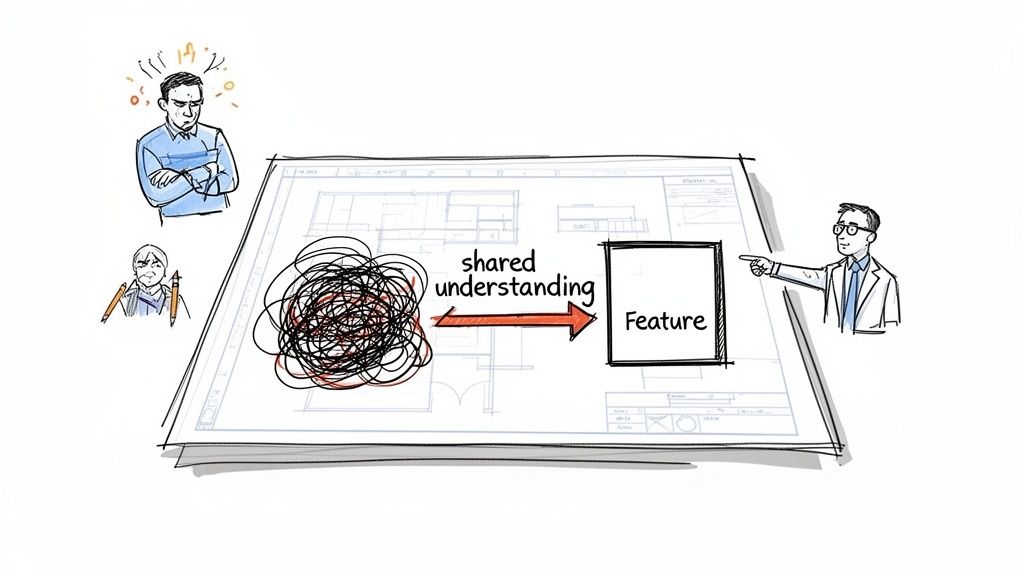
This is the chaos that happens when everyone on the team holds a slightly different version of the final product in their head. The tool that prevents this is the use case. So, what is use case? At its heart, it’s a structured story describing how someone interacts with your product to achieve one specific goal. It's the blueprint that creates a shared understanding for your entire team.
The Blueprint That Prevents Product Chaos
A use case isn’t just a technical document. It’s a story.
Last week, I watched a product manager struggle to explain a new payment flow. He had the general idea, but he couldn't articulate the exact sequence of events, the potential error states, or what success actually looked like for the user. His team was completely lost, and you could feel the momentum drain from the room.
This is the exact problem a use case is built to solve. It’s the essential bridge between a customer's real-world problem and your team's execution plan. Think of it as the shared agreement that ensures everyone is building the same thing, for the same reason.
It’s less about documentation and more about alignment.
From Vague Ideas to Clear Actions
A use case would have forced that clarity.
By defining the actor, their goal, and the steps involved, it creates a concrete narrative that moves the conversation from abstract features to specific, tangible interactions.
This is what I mean: the core components are simple but powerful.
- Actor: Who is interacting with the system? (e.g., a “New Customer”).
- Goal: What specific outcome are they trying to achieve? (e.g., “Complete a first-time purchase”).
- Main Success Scenario: The step-by-step "happy path" the user takes to reach their goal.
- Alternative Paths & Errors: What happens if something goes wrong? (e.g., payment fails, an item is out of stock).
This process is a fundamental part of building products that work. To go deeper, you can learn more about building a solid product thinking framework in our guide.
Use Case vs. User Story: A Critical Distinction
It's common for teams to confuse use cases with user stories, but they serve very different purposes. A user story captures a high-level desire, while a use case details the entire interaction from start to finish.
Think of it this way: a user story is the wish, and the use case is the detailed plan to make it come true.
| Aspect | Use Case | User Story |
|---|---|---|
| Purpose | Details the how of an interaction, including success and failure paths. | Captures the what and why from a user's perspective. |
| Format | Structured document with defined sections (Actor, Goal, Steps, etc.). | Informal sentence: "As a [user], I want [goal] so that [benefit]." |
| Scope | Covers an entire interaction needed to achieve a goal. | Describes a small, specific piece of functionality. |
| Audience | Developers, QA, designers, and PMs who need execution details. | The entire Agile team, for sprint planning and context. |
While a user story is great for sprint planning, a use case is what ensures the feature you build actually solves the user's problem completely. It transforms a vague objective into an actionable plan.
It’s the blueprint that stops chaos before it starts.
What Is a Use Case in Practice?
Let's skip the textbook definitions. What is a use case when the deadline is real and your team is looking to you for a clear plan?
It’s a structured story. It has a hero, a goal, and a plot. It’s not just more paperwork. It's a thinking tool that forces you to be incredibly specific about how a feature should behave. When you break an interaction down into its parts, you kill ambiguity and create a shared story everyone can follow. This structure is what gives a use case meaning in the day-to-day grind of building software.
The Anatomy of a Use Case
A proper use case is made of a few distinct parts. Each one answers a critical question that your design and engineering partners will absolutely ask. Put them together, and you have a complete picture that’s far more useful than a simple user story.
These are the essentials:
- Actor: This is the "who." It’s a specific user type or system that starts the action. An actor is never a generic "user." It's a "Logged-in Customer," a "Guest Shopper," or an "Admin." Specificity is key.
- Preconditions: What has to be true before this can even start? For a use case like "Add Item to Wishlist," a precondition might be, "The user must be logged into their account." Stating this stops developers from building for impossible scenarios.
- Main Success Scenario: This is the "happy path." It’s a numbered list of steps, from start to finish, assuming everything goes perfectly. This sequence is the backbone of the feature.
- Postconditions: After the happy path is done, what's the new state of the world? After "Successfully Create an Account," the postcondition is, "A new user record exists in the database, and the user is logged in."
This level of detail turns a vague idea into a concrete plan, forming a bridge between a simple story and a more detailed visualization like what is a user journey map.
Beyond the Happy Path: Where the Real Work Happens
A product that only functions on the happy path is a broken product. It will fail a huge portion of your users. A great use case anticipates failure before it happens. This is where you map out every frustrating scenario: "Credit card is declined," "Item goes out of stock mid-checkout," or "Session times out."
You handle this with two more components:
- Alternative Flows: These are other ways the use case can end successfully. For a "Pay with Credit Card" use case, an alternative flow could be "User pays with a saved card" instead of typing in a new one.
- Exceptions (or Error Flows): What happens when things break? Documenting these exceptions is what separates professional teams from amateurs. It’s your best defense against the costly edge cases every PM misses that always surface after launch.
By forcing your team to think through these paths upfront, the use case becomes a direct input for your QA plan. It’s a proactive quality check, not just a document to be filed away.
How to Write a Use Case: A Practical Template
A use case document that gathers digital dust is a failure. Writing one your team actually uses—one that becomes a source of truth, not a procedural checkbox—is an art form. Forget complex, academic formats. A useful use case template focuses on a few core elements.
Here’s a simple but effective process for how to write a use case:
- 1. Identify the Actors: Who is interacting with the system? Get specific. Instead of "a user," write "a returning customer" or "a first-time guest." This small detail frames the entire interaction.
- 2. Define the Goal: What single, specific outcome does the actor want? Use an active verb phrase like "Cancel a monthly subscription" or "Update shipping address."
- 3. Outline the Main Success Scenario: This is the "happy path." Write a numbered list of steps the actor takes to achieve their goal, assuming everything goes perfectly.
- 4. Detail Alternative and Error Flows: What happens if things don't go perfectly? This is where you map out other valid paths ("User chooses to pause subscription instead of canceling") and errors ("User's payment method is expired, blocking cancellation"). Mapping these flows often comes from solid user research methods.
- 5. Review with Stakeholders: Share the draft with design, engineering, and QA. Ask them: "What did I miss? Where is this unclear?" This step turns the document from a solo effort into a shared agreement.
The process flow below visualizes these core components, showing the direct path from the Actor, through the Scenario, to the final Goal.
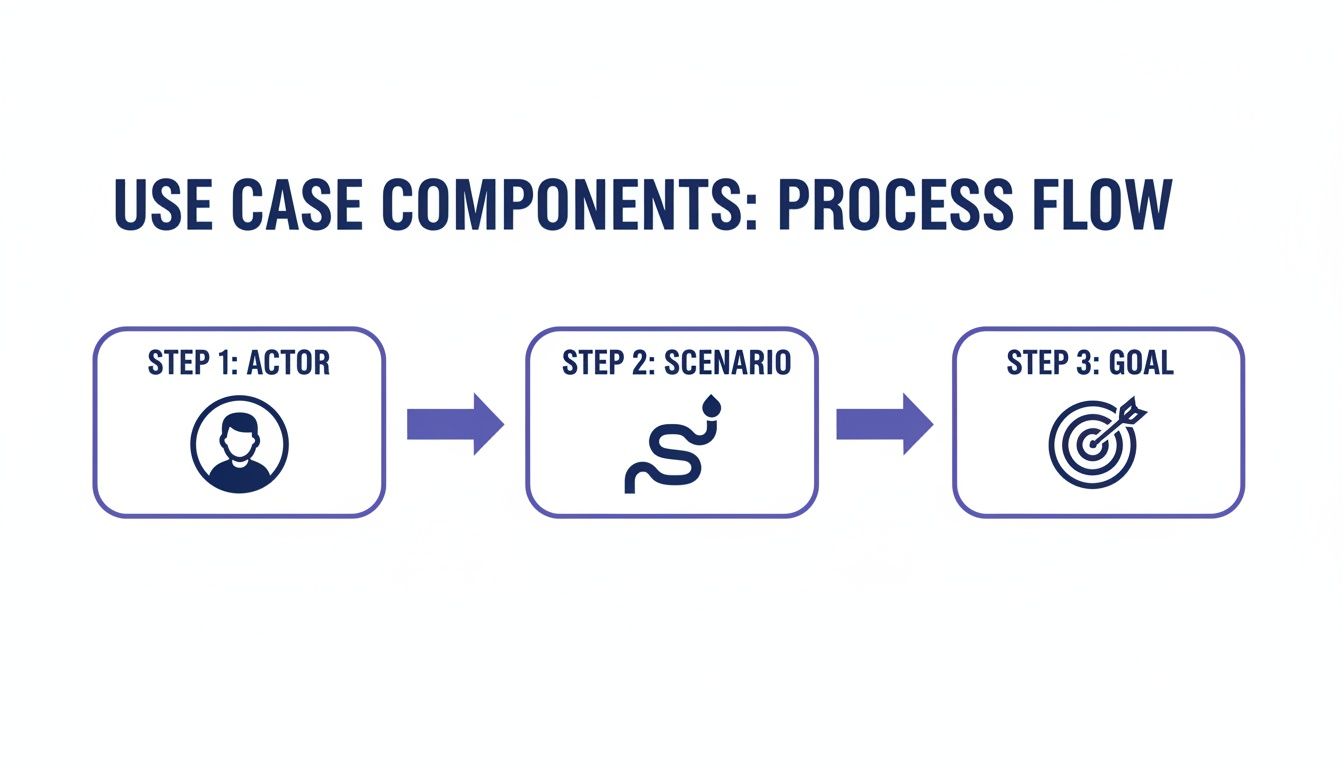
This visual drives home a key point: every use case starts with a person and ends with an achievement.
A Real-World Use Case Example
Let's apply this thinking to a common feature: freezing a debit card. This is not just a theoretical use case example; it's a tangible flow you can see in many banking apps.
The image below, for instance, shows how the "Wise card freeze" use case becomes an interactive experience. You can explore the Wise card freeze prototype here.
Now, let’s document it:
Use Case: Freeze Debit Card
Actor: A logged-in Wise app user.
Goal: To temporarily deactivate their physical card to prevent unauthorized transactions.
Main Success Scenario:
- User opens the Wise app and navigates to the 'Card' tab.
- User taps on the image of their physical card.
- User taps the 'Freeze card' button.
- System displays a confirmation modal: "Card frozen." The card status updates visually.
Postcondition: The physical card is inactive for all transactions.
This simple structure provides a crystal-clear guide for the entire team. It's the first step toward creating clear user experience flows for any product.
A High-Stakes Use Case in Software Engineering
Theory is one thing. Watching it work in the wild is another.
Let’s move past tidy templates and look at a messy, high-stakes problem: a Waymo autonomous vehicle having to reroute itself mid-trip because of a road closure. This isn’t your standard “add to cart” flow. It’s packed with different actors, huge risks, and a dozen ways it could all go wrong. This is where a proper use case in software engineering proves its worth.
Deconstructing a Complex Interaction
The basic idea is simple enough: a passenger is in a self-driving car, and an obstacle appears. But that simple description hides a mountain of complexity.
Let's break it down:
- Primary Actor: The Passenger sitting in the car.
- Secondary Actors: The Vehicle AI (a system actor making driving decisions) and a remote "Central Command" operator who might need to step in.
The initial goal is straightforward: "Get to the destination safely." But the roadblock introduces a new, urgent goal: "Find and confirm a new, safe route."
The image below shows how Waymo actually visualizes its own test cases for this very scenario. Notice it’s not just about one happy path. It’s about methodically testing every possible deviation. You can see more complex examples like this in the Waymo mid-trip test cases prototype.
This visual is essentially the system's brain at work. That level of detail doesn't happen by accident; it’s a direct result of thinking through the use case.
Why This Matters at Scale: The Economics of Clarity
This isn't just a new idea. In a 2018 study published in IEEE Transactions on Software Engineering, researchers found that unclear requirements were a leading cause of project failure, contributing to over 40% of challenged projects. A use case attacks this ambiguity directly.
A friend at a Series C company told me his team wastes nearly a third of every sprint on rework from vague requirements. That’s a massive, expensive churn between product and engineering that a clear use case could prevent. It is one of the most common PM challenges.
The Real Value: Uncovering What Could Go Wrong
The happy path is easy. The car finds a new route, the trip continues. But what about all the exceptions? A good use case forces you to stare them in the face.
The Waymo example isn't just about rerouting. It's about what happens when the rerouting fails. What if the new route has a much worse ETA? What if there's no cell service to get a new map? What if the passenger rejects the new route?
These are the tough questions that a use case brings to the surface. Each one of these exceptions deserves its own documented flow:
- Exception 1: No alternative routes. The car must safely pull over and wait for instructions from Central Command.
- Exception 2: Passenger rejects the route. The system must offer other options or escalate to a remote operator for a conversation.
- Exception 3: GPS signal is lost. The vehicle has to rely on cached maps and its sensors to navigate to a safe stopping point.
This is the kind of thinking that turns a feature from a simple idea into a resilient, trustworthy system. It’s the difference between a product that works perfectly in the lab and one that survives the real world. This kind of detailed mapping is the foundation for solid user experience flows and, eventually, complete digital customer journeys.
Bringing Your Use Cases to Life with AI
What if you could turn a static document into a living, breathing experience?
The classic use case has always been a story, a list of steps describing how a user gets something done. But a story on paper is one thing; a story you can see and touch is another entirely. The document itself was never the point. The shared understanding it creates is.
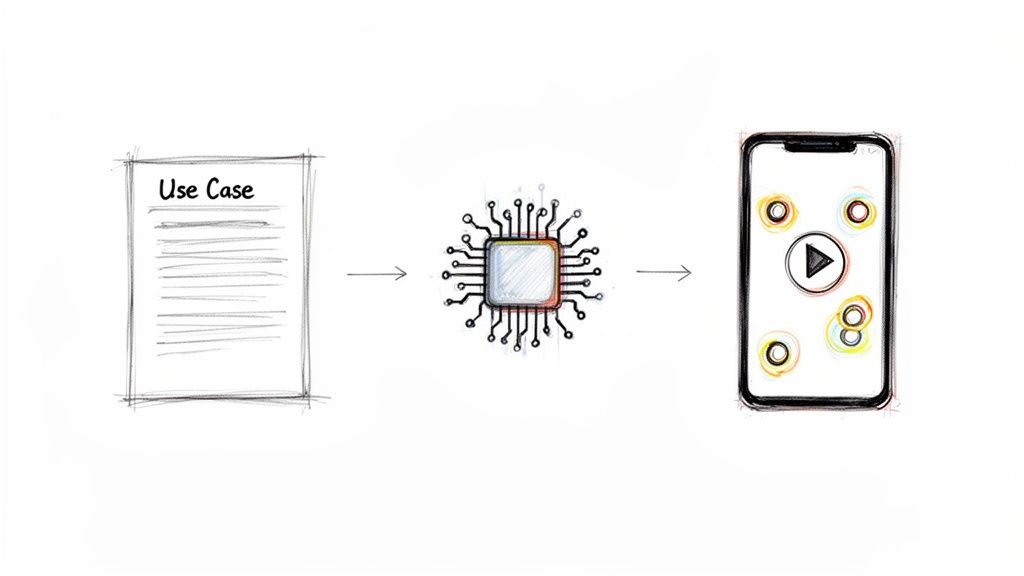
From Static Text to Interactive Prototype
The big problem with traditional use cases? They’re abstract. An engineer reads the steps. A designer imagines the flow. But there’s always a gap between the words and what the user actually feels. The rise of AI in product management is finally closing that gap.
This is where Figr comes in. Figr turns use cases into interactive prototypes. You write your use case, feed it into Figr with your product context, and it generates a clickable prototype showing exactly how the user would experience that use case, including edge cases your team might miss.
This changes everything.
It immediately surfaces visual and interaction design questions that were buried in the text. It reveals awkward steps you’d never spot on paper. Most importantly, it lets your team test the experience, not just read about it.
This flips the use case from a passive artifact for managing product backlogs into an active tool for validation and alignment. It even pulls from a massive library of good user flow examples to make sure the generated experience follows proven patterns.
Uncovering What You Missed
But here's the real magic. This AI-driven approach sees what you, a human, will inevitably miss. When Figr generates a prototype from your use case, it doesn’t just build the happy path. It actively stress-tests your logic.
By analyzing your flow against a database of hundreds of thousands of app screens, it can identify and automatically build prototypes for the hidden failure states. What happens if the user hits the back button on a critical step? What if their network drops mid-process?
These are the questions that usually pop up during expensive QA cycles.
Or worse, in angry customer support tickets after you’ve launched.
By generating prototypes for these failure states automatically, the use case becomes a tool for building resilience from day one. It’s no longer just a description; it’s a simulation.
Your Next Step: From Use Case to Shipped Product
So, what have we learned? We’ve walked the path from a half-baked idea to a concrete plan, all anchored by the use case.
It’s the story of a user getting something done. Simple, right?
But it’s this simple story that becomes the single source of truth. It’s what keeps product, design, and engineering all pointing in the same direction. This is your team’s shared picture of success, the very thing that prevents the expensive misunderstandings that kill projects.
From Document to Action
A use case on its own is just a document. Its real value comes from the conversations it starts and the alignment it forces. A great use case doesn’t just get filed away; it becomes a living artifact that evolves into a detailed spec.
Many teams build their use cases into a larger, more comprehensive document that gives the development team the full picture. To see how this works in practice, explore this guide on how to write a PRD.
This is the handoff point. This is where a clear story ensures that what you intended to build is what actually gets shipped.
A Grounded Takeaway
Knowledge without action is just trivia. The point isn’t just to know what a use case is. It’s to start using them to build better products. Faster.
Here is your immediate, testable next step.
This week, pick one upcoming feature. Instead of just writing a user story, commit to drafting a full use case using the template we covered.
Detail the actor, the goal, the happy path, and at least two alternate or error flows. Be specific.
Now, share it with one engineer and one designer. Don't present it. Just ask them to read it. Then, ask one question:
"Is this clearer than what we normally do?"
Their answer will tell you everything. This one action will make everything we've discussed today real and measurable.
In short, before you build another feature, make sure you have the right foundation. For the complete framework on this topic, see our guide to product management best practices.
Common Questions About Use Cases (From PMs in the Trenches)
Even when you know what is a use case, questions pop up the moment you try to write one. Here are the quick, no-fluff answers to the questions we hear most from product teams.
What’s the Real Difference Between a Use Case and a User Story?
A user story is a sentence. It’s a quick note about what someone wants to do and why. Think: “As a customer, I want to save my shipping address so I can check out faster next time.” It’s a great placeholder for your backlog.
A use case is the whole instruction manual for that feature. It’s a structured breakdown of the entire interaction. It describes the main success path, but more importantly, it maps out all the detours, exceptions, and error states.
Think of it this way: the user story is the title of the chapter. The use case is the entire chapter.
When Should I Bother With a Use Case Instead of Just a User Story?
Use cases earn their keep on complex features. If you’re building something with multiple steps, branching logic, or a dozen ways things could go wrong, you need a use case. The detail is non-negotiable for solid development and testing.
A checkout flow is a classic example. So is a data export feature or any kind of multi-stage approval process.
User stories are perfect for smaller, self-contained tasks. The secret is that most great teams use both. The user story nails the intent. The use case defines the execution.
Can a Use Case Have More Than One Actor?
Yes, and they often should. This is one of their biggest strengths. A single use case can, and frequently does, involve several actors, which can be different types of people or even other systems.
A purchase order approval flow is a perfect example. You might have three actors interacting in one process:
- A “Requester” submits the order.
- A “Manager” approves or denies it.
- A “Finance System” (a system actor) processes the payment once approved.
Mapping out how all these actors interact is a huge part of the use case meaning. It forces you to find dependencies and communication gaps early. And finding them in a document is a lot cheaper than finding them in production code.
Ready to turn your use cases into interactive, testable experiences? Figr is an AI design agent that generates high-fidelity prototypes directly from your use case descriptions, complete with edge cases and flows that match your existing product. Learn how Figr can help you ship UX faster.
