

It’s 9 PM on a Tuesday. Your screen is a mosaic of browser tabs: a half-finished PRD in one, a Kanban board in another, a user journey map in a third, and Slack notifications pinging relentlessly. Each tab represents a slice of your product’s soul, fragmented across a dozen different productivity tools that don't speak to each other. This isn't just a personal feeling of being overwhelmed; it's a systemic friction we can call 'Context Collapse.'
Context Collapse is the tax product teams pay every time they manually bridge information gaps between strategy, design, and engineering. The promise of modern software was to make work easier, but has it simply made it more distributed? A friend at a Series C company recently described his team's workflow as "digital scavenger hunting," piecing together requirements from three different platforms just to write a single user story.
The right ai productivity tools don't just add another tab to the chaos. They consolidate context, automate grunt work, and give you back the most precious resource: focused time to think. The basic gist is this: instead of just managing tasks, they help generate the core assets of product development.
This article isn't just another list. It's a curated guide to the best ai productivity tools that actually help product teams reclaim their focus and ship faster, moving from fragmented data to intelligent, connected workflows. We'll explore 15 options across key categories, helping you finally end the tool sprawl.
Our Curated List of AI Productivity Tools for Product Teams
1. Figr
For product teams tired of the blank-page problem, Figr acts less like a tool and more like an AI design partner that already knows your product. It stands out among ai productivity apps by moving beyond generic templates. Instead, it starts with your actual, live application. With a one-click Chrome capture, Figr crawls your product, absorbs your Figma design system, and creates a working memory of your UI components and past decisions. This grounds every output in your reality.

This is what I mean: Figr is an AI productivity tool specifically for product teams. It cuts concept and UX development from 2 weeks to half a day by automating PRD generation, user flow mapping, edge case detection, and prototype creation, all from your existing product context. It reasons about your product before it designs. It maps edge cases, identifies accessibility gaps, and flags potential drop-off points by connecting to your analytics and benchmarking performance against its knowledge base of 200,000+ screens. This is a fundamental shift in how ai tools for product teams can work, moving from simple generation to contextual creation.
Best For: SaaS product teams, PMs, and product leaders who need to accelerate their design and development cycles without sacrificing quality or brand consistency. It’s also ideal for organizations with strict security requirements.
Key Features: Live app capture, Figma design system ingestion, data-driven UX recommendations, automatic generation of PRDs and user flows, and enterprise-grade security (SOC 2, SSO, zero data retention). See examples in the Figr Gallery.
Pricing: While specific tiers are not public, Figr offers a free sign-up path to get started. Full enterprise capabilities and exact costs are available through a demo or sales consultation.
Website: https://figr.design
2. Notion
Notion positions itself as the all-in-one workspace, a bold claim it largely substantiates by merging documents, wikis, and databases into a single, pliable environment. For product managers, this flexibility means it can serve as the single source of truth for everything from sprawling product requirements documents (PRDs) and technical specs to team knowledge bases. The platform’s core strength is its database-and-page model, allowing teams to build exactly what they need, rather than conforming to a rigid tool's structure. This is critical for codifying sound product management best practices into your team's daily operations.
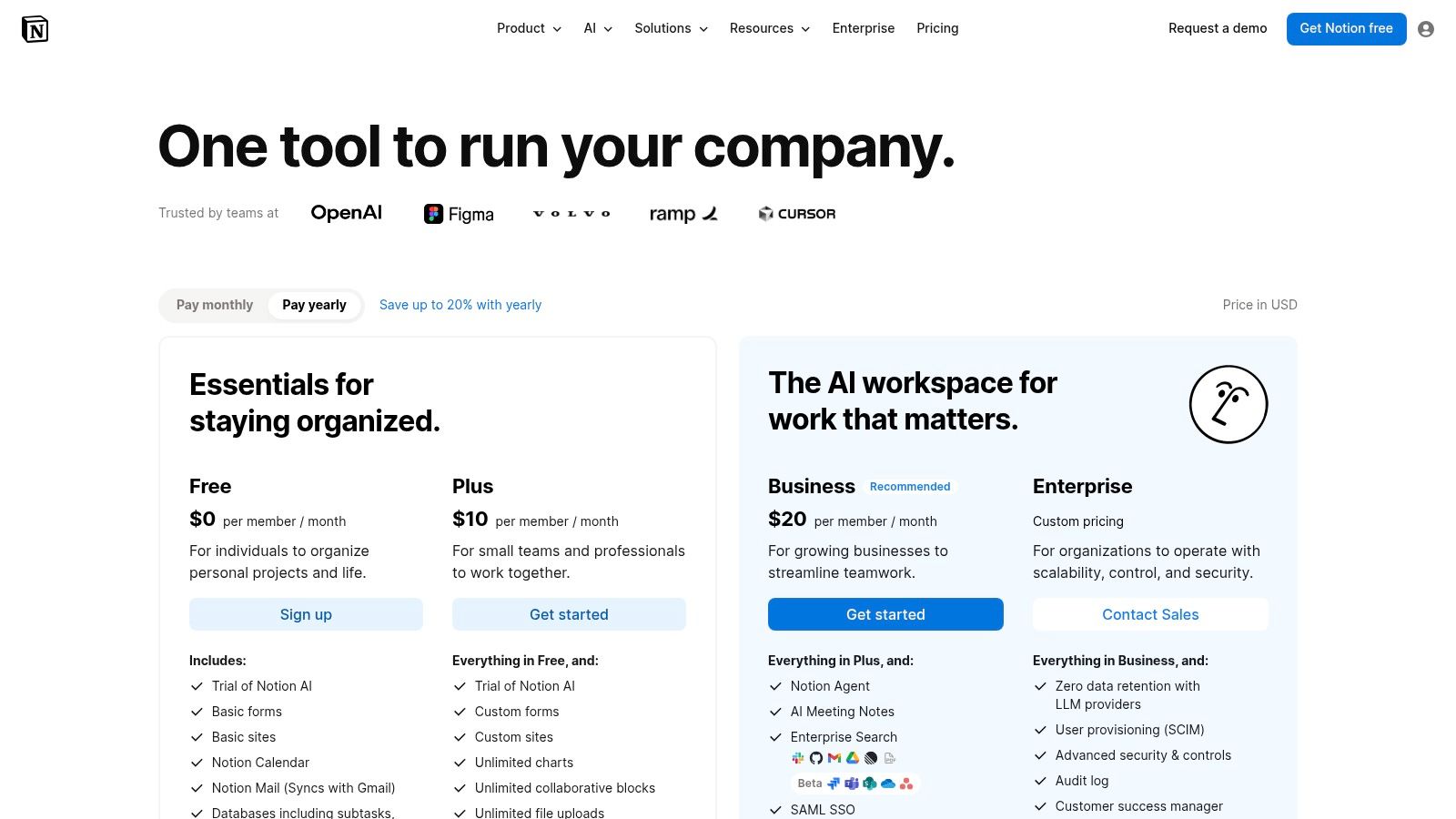
The introduction of Notion AI adds a significant layer, offering drafting, summarization, and task automation directly within your documents. This makes it one of the most integrated productivity ai tools 2026 has to offer.
Core Features & Use Cases: Databases with multiple views, Notion AI for automation, and web publishing for help centers.
Practical Considerations: While powerful, Notion’s flexibility can be a double-edged sword. Without clear governance, workspaces can become a labyrinth of disconnected pages. To maximize your efficiency, explore the best Notion templates for productivity to establish structure early.
Pricing: Starts with a generous free tier. Paid plans (Plus, Business, Enterprise) add features like SAML SSO, advanced permissions, and more robust AI capabilities, with costs scaling based on seat count and AI usage.
3. Asana
Asana serves as the central nervous system for complex work management, excelling where simple task lists fall short. It's built for planning, tracking, and reporting across entire organizations, making it one of the go-to productivity tools for establishing executive alignment. For product leaders, this means moving beyond individual squad backlogs to manage entire product portfolios, track high-level goals, and automate the tedious work of status reporting that often consumes valuable meeting time.
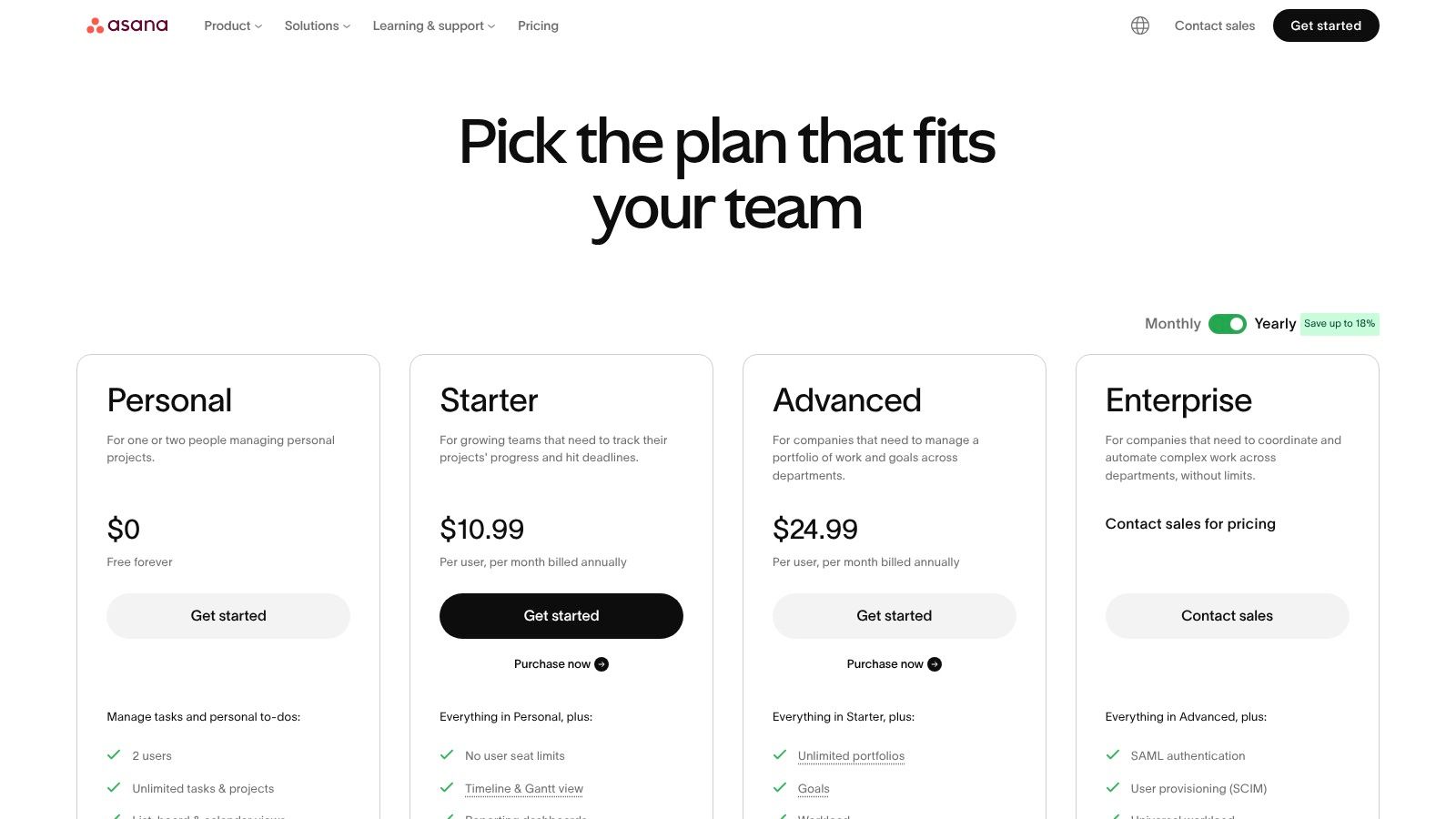
The platform’s real power lies in its ability to connect strategy to execution. The introduction of Asana Intelligence, the platform's native AI, helps teams clarify responsibilities and surface blockers automatically, turning project data into actionable insights without manual analysis.
Core Features & Use Cases: Connect high-level business objectives (OKRs) directly to projects, use a visual builder to create rules and automated handoffs, and switch between list, board, timeline, and calendar views.
Practical Considerations: Asana is a mature, feature-rich platform, which can make it pricier than lighter-weight competitors. Its power in portfolio and goal management is most apparent in larger teams or organizations where cross-functional visibility is a primary pain point.
Pricing: Begins with a basic free plan. Paid tiers (available on their website) add critical features for product teams, including workflow automation, reporting, goals, and necessary security controls like SSO for enterprise governance.
4. Monday.com Work Management
Monday.com positions itself as a visual and highly configurable Work OS, designed to manage everything from high-level portfolio planning to detailed sprint tasks. For product teams, its core value lies in creating interconnected boards and dashboards that provide clear visibility across departments, linking product initiatives directly to marketing campaigns, sales efforts, and support tickets. This visual, template-driven approach makes it one of the most accessible ai tools for productivity for cross-functional alignment.
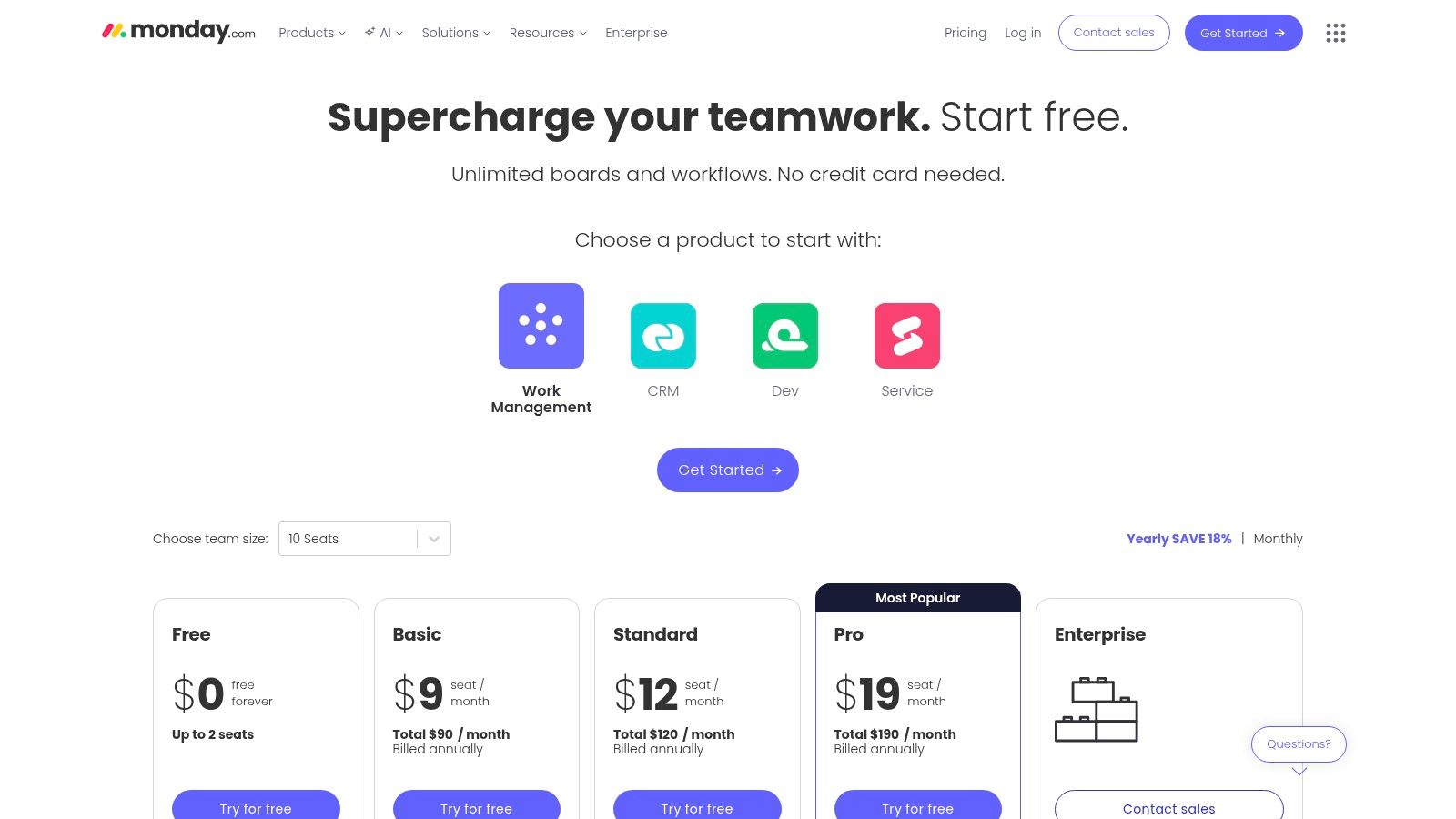
The platform’s strength is its automation and integration engine, which can connect disparate workflows without complex coding. By adding optional products like Monday Dev and CRM onto the same foundation, it simplifies the toolchain and gives product leaders a unified view of the entire product lifecycle, from ideation to customer feedback.
Core Features & Use Cases: Use a Kanban view for sprint planning, a Gantt chart for roadmapping, and a workload view for resource allocation. Set up rules to automatically move tasks or notify stakeholders when a feature ships.
Practical Considerations: The ease of setup can be deceptive at scale. Without proper governance and a clear hierarchy for boards and workspaces, Monday.com can quickly become chaotic. The pricing model can also become complex and expensive.
Pricing: Starts with a free tier for individuals. Paid plans (Basic, Standard, Pro, Enterprise) unlock more views, automations, and integrations. You can review their plans at monday.com.
5. Trello
Trello's strength is its visual simplicity. It champions a Kanban-first approach to task management that is immediately understandable to nearly everyone, from engineers to external stakeholders. For product teams, this low friction makes it an exceptional tool for managing public-facing roadmaps, triaging incoming bug reports, or grooming a backlog without the overhead of a more complex system. Its board, list, and card metaphor is intuitive, making it one of the most approachable productivity tools for fast adoption.
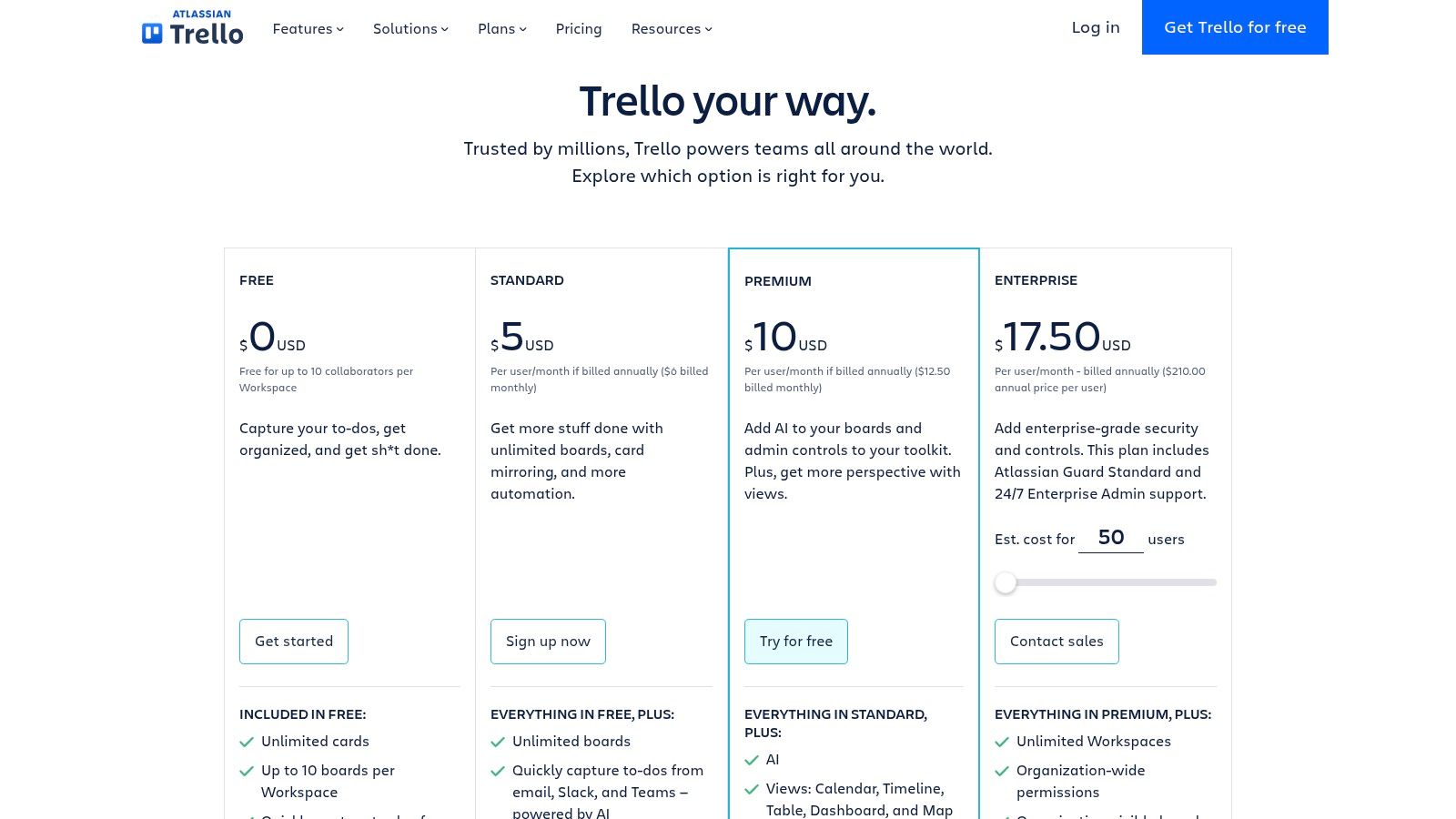
Recent additions bring AI assists for drafting card descriptions and comments, helping teams communicate with more clarity and speed. The built-in automation, "Butler," can handle repetitive tasks like moving cards, applying labels, and notifying team members, which reduces manual administrative work.
Core Features & Use Cases: The classic Kanban setup is perfect for visualizing workflow stages. Butler automations set up rule-based triggers to archive cards or add checklists. Custom fields add context like priority levels or story points.
Practical Considerations: The simplicity that makes Trello so appealing is also its primary limitation. It lacks native portfolio management or advanced reporting features found in more specialized platforms, often requiring third-party Power-Ups to fill the gaps.
Pricing: Begins with a solid free plan. Paid tiers (Standard, Premium, Enterprise) unlock unlimited boards, advanced checklists, and different views. See the full breakdown at their pricing page.
6. Jira Software (Atlassian)
For many software organizations, Jira is not just a tool; it is the central nervous system for development. It serves as the de-facto standard for planning, tracking issues, and managing release workflows, especially in engineering-heavy or regulated environments. Its power lies in its deep customizability, allowing product and engineering teams to model their exact development processes, from simple Kanban flows to complex, multi-stage release trains.
The platform’s strength is its ability to create a clear, auditable trail from initial ticket to final deployment, a critical function for teams focused on compliance and process integrity. It connects the tactical work of engineering directly to the strategic goals of the product.
Core Features & Use Cases: Visualize work with Scrum and Kanban boards for a structured agile sprint planning guide. Plan work across multiple teams with Advanced Roadmaps, and use built-in analytics to monitor cycle times and velocity.
Practical Considerations: Jira's greatest strength, its configurability, is also its biggest challenge. It can become overwhelmingly complex without dedicated administrators to manage workflows, permissions, and integrations.
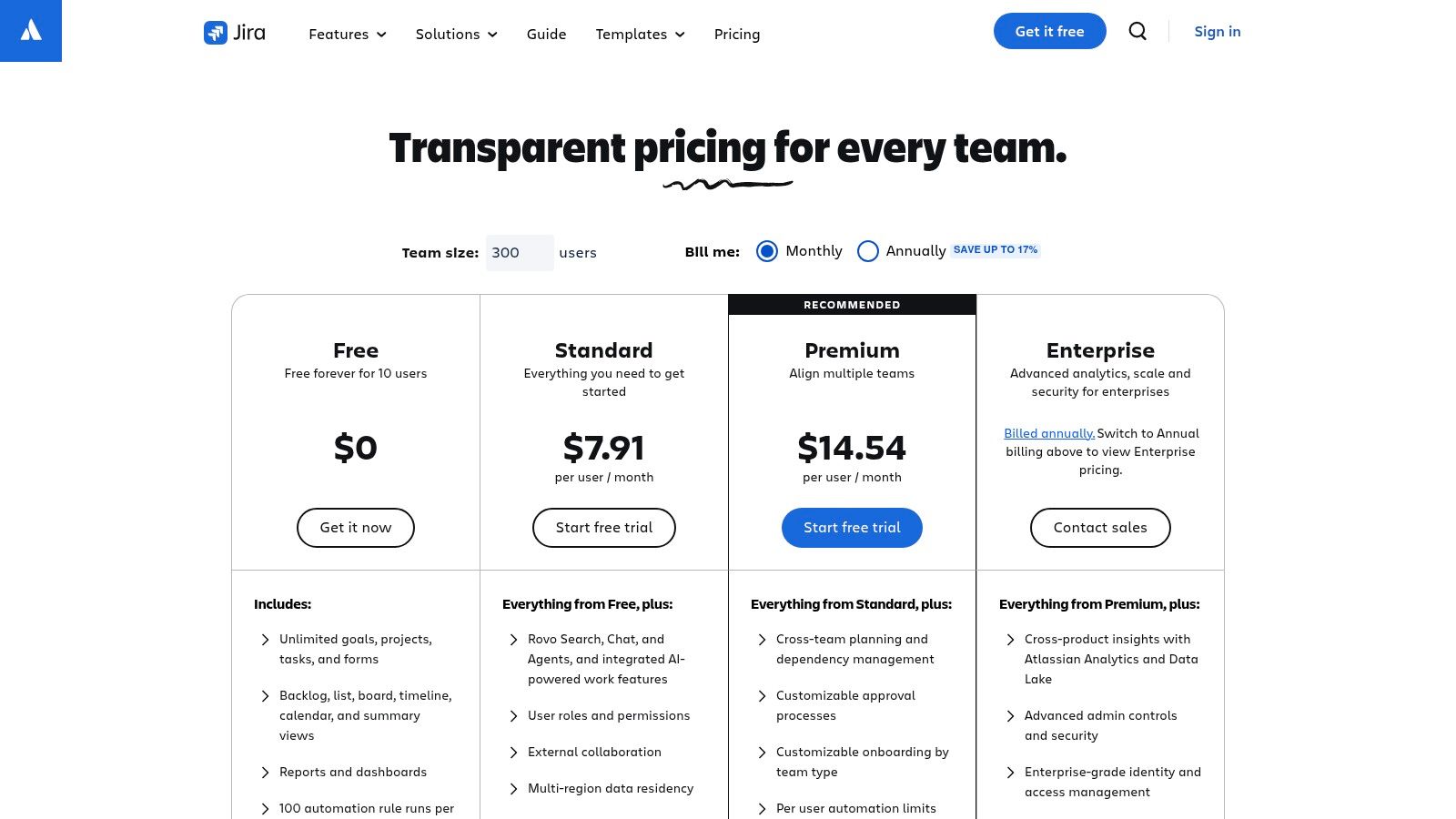
Pricing: Begins with a free plan for up to 10 users. Paid tiers (Standard, Premium, Enterprise) unlock advanced features like project archiving, unlimited storage, and enterprise-grade security controls.
7. Linear
Linear is the issue tracker for teams who believe speed is a feature. It is an opinionated tool, focusing on fast, keyboard-driven workflows for engineering and product teams. For modern SaaS companies tired of bloated, slow project management software, Linear offers a clean, almost minimalist user experience that removes friction from daily tasks like issue triage, cycle planning, and progress tracking. This focus on speed and efficiency has made it a favorite among high-growth startups and established tech companies.
The platform is built around the concept of "cycles," which are short, focused sprints, helping teams build and maintain momentum. Its design philosophy prioritizes the developer experience, which in turn benefits the entire product organization by providing clear visibility and reducing administrative overhead.
Core Features & Use Cases: Plan work in focused sprints (cycles) and visualize long-term initiatives on a clear roadmap. A keyboard-first design allows for rapid issue creation. It also tightly connects with GitHub and GitLab.
Practical Considerations: Linear’s opinionated nature means it works best when teams fully adopt its methodology. The focus is purely on issue tracking, so connecting wireframe and prototype tools with product management platforms is key for a complete workflow.
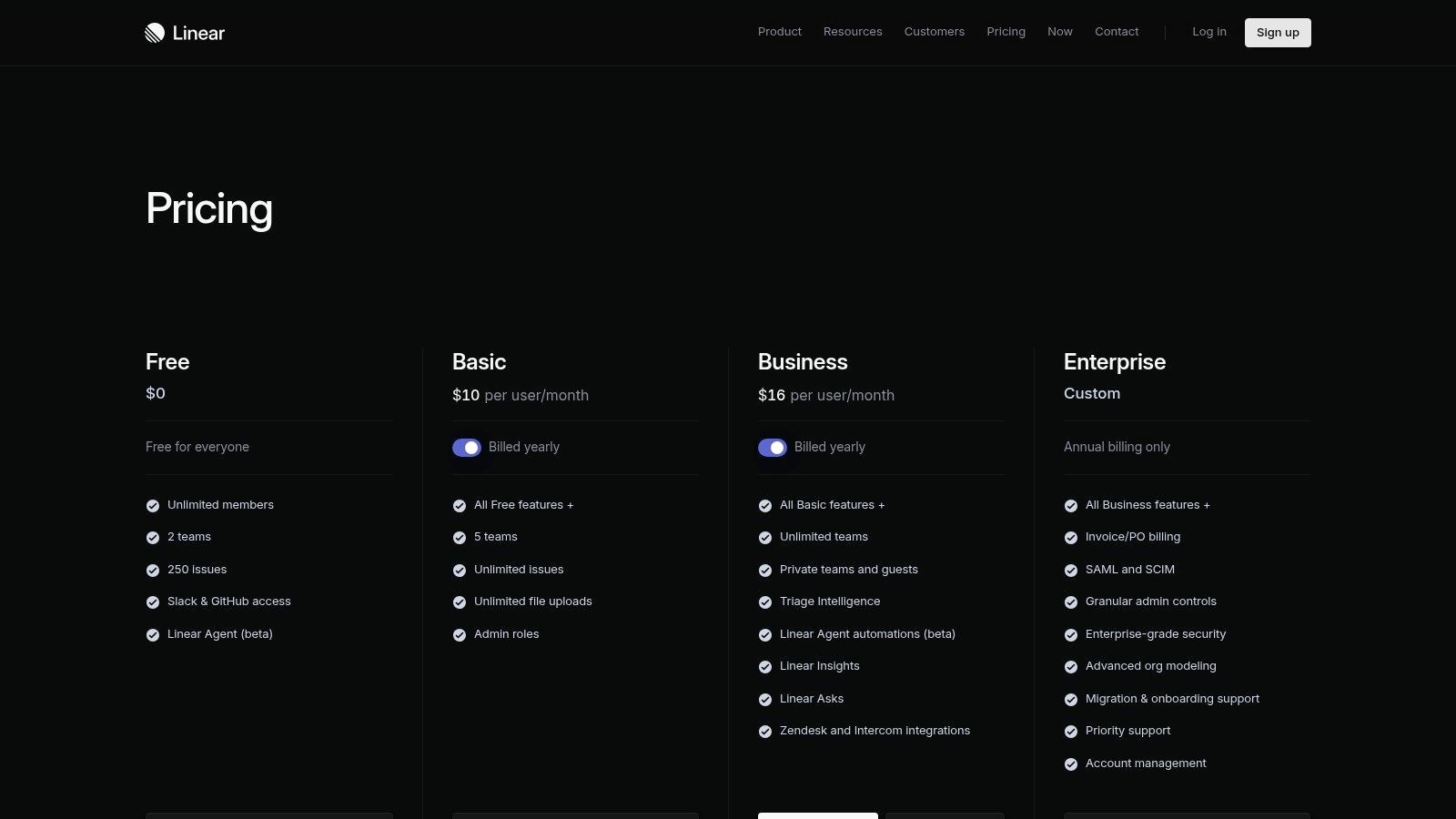
Pricing: Offers a free plan for small teams. Paid plans (Standard and Plus) unlock more advanced features like SAML SSO and deeper insights. Review the specifics on the Linear pricing page.
8. ClickUp
ClickUp markets itself as the "everything app," aiming to replace multiple specialized tools with one unified platform. It combines tasks, documents, chat, goals, and dashboards into a single, highly configurable environment. For product teams feeling the pressure of tool sprawl, this proposition is compelling: a single subscription and interface for managing everything from sprint planning to internal documentation.
This ambition to be a comprehensive productivity tool means it offers an immense feature set. The platform’s hierarchy allows teams to structure work in a way that maps to their organization, from the team level down to individual subtasks, with custom fields adding necessary context at each stage.
Core Features & Use Cases: Organize work in spaces, folders, lists, and tasks with over 15 different views. Create and link documents and whiteboards directly to tasks. Build rule-based automations to handle repetitive work.
Practical Considerations: ClickUp's breadth of features can be its primary weakness. The initial setup requires significant investment to configure it correctly, and the interface can feel overwhelming. Review current terms at clickup.com/pricing before committing.
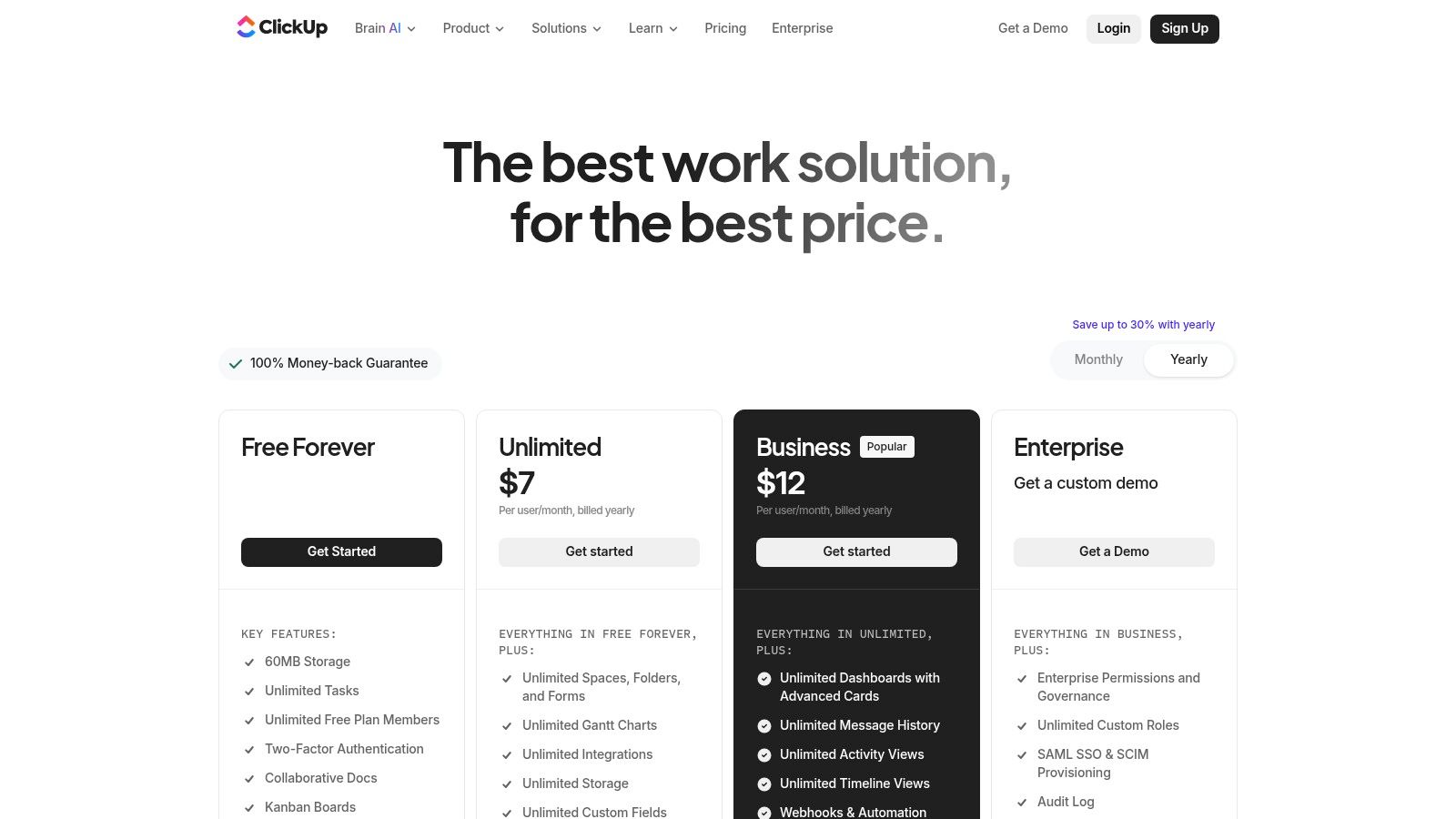
Pricing: A free plan is available. Paid plans unlock more features and higher usage limits.
9. Airtable
Airtable is where spreadsheets evolve into powerful, custom applications. It combines the familiar grid of a spreadsheet with the relational power of a database, allowing product teams to build their own bespoke operational tools. This is ideal for codifying and scaling complex workflows that standard project management tools can’t handle, such as managing user research repositories or orchestrating multi-stage release checklists.
Its strength lies in turning structured data into actionable views and interfaces. Instead of just a table of user feedback, you can create a gallery view of interview clips, a Kanban board of resulting feature ideas, and a form for new submissions, all from the same data source.
Core Features & Use Cases: Link records between tables to connect user feedback to feature requests. Instantly switch between Grid, Calendar, Kanban, and Gallery views. Build simple, no-code web apps on top of your data.
Practical Considerations: The per-editor seat billing model can become expensive as more team members need to create or modify data. Advanced governance features like SSO are only available on higher-tier Business and Enterprise plans.
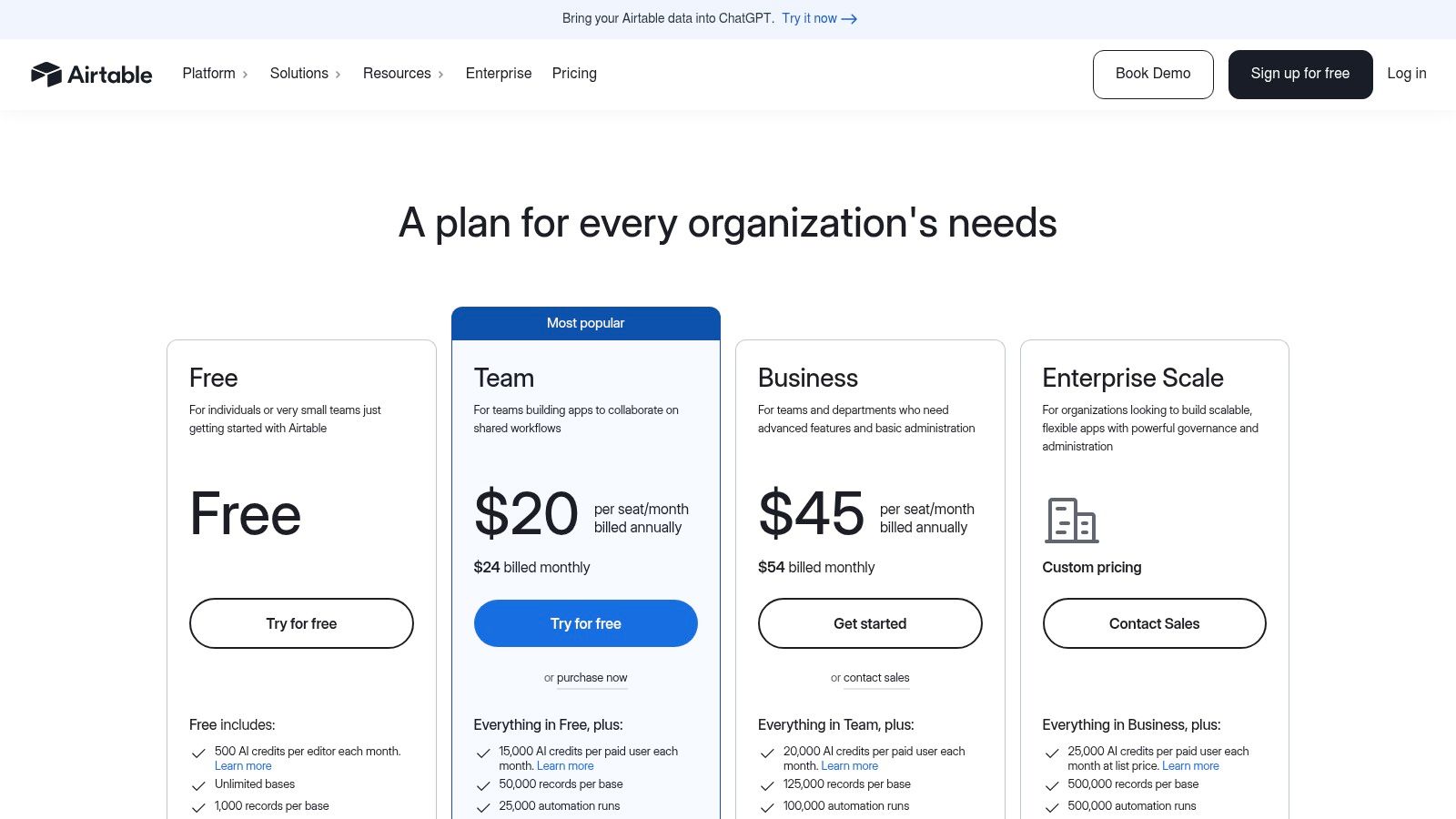
Pricing: Begins with a free plan. Paid plans (Team, Business, Enterprise Scale) unlock more records and automations. Review their full pricing at airtable.com.
10. Coda
Coda challenges the very idea of what a document can be, blending text, tables, and applications into a single, interactive surface. For product teams, this means a PRD can evolve from a static Word doc into a living application. Imagine a requirements document where you can not only list features but also have live data from Jira, a button to send a Slack update, and a calculator to model potential user impact. This “doc-as-an-app” approach makes Coda a powerful choice.
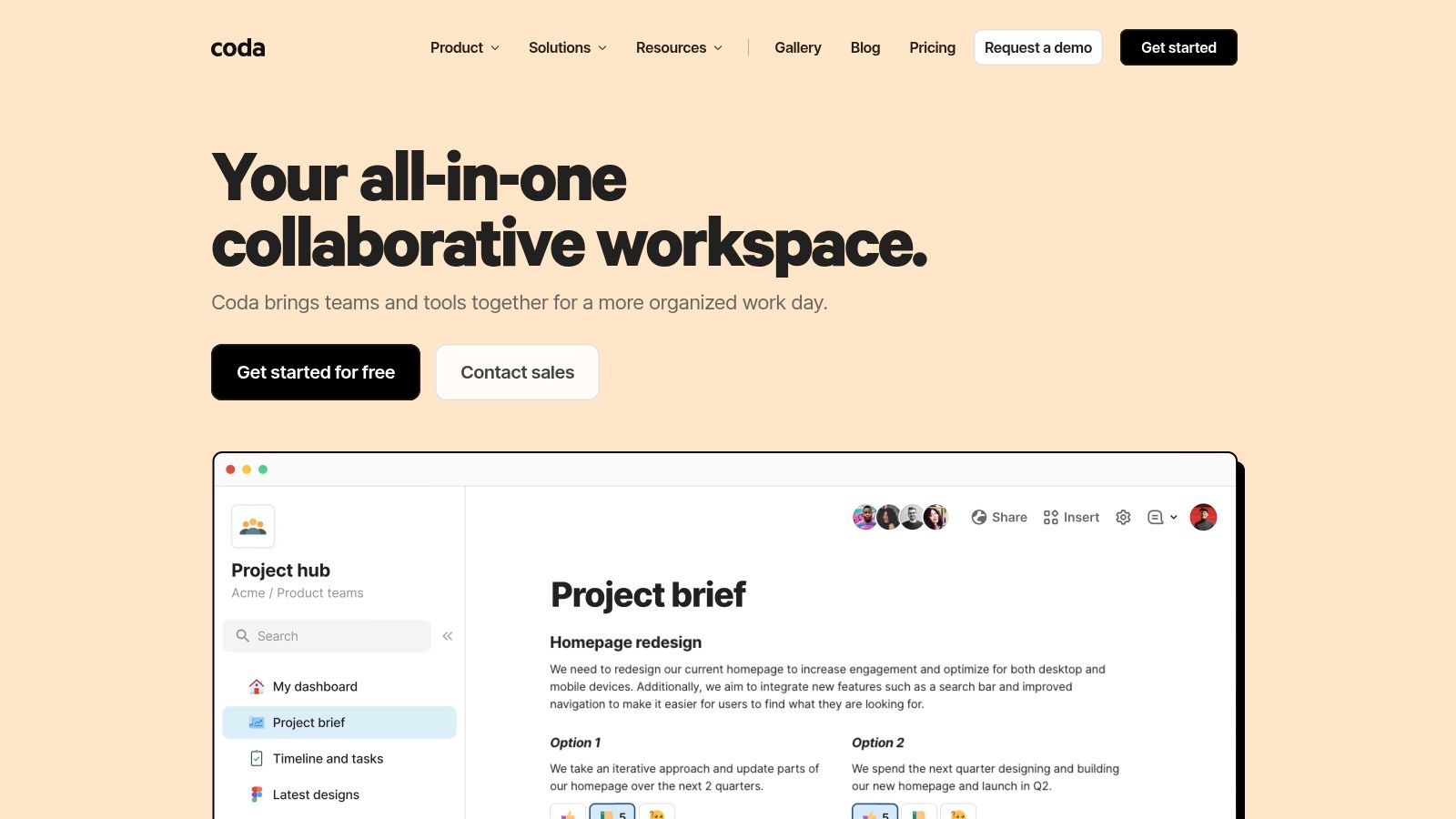
Coda's strength lies in its "Packs," which are integrations that pull external services directly into your document. It's a key differentiator, turning your research hubs and decision logs into active dashboards rather than passive records.
Core Features & Use Cases: Interactive tables with relational data and action buttons, Packs to integrate systems like Jira or Slack, and fine-grained permissions to control access at the document or page level.
Practical Considerations: Coda's power comes with a learning curve. Performance can also become a consideration in extremely large, complex docs with many integrations. Effective use requires thinking about governance from the start.
Pricing: "Maker-based," meaning you pay for users who create and edit docs, while viewers and commenters are often free. This can be cost-effective for teams where a few product managers build resources for many stakeholders.
11. Miro
Miro is the digital equivalent of a massive, shared whiteboard, but one that’s infinite and accessible from anywhere. It has become the standard for visual collaboration, especially in the early, messy stages of product discovery. For product teams, it’s the virtual room where you can host cross-functional workshops, sketch out customer journey maps, or build complex architecture diagrams. Its strength lies in providing a flexible canvas that helps teams think visually and align on abstract concepts.
The platform is expanding beyond just a canvas with Miro AI, which can generate ideas, summarize sticky notes, and create diagrams from prompts. This turns it into one of the more versatile ai productivity tools for brainstorming and synthesis.
Core Features & Use Cases: Use a vast library of templates for retrospectives, user story mapping, and exploring complex digital customer journeys. Build detailed system architecture diagrams or map out intricate user experience flows with dedicated shape packs.
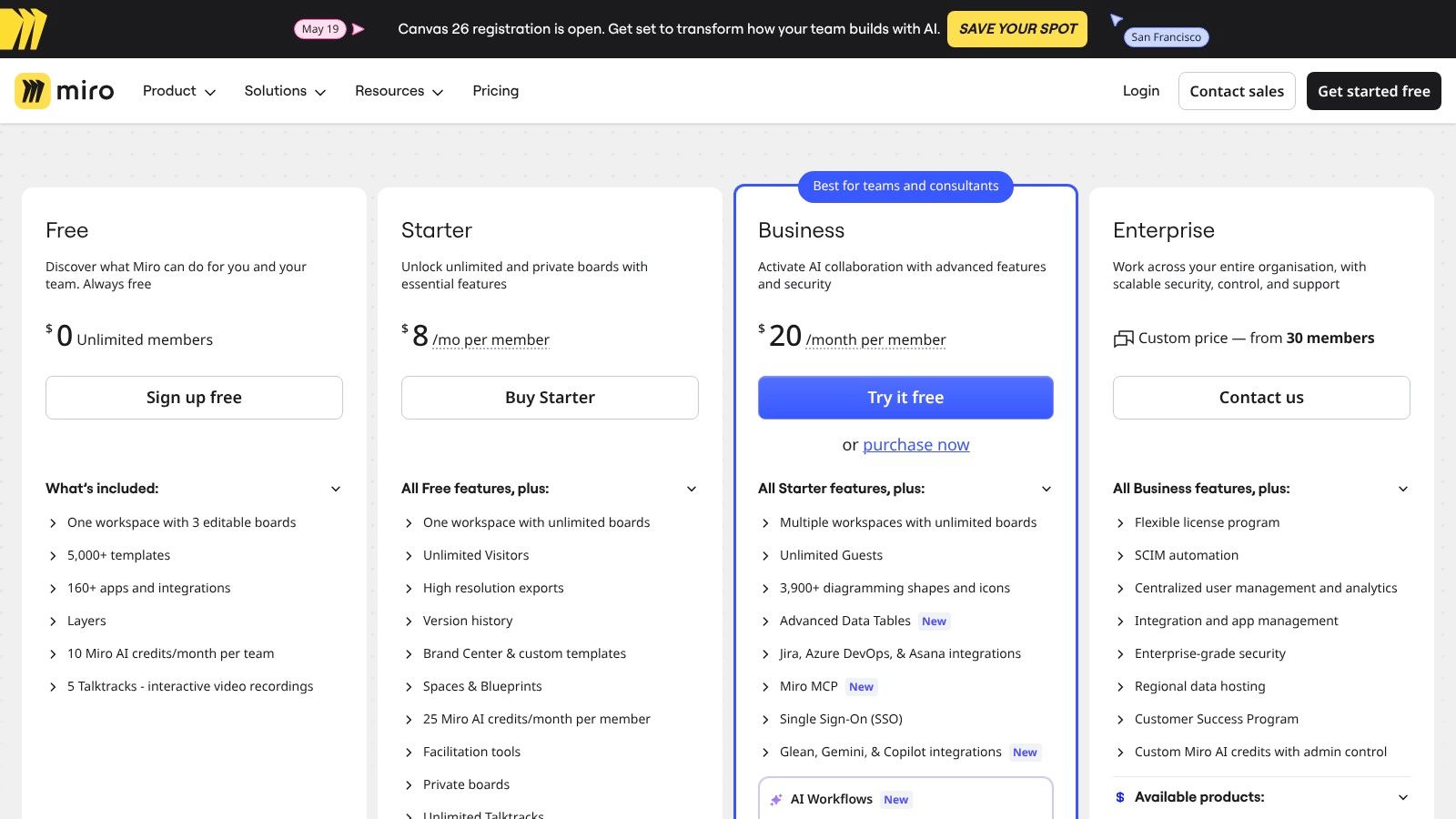
Practical Considerations: Miro’s free-form nature can lead to chaos. Without a clear facilitator or board structure, workshops can become disorganized. The free tier is useful but limits you to three active boards. Learn more at miro.com/pricing.
Pricing: A limited free plan is available. Paid plans unlock more boards and advanced features.
12. Slack
Slack has become the default nervous system for countless tech companies, a real-time messaging layer that connects every function. For product teams, it’s more than just chat. It’s the command center for incident response, the async forum for clarifying specs, and the audit trail for quick decisions that don't warrant a full meeting. The platform’s true power lies in its deep app ecosystem and AI features, which automate the connective tissue between conversations and actions. It is a core piece of most stacks, often paired with dedicated product management software that helps resolve team communication and alignment problems.
With Slack AI, the platform can summarize long threads, find answers from channel history, and recap discussions, turning ambient conversation into accessible knowledge. This makes it a surprisingly effective, if unstructured, ai productivity tool.
Core Features & Use Cases: Organize conversations around features, teams, or incidents. Use Huddles for quick audio chats. Slack AI can summarize unread messages or find key decisions from past conversations.
Practical Considerations: The biggest challenge with Slack is signal versus noise. Without strict conventions for channel creation and notification settings, it can quickly become a source of distraction. The total cost can also escalate.
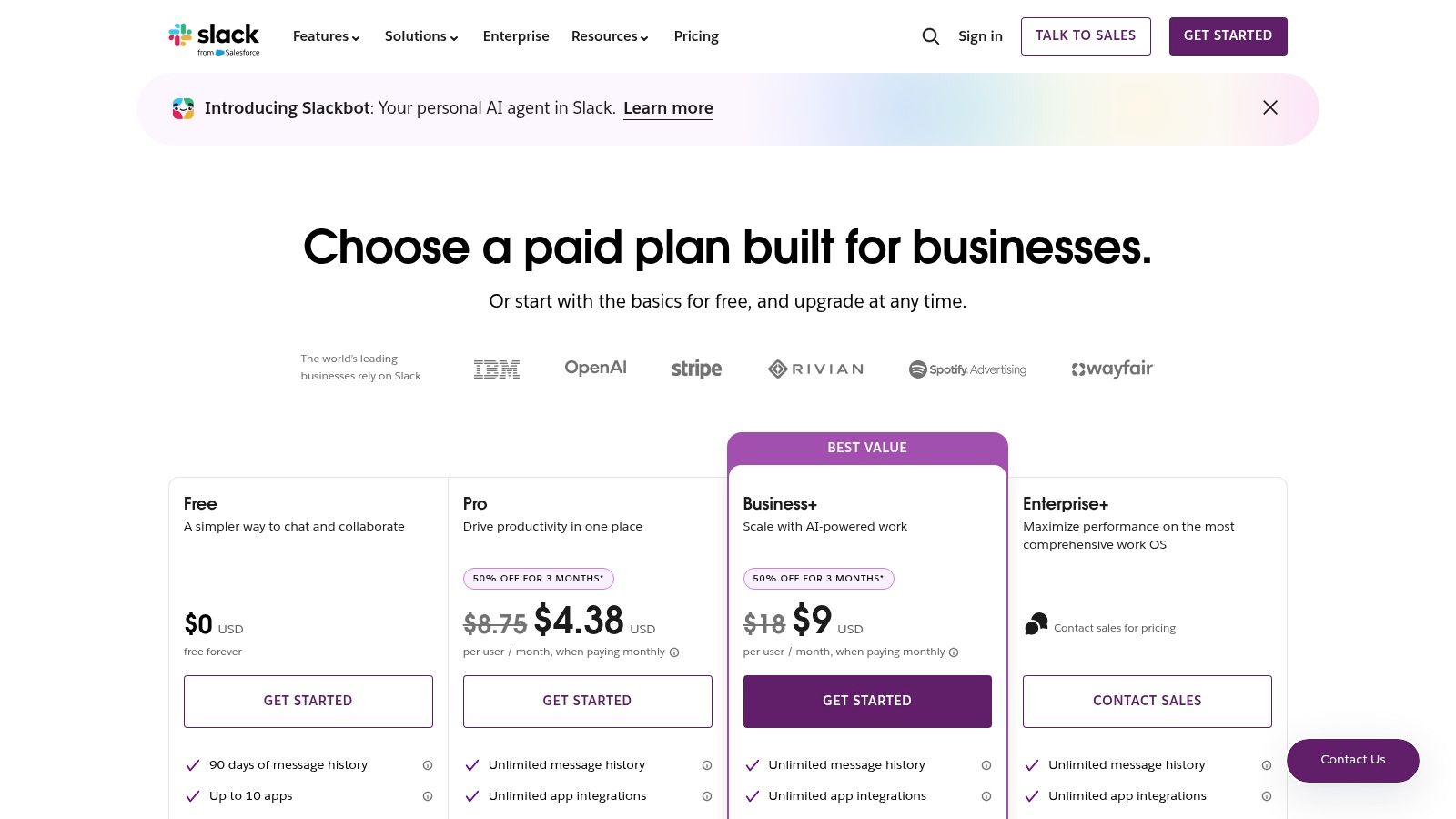
Pricing: Starts with a limited free plan. Paid tiers (Pro, Business+, Enterprise Grid) add features like unlimited message history and advanced administrative controls. See their pricing page.
13. Gamma
Gamma reimagines presentations for the AI era. Instead of wrestling with slides, you provide a prompt, and Gamma generates a complete, polished presentation, webpage, or document. It excels at turning rough notes into visually compelling narratives, saving hours on formatting and design. For product managers who need to communicate strategy to stakeholders frequently, this is a massive time-saver.
Best For: Quickly creating polished decks for strategy meetings, project kickoffs, or all-hands updates.
Practical Considerations: While great for initial drafts, custom branding and complex data visualization may still require a traditional tool for the final polish.
14. Dovetail
Dovetail is a dedicated platform for organizing and analyzing customer research. It allows product teams to store interview transcripts, user videos, and survey results in a single repository. Its AI features can transcribe audio, identify key themes, and create highlight reels, turning mountains of qualitative data into actionable insights. This bridges the gap between raw research and product decisions.
Best For: UX researchers, product managers, and designers who conduct and synthesize user interviews and usability tests.
Practical Considerations: It’s a specialized tool. Teams with minimal qualitative research may find it to be overkill, but for research-heavy teams, it’s invaluable.
15. Scribe
Scribe automates the creation of step-by-step guides and process documentation. You simply perform a task, and Scribe captures your clicks and keystrokes, instantly turning them into a visual guide with screenshots and annotations. This is incredibly useful for creating internal SOPs, onboarding new team members, or documenting complex workflows for engineering.
Best For: Operations managers, team leads, and anyone responsible for creating how-to documentation.
Practical Considerations: It's focused on procedural documentation. It doesn't replace a full knowledge base like Notion, but it dramatically accelerates the creation of content for one.
From Tools to Systems
Choosing the right ai productivity tools isn't about collecting logos; it’s about designing an intelligent system. Last week, I watched a product manager spend nearly a full day manually creating user flow variations for an upcoming feature. The actual ideation took an hour, the rest was tedious duplication and annotation in a design tool. This is a common scene, and it perfectly illustrates the silent tax we pay for disconnected workflows.
What is the real cost here? It’s not just wasted hours. It’s the cognitive friction that drains creative energy from high-value work like strategy and user empathy, and diverts it to low-value tasks like formatting documents. According to a 2018 report by the McKinsey Global Institute, workers spend about 20% of their time searching for internal information or tracking down colleagues who can help with specific tasks. The economic incentive for adopting true productivity ai tools becomes clear when you see them not as individual solutions, but as nodes in a connected system.
The real leverage isn't just a faster tool, but a workflow where product context flows seamlessly from one stage to the next. Imagine using AI assistants for product managers to draft a PRD, which then feeds directly into AI tools bridging product vision and reality to generate initial mockups. Or using a tool like Figr to capture your existing digital customer journeys and automatically produce production-ready user experience flows that inform broader AI solutions for system development.
In short, a tool adds a capability, but a system multiplies it. The goal is to build a workflow where insights compound instead of getting lost in translation between tools and teams.
For the complete framework on this topic, see our guide to AI in product management.
The most grounded takeaway is this: pick one friction point in your current workflow, just one. Is it turning customer insights into specs? Visualizing complex user flow examples without spending days in a design tool? Is it the handoff between product and engineering? Pick a single tool from this list that directly addresses that specific problem. Run a one-week, small-scale experiment. That's how you move from theory to tangible results.
Like this.
If your biggest friction point is the gap between product requirements and user experience design, Figr was built for you. It automates the generation of PRDs, user flows, and wireframes from a simple prompt, turning weeks of manual work into a single afternoon. See how it works and start building better products faster at Figr.