

Imagine your research is finished. Stakeholder interviews are done. The launch window is getting tight. Then the blank PRD opens, and one simple question stalls the room. What kind of document are we writing?
That question matters more than it seems. I’ve watched teams lose days arguing over a PRD when they were really arguing over how decisions should get made. One template pulls the discussion toward strategy. Another pushes the team into tickets, dependencies, and delivery details. A third turns the document into a shared workspace for design, product, and engineering.
That’s why people search for a product requirements document example in the first place.
They want a starting point, yes. But the stronger signal is this: they want a format that helps the team think clearly under pressure. A useful PRD example gives the work structure. A good product requirements document sample also sets the tone for collaboration. Does it force trade-off conversations early? Does it keep design attached to intent? Does it make engineering constraints visible before the build starts?
Those choices have consequences. A lightweight doc can speed alignment, but it may leave edge cases buried in comments. A strategy-heavy template can sharpen priorities, but slow teams that need fast execution. A tool connected to design and delivery can reduce drift, but it also asks the team to work inside a tighter system.
So there isn’t one best PRD model. There are different models for different operating styles.
Some teams need traceability. Some need visual collaboration. Some need a database they can reshape as the product evolves. Some turn a PRD template into a living system connected to design and execution. If that last category is your problem, Figr's AI PRD generator guide is a useful reference point.
Quick take: use these examples to choose the operating style that fits your team. If you already have the requirements and need to turn them into a flow, states, and prototype, see the PRD-to-UX workflow.
This article looks at seven PRD examples through that lens. Not just what each template includes, but what kind of product conversation it creates between product, design, and engineering. That is the part teams usually miss, and it’s often the reason a template works beautifully in one company and falls apart in another.
1. Figr The product-aware PRD
A familiar failure happens right after a kickoff. Product signs off on the PRD. Design explores a cleaner flow. Engineering builds against the last written requirement. Two weeks later, nobody is arguing about priorities. They are arguing about which version is real.
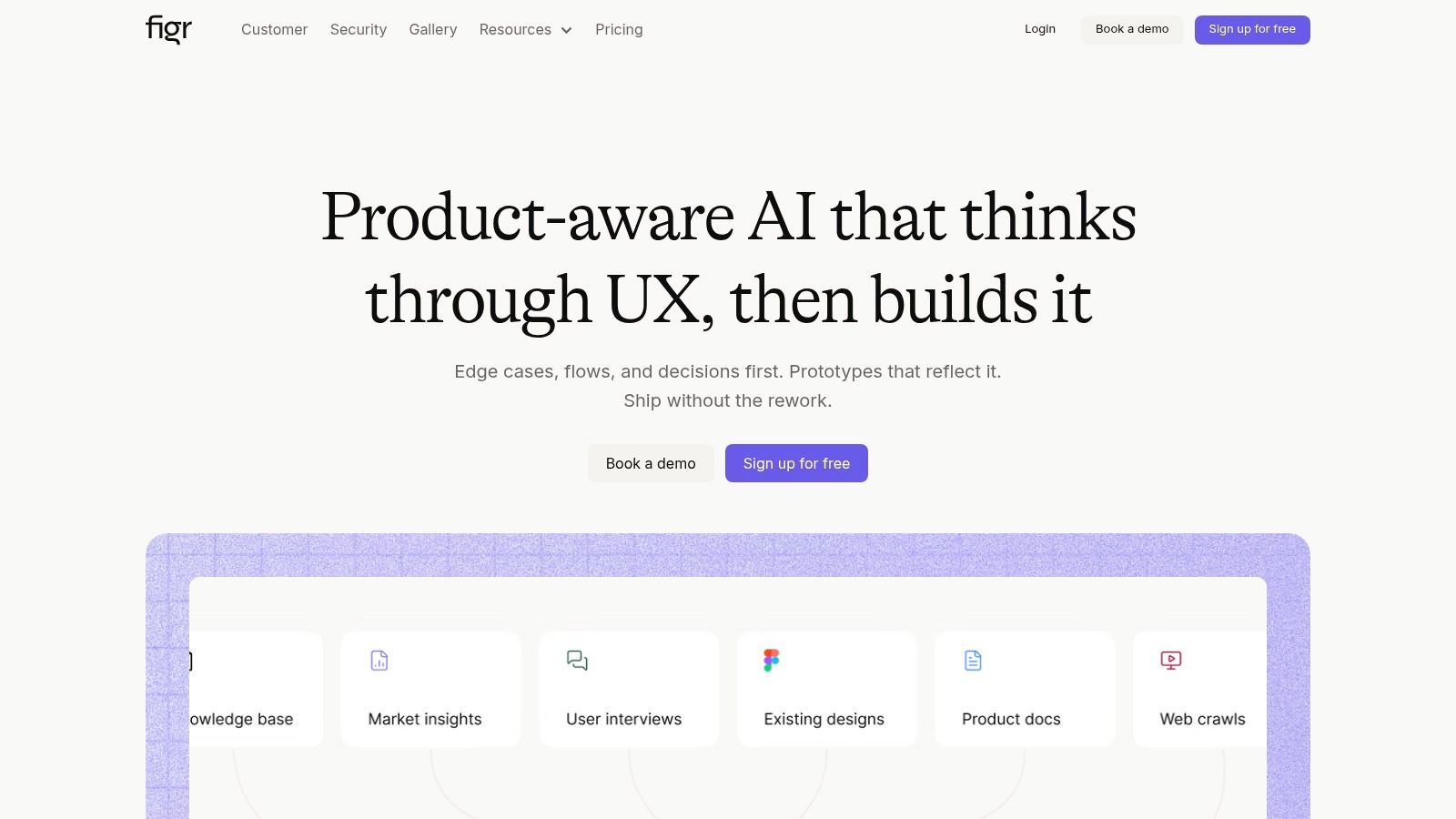
Figr is built for that problem. Its PRD approach keeps requirements tied to the artifacts teams use to make decisions, including flows and prototypes. That changes the role of the document. It stops being a static brief and starts acting more like a shared operating record for product, design, and engineering.
That distinction matters.
Some PRD templates shape better writing. Figr shapes tighter product conversations. The template pushes teams to connect intent to interaction early, so trade-offs surface before handoff. If a requirement changes, the downstream work is easier to trace and update. That is a different philosophy from a general doc tool, and it suits teams that feel the cost of drift every sprint.
Why this product requirements document example stands out
The two public examples show the pattern clearly: the Mercury PRD and the Spotify AI playlist PRD. Both go beyond feature lists. They connect the problem, the user flow, and the product behavior in a way design and engineering can act on without filling in too many gaps themselves.
That is the strategic choice behind this template. A text-first PRD often leaves visual interpretation for later. Figr pulls that work forward. For teams building complex SaaS flows, that usually improves alignment. It can also expose ambiguity faster, which is uncomfortable at first but cheaper than discovering it in QA or after release.
Figr also reflects real product context instead of generating a generic spec in isolation. The platform can use inputs from a live app, a design system, and existing tokens. It also supports controls such as SOC 2, SSO, and zero data retention. Those details matter if the PRD needs to live inside an enterprise workflow rather than a one-off planning exercise.
Practical rule: If requirements and prototypes live in separate systems, handoff risk starts building on day one.
Teams that want help structuring that workflow can use this PRD writing guide as a practical reference.
What works, what doesn’t
What works well:
Requirements stay connected to execution: Flows, prototypes, and product logic are tied back to the same source context.
The template forces specificity: Edge cases and interaction choices show up earlier, before they become engineering surprises.
It fits design-heavy product development: Teams working across onboarding, permissions, analytics, or multi-step journeys get more value here than they would from a plain document editor.
Context carries over: Existing design systems and product patterns reduce generic output.
What doesn’t:
Setup affects value: The system is stronger when connected to real product inputs, so the initial configuration takes effort.
It can feel heavyweight for simple teams: If the job ends with a text doc and a basic handoff, this approach may be more structure than you need.
Not every team needs the full workflow: Figr has a free tier, but teams that only need a one-off text document may still prefer a simpler document tool.
Figr works best for teams that want a product requirements document sample to do more than document intent. It helps keep intent, design, and execution in the same conversation. That is the core choice this template makes.
Try the workflow free or open the PRD-to-UX use case.
2. Atlassian Confluence The Jira-native product requirements document example
A sprint planning meeting goes sideways fast when the PRD says one thing, the Jira ticket says another, and nobody can tell which decision is current. Confluence exists for that exact mess.
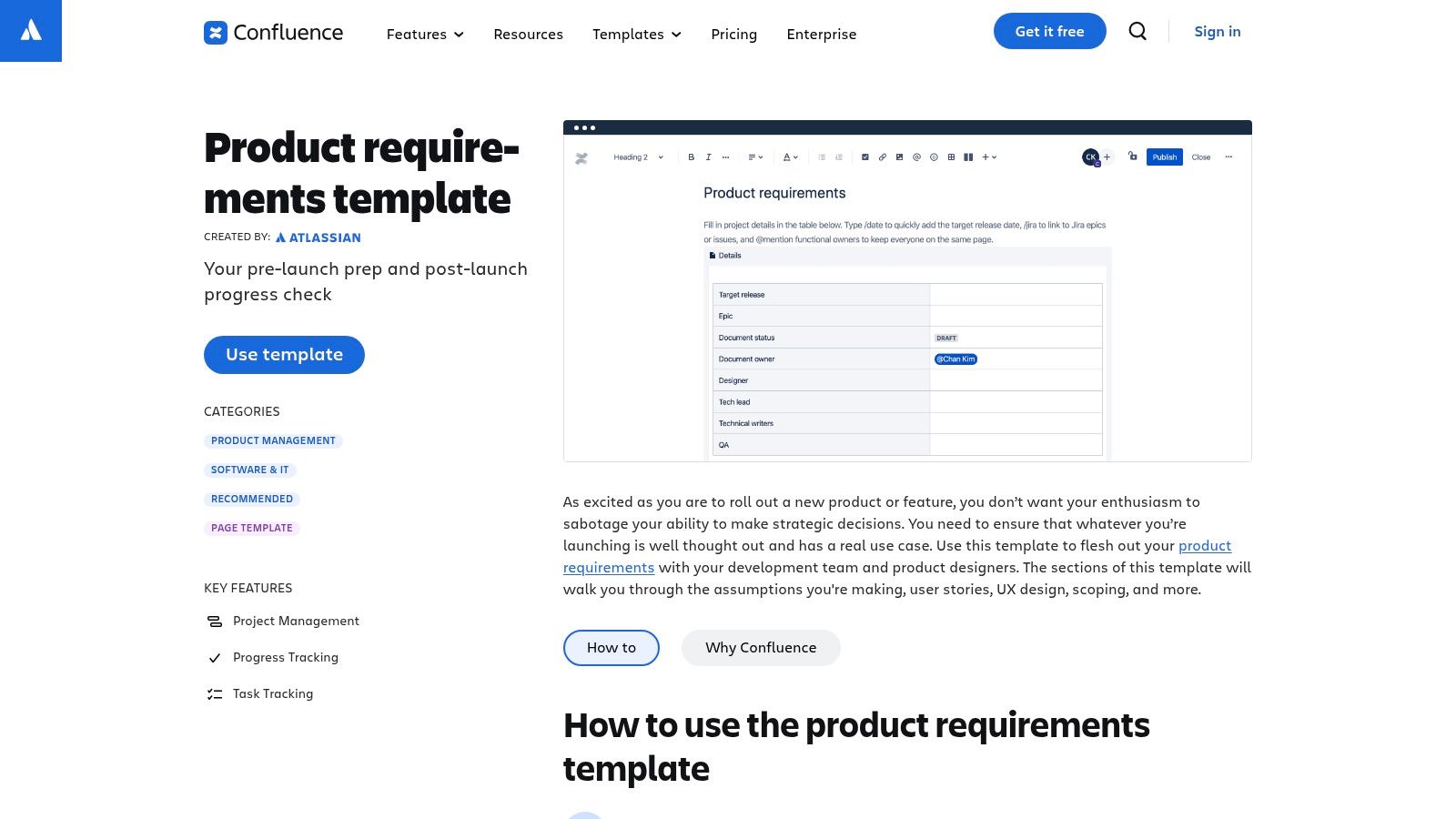
Its product requirements document example pushes teams toward traceability. The template gives you clear sections, enough structure to prevent vague writing, and tight links into Jira. That changes the job of the PRD. It stops being a polished memo for stakeholders and starts acting like an operating document for delivery.
That choice has consequences.
Where Confluence changes the conversation
Confluence works best when the primary customer of the PRD is the team building and shipping the product. Product can define the problem, engineering can challenge scope, and everyone can follow the thread from requirement to issue to acceptance criteria without leaving the Atlassian stack.
For some teams, that is exactly the point. The template encourages a style of thinking that values clarity, ownership, dependencies, and revision history. Comments stay attached to the page. Decisions are easier to revisit. Open questions do not disappear into meeting notes.
I have seen this go well in teams with strong engineering cadence and weak documentation habits. Confluence gives them rails.
It also shapes behavior in a less obvious way. Because the template sits so close to execution, teams often write requirements that are easier to break into work. That sounds minor. It is not. A PRD format can either invite strategic discussion or compress it into implementation language too early. Confluence usually favors the second unless the PM deliberately protects space for discovery.
Best fit and limits
This is a strong prd example for teams already running delivery through Jira and needing a shared source of truth. It is less persuasive for teams that rely on the PRD to carry visual thinking, concept exploration, or early product framing.
A few practical takeaways:
Best for operational clarity: Requirements connect cleanly to tickets, owners, and review history.
Good for Jira-centered teams: Adoption is easier when product, engineering, and program work already happens in Atlassian.
Useful for iterative specs: Version history and page comments support living documents instead of static signoff docs.
Less natural for exploratory work: Complex flows, interaction logic, and design rationale often need support from another tool.
That trade-off matters. A Confluence template does not just organize content. It nudges product, design, and engineering toward a delivery-first conversation. If your team wants a more visual or workshop-friendly approach before requirements harden, this guide for product teams is a useful contrast point.
Confluence itself is available at Atlassian Confluence’s PRD template.
3. Miro The visual, collaborative PRD

Some PRDs fail because nobody contributed early enough. Miro solves for that.
Its product requirements document example barely feels like a document. It’s a canvas. Goals, assumptions, flows, feature ideas, and stakeholder comments can sit on the same board. In a workshop, that’s powerful. The PRD stops being a solitary writing exercise and becomes a visible negotiation between product, design, and engineering.
That format changes who participates.
Why Miro is useful in discovery-heavy teams
When the main job is alignment before commitment, Miro often beats a text-first tool. It gives teams room to map concepts, cluster pain points, and sketch user paths alongside requirements. That makes it especially useful when the PRD is inseparable from interaction design.
If your team is already working through user flow examples or refining user experience flows, Miro feels natural. The requirement doesn’t sit apart from the flow. It sits next to it, which reduces the chance that everyone agrees on the words but imagines a different product.
There’s a practical downside, though. Boards can become sprawl farms. Great in a workshop, murky two weeks later.
A visual PRD works when someone curates it. Otherwise, collaboration turns into sediment.
The real trade-off
Miro is ideal when your hardest problem is surfacing assumptions, not documenting finished certainty. It’s weaker when external stakeholders expect a polished, formal product requirements document sample with stable version control.
The useful pattern looks like this:
Use Miro early: Align on problem, scope, rough flows, and open questions.
Convert later if needed: Once decisions harden, move the stable parts into a more formal system.
Keep visuals close to requirements: That’s where Miro earns its keep.
Miro also works well for teams evaluating alternatives to standard document workflows. If your team is testing whether a visual-first process fits better, this guide for product teams is a good companion read.
You can access the template at Miro’s PRD template.
4. Notion The flexible, database-driven PRD

Notion is what teams choose when they want the PRD to be part document, part knowledge graph.
The obvious appeal is flexibility. You can write a narrative product requirements example, embed research notes, attach design references, and connect the page to a database of roadmaps, releases, or feature bets. Suddenly the PRD isn’t an isolated file. It’s one node in a product operating system.
That’s a real strength if your team hates hunting through six tools for context.
Where Notion becomes powerful
The best Notion setups treat each PRD as both a story and a record. You get prose for problem framing, but also properties for owner, status, dependencies, and links to related work. That’s especially useful for product leaders who need to move between strategic view and feature-level view without losing the thread.
AltexSoft emphasizes that PRDs serve as a guide written by product managers to define purpose, features, and user benefits while aligning business and technical teams, and it gives concrete KPI examples such as 100,000 registered users in the first 12 months, a 60% monthly active user rate within six months, 70% retention by year one, and $1 million ARR in the right context for a launch, in its PRD guide. Notion makes those target sections easy to standardize across many docs because databases can enforce consistency without forcing every team into the exact same page layout.
The flexibility tax
Here’s the catch. Notion’s strength is also its weakness. Teams create templates on top of templates until nobody knows which one is canonical. You start with freedom and end with archaeology.
A few honest observations:
Excellent for a single source of truth: If someone owns the information architecture.
Great for embedded context: Research, mockups, notes, and references can live together.
Danger of template sprawl: Without governance, every PM invents a new religion.
Not opinionated by design: Teams that need stronger process guidance may prefer a more structured tool.
When documentation suffers from clutter and discoverability issues, automation proves beneficial. Figr on automated documentation is relevant here because the issue usually isn’t writing more docs. It’s organizing the ones you already have.
You can start with Notion’s PRD template.
5. Aha! Roadmaps The strategy-first PRD

A roadmap review goes sideways. Engineering asks what problem the feature solves. Design asks which customer segment matters most. Leadership asks how it supports the quarter’s goals. If the PRD cannot answer all three, the document is already behind.
That is the kind of tension Aha! is built for.
Its product requirements document example starts from strategy and pushes downward into releases, epics, and features. That structure changes the conversation. Instead of debating isolated requirements, teams debate priority, sequencing, and goal alignment before details harden. For organizations with several product lines or shared platform teams, that is a real advantage.
It also comes with a cost. Aha! assumes strategy should be visible in the document itself. Teams that prefer lightweight specs can experience that as drag, especially when the work is small and the planning horizon is short.
Where Aha! shapes the conversation well
Aha! is strongest when the hard part is not writing requirements. The hard part is proving why a requirement deserves space on the roadmap. Its template nudges PMs to connect feature detail to goals and initiatives early, which gives design and engineering more context for trade-off decisions.
That matters because PRD templates are never neutral. A strategy-first template invites a different kind of debate than a task-first one. Product talks about outcomes. Design can challenge whether the proposed solution fits the audience. Engineering gets clearer signals about dependencies, sequencing, and what can be cut without breaking the intent.
I have seen this work best in companies where teams do not struggle with ideas. They struggle with focus.
The hidden benefit of a strategy-first PRD is political clarity. People disagree sooner, and that is usually cheaper.
Who should choose it
Aha! makes sense for organizations that need traceability across planning layers and across teams. It is a weaker fit for small squads shipping fast experiments where a brief spec and a clear owner are often enough.
The trade-offs are practical:
Best for strategic traceability: Requirements inherit context from goals, initiatives, and releases.
Strong for leadership visibility: The why behind a feature is easier to defend.
Useful for cross-team planning: Dependencies are surfaced earlier instead of being discovered during delivery.
Heavier than a lightweight doc tool: Small teams may spend more time maintaining structure than benefiting from it.
If your team wants every PRD to connect cleanly to a product roadmap, Aha! will feel consistent. If your team writes PRDs mainly to unblock execution this week, it may feel like too much system for too little document.
6. ClickUp The all-in-one-platform PRD

A PM updates the PRD. The engineer is already in the sprint board. Design feedback sits in comments. Stakeholder questions live in chat. By Friday, the team has four partial versions of the same decision.
ClickUp is built for teams trying to stop that split.
Its PRD template sits inside the same system as tasks, sprint planning, docs, and status tracking. That shapes the conversation in a specific way. The PRD becomes less of a formal artifact and more of an operating document tied to execution. For some teams, that is exactly the point. They do not need the most refined writing environment. They need the spec to stay attached to the work after kickoff.
When ClickUp is the right call
ClickUp makes sense when the biggest problem is not strategy quality or design complexity. It is coordination drift.
In those teams, the choice of template changes behavior. A doc-first tool encourages polished thinking, then handoff. ClickUp encourages tighter loops between requirement, task, owner, and update. Product can turn decisions into tracked work quickly. Engineering can question scope where the work is already being managed. Design can comment closer to delivery details, not just the abstract requirement.
That convenience comes with a trade-off. The template pulls the team toward action. Sometimes that is healthy. Sometimes it means the conversation gets operational too early.
The honest trade-off
All-in-one platforms are opinionated in a quiet way. They make execution easy to connect, but they can flatten the distinctions between planning, specification, and delivery. If your team already struggles to separate problem definition from task creation, that matters.
The fit usually looks like this:
Strong for teams already running work in ClickUp: Adoption is easier because the PRD lives where people already spend time.
Useful for keeping specs attached to delivery: Tasks, comments, and updates stay close to the original requirement.
A practical choice for smaller or generalist teams: One tool can be enough if the workflow is straightforward.
Less convincing for specialized product organizations: Complex research, advanced design systems, or heavy governance often need stronger purpose-built tools.
I usually recommend ClickUp when a team needs a PRD that gets used, not admired. That is a different standard. It favors continuity over craft.
You can try it at ClickUp’s PRD template.
7. Lucid The diagram-centric PRD

A team reads the PRD, nods, and still leaves with three different interpretations of the same feature.
It happens with workflow builders, permissions models, onboarding logic, and any feature that branches based on role, state, or channel. The writing can be clear and still fail. Words describe behavior in sequence. Products often behave in parallel. Lucid works well when the PRD needs to show structure, not just explain intent.
That changes the conversation.
Why Lucid changes the shape of the PRD
A diagram-centric PRD pushes the team to clarify relationships early. What triggers what? Where does the user branch? Which system owns the state change? Those questions surface faster in a flow or sequence view than in a long block of text.
That has a strategic implication. Lucid does not just give you a different template. It biases the team toward systems thinking. Product tends to define flows more precisely. Design gets clearer handoff context. Engineering can challenge edge cases before they turn into rework. For the right feature set, that is a better conversation than polishing another page of prose.
It is especially useful when teams are mapping work through digital customer journeys or explaining how operational complexity affects the user experience. A text-first PRD can capture the requirement. A diagram makes disagreement visible.
I have seen this matter most on features that look simple in a kickoff and messy two weeks later. The PRD says “route request based on user type.” The actual product has exceptions, admin overrides, failure states, and downstream dependencies. Lucid brings those hidden decisions into the document before implementation starts.
The honest trade-off
Lucid strengthens clarity, but it also asks the team to think visually. That is not free. Someone has to maintain the diagrams. Someone has to decide which visual belongs in the PRD versus a design file or technical spec. If that ownership is fuzzy, the document can split into two sources of truth.
The fit usually looks like this:
Strong for flow-heavy products: User journeys, state transitions, and process logic are easier to review visually.
Useful in cross-functional reviews: PM, design, and engineering can debate the same model instead of interpreting the same paragraph differently.
Helpful for stakeholder communication: Exported visuals make complex features easier to explain in planning and approval discussions.
Less natural for memo-driven teams: If your culture values concise written argument over diagrams, Lucid can feel heavier than necessary.
I usually recommend Lucid when the risk is misinterpretation, not lack of documentation. That is an important distinction. Some PRD templates optimize for completeness. Lucid optimizes for shared understanding.
You can review it at Lucid’s PRD template.
PRD Examples: 7-Tool Comparison
A team picks a PRD template on Monday and feels organized. By sprint planning, the actual choice shows up. Are people debating strategy, sketching flows, linking tickets, or arguing over missing edge cases? The template did more than format the doc. It shaped the conversation.
That is the useful way to compare these seven tools. Each one pushes the team toward a different kind of clarity. Some favor traceability. Some favor participation. Some force strategic discipline. Others keep the PRD close to execution. If you choose the wrong one, the document can look polished and still slow the team down.
| Product | Implementation complexity | Resource requirements | Expected outcomes | Ideal use cases | Key advantages |
|---|---|---|---|---|---|
| Figr: The Product-Aware PRD | Medium to high. Requires integrations and initial setup | Access to live app, Figma design system, analytics, admin setup | Product-aware prototypes, data-grounded PRDs, accessibility checks, reduced rework | Product teams with existing product analytics and design systems, regulated environments | Context-aware outputs, analytics-driven recommendations, one-click Figma export, enterprise controls |
| Atlassian Confluence: The Jira-Native PRD | Low to medium. Template is ready, but works best with Jira | Confluence and Jira ecosystem, team adoption | Structured PRD with strong traceability to Jira tickets, living document | Teams already in the Atlassian stack that need traceability | Prescriptive template, tight Jira linkage, collaboration and versioning |
| Miro: The Visual, Collaborative PRD | Low. Lightweight to adopt, but facilitation matters | Miro boards, workshop time, visual assets | Visual, workshop-friendly PRD, fast alignment and ideation | Workshops, cross-functional alignment, visual flow design | Real-time visual collaboration, links to flows and wireframes, AI draft generation |
| Notion: The Flexible, Database-Driven PRD | Low to medium. Highly customizable, needs governance | Notion workspace, templates, embeds, admin governance | Database-backed PRDs tied to roadmap, connected source of truth | Teams that want flexible docs connected to roadmaps and research | Powerful databases and relations, rich embeds, extensive customization |
| Aha! Roadmaps: The Strategy-First PRD | Medium to high. Opinionated setup, suite adoption required | Aha! subscription across the org, training, configuration | Strategy-aligned PRDs with hierarchical traceability to initiatives | Larger organizations that need top-down alignment and governance | Strong traceability, hierarchy from strategy to features, release planning |
| ClickUp: The All-in-One-Platform PRD | Low. Template available inside the platform, linked to tasks | ClickUp workspace, optional paid AI and automation add-ons | Consolidated PRD linked to tasks and sprints, faster execution loop | Teams that centralize work in ClickUp and want less context switching | Centralized docs and tasks, AI summarization, reduced handoff friction |
| Lucid: The Diagram-Centric PRD | Low to medium. Focused on visual specs and diagrams | Lucid account, diagramming skills, visual templates | Diagram-rich PRDs combining narrative and architecture diagrams | Technical products with complex flows, architectures, or integrations | Native diagramming next to requirements, clear visual technical specs, easy exports |
A few patterns matter more than the feature checklist.
Figr and Lucid change the quality of the conversation by making the product itself more visible. Figr keeps requirements close to flows, designs, and live context. Lucid keeps them close to process logic and system structure. Similar goal. Different pressure point. Figr fits teams trying to reduce drift between requirement and prototype. Lucid fits teams trying to prevent technical misreads before build starts.
Confluence, ClickUp, and Notion sit closer to operating model than artifact quality. Confluence works well when engineering review depends on ticket traceability. ClickUp favors teams that want the PRD to collapse quickly into assigned work. Notion gives more freedom, which is useful until every PM builds a different system and reviews become inconsistent. Flexibility is valuable. Governance decides whether it stays valuable.
Miro and Aha! sit at opposite ends of product culture.
Miro makes discussion easier early. People can react to a board faster than they can react to a dense memo. That helps with discovery, alignment, and rough shaping. Aha! does the opposite job. It forces the team to tie the PRD back to goals, initiatives, and planning structure. That discipline helps in larger organizations, but smaller teams can find it heavy if they just need a clear spec and a fast decision.
The practical takeaway is simple. Pick the template that strengthens the conversation your team usually avoids. If strategy gets lost, use a strategy-first format. If execution breaks at handoff, choose ticket-linked or all-in-one workflows. If misunderstanding lives in flows and edge cases, choose a more visual or product-aware approach. A PRD example is never just an example. It is a working model of how your team decides.
From example to execution
The review starts at 4:30. Product has a clean PRD. Design has a polished flow. Engineering opens the doc and asks three blunt questions: What changed since the prototype? What is in scope for this sprint? Where are the edge cases? Suddenly the problem is clear. The team did write things down. They just wrote them in places that answer different questions.
That is where PRD examples stop being examples and start becoming operating choices.
Each format pushes the conversation in a different direction. A Jira-native doc pushes teams toward traceability and implementation readiness. A visual board pushes open critique and early shaping. A database-driven workspace favors connected context, but it also asks the team to stay disciplined about structure. A strategy-first tool keeps goals in view, which helps portfolio-heavy organizations and can slow a small team that just needs to make a call. Figr approaches the PRD differently. It keeps requirements, flows, and prototype logic closer together, which changes the handoff conversation before handoff even begins.
The practical test is simple. Pick the template that makes your weak spot harder to ignore.
If reviews keep stalling on feasibility, use a format that surfaces dependencies, constraints, and acceptance criteria early. If a significant failure happens between spec and UI, use one that keeps flows visible. If the team ships work that sounds useful but does not tie back to a decision, pick a structure that forces goals, success measures, and trade-offs into the same document.
This is less about preference than cost.
Every PRD tool creates a bias. Some bias toward discussion. Some bias toward systemization. Some bias toward delivery speed. None of those are wrong. The mistake is choosing a template for how it looks instead of for the kind of argument it forces the team to have. A neat document can still hide unresolved risk. A messy board can still produce a sharper build if it gets the right disagreement on the table early.
Use the examples in this article that way. Not as layouts to copy blindly, but as prompts for selection. What kind of coordination problem are you solving? What failure are you trying to prevent? Which tool improves the conversation between product, design, and engineering, instead of just storing their outputs side by side?
Run that test on one real feature. Keep the structure that improves decisions. Drop the parts that only add maintenance work. The goal is not a nicer PRD. The goal is fewer avoidable surprises once execution starts.
If your team wants the PRD, flow, and prototype to stay aligned as the feature evolves, Figr is one option to evaluate. It generates requirements, flows, and interactive prototypes from the same product context, which reduces drift between the spec and what the team is building.
FAQ
Can I try Figr before paying?
Yes. Figr has a free tier, so teams can test the workflow on a real product before deciding whether to move to a paid plan.
Can Figr turn a PRD into a UX flow?
Yes. The PRD can stay connected to the downstream flow and prototype work. See the PRD-to-UX flow use case.
Want to test the same workflow? Try Figr free.