
Imagine the scene: three weeks into a sprint, the lead engineer flags a core user flow that feels disconnected from the user story. The designer points out the UI doesn't solve the customer problem discussed in kickoff. Suddenly, the project fragments. It's a familiar pressure, this slow drift from a shared vision into a collection of misaligned tasks.
This is the moment a product canvas template could have saved you. Last week I watched a PM try to wrangle this exact chaos in a series of emergency meetings, a process that felt more like patching a leaky boat than steering a ship. The core problem wasn't a lack of talent; it was a lack of a single, shared source of truth. This is what I mean.
A product canvas is a one-page framework that forces your team to answer the most critical questions before a single line of code is written.
Who is this for?
What problem do they have?
How will we solve it?
How will we know we've succeeded?
It's a deceptively simple tool designed to prevent the expensive, time-consuming misalignment that plagues so many projects. By using a product canvas framework, you create a strategic anchor for every decision that follows, from high-level roadmapping to managing product backlogs and design tasks. It is a foundational step for overcoming many common PM challenges.
This article rounds up the most effective and actionable product canvas templates available in 2026. For each one, you’ll find direct links, screenshots, and clear guidance on when and how to use it, helping you find the right starting point for your next big idea.
What is the best product canvas template?
When you need to get back to first principles, sometimes the original is the best. Roman Pichler, a respected figure in agile product management, created what many consider the foundational product canvas template. His framework is designed to create a direct line from high-level strategic thinking (the why) to tactical execution (the what). It’s the quintessential one page product canvas for grounding your team before a single line of code is written.
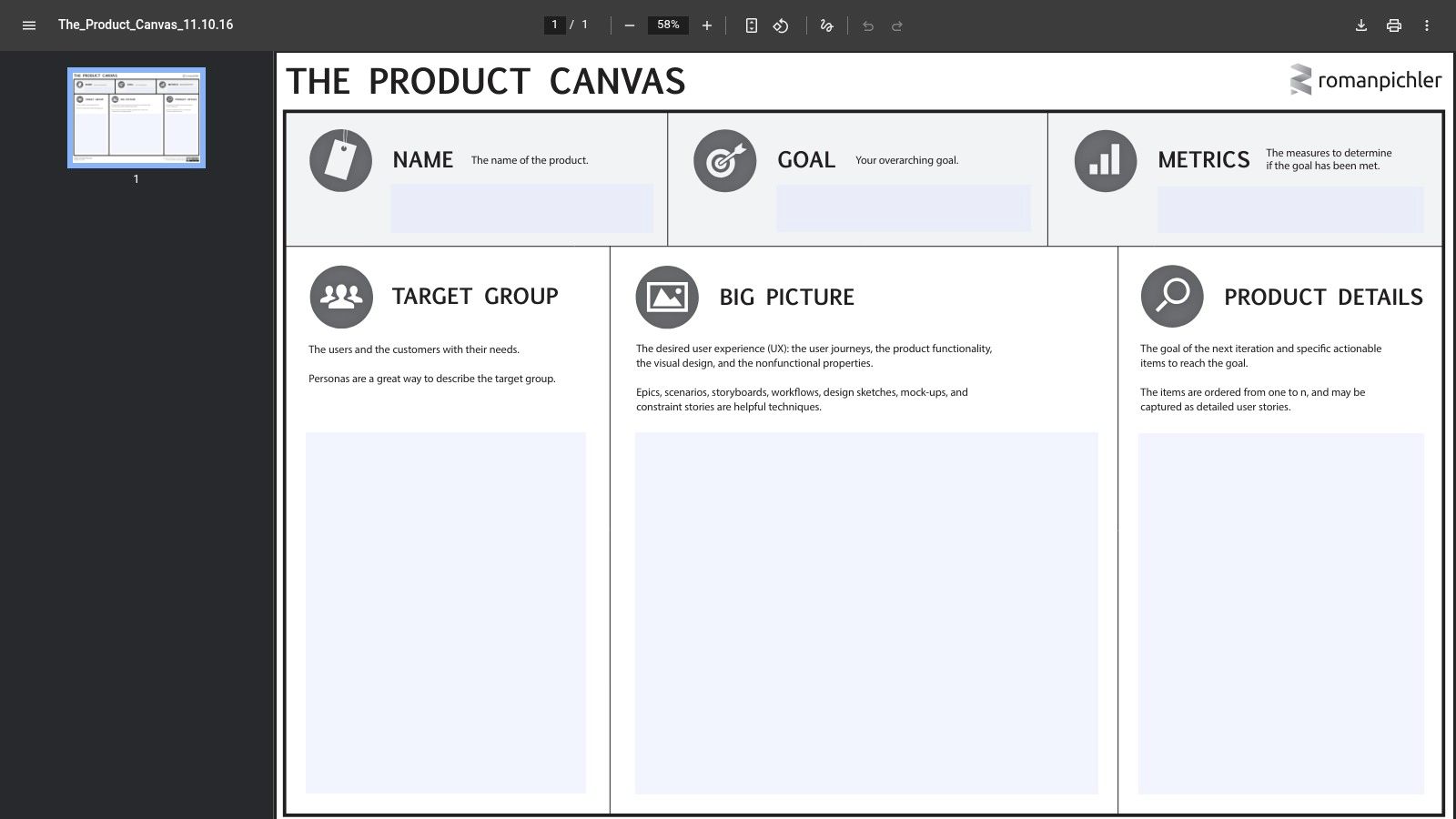
The canvas connects personas, their needs, the big-picture vision, and the features required to make it real. What makes this particular tool so enduring is its directness? There are no software dependencies or complex workflows. It’s a simple, downloadable PDF designed for clarity and conversation.
Core Features and User Experience
Pichler's canvas is purpose-driven, with sections dedicated to:
Target Group: Who are the users and customers?
Needs: What problem are you solving for them?
Product: What is the product and what makes it stand out?
Business Goals: How will it benefit the business?
The user experience is intentionally low-fidelity. You download the PDF, print it for a workshop, or import it as an image into a digital whiteboard like Miro or FigJam. This neutrality is its greatest strength. It doesn't lock you into a software ecosystem, allowing any team, regardless of their tech stack, to use it immediately.
The static nature of Pichler’s canvas forces a moment of focused collaboration. Instead of individuals editing a digital document asynchronously, teams must come together to discuss, debate, and align on each section, making the process itself a valuable team-building exercise.
How to Use It Effectively
Preparation is Key: Before your session, conduct preliminary user research. The canvas is a synthesis tool, not a research tool. You need data to populate the "Needs" and "Target Group" sections effectively.
Facilitate a Workshop: Print the canvas on a large-format poster or use it on a large screen. Gather your core team (PM, design lead, tech lead) and fill it out together using sticky notes.
Iterate and Digitize: Treat the first version as a draft. After the workshop, digitize the canvas and share it widely. As you learn more through discovery and validation, create new versions. The canvas should be a living document that reflects your current understanding of the product.
Get the template here: Roman Pichler's Product Canvas Template
EBG Consulting - Product Canvas (Ellen Gottesdiener)
If Roman Pichler's canvas is the strategic starting gun, Ellen Gottesdiener's is the bridge to delivery. Developed by EBG Consulting, this product canvas example is designed for teams that need to connect high-level outcomes directly to the discovery and delivery work required to achieve them. It moves beyond just the "what" and "why" to detail the "how" of validation and implementation.
This canvas is perfect for teams making the often-difficult shift from project-centric to product-centric thinking. It introduces concepts like "Valuable Slices" (early, testable increments of the product) and "Discovery & Delivery Activities," forcing a conversation about iterative learning and validation from day one. It serves as a structured guide for turning a product vision into a tangible plan of action.
Core Features and User Experience
Gottesdiener’s canvas is intentionally more detailed, providing prompts that guide teams through a more rigorous planning process. Key sections include:
Outcomes: What measurable changes in behavior or business metrics are you aiming for?
Stakeholders: Who are the key partners, users, and beneficiaries?
Value: What specific value will be delivered to each stakeholder?
Measures: How will you quantify success for your stated outcomes?
Valuable Slices: What are the first few increments you can deliver to learn and provide value?
Like Pichler's, the user experience is tool-agnostic. You download a PDF and use it in a physical workshop or on a digital whiteboard. Its power comes from the structured prompts, which are deeply integrated with the discovery practices outlined in Gottesdiener and Mary Gorman's book, Discover to Deliver. This gives the canvas an authoritative, practice-proven feel.
The focus on "Measures" and "Slices" forces teams to think in terms of testable hypotheses from the very beginning. Instead of defining a monolithic product, you are defining a series of experiments designed to validate your assumptions and deliver incremental value.
How to Use It Effectively
Define Outcomes First: Start with the "Outcomes" section. What specific, measurable result are you trying to create? This frames the entire exercise around value, not features.
Connect Slices to Discovery: For each "Valuable Slice" you identify, define the "Discovery & Delivery Activities" needed. This creates a direct link between strategic goals and the tactical work of your backlog, helping with the difficult task of managing product backlogs and design tasks.
Use it for Quarterly Planning: This canvas is an excellent tool for quarterly or big-room planning sessions. It helps translate high-level business objectives into a concrete plan for the upcoming product cycle, ensuring alignment between strategy and execution.
Get the template here: EBG Consulting Product Canvas
Miro — Product Canvas Template
When your team is distributed across cities, countries, or even just home offices, a static PDF won't cut it. You need a living, breathing space for collaboration. Miro’s online whiteboard provides exactly that with its ready-to-use product canvas template. It transforms the canvas from a static document into a dynamic, real-time workshop environment, perfect for the realities of modern hybrid and remote work.
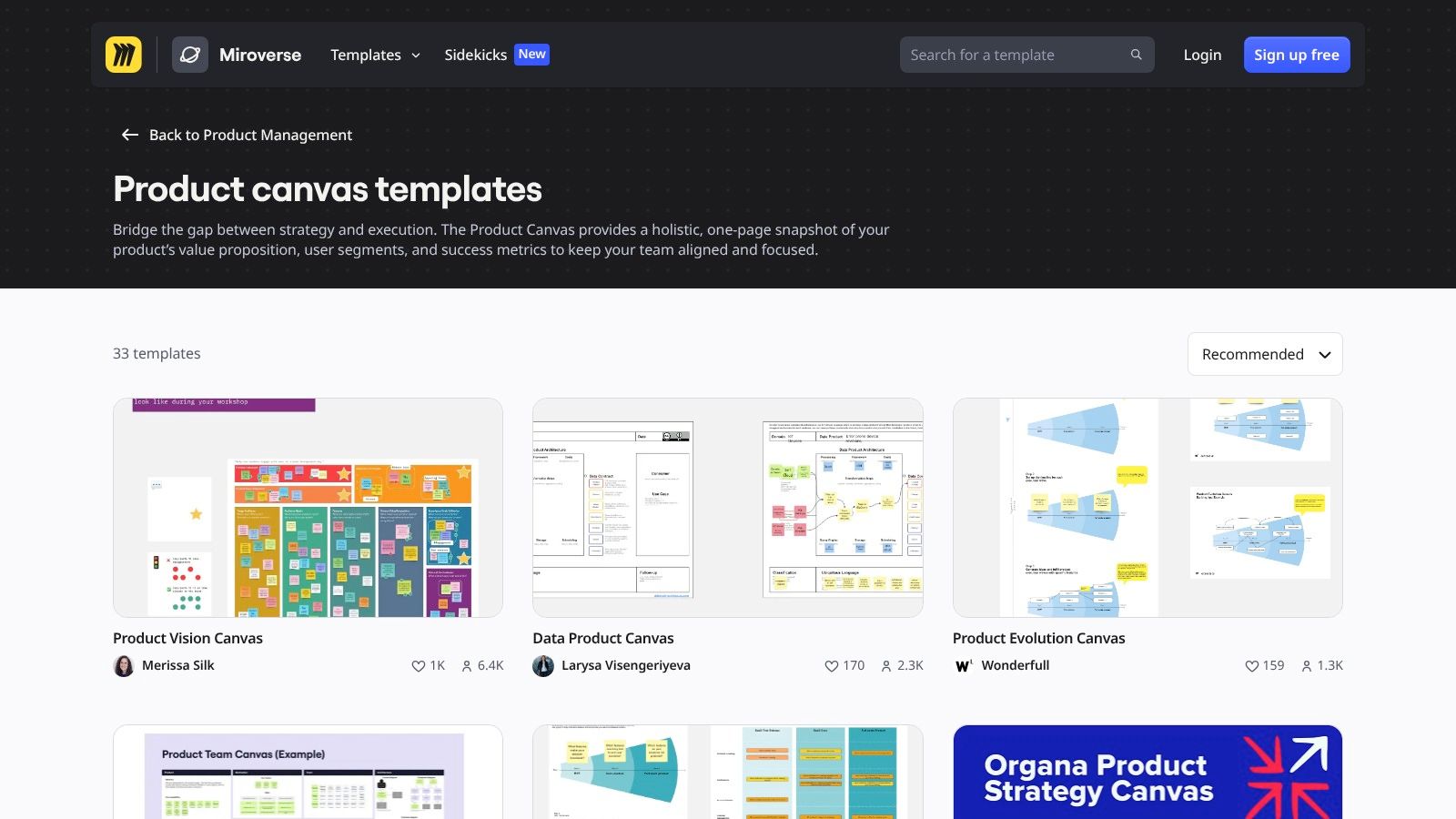
Miro's version of the product canvas isn't just a background image; it's a fully interactive board. This setup is built for the messy, iterative nature of product discovery, where ideas are added, moved, and debated in real-time. It’s the fastest way to get a remote team aligned without the friction of downloading files or figuring out software compatibility.
Core Features and User Experience
Miro’s template comes supercharged with digital-native tools that make collaboration intuitive. Key features include:
Real-time Collaboration: Multiple users can add and edit digital sticky notes, text, and shapes simultaneously.
Facilitation Tools: Built-in timers, voting tools, and comment threads help keep workshops focused and productive.
Integrations: Connect your canvas directly to tools like Jira to turn canvas items into backlog tickets, or link to Slack for updates.
Template Ecosystem: The product canvas sits within a vast library of other templates, like some great user flow examples, allowing you to expand your work in the same environment.
The user experience is fluid and visual. For teams already comfortable with digital whiteboards, the learning curve is nearly flat. The free plan is generous enough for small teams to get started, though it does limit the number of active boards.
Miro’s strength lies in its ecosystem. The canvas isn't an endpoint: it's a starting point. A feature idea on the canvas can be linked to a detailed user story map, a competitive analysis board, and then a Jira epic, all within the same interconnected workspace.
How to Use It Effectively
Set Up the Board in Advance: Before your session, add the product canvas template to a new Miro board. Pre-populate any known information to give the team a head start.
Guide the Session with Facilitation Tools: Use the timer to time-box discussions for each section of the canvas. Employ the voting tool to help the team prioritize features or user needs when consensus is hard to reach.
Connect to Your Workflow: After the workshop, don't let the canvas become a static artifact. Use the Jira or Asana integration to convert key sticky notes into actionable tasks, closing the gap between strategy and execution. This helps with managing product backlogs and design tasks seamlessly.
Get the template here: Miro's Product Canvas Template
Canvanizer — Roman’s Product Canvas (interactive)
What if you love the purity of Roman Pichler’s canvas but need something a step above a static PDF for remote collaboration? Canvanizer offers a middle ground. It’s a lightweight, browser-based tool that provides an interactive product canvas template without the overhead of a full-blown digital whiteboard. It’s perfect for teams that want a quick, no-frills online canvas to start collaborating immediately.
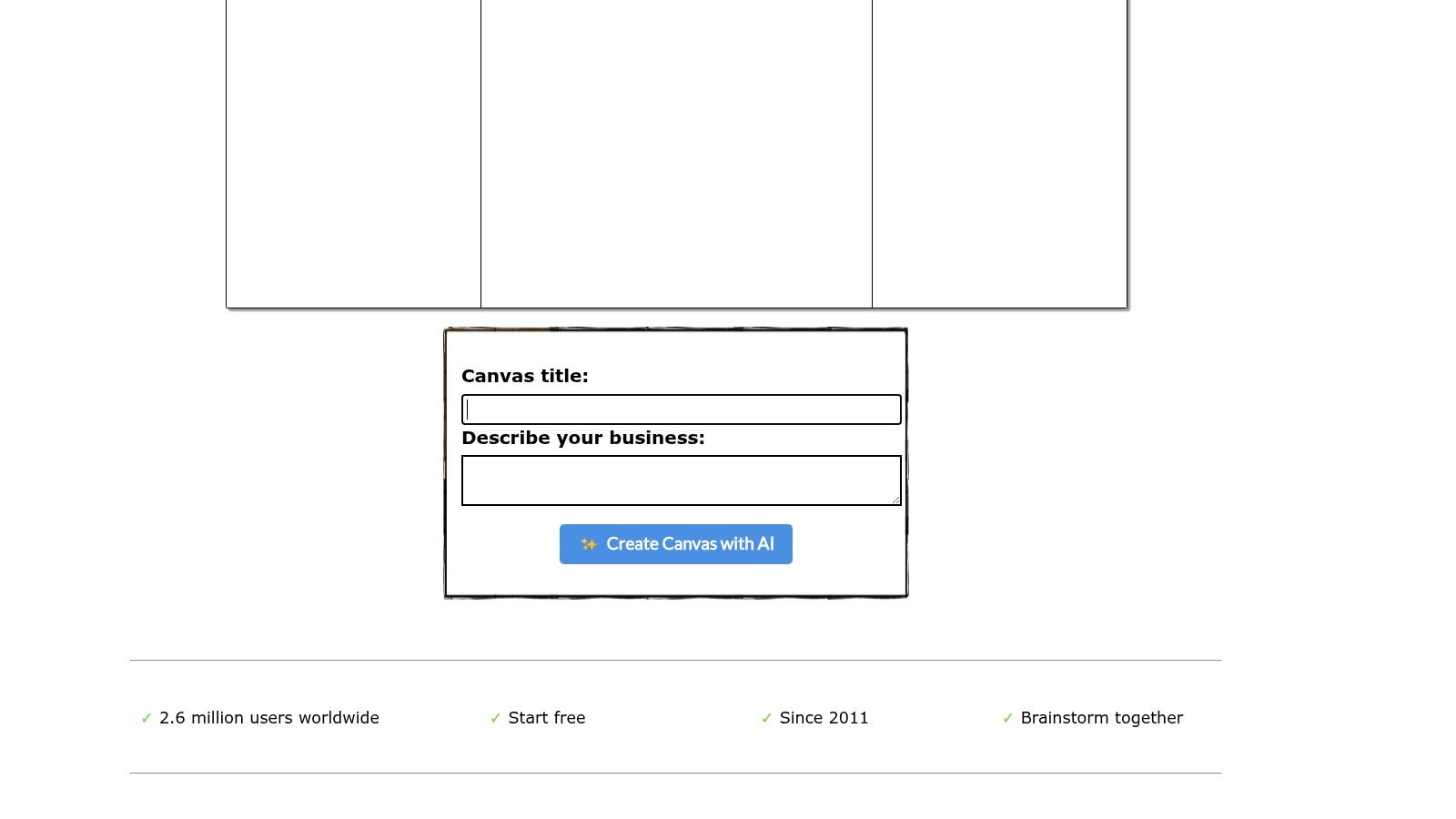
The platform focuses on one thing: making canvas-based collaboration simple. With a single click, you can generate a new canvas and share it via a secret URL. It strips away the complex features of larger platforms, focusing entirely on the core task of filling out the canvas together. This makes it an excellent choice for teams that don't already live inside Miro or Mural.
Core Features and User Experience
Canvanizer’s interface is intentionally minimal, designed to reduce setup time to zero. The core experience revolves around:
Instant Access: Create a new canvas directly from the homepage with no signup required for public canvases.
Simple Collaboration: Share a link and have multiple users add digital sticky notes in real-time.
Multiple Templates: It offers several variations, including Pichler's classic canvas and the extended EBG (Epics, Business Goals) version.
Basic Exporting: The free version allows for simple sharing, while the Premium plan unlocks exports to PDF, PNG, and Markdown.
The user experience is straightforward and focused. There are no distracting tools or complex menus. You get a canvas, text boxes, and sharing options. This simplicity is its main selling point, making it accessible even for stakeholders who are not tech-savvy (like some sales VPs).
Canvanizer’s secret URL sharing model lowers the barrier to asynchronous collaboration. A product manager can quickly spin up a canvas, pre-populate a few sections, and send the link to their team to add thoughts before a formal workshop, bridging the gap between individual prep and group alignment.
How to Use It Effectively
Choose Your Template: Start by selecting "Roman's Product Canvas" from the new canvas options. Decide if the classic or extended version is right for your project's scope.
Share and Populate: Generate the canvas and immediately share the secret URL in your team's Slack or Teams channel. Ask everyone to spend 15 minutes adding their initial thoughts to the relevant sections asynchronously.
Facilitate and Refine: Use the pre-populated canvas as the starting point for a live-facilitated meeting. Discuss the notes, group similar ideas, and refine the content together. This turns the tool into a living document for your session.
Get the template here: Canvanizer — Roman's Product Canvas
Atlassian Team Playbook — Experience Canvas
If you live and breathe in the Atlassian ecosystem, their Experience Canvas feels less like a new tool and more like the missing first step. Designed by Atlassian for their own product teams, this framework is a lean, UX-focused canvas built to clarify the problem, audience, and success measures before a single Jira ticket is created. It’s a pragmatic tool for teams that need to connect strategic discovery directly to their development backlog.
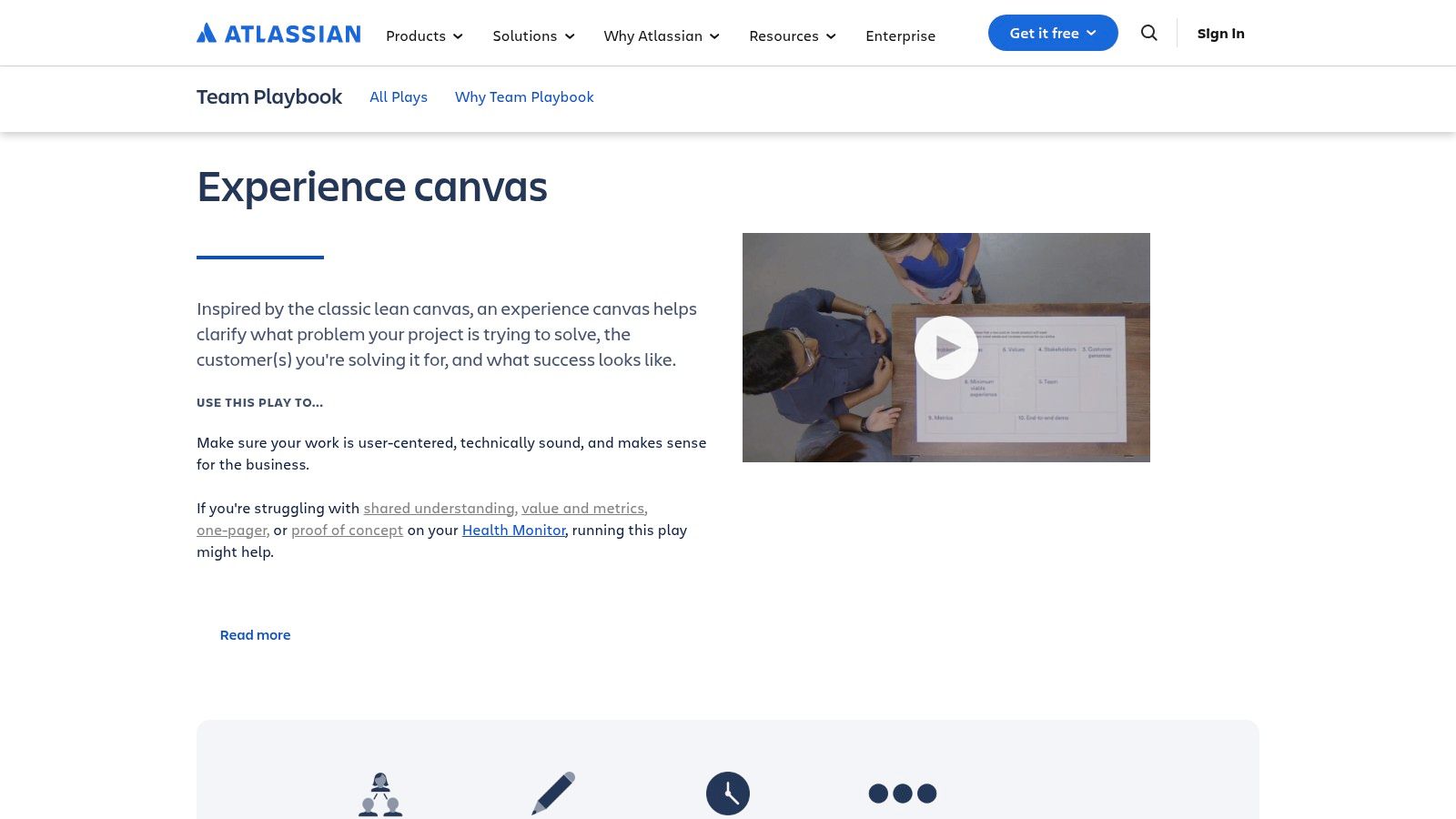
Unlike more abstract canvases, this one is explicitly framed as a "play" within the Atlassian Team Playbook. This means it comes with detailed, step-by-step facilitation guidance. The goal is to run a specific, time-boxed workshop that produces a clear artifact, making it an excellent product canvas for PMs who value process and repeatability. It’s built for action, not just theory.
Core Features and User Experience
Atlassian’s canvas is structured around answering critical pre-build questions:
The Problem: What specific user problem are you solving, and why now?
Audience: Who are you solving it for? (Both users and customers).
Value Hypotheses: How will you create value for both the user and the business?
Success Measures: How will you know you've succeeded? What metrics will move?
The official artifact is a free PDF, but its real power is unlocked when used within Confluence. Many teams use the PDF as a guide for a workshop and then create a dedicated Confluence page to house the digital, living version of the canvas. This native integration is its key differentiator, making the handoff from strategic canvas to tactical Jira issues incredibly smooth.
The Experience Canvas acts as a "Rosetta Stone" between product discovery and delivery. By framing the output in a way that aligns with Jira and Confluence, it reduces the translation friction that often occurs when moving from a whiteboard session to the engineering backlog.
How to Use It Effectively
Run the Play: Don't just download the PDF. Read the full "Experience Canvas" play on the Atlassian site. It provides context, timing suggestions, and facilitation tips to make the session productive.
Integrate with Confluence: Create a Confluence template based on the canvas. Fill it out during or after your workshop. This page becomes the single source of truth for the initiative's "why" and "what."
Link to Epics and Stories: As you begin development, link your Jira epics and stories directly back to the Confluence canvas page. This gives engineers and designers constant, easy access to the strategic context behind their work. This is a critical step in effectively managing product backlogs and design tasks.
Get the template here: Atlassian Experience Canvas Play
Confluence (Atlassian) — Lean Canvas Template
For teams already living inside the Atlassian ecosystem, introducing an external tool for a product canvas template can feel like adding friction. This is where Confluence shines. It provides a native, ready-to-use Lean Canvas template, based on Ash Maurya's popular model, directly within the documentation hub your team already uses. This isn't about finding the most visually dynamic canvas; it’s about finding the path of least resistance from idea to execution.
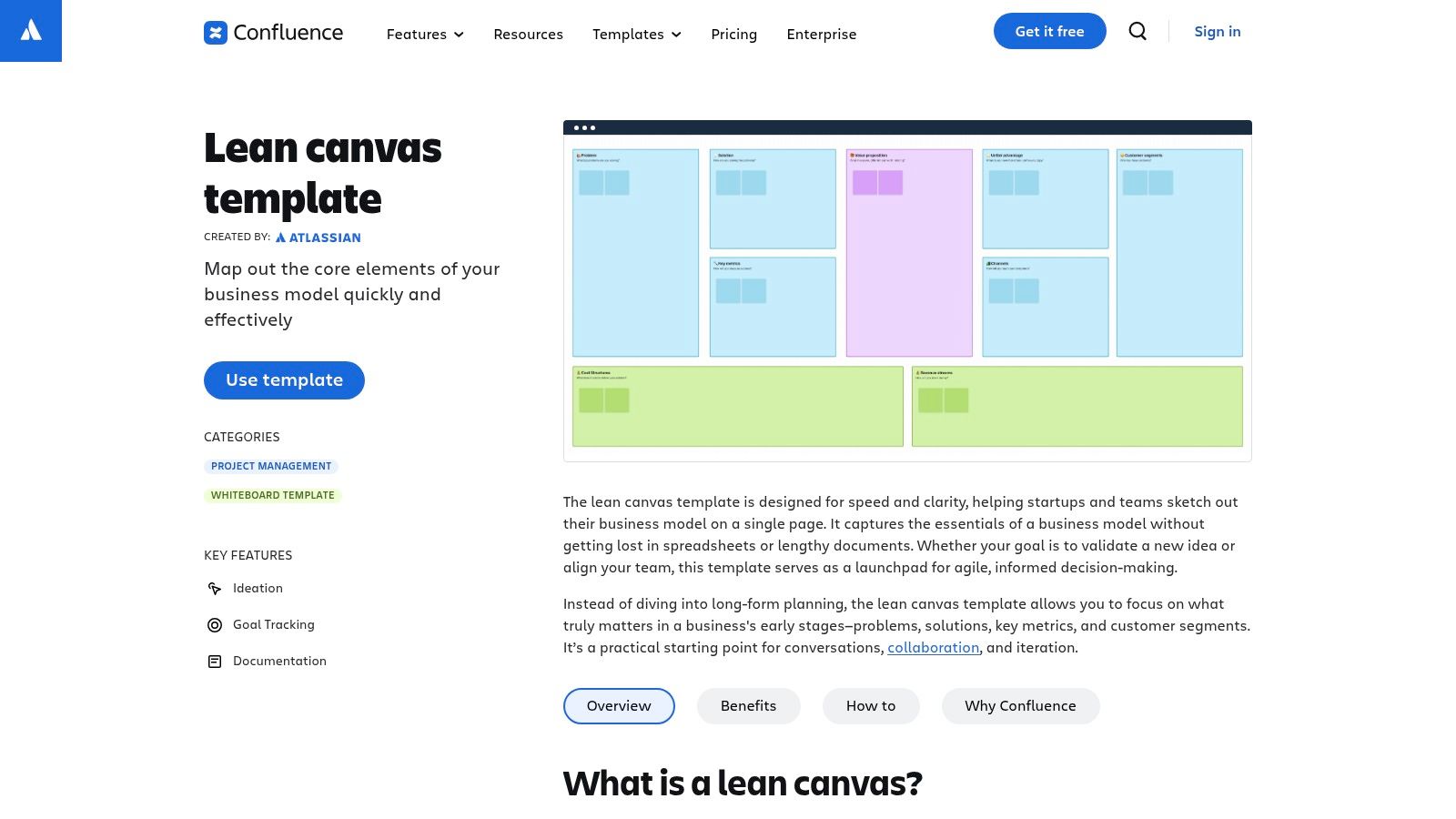
The primary benefit is its deep integration. A hypothesis captured on a Confluence Lean Canvas can be directly linked to a Jira epic, a technical spec page, or a PRD. This creates a traceable thread from the initial problem statement to the backlog items engineers will eventually work on. This is a powerful way of managing your digital customer journeys.
Core Features and User Experience
Confluence’s template is a structured page, not a freeform whiteboard. It guides you through the essential components of the lean product canvas:
Problem & Solution: Define the top problems and your proposed solution.
Key Metrics: Identify the numbers that will tell you if you're succeeding.
Unique Value Proposition & Unfair Advantage: Articulate what makes your product different and defensible.
Channels & Customer Segments: Outline your path to market and your target audience.
The user experience is text-based and collaborative. Multiple team members can edit the page simultaneously, leave comments, and view page history. While it lacks the tactile feel of digital sticky notes, its power comes from being a permanent, linkable artifact within your company’s knowledge base.
Using the canvas within Confluence shifts its purpose from a temporary workshop artifact to a foundational piece of product documentation. It becomes the "source of truth" for a product's strategic assumptions, directly connected to the tools used for delivery.
How to Use It Effectively
Create from Template: In your Confluence space, simply click "Create" and search for the "Lean Canvas" template to get started instantly.
Link to Jira: As you define features in the "Solution" box, create placeholder Jira issues directly from the Confluence page. This immediately connects your strategy to your team's backlog.
Use as a Living Document: Unlike a static PDF, the Confluence canvas should be updated as you validate or invalidate your hypotheses. Use the page history to track how your strategic thinking has evolved over time.
Get the template here: Lean Canvas Template for Confluence
Strategyzer — Value Proposition Canvas
Before you can build a product, you must have an almost painful clarity on who you're building it for and what specific problem you solve. The Value Proposition Canvas, created by Alex Osterwalder and the team at Strategyzer, is the definitive tool for achieving this clarity. It isn't a full product canvas template for execution, but rather a prequel: a focused exercise to ensure you have product-market fit before you even think about features. It forces a rigorous mapping of customer needs to product value.
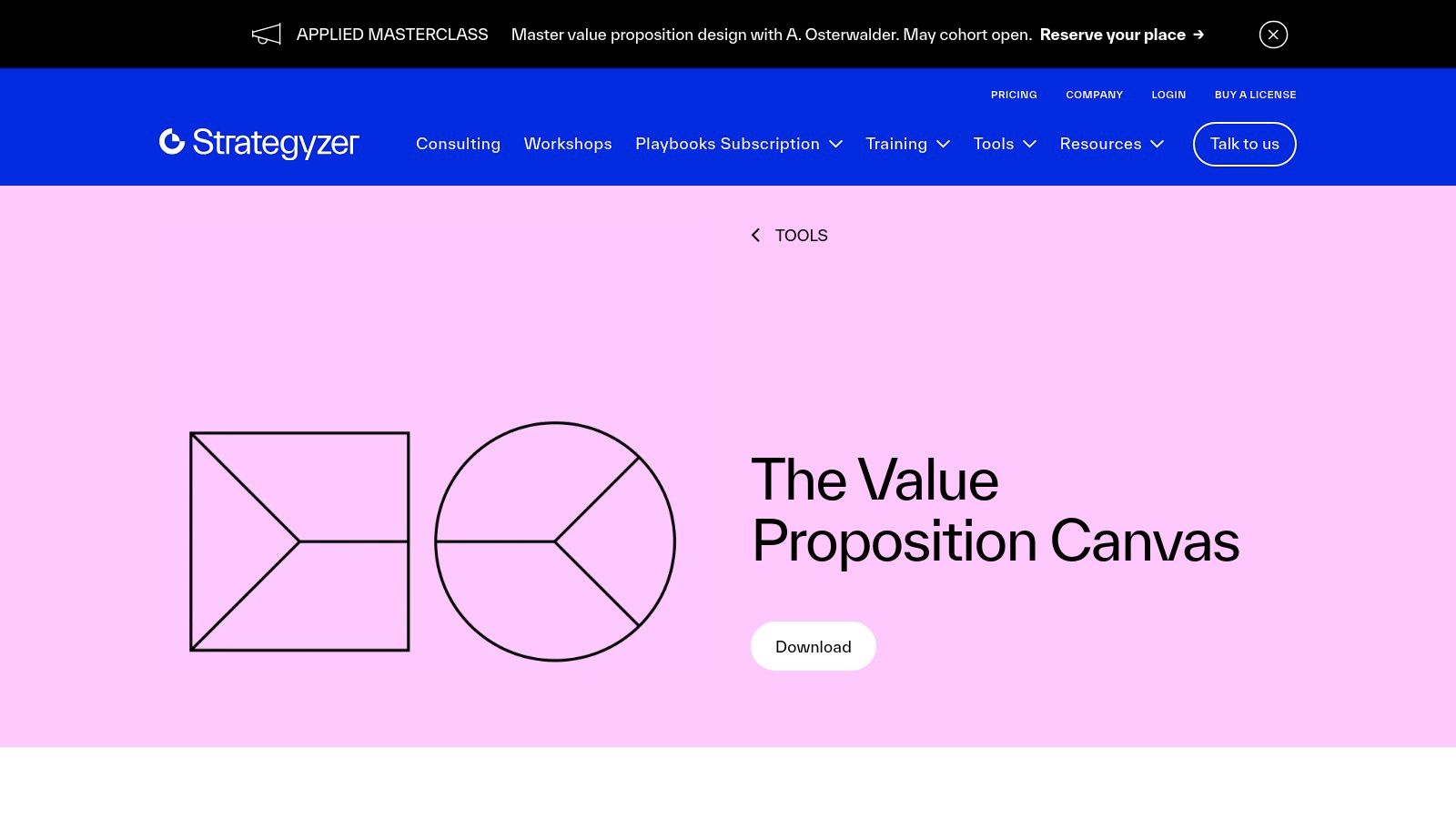
This canvas is split into two halves: the Customer Profile (circle) and the Value Map (square). The goal is to create a perfect fit between them. It’s a foundational document that complements the broader Business Model Canvas, ensuring the heart of your business strategy, the value exchange, is sound. What makes it essential is its role as a diagnostic tool for why a product might be failing to gain traction.
Core Features and User Experience
Strategyzer’s canvas is built around a simple, powerful duality:
Customer Profile: Documents their Jobs (what they are trying to do), Pains (the obstacles and negative outcomes), and Gains (the desired positive outcomes).
Value Map: Details how your product's Pain Relievers and Gain Creators directly address the customer's profile, all stemming from your core products and services.
The user experience is similar to Pichler's: you download the PDF for free. However, Strategyzer has built an entire ecosystem around it. While the canvas itself is free, they offer extensive books, paid courses, and corporate training to help teams master its application. This provides a clear learning path from novice to expert.
The Value Proposition Canvas is a hypothesis-generation machine. Every connection between a customer pain and a pain reliever is an assumption that must be tested. This makes it an indispensable tool for de-risking your product strategy early and often.
How to Use It Effectively
Start with the Customer, Always: Begin by filling out the Customer Profile (the circle) based on user research, interviews, and data. Be brutally honest about their actual jobs, pains, and gains, not what you wish they were.
Map Your Value: Only after the customer profile is clear should you move to the Value Map (the square). Explicitly link each gain creator and pain reliever back to a specific customer gain or pain. If you can't find a link, that feature may be waste.
Prioritize and Test: You can't solve every pain or create every gain. Use the completed canvas to prioritize what matters most to your customer. Then, design experiments to validate that your proposed solutions actually deliver the value you claim.
Get the template here: Strategyzer's Value Proposition Canvas
From Canvas to Code: Turning Your Plan into a Product
The basic gist is this: we've walked through a curated set of product canvas templates, from Roman Pichler's foundational model to Strategyzer's deep dive on value propositions. Each one offers a slightly different lens to view the same fundamental challenge: how do we get everyone pointing in the same direction before the first line of code is written?
The goal is not to find the one "perfect" product canvas template.
The goal is to find the one that fits your team's immediate context.
Is your team remote and visually oriented? Miro or an interactive Canvanizer board might be your best bet. Are you deeply embedded in the Atlassian ecosystem? A Confluence template that connects directly to your Jira instance makes sense. The format matters less than the conversation it forces.
A product canvas is a structured argument. It forces you to articulate the why behind the what.
Who is this for? (Target Group)
What problem does it solve? (Needs, Current Solution)
How does it create value? (Key Features, Value Proposition)
How will we know we're succeeding? (Metrics, Business Goals)
Answering these questions on a single page creates a powerful artifact of alignment. It becomes your team's North Star, a reference point for every sprint planning session and a crucial input for prioritization frameworks like the action priority matrix. This is the zoom-out moment where tactics meet economics. As noted in a 2021 study in the Journal of Product Innovation Management, structured front-end planning tools significantly correlate with new product success. In short, a few hours spent debating these boxes can save hundreds of engineering hours spent building the wrong thing. It’s one of the highest-leverage activities a product team can undertake. For the complete framework on this topic, see our guide to product management best practices.
A canvas, however, is a static document. A plan is only as good as its execution. What if the canvas wasn't the end of planning, but the beginning of building?
Figr takes your product canvas and brings it to life. Once you've defined the problem, users, and solution on your one page product canvas (like the one you can build from the Cal.com canvas example), feed that context into Figr and it generates interactive prototypes, PRDs, and user experience flows grounded in your actual product. The canvas becomes the starting point for design execution, as shown in this Mercury PRD to UI example.
Your next step is clear. Don't just admire the templates. Pick one. Schedule an hour with your team. And start building your shared understanding, one box at a time.
Ready to turn your canvas into a working prototype? Figr translates your product requirements and user context into interactive designs and PRDs in minutes. Stop the hand-off cycle and start building from a single source of truth. Try Figr for free.