
Last week I watched a product team burn a full day debating a bug fix. The user flow for a critical feature kept breaking, and this was the third patch in a month. Everyone in the room was smart, experienced, and moving fast.
They were still solving the wrong problem.
The code looked guilty, but the deeper issue was process debt. Nobody had a shared way to define the question, gather evidence, test assumptions, and interpret what the evidence meant. I call this solution-first thinking, and it shows up everywhere in product teams that confuse activity with progress.
What if the true win isn't fixing the immediate issue, but building a repeatable way to stop adjacent issues from showing up next sprint?
The basic gist is this: effective teams don't just find answers, they improve their process for finding answers. That's why problem solving activities matter more than most roadmaps admit. They aren't side exercises for workshops. They're operating mechanisms for better decisions.
In product work, the most useful model is often the simplest one. One widely cited framework for statistics instruction treats problem solving as four steps: ask a question, collect appropriate data, analyze the data, and interpret the results, from Annenberg Learner's statistics as problem solving framework. That's not schoolroom theory. That's product discovery, UX research, experimentation, and debugging in plain language.
A friend at a Series C company told me recently, "we keep fixing bugs that are really broken decisions." That's the pattern.
Here are ten problem solving activities that help product teams work on causes, not symptoms.
1. Design Thinking Workshops
Design thinking workshops work when the team needs to slow down before it builds. Not because the team lacks ideas, but because it has too many half-formed ones attached to pet solutions.
The trap is familiar. PM wants clarity, Design wants user nuance, Engineering wants feasibility, and everyone starts sketching before the problem has a clean shape. A good workshop stops that drift.
The most useful version is structured and human-centered. Start with user evidence, define the tension, generate multiple directions, then prototype and test. If that sounds obvious, ask yourself how often your team spends equal energy on the first two steps.
To sharpen the sequence, I often point teams to mastering the product design thinking process, because the value isn't the ceremony. It's the discipline of moving from observed user pain to testable decisions.
What good workshops actually produce
A useful workshop doesn't end with a mural of sticky notes. It ends with artifacts your team can act on.
- A sharper problem statement: One that names the user, the obstacle, and the moment it appears.
- Competing hypotheses: More than one plausible direction, so the team doesn't anchor too early.
- A prototype plan: Something small enough to test without turning discovery into a mini waterfall.
Later in the process, prototype exports and design-system alignment matter. That's where a tool like Figr can help teams turn workshop outputs into PRDs, flows, and prototypes that reflect the actual product context rather than a blank canvas exercise.
Here's a useful test: if the workshop ends and QA still can't tell what edge cases matter, you didn't finish the workshop. You just held one.
Before you run one, this video gives a quick visual refresher on the method.
2. Root Cause Analysis Sessions
Teams often are better at describing symptoms than finding causes.
A drop in activation becomes "users are confused." A support spike becomes "the new release is buggy." A feature stalls and someone says "we need better onboarding." Maybe. Maybe not.
Root cause analysis is one of the few problem solving activities that forces a team to keep asking what sits underneath the first explanation. The cleanest version is still the 5 Whys. Keep peeling until the answer shifts from blame to system design.
Where RCA earns its keep
This method is especially useful when the same class of problem keeps reappearing with different costumes. Reopened bugs. Repeated funnel drop-offs. Accessibility issues that only show up late. Those are clues that the team isn't learning at the right layer.
Practical rule: Stop the 5 Whys when the answer becomes something the team can redesign, measure, or prevent.
If you need a lightweight format, diagnose product issues using 5 whys is a good starting point. The point isn't to produce a polished worksheet. It's to expose where your assumptions outran your evidence.
Deloitte describes a broader shift here. Organizations are using multiple data sources and interpretation tools to “peel back the layers” of work-related challenges, including signals from text, language, and communications, in Deloitte's analysis of workforce data for organizational problem solving. Product teams should read that as a cue. If your RCA only uses one dashboard and one loud opinion, it isn't analysis. It's pattern projection.
A good RCA session ends with changed behavior. New test cases. Updated design constraints. Better instrumentation. Otherwise the team just held a retrospective in disguise.
3. User Story Mapping
Backlogs flatten everything.
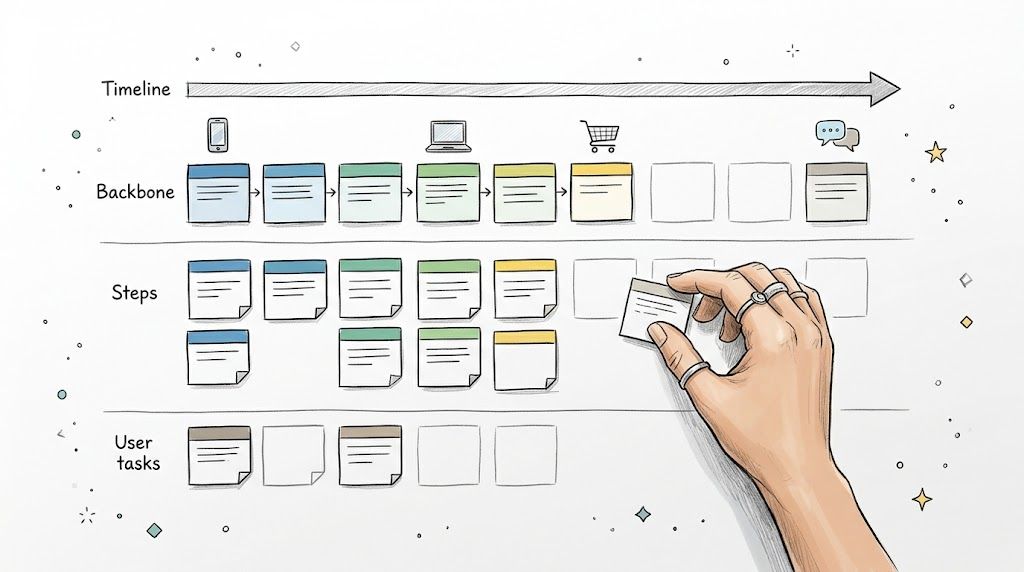
A bug that breaks trust and a polish task that changes button spacing can sit two rows apart, looking equally important. That's why user story mapping matters. It restores sequence, dependency, and context.
When a team lays out the journey from the user's point of view, gaps become visible fast. You can see where the handoff breaks, where assumptions pile up, and where the team has designed a feature but not a usable flow.
What the map reveals
The first payoff is alignment. PM, Design, Engineering, and QA finally look at the same journey instead of defending their own slice of it.
The second payoff is prioritization with consequence. Once stories live inside a user flow, teams can cut intelligently. They stop asking "can we ship this?" and start asking "if we remove this, what breaks for the user?"
If your backlog still feels like a pile instead of a product, start with ditching your flat backlog. It's one of the better ways to move from feature inventory to workflow reasoning.
This is what I mean by practical rigor. Story maps don't just organize tickets. They expose missing states, hidden dependencies, and accessibility requirements before handoff. That's also why they pair well with tools that generate user flows, edge cases, and test cases from the same source material. The tighter the chain between map and execution, the less rework sneaks in later.
What doesn't work? Treating the map as a one-time planning exercise. Good teams revisit it when evidence changes.
4. Brainstorming and Ideation Sessions
Brainstorming has a reputation problem, and it earned it.
Too many sessions reward fast talkers, protect obvious ideas, and produce a wall of notes nobody uses. But done well, ideation is still one of the most effective problem solving activities for product teams, especially when the team is stuck inside one default solution.
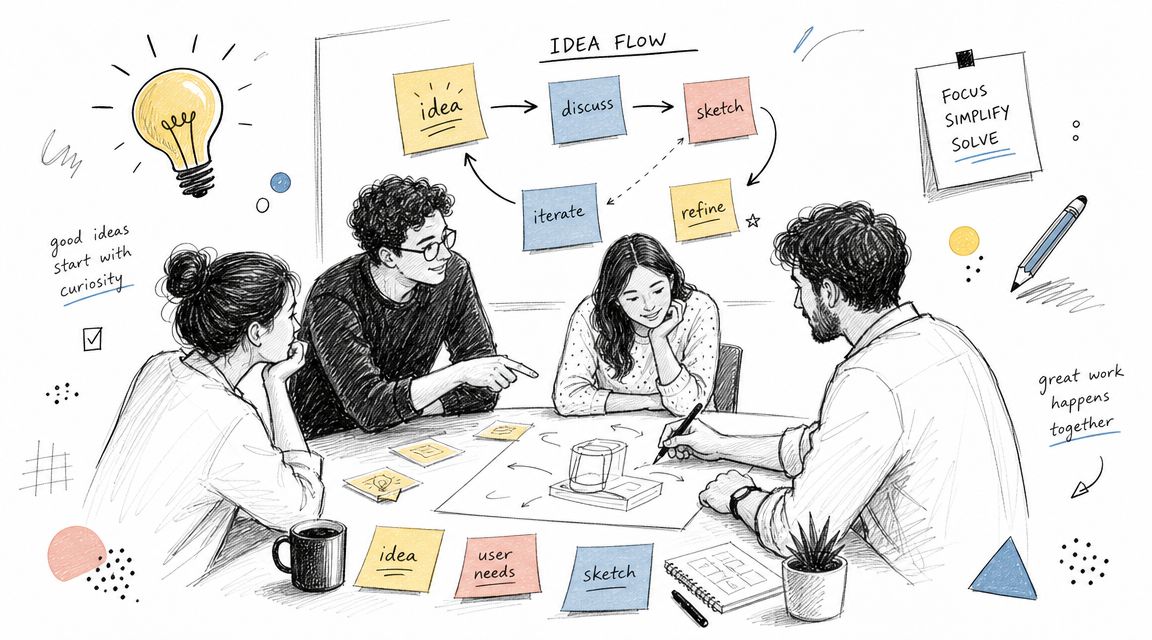
The fix is structure. Start with a sharply defined problem. Use silent idea generation first. Then share, combine, and challenge. Quantity matters early because it lowers the social cost of saying something unfinished.
How to keep ideation from becoming theater
Hands-on learning tends to beat passive definition-reading, and classroom materials in statistics and probability often recommend collaborative formats such as think-pair-share, jigsaw activities, and timed rotations, as seen in these hands-on statistics activity examples. The medium is different, but the lesson carries over to product work. People reason better when they have to manipulate something concrete.
That means your ideation session should create objects, not just opinions.
- Use silent starts: They reduce anchoring on the first senior voice.
- Sketch instead of only talking: A rough interface or flow exposes assumptions faster than a polished sentence.
- Force comparison: Put two or three approaches side by side before discussing feasibility.
If you need a place to capture and cluster the mess without losing it, Figr's workshop insights can help bridge notes into usable product artifacts.
Bad brainstorming optimizes for participation. Good brainstorming optimizes for option quality.
One caution. Don't confuse abundance with progress. A room full of ideas can still avoid the hard question, which is why this idea, for this user, under these constraints?
5. Failure Mode and Effects Analysis
A release looks ready on Friday. By Monday, support has a queue full of password reset loops, users with expired payment sessions, and one edge case that locked admins out of their own workspace.
That pattern is usually a product review failure, not just a QA miss.
Failure Mode and Effects Analysis helps product teams examine how a flow, feature, or system can fail before customers discover it first. The point is simple. Name the breakpoints, estimate the impact, and decide what deserves prevention, detection, or a recovery path.
This method earns its keep in high-consequence flows. Checkout, account recovery, permissions, healthcare tasks, onboarding, and accessibility-sensitive interactions all benefit because the cost of a small design mistake can be much larger than it looks in a mockup.
What FMEA adds to product work
FMEA gives teams a tighter operating discipline. Instead of saying "we should be careful here," the team identifies a specific failure, the likely effect, and the consequence for the user and the business.
A useful review usually walks the experience step by step and asks:
- Where can the user get stuck? Missing recovery states, unclear validation, dead ends, timeouts.
- Where can the product create false confidence? Success messages after partial failure, stale data, delayed confirmation, incomplete sync.
- Where is the downside unevenly distributed? A minor UI decision for one user can become an access, financial, or compliance problem for another.
For product teams, the trade-off is time. A real FMEA session slows delivery in the short term. That is often the right call for risky flows because rework after launch is slower, more expensive, and harder on customer trust.
I use this method best before handoff is final, while design, engineering, QA, and support can still change the shape of the solution. Figr can help here by capturing the flow, annotating risk points, and turning a discussion into concrete follow-ups instead of a forgotten worksheet.
FMEA fails when it becomes documentation without ownership. If the team names a failure mode, someone should own the mitigation, the test case, or the monitoring plan.
If a failure mode matters enough to list, it matters enough to design for.
6. Decision Matrix Analysis
Some product debates drag on because the team lacks information. Others drag on because the team has no agreed way to compare options.
That's where a decision matrix earns its place. Weighted scoring won't remove judgment, but it does force judgment into the open. The team has to say what matters, how much it matters, and which option best fits those priorities.
This matters most when every option looks plausible. Design direction A is cleaner, direction B is easier to build, direction C may help activation but adds complexity. Without a matrix, the loudest narrative usually wins.
What to score, and what to watch
A useful matrix starts before anyone scores. The team agrees on criteria first. User impact, implementation complexity, strategic alignment, accessibility risk, support burden, and design-system fit are common ones.
Then score the options against the criteria, and compare the shape of the result. Not just the winner.
Decision lens: If changing one weight flips the outcome, your team doesn't have a scoring problem. It has a strategy problem.
I like this method because it reveals hidden conflict cleanly. One team is optimizing for speed. Another is optimizing for durability. The matrix makes that visible.
What doesn't work is fake precision. If the scores are arbitrary and the criteria were chosen after people picked favorites, the matrix only gives bias a spreadsheet costume. Used properly, though, it helps teams make difficult calls without pretending the answer was self-evident.
For product leaders, it's also a documentation tool. Future teams can revisit the criteria when context changes instead of relitigating from memory.
7. Scenario-Based Problem Solving
Most product teams say they're designing for the user. The phrase sounds thoughtful, but it's often too vague to be useful.
Scenario-based problem solving forces specificity. Not "a user signs up," but a parent trying to complete setup one-handed. Not "a customer edits billing," but a finance lead doing it under time pressure on a weak connection. Different situation, different friction.
That specificity matters because product quality often fails at the edges, not the center. Clean diagrams and happy-path flows flatter the team. Real contexts don't.
Why scenarios surface the right friction
Educational materials on angle problem solving hint at a useful lesson for product work. Many activities still focus on procedural tasks like identifying or calculating the obvious answer, while the harder and more valuable work is modeling a messy situation, deciding what information matters, and justifying the solution, as discussed in this review of angle activities and their real-world gap. Product teams have the same failure mode. They train on neat examples and then ship into ambiguity.
Scenario work is the antidote.
Try writing three versions of the same flow:
- A constrained scenario: Low bandwidth, low battery, distracted environment.
- An accessibility scenario: Screen reader, motor limitation, reduced vision.
- A trust-sensitive scenario: High anxiety, irreversible action, unclear consequences.
The exercise changes what the team notices. Copy clarity improves. Recovery paths improve. Default assumptions get exposed.
I watched a PM do this for a billing change flow recently. The happy path looked fine. The "user is locked out of company email during travel" scenario broke the entire design. That's why these exercises matter.
Good scenarios are grounded in research and analytics. Bad ones are fiction with empathy language.
8. Cross-Functional Problem-Solving Workshops
A roadmap item looks straightforward until each function describes a different problem. Design is worried about comprehension. Engineering is worried about system fragility. Support is hearing a pattern of complaints nobody translated into product language. Product teams usually discover too late that they were never solving the same thing.
That is why cross-functional workshops still matter. Done well, they surface competing constraints early, before the team hardens around a weak definition of the problem.

What changes when all functions are in the room
The first session usually feels slower. That is normal. You are hearing the hidden costs up front instead of paying for them during build, QA, launch, and support.
Engineering can call out dependencies before Design gets attached to an interaction the system cannot support cleanly. QA can identify states that will be hard to validate. Customer Success can bring actual user language into the discussion, which often reveals that the internal framing is off. Product can then force the harder conversation. Which problem are we solving first, and which trade-off are we accepting on purpose?
There is also a trust benefit, but it is operational, not cosmetic. Teams defend their function less when they have already heard the pressure on the other side. Rework drops when people understand why a decision was made, not just what changed.
As noted earlier, more teams now use AI and analytics in day-to-day decision-making. That changes the quality of these workshops. Instead of arguing from role-based intuition alone, teams can bring support summaries, behavioral patterns, and research evidence into the room. Figr is useful here because it helps teams organize those inputs, compare patterns, and turn messy findings into artifacts people can react to. I have also seen teams prep more effectively by reviewing this competitive research guide by Figr before the session, especially when they need outside examples to sharpen the discussion.
A workshop is only productive if it ends with three things: a decision, a named owner, and a short list of unresolved questions. Without that structure, the meeting produces shared vocabulary but no movement. Teams leave feeling aligned, then reopen the same argument a week later.
9. Competitive Analysis and Benchmarking
Competitive analysis gets dismissed for two opposite reasons. Some teams think it's copying. Other teams think it's strategy.
It's neither. At its best, it's pattern recognition with judgment.
The point isn't to mimic another product's interface. It's to understand how similar problems are being framed elsewhere, what users may already expect, and where the market has settled into bad defaults you can improve on. That's why I still consider it one of the most practical problem solving activities for product teams.
What to study besides the screen
Don't just collect screenshots. Study decisions.
Why does one competitor ask for information later in onboarding while another front-loads it? Why does one default to templates while another starts blank? Why does one explain a risky action with friction and another with speed?
If your team needs a structure, this competitive research guide by Figr is a useful way to move beyond surface comparison.
Competitor analysis is most valuable when it tells you what trade-off someone else already made, and whether you want to make the same one.
The strongest teams also benchmark themselves against internal standards, not just rivals. How many steps does this flow require compared with your own best flow? Where does trust drop? Where do support requests cluster?
What doesn't work is screenshot tourism. A giant slide deck of patterns with no interpretation wastes time and flatters the presenter. Good competitive analysis sharpens your product judgment. It doesn't outsource it.
10. Constraint-Based Problem Solving
Some of the best product decisions start with a hard no.
No extra sprint. No net-new pattern. No redesigning the entire architecture. No adding five more settings because one edge case feels scary. Constraints can feel like creativity killers, but in practice they often force the team to get honest.
Constraint-based problem solving treats limits as design material. Technical debt, compliance rules, time pressure, token systems, and legacy flows all become forcing functions. The question shifts from "what would be ideal?" to "what is the best coherent move inside reality?"
Why constraints often improve the work
Educational material on finding unknown angles points to a subtle but important issue. Learners often practice with clean diagrams and obvious angle types, while ambiguity, overlapping constraints, and multiple valid paths get less attention, as highlighted in the UEN classroom activities on finding unknown angles. Product work looks similar. The hard part isn't solving the neat version of the problem. It's choosing a sound strategy when the system is messy.
Constraint-based work makes teams face that mess directly.
A few examples of useful constraints:
- Design-system constraints: Use existing tokens and components unless there's evidence they fail the use case.
- Technical constraints: Name what the current architecture can't support before ideation starts.
- Time constraints: Ask what delivers learning now versus polish later.
This method works because it prevents fantasy-roadmap thinking. It also creates better questions. Is the constraint real, temporary, or inherited? Should the team work within it, or challenge it?
Teams that do this well document the rationale. That way the next group doesn't mistake deliberate constraint for accidental neglect.
10-Method Problem-Solving Comparison
A familiar product-team failure mode looks like this: the team agrees there is a problem, but not on which method to use, how much rigor the situation deserves, or who needs to be in the room. The result is predictable. Workshops feel heavy for simple decisions, lightweight exercises miss systemic issues, and teams burn time debating process instead of solving the actual product problem.
A comparison table helps, but only if it reflects real delivery trade-offs. For modern product teams, the right method depends on uncertainty, risk, coordination cost, and how quickly the team needs to move from discussion to action. Tools like Figr can help here by turning rough outputs into usable artifacts faster, whether that means clustering workshop themes, organizing story maps, drafting test scenarios, or summarizing option trade-offs for review.
| Method | Implementation complexity | Resource requirements | Expected outcomes | Ideal use cases | Key advantages |
|---|---|---|---|---|---|
| Design Thinking Workshops | High. Five-stage iterative process that needs strong facilitation | Dedicated workshop time, skilled facilitators, user research, cross-functional team | User-centered prototypes, validated hypotheses, prioritized problems | Early discovery, ambiguous UX problems, innovation initiatives | Deep user insight, multiple solution paths, strong team alignment |
| Root Cause Analysis (RCA) Sessions | Medium to High. Structured, multi-layer analysis | Access to analytics and user data, cross-functional participation, time for investigation | Identified root causes, evidence-backed fixes, reduced recurrence | Investigating funnel drops, recurring defects, systemic UX failures | Prevents repeat issues, surfaces hidden dependencies, supports evidence-based decisions |
| User Story Mapping | Medium. Visual collaboration plus facilitation | Time for mapping, stakeholder involvement, preparation materials | Sequenced product roadmap, gap identification, prioritized backlog | Release planning, complex user journeys, feature sequencing | Makes journeys explicit, reveals gaps early, improves alignment |
| Brainstorming & Ideation Sessions | Low to Medium. Structured idea-generation methods keep it useful | Group time, facilitator, idea capture tools (sketches/notes) | Large set of concepts, input for rapid prototypes or A/B tests | Generating concepts, exploring design directions, kickoffs | Produces diverse ideas quickly, builds buy-in, feeds prototyping |
| Failure Mode & Effects Analysis (FMEA) | High. Systematic risk scoring and mitigation planning | Domain experts, cross-functional input, time for RPN assessments | Prioritized risks, mitigation plans, detailed test cases across key failure points | Safety-critical or compliance-sensitive features, QA risk reduction | Identifies risks before launch, prioritizes by impact, reduces post-release fixes |
| Decision Matrix Analysis (Weighted Scoring) | Medium. Requires criteria, weights, and scoring discipline | Time to define criteria, quantitative data, stakeholder agreement | Ranked alternatives, transparent rationale, defensible choices | Selecting design direction, feature prioritization, tool selection | Reduces bias, creates a repeatable process, makes decisions easier to defend |
| Scenario-Based Problem Solving | Medium. Builds persona-driven scenarios across contexts | Solid user research, personas, time to create and evaluate scenarios | Context-aware designs, surfaced edge cases, accessibility considerations | Designing for diverse contexts, inclusion-focused products | Improves coverage across contexts, reveals edge cases, strengthens inclusivity |
| Cross-Functional Problem-Solving Workshops | Medium to High. Coordination across functions plus structured facilitation | Representatives from Product, Design, Eng, QA, and CX, pre-work, facilitator | Aligned decisions, surfaced technical constraints, improved handoffs | Complex features spanning teams, system-level problems, handoffs | Reduces rework, aligns stakeholders, exposes implementation constraints |
| Competitive Analysis & Benchmarking | Medium. Research and synthesis of industry patterns | Market and competitor research time, benchmarking data sources, tools | Best-practice insights, performance benchmarks, differentiation map | Market positioning, UX pattern selection, competitive feature planning | Uses proven patterns, sets realistic expectations, reveals product gaps |
| Constraint-Based Problem Solving | Low to Medium. Ideation within explicit limits | Clear definition of constraints (budget, timeline, tokens), stakeholder buy-in | Focused, maintainable solutions that respect limits, faster decisions | Tight timelines, limited resources, legacy system constraints | Prevents scope creep, forces prioritization, often produces cleaner solutions |
The practical takeaway is simple. No method is universally better. High-risk launches benefit from methods like FMEA and RCA because the cost of being wrong is high. Early product discovery usually benefits more from design thinking, story mapping, or scenario work because the team is still clarifying the problem space. If speed matters, brainstorming or constraint-based exercises can create momentum without pretending to answer questions they are not built to answer.
The other trade-off is artifact quality. A method only helps if its output survives beyond the meeting. Teams get real value from Figr at this stage. Instead of leaving with sticky notes and half-documented decisions, teams can turn workshop output into structured summaries, journey views, risk lists, and follow-up actions that are easier to review and ship against.
From Activity to Habit
Why do so many teams know these methods and still use them inconsistently?
Because the incentives often point the other way. Most organizations reward visible shipping more than invisible prevention. A feature launch gets applause. A bug that never happened, a rework cycle avoided, or a bad assumption caught in discovery rarely does.
That's the economics underneath the behavior.
Teams don't resist problem solving activities because the activities are weak. They resist them because the payoff is delayed, shared, and hard to celebrate in the moment. The workshop that prevented a bad release never creates the same story as the release itself. So people skip the discipline, rush to output, then act surprised when the same classes of issues return.
There's another reason. Many teams mistake familiarity for capability. They've heard of design thinking, 5 Whys, user story mapping, or weighted scoring, so they assume they already know how to use them. But recognition isn't practice. And practice is where these methods become useful. The educational lesson holds up here too: people build confidence and resilience by experimenting, making mistakes, and trying again, as noted in the same Annenberg Learner material discussed earlier. Product teams aren't different.
In short, the shift is from valuing motion to valuing progress.
If you're leading product, this is a culture design problem as much as a methods problem. What gets asked in reviews? What gets documented? What gets revisited after launch? If every planning ritual starts with delivery dates and none start with problem framing, the team will keep acting as if speed is the only serious metric.
The grounded move is small. Pick one method and attach it to one recurring moment.
Try a 30-minute user story mapping session at the next kickoff. Run a real root cause analysis on the next bug report that feels suspiciously familiar. Add a lightweight decision matrix to the next debate where every option has a champion. If your team already uses Figr, this is a practical place to connect the method to artifacts such as PRDs, flows, edge cases, prototypes, and QA cases so the insight doesn't die in the meeting notes.
Don't boil the ocean.
Choose one habit, run it twice, and keep what improves decision quality.
If you want a way to turn these problem solving activities into working product artifacts, Figr can help connect research, flows, PRDs, edge cases, prototypes, and QA outputs inside your actual product context. It's a practical option for teams that want fewer blank-canvas exercises and more decision-ready outputs.
