
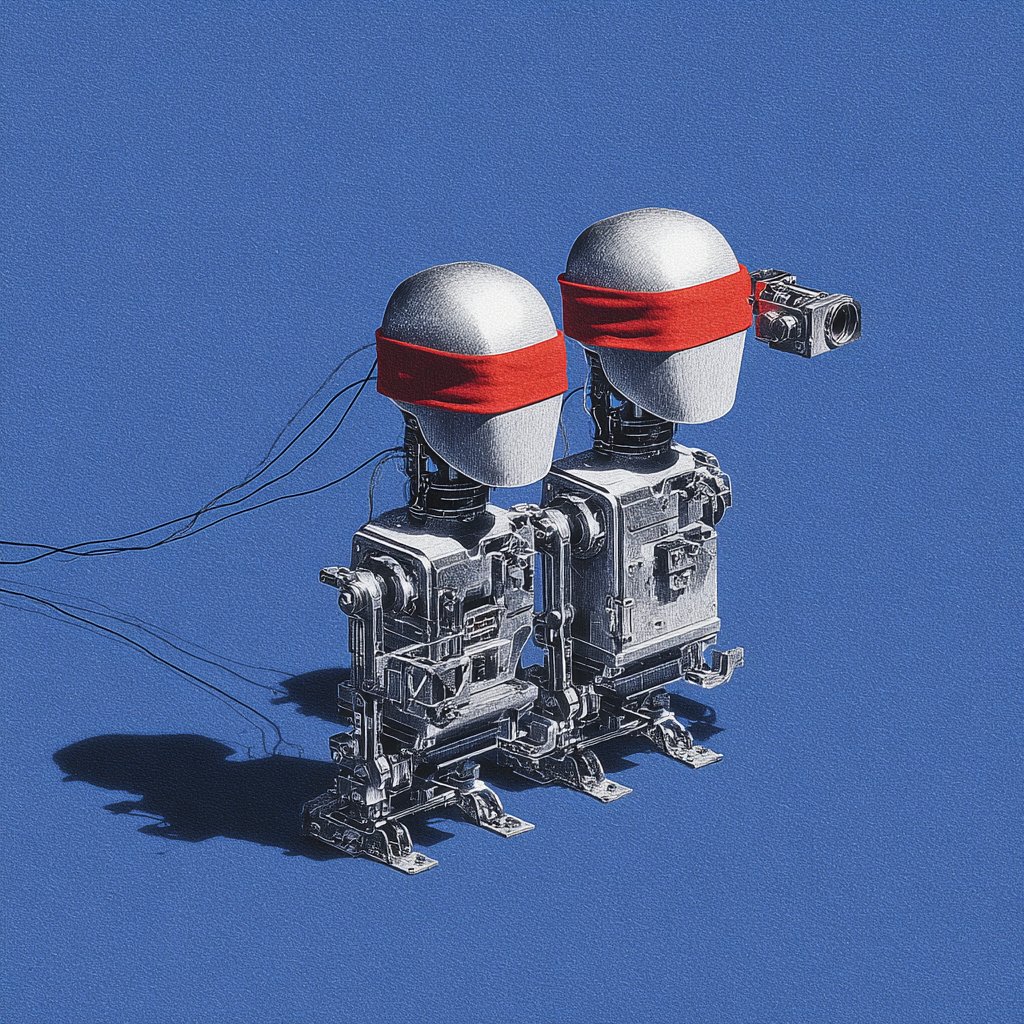
You ask ChatGPT for an onboarding screen. It gives you something clean, polished, vaguely Stripe-looking. Nice hierarchy. Decent copy. Totally wrong product.
Wrong design system. Wrong tone. Wrong defaults. Wrong sequence. It looks like a screen designed for a company that isn't yours.
That's the trap in using ChatGPT for product design. The first draft often looks better than it thinks. PMs mistake fluency for fit, then burn cycles fixing a design that was never grounded in product reality.
I've watched teams do this over and over. Last week I watched a PM feed a model a feature brief, ask for an onboarding flow, and walk away impressed for about ten minutes. Then design reviewed it. The empty states clashed with the app, the permissions logic was missing, and the flow skipped the one step legal needed. Fast output, expensive correction.
There's a reason this keeps happening.
The Pretty, Wrong Onboarding Screen
The seductive part of LLM output is that it arrives fully formed. You type a paragraph, press enter, and get instant confidence theater. If you're interested in transforming software development with AI prompts, that speed can be useful. It just doesn't mean the result belongs inside your B2B SaaS product.
For onboarding, generic intelligence is especially dangerous. Onboarding isn't one screen. It's policy, permissions, roles, integration prerequisites, edge cases, activation milestones, and trust. A good PM knows that. A generic model usually doesn't.
A friend at a Series B SaaS company put it well. “The model gave us an onboarding flow for our idealized product, not our actual one.” That's the core bug.
Why the first draft feels smarter than it is
ChatGPT is very good at producing plausible UX language and familiar layouts. It can echo patterns it has seen before and remix them into something coherent. That makes it useful for rough thinking. It also makes it easy to overtrust.
The moment your product has account hierarchies, security dependencies, procurement constraints, admin roles, or setup branching, the cracks show. If you need grounding, start with actual UX frameworks for SaaS onboarding experiences, not a clean prompt and a prayer.
Pretty output is cheap. Product fit is not.
So why does a model that writes clean copy and tidy flows still miss the thing that matters most?
The Three Blindnesses of Using ChatGPT for Product Design
I use one phrase for this: the three blindnesses. They explain most failures in using ChatGPT for product design, and they map directly to the hardest parts of shipping real SaaS UX.
A UX Planet analysis puts the problem bluntly. ChatGPT's technical limitations in product design come from weak contextual understanding and limited creative capacity. The same analysis says it rates 3/5 effectiveness for writing product briefs, because the output often misses target audience segmentation and persona specificity. That's not a minor miss. That's strategy leaking out of the draft.
Token blindness
Token blindness is when the model can't reliably reason about your design system tokens as a living system.
It might suggest spacing that breaks your component rhythm, invent color treatments your accessibility rules would reject, or write UI copy that assumes a visual hierarchy your product doesn't use. If your app runs on actual tokens, that mismatch compounds quickly.
This is what I mean: the model can describe a button, but it doesn't naturally understand how your product expresses button states, emphasis, danger actions, or responsive behavior.
Screen blindness
Screen blindness is when the model has no durable memory of the UI patterns already present in your product.
It can generate a dashboard. It can generate a modal. It can generate settings IA. But can it tell you how your app currently handles filtering, drill-down navigation, multi-entity editing, or save behavior across screens? Usually not, unless you spoon-feed that context every time.
That's why LLM design context matters more than prompt cleverness. If the model doesn't know your actual screens, it defaults to average internet screens. For teams looking into a more grounded Figr AI design agent, that distinction matters because design quality depends on memory, not just eloquence.
Flow blindness
Flow blindness is the killer.
A B2B feature almost never succeeds or fails on a single screen. It succeeds or fails across a journey. User role, handoff, validation, fallback state, and recovery path all matter. A general purpose LLM for design tends to answer at the screen level because the chat interface nudges it there.
The unit of failure in SaaS isn't the mockup. It's the broken flow.
Here are the symptoms I look for:
Skipped dependencies, where the design assumes setup is complete when it isn't
Collapsed user roles, where admin, manager, and end user get blended into one path
Missing edge handling, where errors, retries, and partial completion vanish
The workaround is real but limited. Give the model a role, feed detailed context, and it gets more coherent across turns. Still, you're patching a ChatGPT design limitation, not removing it.
Prompt-Only AI Creates Hallucinated Products
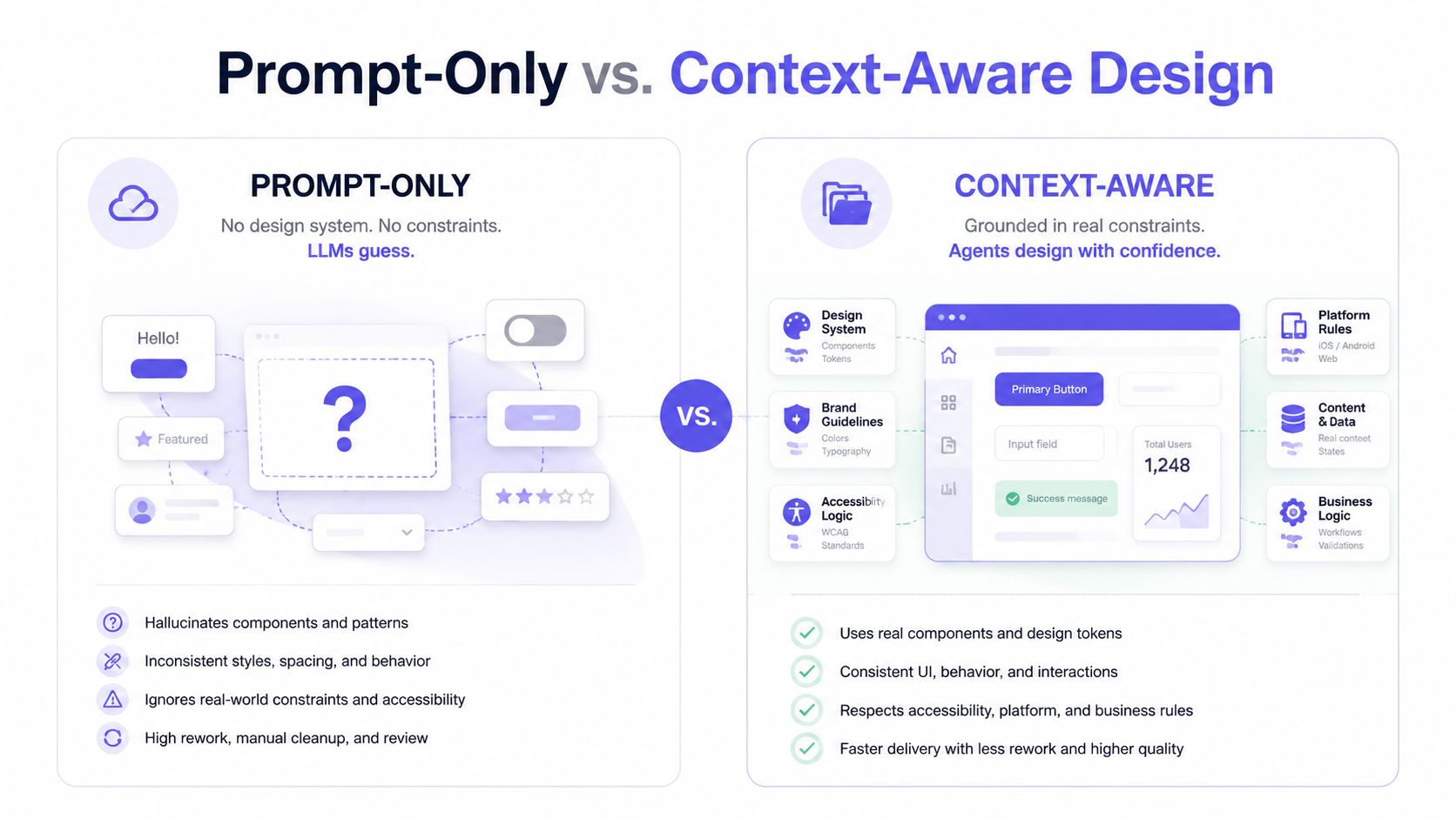
The basic gist is this: prompt-only AI design creates products out of whatever happens to be inside the prompt window. Nothing more.
If your prompt says “design an onboarding flow for enterprise analytics software,” the model will produce a version of enterprise analytics software assembled from learned patterns. It won't produce your product unless your product is somehow fully present in the conversation. That's why so many teams end up with hallucinated UX, convincing but detached.
Breadth wins the market, depth wins the workflow
This is also an economics story. General models are built for breadth because breadth scales. Millions of users ask for everything from legal summaries to bedtime stories to SQL help. The model gets optimized to be broadly useful across domains, not fully aligned with one company's weird billing logic, permissions matrix, or seven-year-old design debt.
That isn't a flaw in the business model. It's the business model.
So when teams use a general purpose LLM for design as if it were a product-native system, they're fighting the architecture. The result is usually polished nonsense, followed by expensive human cleanup. If that pattern sounds familiar, read the problem with AI product design tools and the related piece on improving prototype accuracy for product managers.
Why prompt quality doesn't solve the core issue
People love saying the answer is better prompting. Sometimes that helps. It does not fix the core issue.
A better prompt can give the model more constraints. It cannot give the model lived exposure to your production app, current flows, support tickets, old design decisions, analytics behavior, and design token usage unless those inputs are connected. Prompting is not memory. Prompting is not product state. Prompting is not context infrastructure.
You can polish the instruction. You still haven't changed what the model knows.
The Difference Between a Chat Tool and an AI Product Agent
A chat tool answers. An AI product agent learns.
That's the line many designers miss.
Chat tools like ChatGPT or Claude product design workflows are good at responding to a request in the moment. Ask for a PRD outline, ten tooltip options, or a rough prioritization frame, and they're useful. Ask them to make product decisions consistent with your actual interface, behavior, and standards over time, and you start paying for the gap.
What a chat tool actually does
A chat tool works from the visible conversation and whatever temporary context you stuff into it. It's reactive. Fast. Broad. Sometimes brilliant.
It is not naturally grounded in your app.
That distinction matters in every downstream motion, including QA. If you've seen how how e2eAgent.io handles brittle test scripts, you've seen the same pattern from another angle. The more your AI can observe real product behavior instead of guessing from text, the less fragile the output becomes.
What an AI product agent does differently
An AI product agent is built around ingestion, memory, and constraint. It takes in product reality, not just prompt text.
That means live app state, existing flows, Figma files, screen recordings, docs, design tokens, and historical decisions can all become part of the working context. The model stops designing from a blank prompt and starts designing from your system.
One example is Figr, an AI product agent for UX design and product thinking that ingests your live webapp, Figma files, screen recordings, and docs to learn your actual product before designing, then references 200,000+ real-world UX patterns to design from your product rather than from a blank prompt. If you want to inspect the output directly, see what teams have built with Figr or open the Gmail AI draft with tone control.
For a sharper conceptual breakdown, read comparing agentic and generative AI models.
A quick demo helps make the difference concrete.
The practical distinction PMs should care about
If the job is thinking with you, use chat.
If the job is designing inside your product, use an agent.
Those are different categories. Teams get into trouble when they collapse them into one tool choice.
When ChatGPT and Claude Actually Help
I'm not anti-LLM. I use them constantly. I just don't ask them to be what they're not.
The strongest use cases are context-light and language-heavy. That includes rough PRD structure, microcopy options, interview synthesis, naming explorations, and divergent brainstorming. An Ignitec roundup on ChatGPT in product design says practical examples show it works well for generating product briefs, microcopy, and code as starting points, with human refinement still required. It also notes that 80% of conversations are task-oriented, with writing leading work tasks in product contexts, which fits exactly with how most PMs use it day to day in exploration and drafting Ignitec analysis.
Use it where language is the artifact
A friend at a Series C company told me she uses Claude to generate five alternative release-note framings before every launch. Smart move. The artifact is language, not product structure.
That same PM also uses it to summarize customer calls and prep internal updates. If your team wants cleaner handoffs from conversations to action items, workflows like AI-powered meeting summary workflows are a much better fit than asking an LLM to redesign your permissions architecture.
Use the model to compress information, not to invent your product.
Don't use it where context is the work
The bad fit is any task where LLM design context is the actual job.
That includes screen-by-screen redesigns of a mature product, role-sensitive journeys, complex onboarding, admin settings, billing states, compliance-sensitive forms, or anything where existing product memory matters more than language fluency. For those broader workflows, the more useful framing is AI for product design, not “which prompt gets me the prettiest mockup.”
If you remember one rule, make it this: use ChatGPT and Claude to expand options, compress inputs, and draft scaffolding. Don't let them pretend they know your product better than your team does.
Stop Prompting and Start Grounding
Many product design teams do not have an AI problem. They have a classification problem. They are using the wrong tool class for the job.
When the task is copy, ideation, synthesis, or structure, chat tools earn their seat. When the task depends on product memory, actual screens, real flows, and system constraints, prompt-only workflows break down. That's where grounding wins.
Run a one-hour AI workflow audit
Do this with your PMs, designer, and one engineer in the room. No slide deck.
List current AI use cases, then separate drafting tasks from product-native tasks
Flag every failure with rework, especially where output looked good but violated flow, policy, or design system rules
Identify where memory matters, using using product memory for PM collaboration as the standard, not clever prompting
Replace one prompt-only workflow this week, preferably onboarding, settings, or a cross-role flow
In short, stop asking a general model to hallucinate your product from a paragraph. Start giving your AI real context to work from.
If you're still relying on prompt-only AI design for core UX decisions, you're not moving faster. You're just moving the work downstream where it costs more.
For the complete framework on this topic, see our guide to best AI design tools.
If your team is tired of generic outputs and wants AI that learns your product, try Figr. It's built for PMs and product teams who need grounded PRDs, flows, prototypes, and UX decisions that reflect the app they ship, not the one a chatbot imagined.