
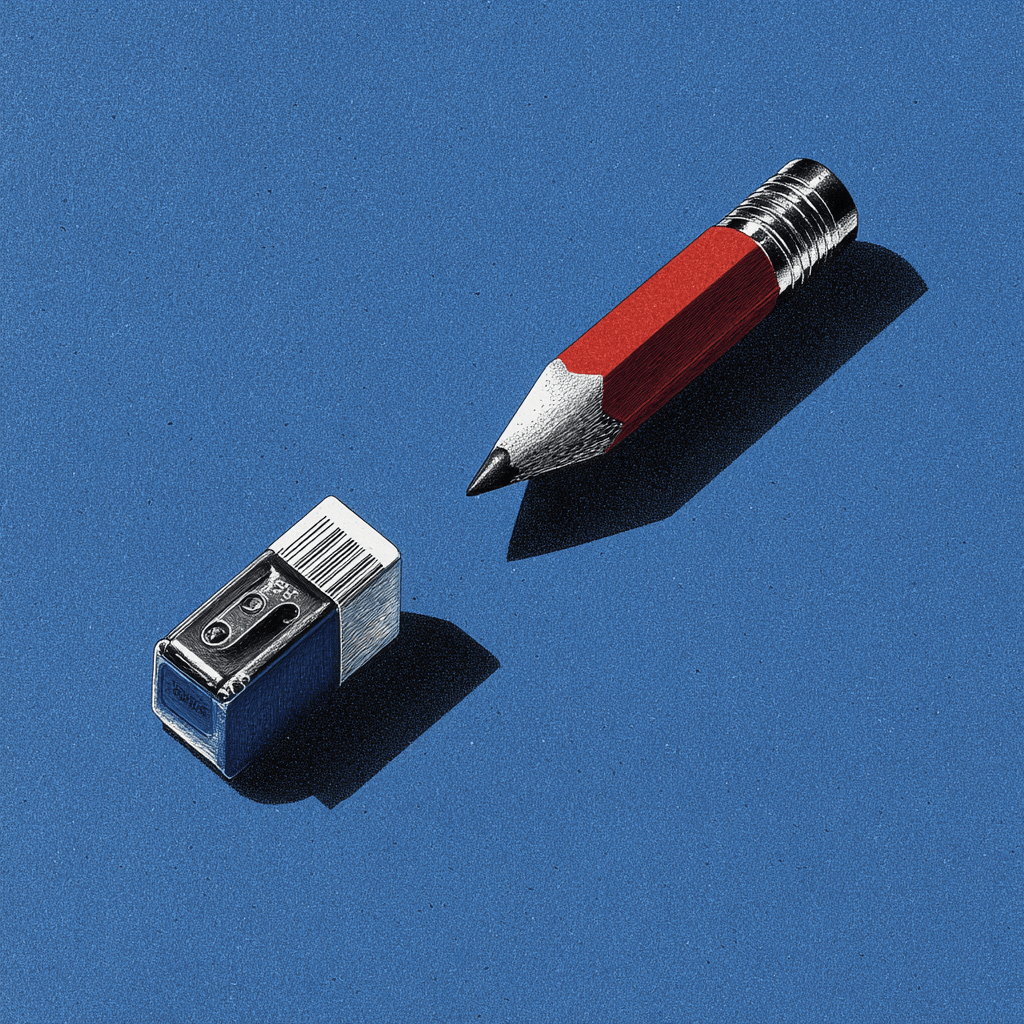
It's 4:47 PM on a Thursday. A Slack message from your engineer: "What should happen if the user's connection drops during the upload?"
You shipped this feature on Tuesday. It passed design review. It looked clean. The screens were polished. Nobody asked about a dropped connection because the prototype didn't have a dropped connection state. It didn't have a duplicate file state either. Or a permissions error state. Or a "you've exceeded your storage limit" state.
Those states exist now, though. In production. As bugs.
This is not a story about bad design tools. It's a story about the work that should have happened before anyone opened a design tool at all.
The Loudest Conversation in the Industry Right Now
If you've been on X or LinkedIn recently, you've seen the discourse. AI can generate interfaces in seconds. Non-designers are declaring designers cooked. Companies are selling the promise that you can move a button four pixels with a prompt. The future of product development, they say, is speed. Describe what you want, and the machine makes it.
There's truth in that excitement. These tools are genuinely capable. If you need a pitch deck by tomorrow or a wireframe to test a concept, AI will get you there faster than anything we've had before. That's real progress.
But something interesting is happening quietly underneath the hype. The PMs who are actually using these tools every day are discovering something counterintuitive: faster screens aren't making them ship better. In some cases, they're making them ship worse.
Not because the tools are bad. Because the tools are fast enough to skip the thinking.
The Thinking That Gets Skipped
Every feature has a moment between "we know what to build" and "here's the first screen." In that gap lives the work that determines whether the feature ships in one cycle or three.
What are all the states? Not just success. Empty, loading, error, partial data, conflicting data, the offline state nobody mentioned because it seemed unlikely. What does the existing product already teach users to expect? Your app handles errors a certain way, displays data at a certain density, structures navigation in a certain pattern. A new feature that ignores those patterns doesn't just look different. It feels broken, even if it's technically well-designed on its own.
When AI generates a screen in twelve seconds, it skips this entire phase. It answers the question "what should this look like?" without first answering "what does this need to handle?" And because the output looks finished, it gets treated as a decision rather than a draft.
A research team at Stanford studied this earlier this year. They interviewed twenty-two product team members and found a tension they described as the gap between "intending the right design" and "designing the right intention." Teams were producing artifacts faster but committing to directions before anyone had fully understood the problem. Exploration was collapsing into execution because the output looked too good to question.
The Meeting Everyone Recognizes
Here is a scene that happens weekly in product teams everywhere.
A PM generates a prototype with an AI tool. It looks polished. Professional. Ready. They walk into a stakeholder review expecting to discuss the concept, the user problem, the strategic fit.
Instead, the room spends forty-five minutes on the wrong conversation. "Is this our font?" "Our buttons don't look like this." "Where did the sidebar go?" The prototype doesn't match the existing product because the tool that generated it had never seen the existing product. The concept discussion gets postponed. The prototype gets rebuilt.
This is the hidden cost of generic output. Not the time spent generating. The time spent in meetings that should have been about whether you're building the right thing, but instead became about whether the mockup uses the right shade of blue.
The feature decision, the one that actually matters, didn't get made. And nobody puts that delay on a chart.
What Shopify's Checkout Page Teaches About Product Thinking
When you study how Shopify organizes their checkout configuration something we did recently you find something that looks clean on the surface. Settings arranged by data category: customer contact info, then company name, then address, then phone. Logical from a system perspective.
But a merchant configuring their checkout doesn't think in data categories. They think in intentions. "I want to enable SMS marketing." "I want to require account login." Those intentions are scattered across different sections with hidden dependencies. Enabling SMS requires a phone field setting buried in a completely separate part of the page, with zero indication the two are connected.
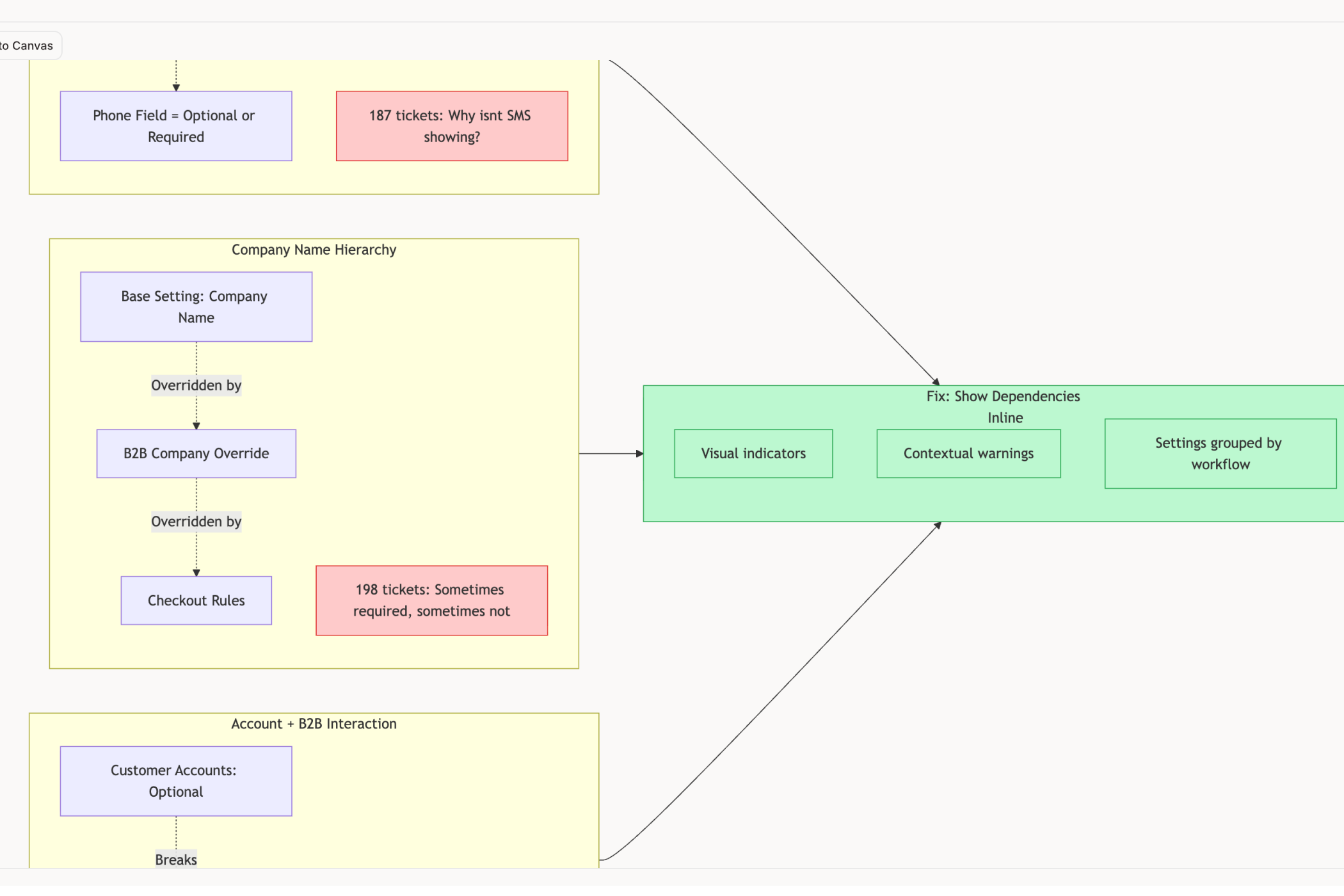
No AI tool would catch this, because this isn't a visual problem. It's a structural one. It requires understanding how merchants actually think about their checkout, not just how the settings page looks. That understanding doesn't come from a prompt. It comes from studying the product.
This is the kind of product thinking that PMs do at their best. Seeing the architecture underneath the interface. Asking whether the structure matches the user's mental model. Noticing that two settings on different pages actually have a hidden dependency that will confuse every new merchant.
And this is exactly the kind of thinking that gets skipped when the tool generates a "settings page" in twelve seconds and the team moves on.
Why the PM's Role Is Getting Bigger, Not Smaller
Here's what the "designers are cooked" discourse gets wrong: it assumes the bottleneck was always production. Making the screen. Pushing the pixels. If that were true, then yes, AI would replace most of the process.
But anyone who has actually shipped a feature knows the bottleneck was never the screen. It was understanding the problem well enough to know what the screen should be.
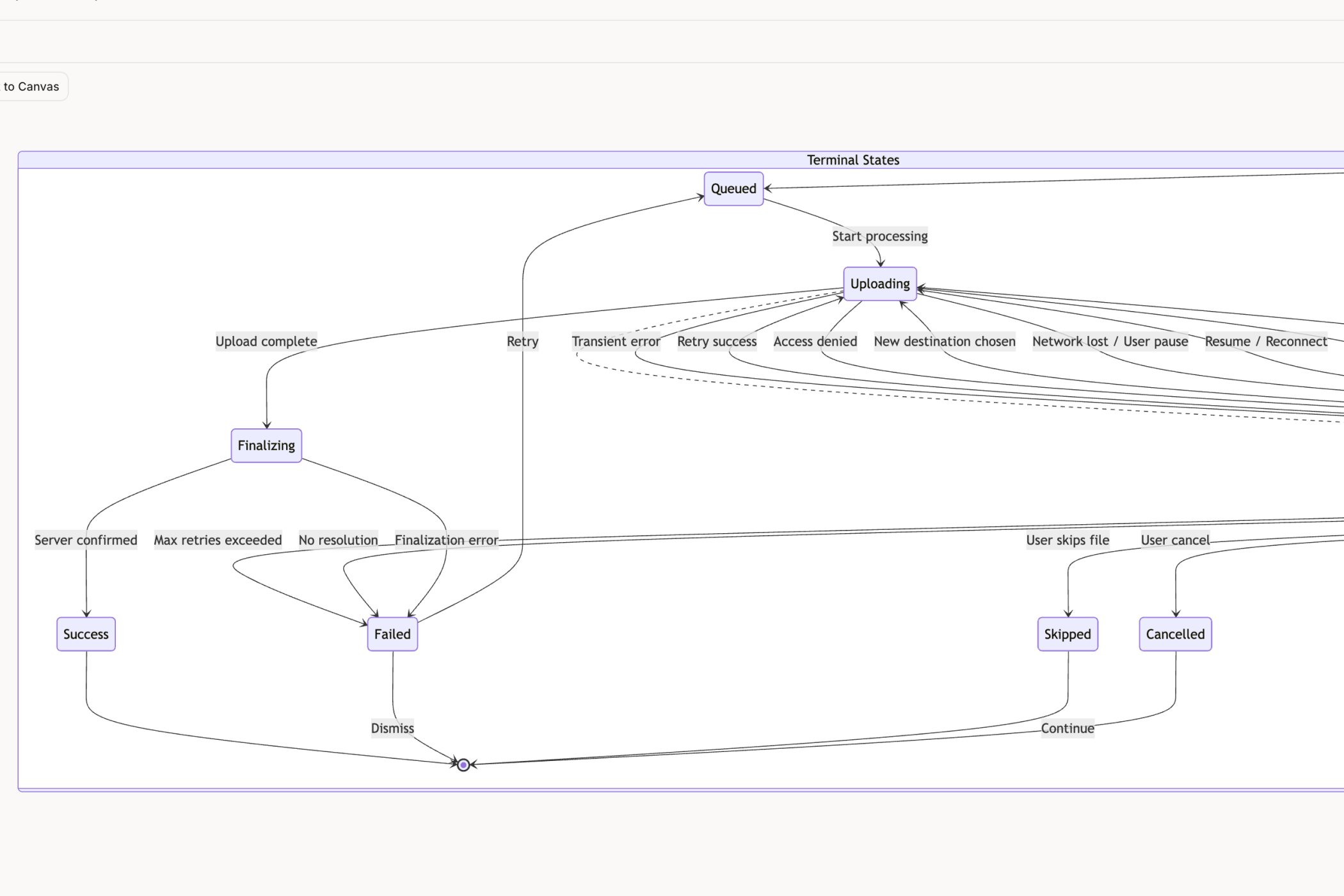
As AI compresses the production phase, the thinking phase becomes the entire game. The PM who understands their product deeply enough to specify the fourteen states a file upload needs to handle we counted exactly that many when we mapped Dropbox's will ship a feature that works. The PM who describes "a clean upload screen" to an AI will ship a feature that breaks the first time someone's connection drops.
The same applies to everything else a PM touches. The onboarding flow that asks for information in the right order because someone mapped the user's existing mental model. The dashboard that inherits the product's existing chart conventions instead of inventing new ones. The settings page structured around user intentions instead of database tables.
These are not design decisions. They're product decisions. And they're becoming the most valuable thing a PM does, because they're the one thing AI can't generate from a prompt.
What This Means in Practice
The PMs getting the most from AI design tools right now aren't the ones writing better prompts. They're the ones doing better product work before they prompt anything.
They map states before they generate screens. They study their existing product before they design additions to it. They ask "what does this need to handle?" before they ask "what should this look like?" They treat AI output as a draft to be interrogated, not a decision to be approved.
This isn't about being anti-AI. It's about using AI for what it's actually good at, production, and doing the work it can't do, understanding, yourself. The PMs who build this habit will ship features that feel like they belong in the product. The ones who don't will ship features that look impressive in a prototype and unravel the moment real users touch them.
The tools will keep getting faster. The models will keep getting smarter. But a smart model with no understanding of your product will always produce output that's generic, coherent, and wrong in ways that take days to diagnose.
Your judgment is what fills that gap. And right now, it's never been more valuable.
If you're spending more time fixing AI output than it took to generate it, Figr might be worth a look. You can feed it your live product or even a screenshot, and it'll design within that context instead of starting from scratch. Give it a try →, or check out the gallery to see how it's been used on products like Shopify, Dropbox, and Linear.