

Thirty minutes before sprint planning, the Zoom room goes quiet. Too quiet. Your engineering lead is scrolling through the backlog with that unreadable expression every PM learns to fear. Focus, or frustration? You scan the stories again. They look tidy. They read well. And still, the ambiguity creeps in. Will everyone picture the same feature? Will today's estimate survive contact with implementation next week?
Sprints often fail before a single ticket moves to In Progress. The best sprint planning tools don't just organize work. They encode how a team thinks, argues, commits, and recovers when reality shows up. A PM at a Series C company told me their planning sessions felt like treaty negotiations because the tool had become the process. Custom fields everywhere. Dependencies nobody trusted. Too much ceremony, not enough clarity.
The basic gist is this: your tool should remove drag, not multiply it. Some teams need guardrails because compliance, scale, or cross-team coordination is real. Others need speed and a lighter touch because overhead kills momentum faster than bad estimates. That choice affects much more than one meeting. It shapes your agile release planning, your delivery cadence, and how much confidence people have in the roadmap.
Here are 10 sprint planning tools worth considering, not as feature piles, but as operating models for how your team wants to work.
1. Jira Software (Atlassian)
The sprint planning meeting starts on time. Fifteen minutes later, you're no longer debating priority. You're debating the workflow. Which issue type fits? Does this dependency need another link? Why are there six statuses between Selected for Development and Done?
That is Jira in one scene. It can bring order to messy planning, but it can also turn planning into system maintenance if nobody sets boundaries.
Jira remains the benchmark because it was built for teams that need planning to hold up under real organizational weight. Multiple squads. Shared services. Release trains. Audit trails. A growing backlog that stops being intuitive once too many people can change it. Atlassian positions it as a sprint planning platform that scales from team-level boards to broader Agile coordination through products like Jira Align (Atlassian sprint planning tools).
Where Jira fits best
Jira fits teams that want planning discipline baked into the tool. It is opinionated about structure. Epics roll into stories. Workflows define handoffs. Reports push teams to measure throughput, scope change, and predictability instead of relying on memory and instinct.
That makes Jira a strong choice when the primary problem is coordination. I have seen it work well in organizations where product, engineering, design, and operations all need a shared system of record, and where sprint planning is tied to larger portfolio decisions, compliance requirements, or dependency management across teams. In that setting, the extra structure earns its keep.
It also helps when prioritization is politically messy. Jira gives teams a place to make trade-offs visible, which matters if sprint scope is constantly pulled between customer requests, leadership pressure, and technical debt. That same discipline shows up in Balancing stakeholder needs and user value.
Practical rule: Choose Jira if your team needs consistency, traceability, and clear planning mechanics across more than one squad.
The trade-off is real. Jira's flexibility invites over-design. Custom fields multiply. Statuses start reflecting edge cases instead of the main flow of work. Dashboards look impressive but stop helping anyone make a better sprint commitment. Once that happens, the tool stops clarifying the process and starts obscuring it.
The teams that get value from Jira usually treat configuration as product work. Someone owns the workflow. Someone says no to every nice-to-have field. Someone keeps asking a hard question: does this setting help the team plan better, or just document more?
Use Jira if your planning environment is complex and likely to stay that way. Skip it if your team is small, moves fast, and would feel the process cost more than the coordination benefit.
2. Azure DevOps Boards (Microsoft)
Some tools are neutral. Azure DevOps Boards isn't one of them. It clearly assumes planning should live close to code, repos, pipelines, and release workflows. If your engineering organization already runs inside Microsoft, that assumption feels efficient. If not, it can feel heavy fast.
Azure Boards is strong at the mechanics many teams forget until planning goes sideways: capacity by person, time off, task estimates, and timeline visibility across teams. That's useful when sprint planning isn't just prioritization, but a negotiation with actual availability.
The real trade-off
Azure DevOps Boards is a solid fit for organizations that value traceability over elegance. Product can plan in the same ecosystem where engineering builds and ships. That cuts context switching, and in larger orgs, context switching is a hidden tax.
A team I watched migrate from spreadsheets into Azure didn't become more creative. They became more legible. That was the win. Their planning improved because everyone could finally see capacity and dependencies in one place, then connect those decisions to delivery. The same logic applies when you're Balancing stakeholder needs and user value.
What doesn't work? For lightweight startup teams, the interface can feel like using enterprise machinery to crack a small problem. If you don't need the surrounding Microsoft stack, the tool asks for more commitment than many teams want to give.
Choose Azure DevOps Boards when sprint planning is tightly coupled to engineering execution and governance matters. Pass if you want a calmer, more opinionated planning experience.
3. Linear
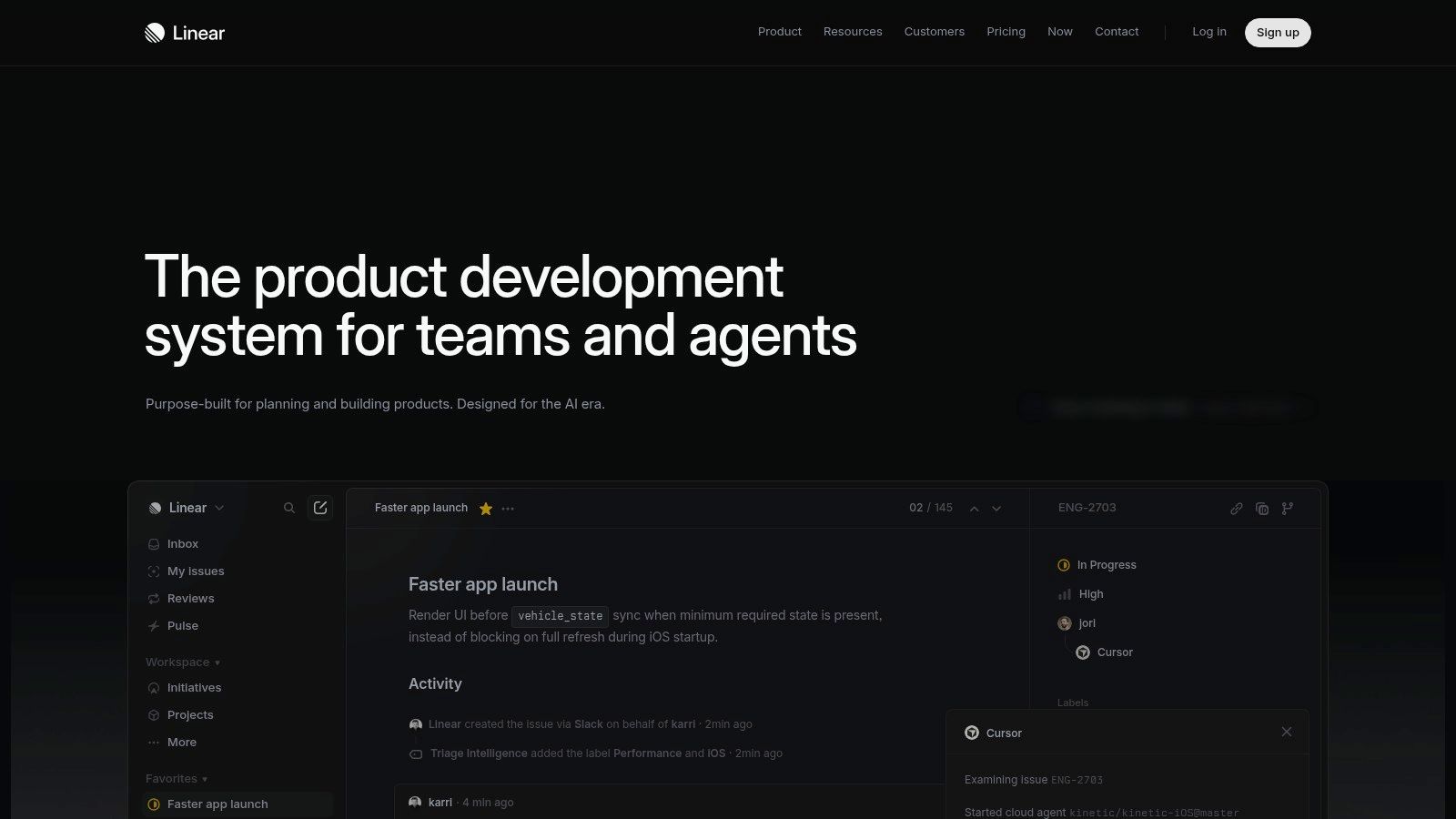
Linear has a strong point of view, and that's why people either adopt it quickly or bounce. It assumes speed matters, defaults matter, and teams generally don't need endless configuration to plan a sprint well. In practice, that philosophy is refreshing.
If Jira feels like a system you administer, Linear feels like a product you use. Cycles are simple. Issue flows are fast. The interface gets out of the way, which sounds cosmetic until you've sat in planning meetings where the tool itself becomes the bottleneck.
Why modern product teams like it
Linear is one of the best sprint planning tools for teams that already have decent product habits and don't need software to force them. It supports time-boxed work, prioritization, and planning insights without turning sprint setup into administration.
That simplicity comes with boundaries. If your team needs elaborate governance, deep custom workflows, or broad stakeholder reporting, Linear can feel too simple. That's not a flaw. It's the price of staying fast.
Planning tools should lower cognitive load. If the team spends more energy tending the system than debating scope, the system is winning and the sprint is losing.
Linear also pairs well with teams that already review scope through visual execution signals such as agile burndown charts, because the platform keeps the operating rhythm tight.
Pick Linear when your culture values momentum, crisp ownership, and minimal admin. Don't pick it expecting it to become a flexible enterprise control plane later.
4. Shortcut (formerly Clubhouse)
Shortcut sits in a useful middle ground. It gives you enough sprint structure to run a serious team, but it doesn't arrive with the gravitational pull of Jira. For many small to mid-sized SaaS teams, that's exactly the point.
Its planning model feels approachable. Iterations are easy to understand. Reporting at the iteration level helps retros stay grounded in what happened, not what people vaguely remember. Goals, docs, and automations are there, but they don't crowd the primary job of planning the sprint.
What it gets right
Shortcut is good for teams that want planning clarity without process theater. PMs can keep the backlog shaped. Engineering can commit with reasonable confidence. New hires usually understand the system quickly, which matters more than many leaders admit.
I especially like it for organizations moving out of spreadsheets or lighter Kanban tools but not ready to absorb the complexity of heavier scrum planning tools. That transition period is delicate. Push too much process too soon and the team starts treating planning as overhead.
There are limits. The ecosystem is smaller, and teams that need very deep customization or specialized reporting may run into ceilings. But for a lot of product organizations, those ceilings show up later than expected.
Shortcut is a sensible choice if your team wants enough ceremony to stay aligned, but not enough to slow down the room.
5. ClickUp (Sprints)
Monday morning. Sprint planning starts in ten minutes. Engineering wants a clean commitment. Design has work tied to the same release. Ops needs visibility. The team does not want three tools and a trail of duplicate updates. ClickUp makes a direct pitch in that moment: run the sprint where the rest of the work already lives.
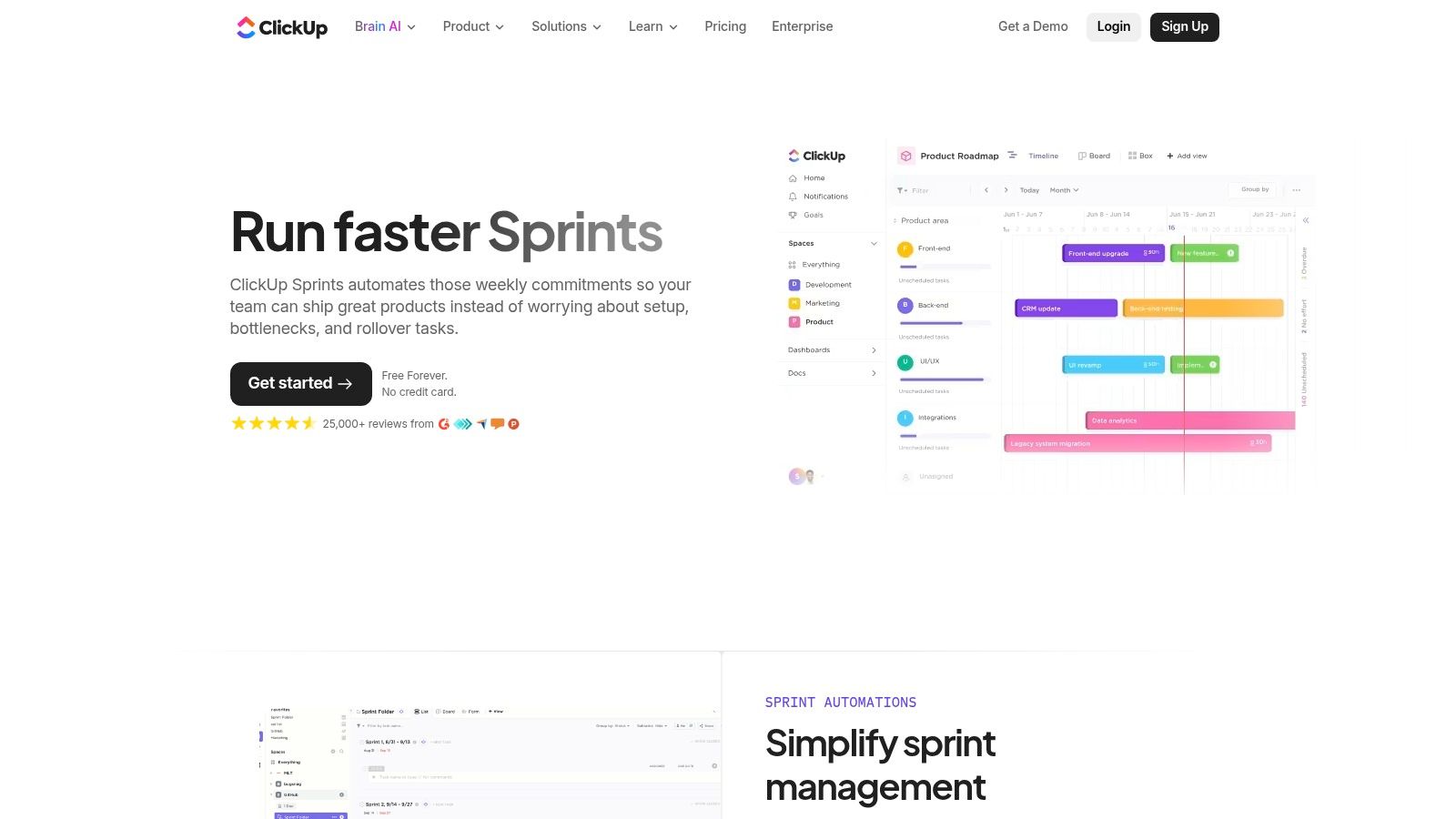
That design choice is the whole story. ClickUp is less opinionated than a pure agile tool because it was built to hold many kinds of work at once. For some teams, that is a strength. Product can keep specs, docs, tasks, and sprint boards in one system. For others, it creates a governance problem fast, because the tool gives you many ways to model the same process.
Its sprint feature set is solid. You get sprint points, burndown and burnup reporting, velocity tracking, templates, and automations for spillover work. Those mechanics reduce end-of-sprint cleanup and help teams keep cadence without rebuilding the board every two weeks.
The trade-off is clarity.
I have seen ClickUp work well when a company wants one operating layer across product, design, and delivery, and is willing to define naming rules, ownership, and a small set of views that everyone uses. In that setup, the flexibility pays off. It supports the same logic behind Figr's unified system approach: fewer handoffs, less duplication, and a tighter connection between planning and execution.
I have also seen teams over-configure it. Custom fields multiply. Automations pile up. Every function creates its own view of the truth. Sprint planning gets slower because the meeting turns into system interpretation instead of scope decisions.
ClickUp fits best in organizations that value adaptability over constraint. Choose it if you want sprint planning inside a broader work management system and have the discipline to standardize how teams use it. Pass if your culture benefits from firmer defaults and a tool that imposes more structure on the process.
6. GitLab (Iterations / Milestones)
GitLab appeals to a specific kind of team, the one that wants planning, code, CI/CD, and security signals tied together in one operating surface. For those teams, sprint planning isn't separate from delivery. It's upstream of it, and traceability matters.
Iterations and milestones make that linkage practical. You can plan around time-boxed work, monitor progress through boards, and keep items connected to merge requests and pipelines. If your engineering leaders care about end-to-end visibility, GitLab's model is persuasive.

Best for engineering-led planning
GitLab works well when sprint planning needs to stay close to implementation truth. A PM can define scope, but the platform keeps pressure on whether that scope aligns with how work ships. That's healthy in teams where backlog optimism routinely outruns engineering reality.
There's another subtle benefit. Release thinking and sprint thinking can coexist more naturally here because milestones support both cadence types. If your roadmap and sprint plan constantly collide, that's useful.
The downside is user experience maturity. The planning side has improved over time, but some teams still find it less polished than dedicated agile sprint planning tools. And if your product organization includes many non-technical stakeholders, GitLab can feel too engineering-centric.
Use GitLab when you want the sprint plan anchored tightly to the development lifecycle. Don't force it on teams that need a more stakeholder-friendly planning layer.
7. YouTrack (JetBrains)
YouTrack is the sleeper option in this list. It doesn't carry Jira's market weight or Linear's design cachet, but it offers a very workable mix of Agile boards, reporting, workflow flexibility, and strong search. For technical teams that care about configurability and don't need a giant app marketplace, it's more serious than many buyers assume.
Its sprint support is capable. Scrum and Kanban both fit. Burndown and cumulative flow reporting are built in. Whiteboards add a useful planning layer for teams that think visually before they commit stories to a sprint.
Why teams underestimate it
YouTrack rewards teams that know their own language. If your workflow doesn't map neatly to someone else's default taxonomy, this tool gives you room to shape it. Search is especially good for teams with large, messy backlogs that need rapid filtering during refinement.
Useful test: If your team often says, "We know the work is in there somewhere," better search usually matters more than another dashboard.
What doesn't work as well? The flexibility can stretch onboarding. People need to learn the local vocabulary and board setup. And the third-party ecosystem isn't as deep as Jira's, so edge integrations may need more thought.
Still, for teams that want capable scrum planning tools without immediately buying into an enterprise platform, YouTrack is a pragmatic choice.
8. Asana
Asana wasn't born as a Scrum-first tool, and that shapes both its strengths and weaknesses. It handles cross-functional coordination better than many developer-centric platforms, which is why product teams often like it when design, marketing, ops, and engineering all touch the same release.
Boards, lists, timelines, workload views, custom fields, and automations can support sprint planning surprisingly well. The interface is accessible, which matters when stakeholders beyond engineering need to understand what the team has committed to.
Where Asana shines
Asana is one of the better tools for sprint planning when your core problem isn't just engineering execution. It's alignment across functions. A product launch rarely lives inside one team, and Asana makes those adjacent dependencies easier to surface.
That doesn't mean it's the best option for pure Scrum rigor. Teams that want deeper native sprint reporting or more specialized Agile mechanics may find it lighter than dedicated sprint planning tools. But many organizations don't need maximum Scrum purity. They need shared visibility.
A useful signal here is rework. When planning lives in one place and context lives somewhere else, teams build the wrong thing with impressive efficiency. Asana can reduce that fragmentation, especially if you're already studying insights for product managers on rework.
Choose Asana if your sprint plan has to be legible to the whole business, not just engineering. Skip it if your team measures tool quality by the depth of native Agile analytics.
9. monday.com
Monday morning, sprint planning starts in 20 minutes, and half the room still disagrees on what the workflow even is. Engineering wants one board structure. Product wants another. Leadership wants dashboards by Friday. monday.com appeals in exactly this kind of environment. It gives teams room to build a planning system that fits how the company already works.
That freedom is the product philosophy. monday.com is less opinionated than tools built around software teams first. It does not push one strict Agile model. It gives you boards, automations, dashboards, formulas, and views, then lets you assemble the operating model yourself. For product leaders, that can be a strength or a tax.
A builder's tool, for better and worse
The upside is clear. Teams can shape sprint planning around their actual workflow, not force the workflow to match the tool. If engineering, product, support, and operations all need visibility into the same release motion, monday.com handles that better than many tools that were designed mainly for developers.
The trade-off shows up later.
A startup with one product squad may love the flexibility. A larger org often pays for it in inconsistency. One team tracks story points. Another uses effort buckets. A third plans in status columns that mean something slightly different. The result is familiar. Sprint planning still happens, but cross-team reporting gets messy, leadership dashboards lose credibility, and PMs spend time cleaning up process choices they should have settled months earlier.
That is the core decision with monday.com. You are not just choosing features. You are choosing how much process design your team wants to own.
For teams with strong operating discipline, monday.com can work well as sprint planning software that also supports broader company workflows. For teams that want the tool to enforce cleaner Agile habits by default, it may feel too open-ended. Choose it if your culture values flexibility and can standardize early. Skip it if you need tighter guardrails than freedom.
10. Trello
Trello remains the simplest answer for teams that need to start now. Not next quarter, not after a tooling committee, now. Its card-based model is obvious, the drag-and-drop interaction is intuitive, and almost anyone can understand the workflow in minutes.
That simplicity is why Trello still matters. A lot of teams don't fail at sprint planning because they lack advanced features. They fail because nobody consistently uses the system they already bought.
Best for lightweight sprint rhythms
Trello works best when you're running a lean process, often with a smaller team, and the goal is clarity over ceremony. Add Power-Ups, some automation through Butler, and a few conventions around story detail, and you can run respectable lightweight sprints.
But let's be clear about the trade-off. Trello isn't a deep sprint planning software out of the box. Reporting, estimation structure, and multi-team planning usually require add-ons. That can feel disjointed once your process matures.
I've seen Trello succeed most often in early-stage teams, internal product pods, and non-engineering groups adopting Agile habits. It gets people moving. Later, if the team needs more rigor, migration becomes the next question.
Use Trello when adoption speed matters more than analytic depth. It's a good first tool, less often a forever tool.
From Tool to System Making Your Choice Actionable
Friday afternoon. The sprint starts Monday. Engineering says the backlog is still fuzzy, design has open questions, and leadership wants a date you cannot defend. That is usually the moment teams realize they do not have a sprint planning problem. They have a system problem.
The better question is not which tool has the longest feature list. It is what kind of operating behavior the tool reinforces every week, under pressure, when time is short and trade-offs get real.
Every sprint tool carries a point of view. Jira and Azure DevOps favor control, traceability, and coordination across larger organizations. Linear and Shortcut favor speed, focus, and lower process overhead. ClickUp and monday.com give teams room to shape the system around their own workflow, but that flexibility creates governance work. Trello and Asana lower adoption friction, yet teams with heavier engineering dependencies often outgrow their planning model. Choosing well means matching that philosophy to your team culture, not chasing feature parity on a comparison table.
That choice shows up in daily behavior. A startup trying to ship fast will tolerate lighter controls if the team can move from idea to committed work without ceremony. A larger product organization will often accept more structure because portfolio visibility, compliance, handoffs, and dependency tracking matter more than pure speed. Product leaders make this trade-off whether they name it or not. The tool just makes the decision visible.
Historical delivery still matters. Strong sprint planning comes from learning how the team ships, then using that pattern to scope commitments with more discipline and less optimism. Teams that ignore this tend to treat sprint planning as a negotiation. Teams that respect it treat planning as a calibration exercise.
There is another failure mode that software alone rarely fixes. Story text looks clear in the backlog, but each function imagines a different product outcome. That gap gets wider in distributed teams, where async comments replace live clarification and hidden assumptions survive until the sprint is already underway. Easy Agile captures that problem well in its write-up on distributed sprint planning challenges.
Even the best sprint planning tools share that limitation. They organize work well. They do not always make the work easy to see before commitment.
Figr helps close that gap by turning user stories into interactive prototypes grounded in real product context, so estimation happens against something concrete instead of a paragraph open to five interpretations. That clarity improves planning discussions, sharpens user experience flows, and makes abstract requirements easier to test through concrete user flow examples. It also helps teams think earlier about the full experience, not just the ticket, which matters when you are shaping better digital customer journeys.
Pick the tool that fits how your team works. Then pressure-test the system around it. Tighten refinement, narrow scope, and bring a shared visual into planning before anyone commits. Sprint failures rarely begin in the ceremony itself. They begin earlier, inside backlog items that looked ready and were not.
If your team wants better sprint planning without guessing what a story really means, try Figr. It turns backlog items into interactive prototypes grounded in your real product context, so PMs, designers, engineers, and QA can estimate against the same thing before the sprint begins. You can also browse the Figr gallery examples to see how teams use it to move from ambiguous requirements to production-ready UX faster.