

Leadership wants a number. Not a deck about consistency. A dollar figure or a percentage that ties the design system to revenue, velocity, or cost.
That's the moment most design teams lose the room.
I've seen the slide go up. Nice component screenshots. Clean token structure. A careful argument about shared language. Then finance asks the only question that matters: what's the design system ROI?
If you answer with “better consistency,” you sound thoughtful and underprepared at the same time. Consistency matters. It just isn't the business case. The business case is speed, cost, quality, and brand, measured in ways leadership already understands.
This is what I mean. You don't need a more elegant narrative. You need a model that helps you measure design system value, defend ongoing investment, and make a hard-nosed DS business case.
Your Leadership Wants a Number, Not a Feeling
A CFO doesn't approve budget because your buttons finally match.
They approve budget because the investment shortens delivery time, cuts duplicate work, lowers risk, or protects revenue. That's why design system conversations often feel stuck. Design teams describe implementation quality. Leadership hears overhead.
A friend at a Series C SaaS company told me about a quarterly planning review where the team spent twenty minutes explaining token governance. The room stayed polite. Then the COO asked how much rework the system would remove from upcoming launches. That question changed the conversation. Suddenly the design system had to compete with sales hires, infrastructure spend, and roadmap bets.
That's the right frame.
If you've ever used something like the Azure Price Calculator: Master Your Cloud Costs, you already know how executive thinking works. Nobody funds cloud spend because architecture diagrams look tidy. They fund it when the cost model is clear. The same logic applies to design systems, and it's the same discipline behind connecting product decisions to financial outcomes.
Practical rule: If the value can't survive a budget meeting, it isn't framed as value yet.
The basic gist is this: stop trying to sell taste. Start pricing the operational impact of repeatable UI work.
Why 'Consistency' Is a Losing Argument
Consistency is real. It's just not enough.
When teams say “we need a design system for consistency,” they're naming an output, not an outcome. Finance doesn't buy outputs. They buy effects.
Last week I watched a PM review two flows that solved the same problem in slightly different ways. Different spacing, different states, different error handling. Nobody in the room said “this inconsistency is bad for the soul of the interface.” They said the release would take longer, QA would have more edge cases, and support docs would need rewriting. That's the actual cost of inconsistency.
Consistency is a feature, not the return
A design system gives you consistency the way a CI pipeline gives you cleaner deploys. Useful, yes. But the spend gets approved because of what that consistency enables.
Think about the chain reaction:
- Design reuse cuts decision time.
- Shared components reduce engineering variation.
- Predictable patterns shrink QA surface area.
- Stable conventions make products feel more trustworthy.
Those are business effects. “Consistency” is only the mechanism.
That's also why many systems stall. Teams pitch aesthetics, then ask the company to fund operations. Leadership senses the mismatch. The adoption problem starts before implementation, which is one reason behind Increasing design system adoption through Figr.
If your argument starts and ends with visual coherence, the budget owner will assume the work is optional.
Use consistency as supporting evidence. Never use it as the headline.
The Four Pillars of Measurable Design System ROI
A CFO reviewing design system spend usually asks some version of the same question: where does the return show up on the P&L? A useful answer does not hide inside “better collaboration” or “more consistency.” It breaks the return into four measurable buckets: Speed, Cost, Quality, and Brand.

This model works because each pillar maps to a business question leaders already care about. How much faster do teams ship? What labor cost changes? What risks drop? Does the product earn more trust in market? If the case cannot be organized that way, it usually is not ready for budget review.
Speed
Speed measures throughput with fewer UI decisions and fewer implementation detours. The signals are practical: time to design a screen, time to build and QA a feature, and total cycle time from approved concept to release. Strong systems reduce waiting, rework, and front-end interpretation.
Cost
Cost turns reuse into finance language. Count saved design and engineering hours, then subtract system creation, maintenance, documentation, and support. That trade-off matters. A design system is only a good investment if the savings exceed the carrying cost over time.
Quality
Quality captures the risk reduction that leadership often feels but rarely sees modeled. Track UI defects, accessibility issues, inconsistent states, and design or engineering rework caused by pattern drift. Teams evaluating UI design frameworks for mobile apps run into the same reality. Standardized building blocks lower variation, which lowers the chance of shipping avoidable errors.
Brand
Brand is the hardest pillar to quantify and one of the easiest to spot when it breaks. Customers notice when checkout behaves one way in web, another in iOS, and a third in account settings. That inconsistency weakens trust, slows adoption, and makes the company look less mature than it is.
The point of the four-pillar model is discipline. It stops teams from stuffing every benefit into “efficiency” and calling the case done. For teams still building the foundation, mastering design tokens and component adoption usually determines whether the ROI story holds up under operational scrutiny.
Measuring the Speed Pillar (Velocity and Time-to-Market)
Speed is the first pillar because it's the easiest one to observe in the wild. Teams feel it before they can fully model it.

A useful external benchmark exists. A 2022 empirical study cited by Design Systems Collective reported 47% faster development time when developers used IBM's Carbon Design System instead of coding from scratch, with a median of 2 hours versus 4.2 hours, even after accounting for time to learn the system.
That matters because speed claims usually die in anecdote. This one didn't.
What to measure
Track velocity at the feature or screen level, not in abstract sprint points. Good design system metrics for the speed pillar include:
- Design time per new screen:
total design hours for a screen ÷ number of screens - Developer hours per implemented screen:
total implementation hours ÷ number of screens shipped - UI cycle time:
date shipped - date UI work started
If you need a practical framework for calculating cycle time for product teams, use that as your operational baseline before you claim any improvement.
What actually works
A mature system speeds up work when the team can find the right pattern, trust it, and use it without negotiation. That means searchable components, clear naming, stable states, and patterns that reflect real product needs.
What doesn't work? Massive libraries with weak governance. Designers still redraw. Engineers still fork. The system becomes a museum.
If your team is building across platforms, this is also where implementation detail matters. Practical references like UI design frameworks for mobile apps help teams compare how reusable patterns behave across product surfaces, which avoids false confidence from desktop-only gains.
One option in this workflow is Figr, an AI product agent for UX design and product thinking that ingests your live webapp, Figma files, screen recordings, and docs to learn your actual product before designing, then references 200,000+ real-world UX patterns to design from your product rather than from a blank prompt. You can see what teams have built with Figr, including an Intercom analytics dashboard in their DS.
Speed gets real when the system removes decisions, not when it stores components.
Calculating the Cost Pillar (Efficiency and Savings)
The cost pillar is where skepticism usually softens, because now you're doing finance math, not design philosophy.

The simplest formula is still the best one:
The core formula
ROI = (gain - cost) / cost × 100%
A Smashing Magazine analysis modeled a company investing $646,000 in a design system and receiving $1,517,400 in time savings, which produced an overall design system ROI of 135%, or $2.35 returned for every dollar invested.
That example matters because it includes both sides of the ledger. Too many teams only calculate benefit and ignore maintenance.
How to build your own model
Start with your internal costs:
- Initial cost: designer and developer time spent building the system
- Maintenance cost: time spent updating tokens, components, docs, and governance
- Gain: hours saved on repeated design and implementation work, translated into payroll cost
Then calculate separately for design and engineering before you combine them. That prevents the classic mistake where a design team claims value that engineering never experienced.
Finance lens: Separate build cost from recurring maintenance, or leadership will assume your savings are inflated.
There's a second benefit to this model. It exposes rework as an expense, not a nuisance. If your team repeatedly redesigns states, rebuilds common flows, or patches inconsistent components, that time belongs in the cost story. The article on how to minimize rework with Figr is useful here because it treats rework like a measurable line item.
For teams pairing system work with product QA automation, a practical companion read is this resilient automation strategies guide, especially when redesign-driven UI changes keep breaking test suites.
This walkthrough is worth watching if you need to socialize the math with a broader team:
Quantifying Quality and Brand (The Hard Part)
Quality and brand are where design system ROI arguments usually break down. Leadership agrees they matter, then asks the fair question: what changes on a spreadsheet if we improve them?
Start with proxies that already carry weight inside the business. Quality shows up in UI defect counts, accessibility audit failures, support tickets caused by unclear states, and QA cycles spent catching the same presentation issues across teams. Those are operational costs and release risks, not abstract design concerns.
The goal is not a perfect dollar amount. The goal is a measurement model leadership will accept.
Quality needs operational metrics
Track quality the same way product and engineering teams track other forms of release friction. Compare before and after snapshots for a defined product area. Look at how many UI bugs reach QA, how often accessibility issues recur by component, and how many tickets get reopened because interaction states were missing, inconsistent, or implemented differently from the approved pattern.
The Sparkbox research cited earlier supports this line of reasoning. Teams using a design system reported stronger consistency in implementation, which is useful because consistency only matters here when it reduces defects, rework, and approval churn.
A practical scoring model helps. Use a small monthly scorecard with a few measures your organization already trusts:
- UI defects tied to component inconsistency
- Accessibility failures by shared pattern
- Tickets sent back for missing states or unclear behavior
- Variance from approved components in shipped screens
That gives quality a place in the ROI model without pretending every improvement can be converted into payroll savings on day one.
Brand shows up as trust, not aesthetics
Brand value gets easier to defend when you stop framing it as visual polish. For leadership, the business issue is trust at product scale. If a customer moves between products and each one uses different type styles, spacing rules, navigation patterns, and interaction logic, the company looks fragmented. That raises perceived risk, especially in enterprise buying environments where consistency signals maturity.
You can measure that with a simple audit. Review a set of core flows across products or business units and score them against shared standards for typography, spacing, navigation behavior, and interaction patterns. The point is not to crown a winner. The point is to show how often the portfolio fails to present itself as one company.
If stakeholders need a concrete reference, reviewing these design system examples at https://figr.design/blog/design-system-example-best-resources can make cross-product coherence easier to assess.
Brand metrics rarely stand alone, and that is fine. Tie them to business outcomes leadership already cares about: fewer exceptions in reviews, faster approval of new UI, less debate about what is on-brand, and more confidence when products launch under the same company name.
How to Baseline Your Team Before You Begin
A CFO asks a fair question before approving design system work: compared to what?
If the only evidence starts after the system launches, the business case is weak. Leadership hears a story about improvement, not a measured change in speed, cost, quality, or brand. Baseline first, then track the delta.
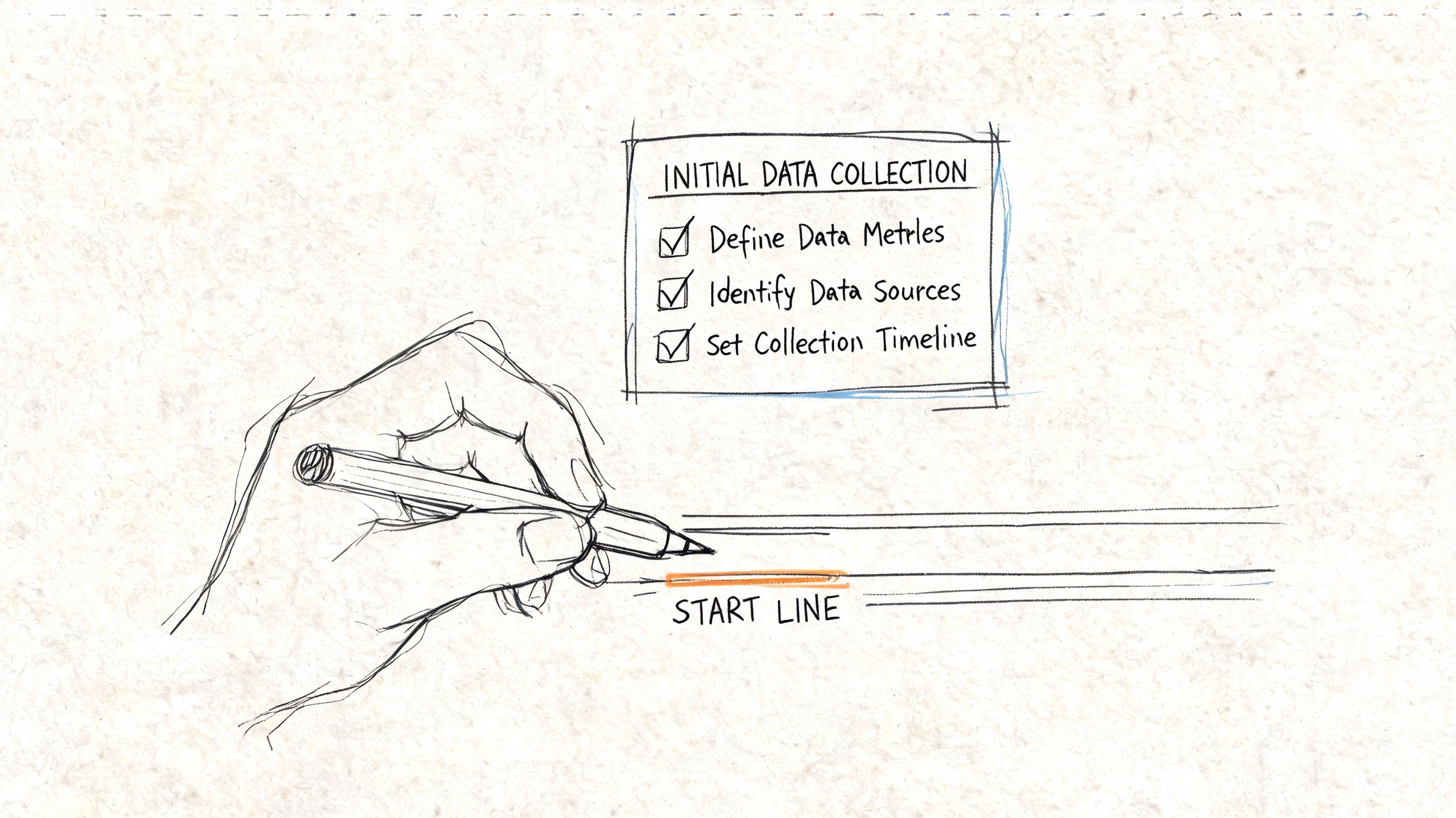
Start small. One product area is enough if it has repeatable UI work and a team willing to log a few inputs for a week or two. That gives you a clean before-state without waiting for company-wide agreement, which usually delays the work and weakens accountability.
Your one-week baseline dashboard
Use a spreadsheet, your issue tracker, and a lightweight audit. The goal is not perfect instrumentation. The goal is a baseline your team can maintain and leadership can trust.
Track:
- Time to design common UI work: review a few recent screens or flows and record hours spent.
- Time to build common UI work: pull engineering estimates or actual logged time for those same flows.
- UI defect volume: count defects tied to inconsistent states, spacing, or component behavior.
- Accessibility audit outcomes: log recurring failures by component or pattern.
- System adoption signals: note where teams still create custom components instead of using shared ones.
Keep the dashboard blunt. If a metric depends on a quarterly research project or a custom analytics setup, it will not help you make a practical ROI case.
What not to baseline
Skip inventory metrics that look impressive in slides but do not connect to business outcomes. Component count, token count, and documentation page count describe system output. They do not show whether the team ships faster, spends less, reduces rework, or presents one coherent product portfolio.
A better baseline question is simple: what work should disappear if the system is doing its job?
That is why adoption belongs in the baseline, not just in the rollout plan. If teams ignore shared components, your ROI model breaks even if the system itself is well built. To see how behavior undermines the numbers, read understand the root causes of weak adoption.
The Long Game of Your Design System Investment
A CFO approves the budget. Six months later, the team reports faster design cycles and cleaner handoff. Twelve months after that, leadership asks a harder question: are the gains still improving, or are we now funding a shared library that costs more to maintain than it saves?
That is the actual ROI test.
Early returns usually come from obvious wins: less duplicate work, faster production, fewer one-off decisions. Later returns depend on discipline. As SaaS Factor notes, design systems hit a maturity ceiling. Adoption levels off. New product requirements create exceptions. Maintenance work grows. If the team does not manage that shift, the system turns into another layer of product overhead.
This is why the business case cannot end with launch metrics. A design system is closer to infrastructure than a one-time efficiency project. It needs governance, versioning, migration planning, and periodic cleanup. Those activities cost money, but they also protect the value created in the first phase.
The practical question changes over time. At the start, leadership wants proof that the system can improve speed, cost, quality, and brand performance. After rollout, leadership wants proof that those four pillars still hold up after maintenance is included.
That is also why mature teams track two curves, not one. The first curve is value creation: faster releases, lower production effort, fewer UI defects, stronger brand coherence. The second is system cost: maintenance hours, support requests, migration effort, and the amount of custom work teams still do outside the system. ROI stays credible when the first curve keeps outrunning the second.
If the gap starts to close, the answer is usually not “invest more in the system” by default. It may mean retiring low-use components, reducing scope, tightening contribution rules, or stopping support for patterns that create more complexity than business value. Good system governance is not about adding more. It is about keeping the system economically useful.
If you're trying to turn design system work into a business case leadership will approve, Figr is built for that kind of operating environment. It helps product teams work from real product context instead of blank prompts, which makes system-driven design faster to produce, easier to review, and easier to connect back to measurable delivery outcomes.
