
Meta description: AI for UX research now shapes how product teams synthesize interviews, simulate scenarios, and move insights into design. A practical guide to workflows, trust gaps, and tools.
Slug: /ai-for-ux-research
Monday, 6:40 p.m., the day before a sprint review, is when weak research processes show themselves.
The interviews are done. The notes are scattered across transcripts, sticky docs, Slack messages, and one PM’s memory. Design wants direction. Engineering wants decisions. Leadership wants confidence. And the team is still trying to answer a basic question: what did users tell us?
That pressure is why ai for ux research stopped being a side experiment and became an operating model. Not because teams suddenly wanted novelty, but because product cycles got faster while qualitative analysis stayed stubbornly manual.
Last week I watched a PM walk into this exact trap. They had real user evidence, but no usable synthesis. By the time the story became clear, the roadmap conversation had already moved on. That’s the cost of slow research. It’s not just delay. It’s weaker decisions made in the absence of usable insight.
From Days to Decisions The New Speed of Insight
The old bottleneck in research wasn’t collecting feedback. It was turning raw evidence into decisions before the next meeting forced a call.
That’s changed. In 2025, AI-assisted UX research became mainstream, with adoption rates skyrocketing to 80% among user researchers globally, according to the State of User Research Report 2025. The same report says this surge came from teams needing real-time insight as product development cycles accelerated and manual analysis delayed usability reporting by weeks.
Why the speed shift matters
If you lead product, you don’t experience research delay as an abstract process issue. You experience it as:
- Roadmap drift, where priorities get set before synthesis is complete
- Design churn, where teams explore solutions before the problem is clearly framed
- False confidence, where a few memorable quotes stand in for a pattern
- Rework, where product decisions have to be revisited once the deeper signal finally appears
That last point is where AI has become practical, not theoretical. Teams aren’t using it because they want research to feel futuristic. They’re using it because the gap between evidence and action was too expensive to keep tolerating.
A useful companion read is Figr’s piece on cutting design review cycles by 70 an AI first approach, because it shows the downstream effect of faster, clearer inputs.
What changed inside the workflow
The most valuable shift is simple: AI shortens the time between collection and interpretation.
Instead of spending days tagging transcripts, cleaning notes, and manually grouping comments, teams can now get a fast first pass on patterns, contradictions, and likely themes. That doesn’t remove the need for judgment. It removes the dead time before judgment can start.
Practical rule: If your team is still spending more time organizing data than discussing what it means, your research process is under-automated.
This is also why the conversation around ai in ux research needs to mature. The win isn’t “AI wrote a summary.” The win is that the PM, researcher, and designer can all look at the same evidence sooner, debate it sooner, and act on it before momentum is lost.
Speed alone doesn’t make research better.
But speed that preserves traceability does.
What AI for UX Research Actually Means
AI is often discussed as if it's one thing. It isn’t. That confusion causes bad adoption decisions.
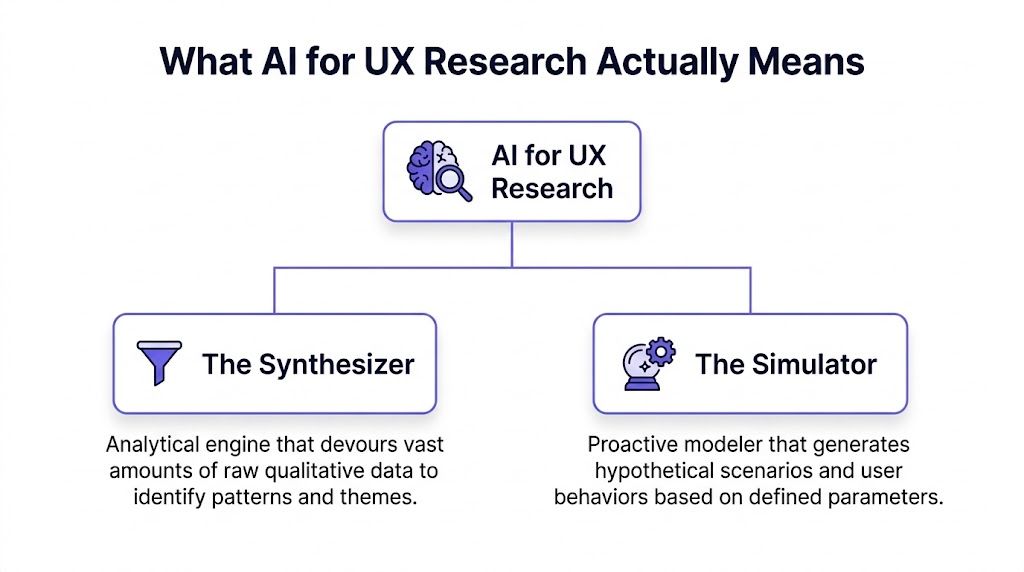
The cleanest way to think about ai for ux research is through two roles: The Synthesizer and The Simulator. One helps you understand what already happened. The other helps you model what might happen next.
A 2025 Nielsen Norman Group study, cited in this UX Collective analysis, positions UX professionals among the heaviest AI users and describes a hybrid model that blends remote testing, in-person studies, and AI analysis to deliver insight at unusual speed. That lines up with what strong product teams are already doing. They’re not replacing methods. They’re combining them.
The Synthesizer
The Synthesizer is typically the first part teams encounter.
It works on material you already have: interview transcripts, survey responses, support tickets, session notes, usability observations, reviews, and open text feedback. Its job is to detect patterns faster than a human can on the first pass.
In practice, that means:
- clustering similar comments
- surfacing recurring pain points
- extracting likely themes
- highlighting sentiment shifts
- spotting contradictions across segments
- drafting summaries that a researcher can verify
Most ai ux research tools primarily earn their place in this way. Dovetail, Notably, and UserTesting AI all fit this category in different ways. They don’t replace interpretation. They compress the preparation work so interpretation starts earlier.
If your team is also working upstream with design, Figr’s article on AI UX design is useful because it shows how synthesis can influence design generation rather than stop at analysis.
The Simulator
The Simulator is different. It doesn’t digest historical evidence. It generates plausible research artifacts and future scenarios from the evidence you feed it.
That can include:
- proto-personas
- draft user journeys
- flow variants
- usability test scripts
- edge case hypotheses
- scenario-based prompts for concept evaluation
This is what I mean: AI in research is not one magic box. It is a dual-capability system.
One side helps you see the pattern in the mess. The other helps you explore the design space before you commit resources.
Why this distinction matters
Teams fail with artificial intelligence ux research when they use the wrong role for the wrong job.
Use The Synthesizer when you have real user evidence and need to move from raw material to a coherent point of view.
Use The Simulator when you need to expand possibilities, stress-test a concept, or generate artifacts that help the team think more clearly.
Don’t use The Simulator as a substitute for user truth. That’s where fantasy enters the process wearing a research costume.
The strongest teams don’t ask, “Can AI do research?” They ask, “Which part of the research job are we assigning it?”
That question changes everything.
How AI Synthesizes Qualitative Data
Qualitative research usually breaks down in the same place. Not at recruitment. Not during interviews. During synthesis.
The team finishes sessions with a mountain of material and a vague promise to “pull themes tomorrow.” Tomorrow becomes next week. Then the loudest quote wins.
A working synthesis workflow
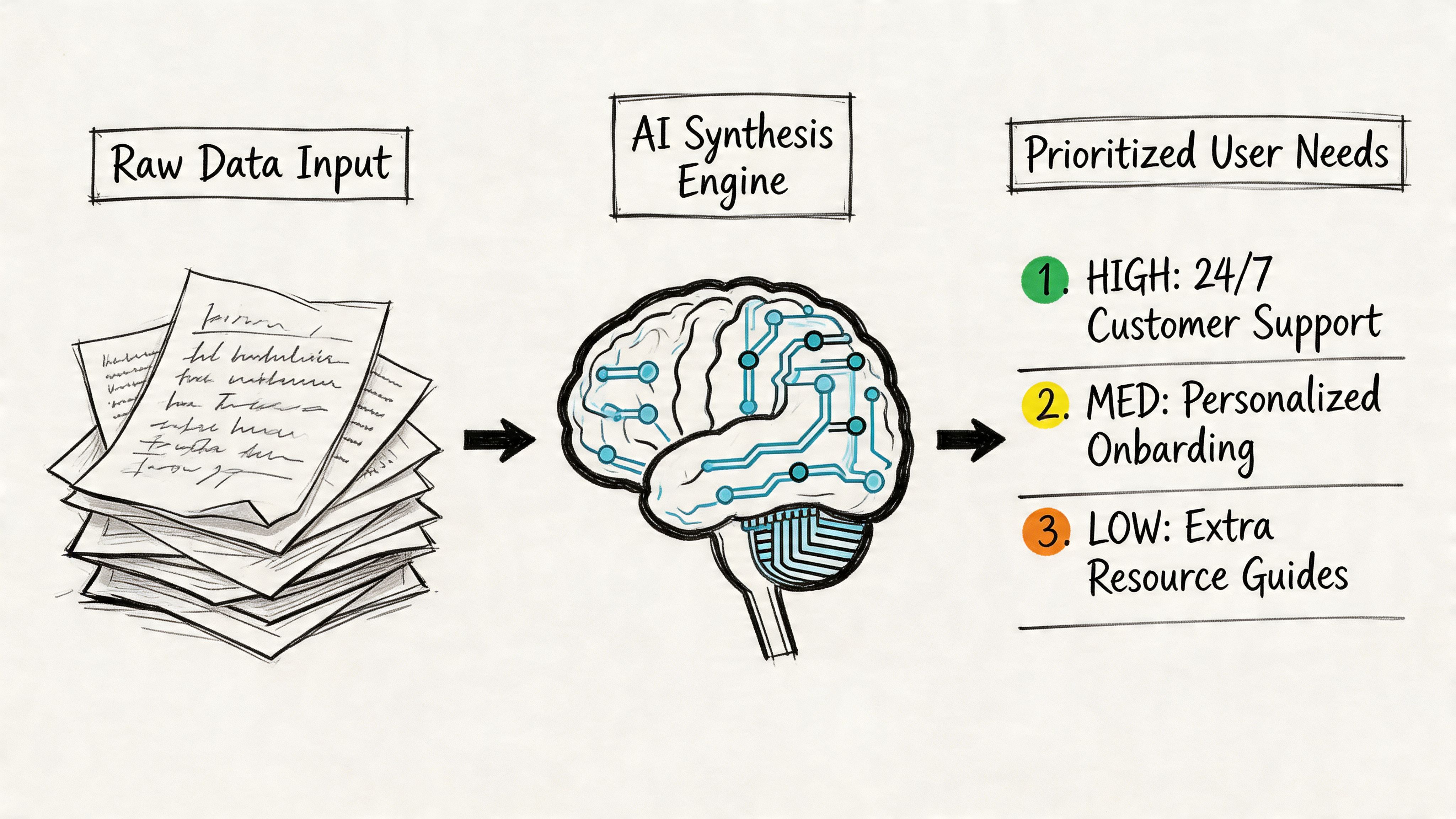
Here’s the workflow that tends to hold up in real product environments.
First, gather every source into one review set: transcripts, call recordings, support logs, NPS verbatims, survey comments, and relevant analytics notes. AI is most useful when the corpus is messy and distributed.
Second, run a machine pass for structure. In this pass, systems for transcription, tagging, thematic clustering, and summarization do the heavy lifting. If your inputs are chaotic, the hidden task is really structuring unstructured data before any useful pattern can emerge.
Third, have a human review themes against the source. Here, the work becomes research again. A researcher or PM checks whether the clusters are real, whether the labels are fair, and whether outliers matter more than the average pattern.
Fourth, turn themes into ranked user needs, open questions, and design implications. If the output doesn’t change prioritization, scope, or design direction, it’s still just a summary.
Where the tools help
Such tools as Dovetail, Notably, and UserTesting AI become useful. They’re good at reducing drag in three places:
- Transcription and retrieval, so you can find exact moments without scrubbing recordings
- Theme clustering, so repeated issues become visible quickly
- Evidence packaging, so researchers and PMs can share clips, quotes, and summaries with less manual effort
For adjacent work, Figr’s post on AI tools that automate product feedback analysis is a strong extension of this same problem.
Sentiment is useful, but only with guardrails
Advanced AI systems can now extract emotional and cognitive signals from text, voice, and facial expression, creating what UXtweak describes as a quantified emotional layer of UX with techniques like zero-shot classification, as covered in their article on AI tools for UX research.
That sounds powerful, and it is. But it’s also where teams get sloppy.
Emotion detection is directionally useful. It is not courtroom evidence. If a model flags frustration, confusion, or hesitation, treat that as a prompt to inspect the underlying moment. Don’t present it as settled truth.
A good synthesis workflow uses AI to narrow the search space, not to end the argument.
What works and what doesn’t
What works:
- using AI for first-pass clustering
- pulling exact quotes faster
- summarizing large repositories
- spotting repeated friction themes across channels
- packaging findings for stakeholder review
What doesn’t:
- accepting labels without source review
- letting sentiment scores stand in for interpretation
- treating summaries as equivalent to analysis
- merging unlike users into one generic “theme”
- skipping the step where someone asks, “is this true?”
The zoom-out here matters. As companies compress release cycles, they also compress patience for ambiguity. That creates an incentive to automate synthesis. Fair enough. But once speed becomes the goal, teams start rewarding outputs that look finished rather than outputs that remain faithful to the data.
That’s where strong product leadership matters. You don’t need less analysis. You need a faster route to honest analysis.
If you’re trying to automating customer interviews upstream or improving intake with a better system for how to collect customer feedback, the same principle applies. Automation helps most when it removes clerical drag and leaves the judgment intact.
Generating Scenarios with AI Simulation
Synthesis looks backward. Simulation looks forward.
In this situation, ai user research gets more controversial, and more interesting. Once a team has a credible picture of user behavior, AI can start generating scenarios that help product and design think through options before code is written.
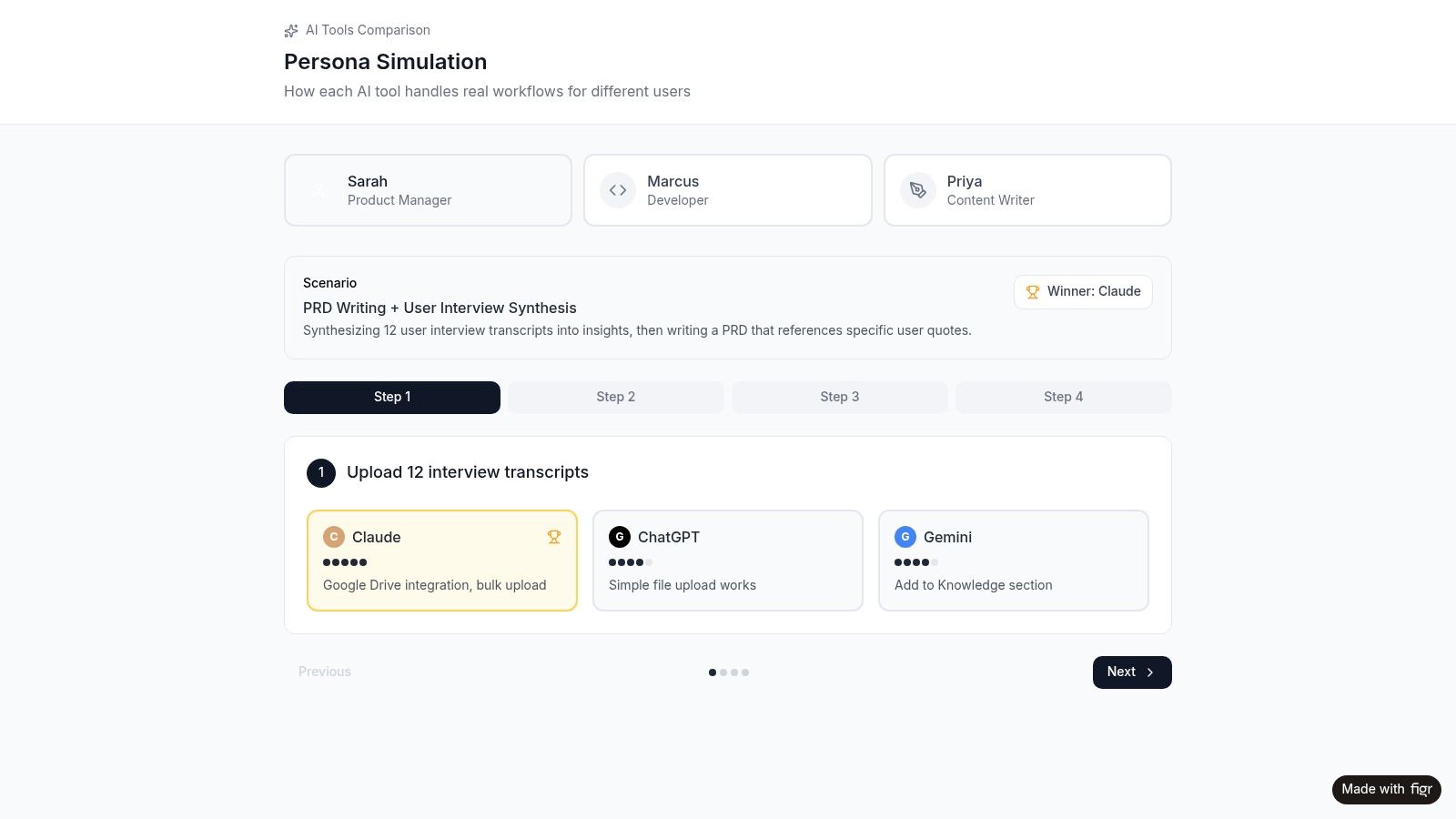
A good simulation workflow doesn’t ask AI to invent a user from nothing. It grounds the model in research inputs, then asks for structured outputs: likely goals, task flows, friction points, edge cases, and alternative routes through a product experience.
Where simulation becomes valuable
The practical use cases are broader than commonly realized.
A one-page summary of target users can become a proto-persona that helps design and product align on assumptions. Existing research findings can become journey drafts, test scripts, or hypotheses for usability sessions. Behavior data can become funnel risk scenarios.
That last one matters. AI can apply models such as logistic regression and sequence clustering to clickstream data to detect drop-offs and predict churn across product funnels, helping teams identify higher-risk segments before conversion loss, as described in Parallel’s article on AI UX research.
That kind of modeling doesn’t replace a researcher. It gives the researcher and PM somewhere smarter to look.
Use simulations as hypothesis engines
The right question is not, “Is this persona real?”
The right question is, “Does this simulation help us generate better hypotheses to test with real users?”
That’s also why shadow users need to be handled carefully. A synthetic persona can be useful for pressure-testing assumptions. It becomes dangerous when teams start treating it like evidence. Figr’s write-up on shadow personas is a useful framing device here, especially for teams tempted to let generated users replace research.
Flows, journeys, and pre-mortems
Simulation gets especially strong when you move from personas into pathways.
Teams can prompt for alternative onboarding routes, payment edge cases, admin handoffs, or abandonment scenarios. That helps before any usability session starts because it widens the team’s field of view.
Useful references here include user flow examples, broader thinking on user experience flows, and the larger system around digital customer journeys. These artifacts become more valuable when AI can generate variants quickly and the team can then judge which ones deserve human testing.
Here’s a practical example of that dynamic in action:
What to trust and what to challenge
Simulation works well when:
- the model is grounded in actual research inputs
- the output is framed as a draft, not a fact
- the team uses it to find missing scenarios
- design uses it to explore branches and edge cases
- product uses it to prepare targeted validation
It breaks down when:
- the prompt is vague
- the model overgeneralizes a segment
- the team forgets that generated empathy is still generated
- everyone likes the artifact because it looks polished
The simulator is most useful before certainty, not instead of certainty.
That distinction keeps automate ux research from turning into automated self-deception.
The Hard Questions About AI User Research
The most dangerous thing about AI in research isn’t that it makes obvious mistakes.
It’s that it often makes plausible ones.
That’s why the hard part of ai in ux research isn’t adoption. It’s governance. Teams can get a summary, a persona, or a recommendation quickly. The central question is whether the people reading it know how much trust it deserves.
The trust gap inside product teams
A study on GenAI adoption found a significant mismatch in stakeholder trust: UX researchers tend to show limited trust because of hallucination risk and loss of nuance, while product managers often overestimate AI capability, leading to workflow misalignment, as discussed in this arXiv paper on stakeholder trust and GenAI outputs.
I’ve seen this gap repeatedly.
Researchers ask, “Where did this theme come from, and what context got flattened?”
PMs ask, “This is already summarized, so why are we still debating it?”
Both reactions are understandable. One is protecting rigor. The other is protecting speed. The failure happens when neither side makes that incentive explicit.
Where AI still falls short
Three failure modes show up often:
- Hallucinated synthesis, where the output sounds coherent but blends weak evidence into false confidence
- Bias reinforcement, where historical patterns get treated as neutral truth
- Context collapse, where segment differences, emotional nuance, or situational factors disappear in summary form
The basic gist is this: researchers are usually right to be skeptical, and PMs are usually right to push for faster throughput. The operational answer is not choosing one side. It’s building a workflow where AI outputs are provisional until a human validates them against source material.
If a team cannot trace an AI-generated finding back to original evidence, that finding should not drive product direction.
Privacy is not a side note
There’s also a practical compliance problem that many teams still underweight. Interview transcripts, support logs, and research repositories often contain personal data or contextual clues that make re-identification easier than teams assume.
If your team is feeding raw research into general-purpose systems, it’s worth reading this piece on protecting PII in LLMs). The lesson is simple: anonymization is often weaker than people think, especially once multiple data sources are combined.
That matters because privacy failures in user research are not just legal problems. They are trust failures with participants.
A workable governance model
The teams getting real value from artificial intelligence ux research usually adopt a simple set of rules:
- Low-risk tasks go first, like transcription, tagging, clustering, and summary drafts
- Source review is mandatory for any strategic recommendation
- Synthetic outputs stay labeled, so nobody mistakes a generated persona for observed truth
- Sensitive data gets handled deliberately, not pasted casually into consumer tools
- Retrospectives stay honest, with teams reviewing where AI saved time and where it distorted meaning
For product leaders, this is not an abstract ethics discussion. It’s a management problem. Misplaced trust creates rework, bad prioritization, and brittle confidence. Figr’s article on common challenges and pitfalls when implementing AI in product management workflows is useful because it frames this as an execution risk, not just a research concern.
Strong teams don’t ban AI.
They calibrate it.
Closing the Loop from Insight to Implementation
Most research doesn’t fail in the interview. It fails in the handoff.
A team learns something important, captures it in a deck, nods at the implications, and then starts designing from memory. By the time the work reaches Figma or engineering, the original user signal has been diluted into a few vague bullets.
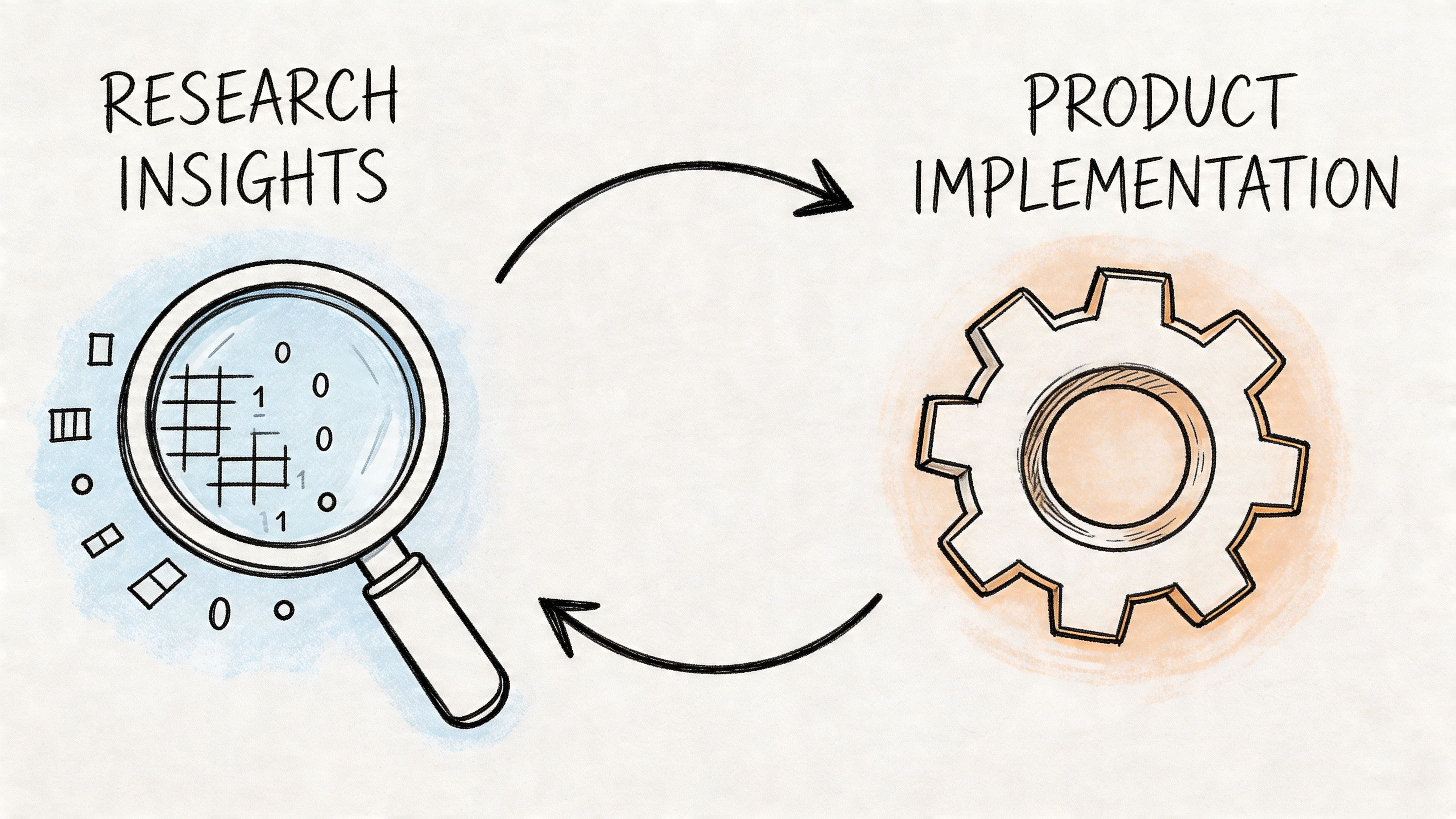
A major gap in current AI-for-UX content is the lack of guidance on moving AI-generated outputs into production workflows like Figma, design system enforcement, and automated accessibility checks, as noted by Nielsen Norman Group in its GenAI UX research agenda.
The handoff problem is the real bottleneck
This is the part many articles on ai ux research tools miss. Analysis is only half the job.
If a finding about onboarding confusion doesn’t become a changed flow, a revised prototype, an accessibility check, a QA case, or a better product requirement, then the team has learned something without operationalizing it.
That’s why the next wave of AI tooling matters less for summarization and more for translation. Research needs to flow into design and build systems without being manually reinterpreted three times.
What integrated workflows look like
A useful workflow usually has five moves:
- Ingest the evidence, including transcripts, analytics, and observed friction points
- Generate decision artifacts, such as user flows, prototype directions, edge cases, and test scenarios
- Tie those artifacts to the system, including tokens, components, and accessibility requirements
- Export into delivery tools, so design and engineering work from the same interpretation
- Close the loop, using analytics and usability follow-up to test whether the change improved the experience
One integrated option warrants special mention. Figr bridges the gap between UX research and design execution. Feed it user interview notes, analytics data, or competitor screenshots, and it generates interactive prototypes informed by your research findings. Your research directly shapes the design output instead of sitting in a slide deck no one revisits.
You can see that workflow in artifacts like its UX persona simulation, the Skyscanner accessibility audit, and the Skyscanner project canvas.
Why this changes team behavior
When research outputs connect directly to design artifacts, a few things happen.
First, researchers stop being the final stop in the chain and become an active input into product creation. Second, PMs stop translating findings manually into requirements that lose nuance. Third, designers get artifacts they can challenge, improve, and test, rather than a passive summary.
That’s also where adjacent categories come in. Teams often need AI tools for usability test reports because reporting is still one of the last places insight gets trapped. The report should point to design action, not just summarize what happened.
Research becomes more valuable when it behaves like infrastructure, not documentation.
This is the zoom-out moment. At scale, every organization develops incentives that separate thinking from shipping. Research produces findings. Design produces concepts. Engineering produces implementation. AI becomes most useful when it reduces the transaction cost between those stages.
That doesn’t mean the machine should make the decision.
It means the evidence should survive the trip.
A Practical Plan to Get Started
Don’t roll this out as a transformation program. Run it as a disciplined experiment.
Pick one completed project with a manageable body of evidence. Good candidates are projects with interview transcripts, usability notes, open-text feedback, and a known product decision at the end.
A simple first sprint
Start with this sequence:
Choose a contained study
Pick a recent project with enough raw material to make synthesis meaningful, but not so much that the team gets lost in setup.Re-analyze the evidence with one AI tool
Use Dovetail, Notably, UserTesting AI, or another system your team can access quickly. Ask it to cluster themes, surface pain points, and summarize key findings.Compare machine output with the original team readout
Where did the AI get to the same conclusion faster? Where did it flatten nuance, merge distinct users, or miss the emotional context of the session?Run a short retro
Spend half an hour on three questions: what should AI handle next time, what must stay human-led, and what governance rule do we need before scaling usage?
This approach keeps the stakes low and the learning high. You’re not trying to prove that AI can replace research. You’re trying to learn where it can responsibly remove friction.
For the complete framework on this topic, see our guide to user research methods.
The next useful move is simple: pick one workflow where your team is losing time to organization rather than thinking, and test AI there first.
If your team wants research to flow into actual product artifacts instead of static summaries, Figr is worth evaluating. It helps product teams turn interview notes, analytics, and competitor inputs into interactive prototypes, project canvases, accessibility reviews, and other delivery-ready outputs that keep user evidence connected to design execution.
