

Half the AI design demos online ignore your design system entirely. The other half claim to reinvent it but show three buttons in a void.
That's the mood right now around reinventing design systems AI. Product teams aren't asking for another toy that can generate a login screen with suspiciously generic cards. They're trying to ship inside a real product, with old flows, weird edge cases, accessibility constraints, and an opinionated design system nobody has fully documented.
The annoying part is that the AI itself isn't the main problem.
The missing piece is context.
Design organizations frequently still treat the design system like a human reference library. A capable designer can infer the spacing logic, the tone of motion, the places where the brand bends but doesn't break. AI can't. If you want useful output, you have to turn the system from loose documentation into operational input.
That's where the essential work lies. Not in generating more mockups. In making your system legible enough that software can apply it without producing polished nonsense.
The AI Design Demo and the Empty Promise
The standard demo follows a predictable pattern. Someone types a prompt, a screen appears, and the audience is expected to applaud because the form fields are aligned. Then the actual team tests it on a live product and the system collapses on the second prompt.
Why?
Because enterprise design systems aren't libraries of pretty parts. They're bundles of exceptions, intent, and scars from old decisions. Prompt-only tooling rarely sees any of that. It sees a blank canvas and a sentence. Your team sees five years of accumulated product reality.
The real failure is context collapse
A design system usually contains more than tokens and components, even if the documentation pretends otherwise. It contains unwritten decisions like:
Semantic meaning: when a warning becomes destructive, when inline help becomes blocking guidance
Interaction nuance: which flows deserve friction, which ones must feel invisible
Product memory: the old patterns users already learned, even if your team now hates them
That's why generic generation feels clever in a demo and expensive in production. The output often looks acceptable from ten feet away, then creates rework the moment design, PM, QA, and engineering start asking normal questions.
Generic AI output doesn't fail because it is ugly. It fails because it is ungrounded.
If you want a sharper articulation of that problem, read Figr's breakdown on generic AI.
Reinvention is less glamorous than vendors imply
The phrase sounds futuristic, but the work is boring in the best possible way. Reinventing design systems AI is mostly about writing down what your team used to leave implicit, then wiring that context into the tools that generate, review, and monitor product work.
That's not sexy.
It is useful.
What an AI-Native Design System Actually Is
Many practitioners hear AI native design system and assume it means an AI generated DS. That's the wrong definition. A useful system for the AI era is not one magically created by a model. It's one deliberately authored so a model can consume it without guessing.
The system has to explain itself
Figma's 2025 analysis describes a real shift in how teams think about systems. Teams are moving beyond tokens and components to capture the reasoning behind decisions, examples of quality, and explicit context so AI can produce brand-aligned outputs. Figma also frames this as a transition from design systems as internal documentation for people to operational inputs for AI tools, which is foundational for AI-assisted design at scale, as noted in Figma's analysis of design systems in the AI era.
This is what I mean by a DS for AI era. The system doesn't just say what exists. It explains when to use it, why it exists, what good looks like, and what should never happen.
A button component is not enough. The AI needs the intent behind the button hierarchy, disabled states, copy expectations, and the surrounding flow logic.
What teams usually miss
Last week I watched a PM walk through a “system-aware” prototype that technically used the right components. It still felt wrong. The layout was too eager, the escalation states were too soft, and the content structure ignored how their users made decisions.
The machine had the pieces. It didn't have the product judgment encoded around those pieces.
That's why a strong system for AI consumption usually includes a few things teams postpone:
Decision rules: when to choose one pattern over another
Quality examples: references of correct implementations, not just component anatomy
Known constraints: accessibility, content boundaries, legal review triggers, platform quirks
If you want to go deeper on that setup problem, Figr's context-aware AI design tool gets at the same core issue from the tooling side.
The Three Layers AI Genuinely Changes
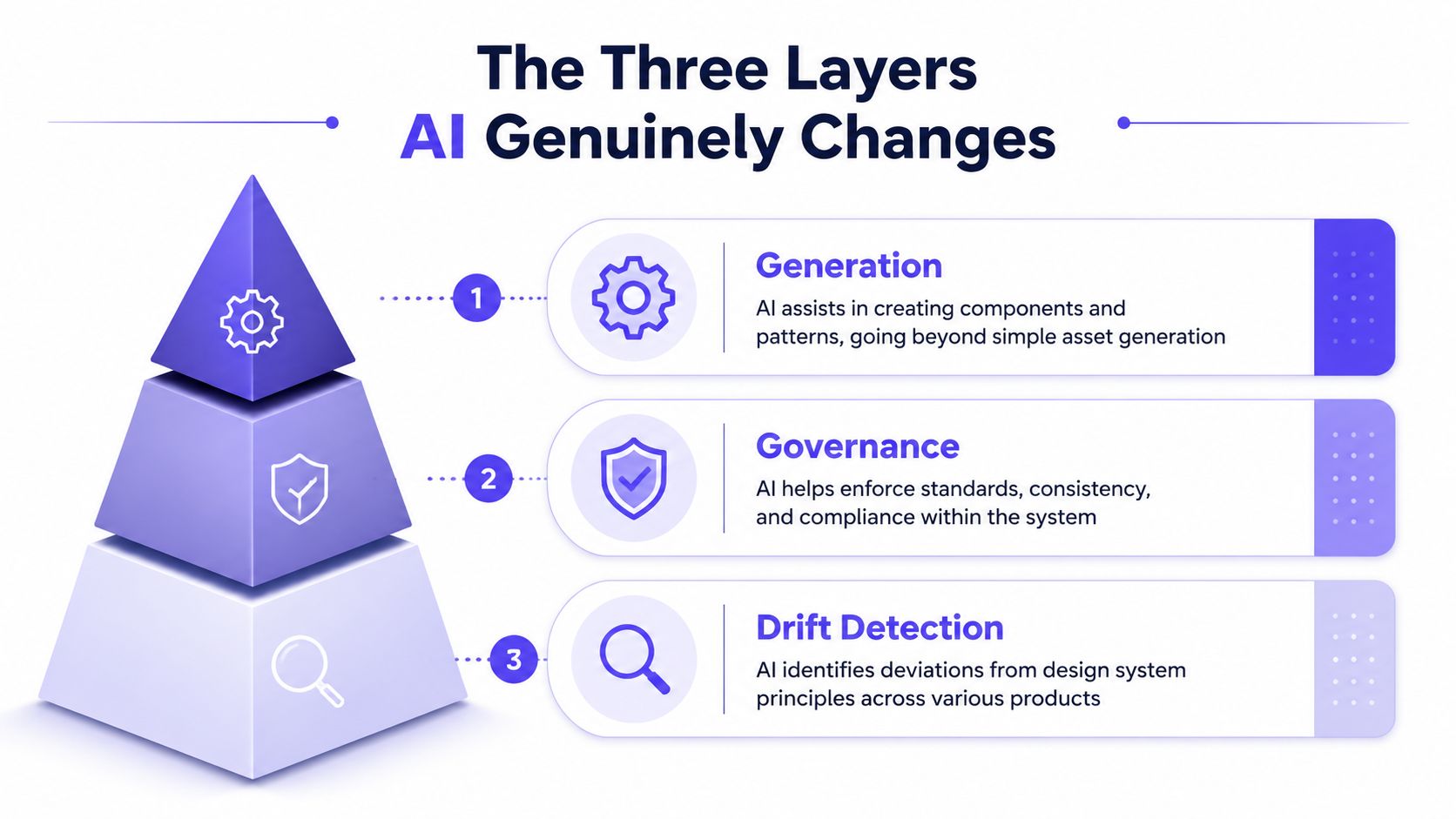
Most of the hype treats AI as a generator. That's the least interesting layer. The practical value shows up across generation, governance, and drift detection.
Generation gets useful when it stops improvising
Yes, AI can help create screens, flows, variants, and components. But the useful version isn't “make me a dashboard.” It's structured generation grounded in your system, your flows, and your product logic.
That's where how AI can auto-generate UI components from design systems starts to matter. The point isn't raw speed. The point is reducing blank-canvas work while keeping output inside existing constraints.
Governance is where teams save real time
Governance sounds bureaucratic, but it's usually where the waste lives. Teams spend hours fixing things that should never have been created in the first place. Wrong variants. Inconsistent states. Accessibility misses. Unapproved token usage. Copy patterns that violate the product voice.
AI helps when it acts earlier in the workflow, not after review.
Practical rule: if your AI only generates artifacts and doesn't enforce rules during creation, you're buying faster rework.
A decent agent can function like a design systems reviewer embedded in the process. It catches obvious violations before the PM shares the prototype, before design polishes it, before engineering translates the mistake into code.
Here's a useful visual walkthrough of that stack in practice.
Drift detection is the underrated layer
Consequently, DS automation becomes operational rather than aspirational. A practical pattern emerging in agentic systems is continuous automated monitoring of drift. AI agents can scan design and code repositories to flag misalignments, color inconsistencies, and unauthorized variants automatically, acting as an always-on governance layer instead of a periodic review process, as described in Supernova's write-up on enterprise design systems.
That matters if your company ships lots of experiments, regional variations, or team-specific adaptations. Manual audits won't keep up. Drift accumulates because no one owns every surface at once.
The basic gist is this: generation saves effort, governance prevents bad effort, drift detection stops decay.
If you're building toward that model, Figr context engineering guide for SaaS is worth reading because this problem is less about prompting and more about supplying the right context stack.
The Honest Comparison: Prompts vs Product Agents
A friend at a Series C company told me their team spent a week trying to get an AI generator to match their brand's input fields. It never got the micro-interactions right.
That story is more common than generally acknowledged.
Prompt-only generators produce plausible strangers
Prompt systems are good at giving you something. They are bad at giving you your thing. They approximate patterns from broad training data, then smooth over the gaps with confidence. That works if you need ideas. It fails if you need alignment.
The difference shows up fast:
Prompt generator: starts from language, guesses the interface, then hopes your team edits it into shape
Product agent: starts from product context, references the existing system, then generates within known boundaries
That's why the category split matters more than feature checklists.
Context-aware agents are closer to how teams actually work
A context-aware agent isn't smarter because it uses more dramatic language. It's smarter because it has access to the product's memory. It can ingest the live app, design files, docs, and observed patterns, then use those as constraints.
That's the only class of tool I've seen produce output that survives contact with stakeholders.
One example is Figr, an AI product agent for UX design and product thinking that ingests your live webapp, Figma files, screen recordings, and docs to learn your actual product before designing, then references 200,000+ real-world UX patterns to design from your product rather than from a blank prompt. You can see what teams have built with Figr, including Intercom analytics in their exact DS.
That doesn't remove the need for human judgment. It just means the first draft is anchored in reality.
The best AI design output feels less like invention and more like a teammate who actually read the brief, opened the product, and checked the system.
If you've felt that prompt-only tools are strangely impressive and strangely unusable at the same time, that's basically the problem with AI product design tools. The issue isn't raw generation. It's missing product context. There's a related point in the Figr blog, especially around where product thinking still resists automation.
Reinventing Design Systems AI Starts with a Pilot
The biggest mistake enterprise teams make is trying to launch a whole new next gen design system program with AI attached to the title. That creates committees, not outcomes.
Start smaller.
Pilot one painful flow
Pick a high-traffic, high-friction product flow. Onboarding. Billing changes. Permissions. Search refinement. Something your team already knows is messy. Then use an AI agent to audit that flow for system inconsistencies, accessibility issues, unauthorized variants, and documentation gaps.
Not redesign. Audit.
That's where value appears fastest because you find real defects, not speculative opportunities. You also expose the missing context your system needs if you want AI to generate better work later.
A simple pilot usually includes:
One bounded flow: keep scope tight enough that design, PM, and engineering can review findings together
One source of truth: the current live experience, not an aspirational Figma file
One remediation path: fix the issues you uncover, then update the system so the same problems don't recur
Why this matters now
At scale, this is an economics problem disguised as a tooling problem. Stanford HAI's 2025 AI Index Report says 78% of organizations reported using AI in 2024, up from 55% the year before, and that inference costs for capable systems fell over 280-fold in two years, as reported in the Stanford HAI AI Index Report. When adoption is already this broad and costs are dropping that sharply, it makes sense to embed design rules into workflows where they reduce rework and improve productivity.
That doesn't mean every AI purchase is justified.
It means the old excuse, “this is still experimental,” is getting weaker. Teams already use AI. The question is whether they use it where it compounds quality, or where it manufactures extra review work.
Your Next Step Is an Audit Not an App
What stays painfully manual? Semantic decisions. Motion that carries meaning. Taste. The judgment to know whether a flow should reassure, slow down, escalate, or disappear. AI can support execution and governance. It still won't tell you if the product choice itself is wrong.
Run a one-hour audit on your most important user flow. Use an agent to identify design system drift, accessibility misses, and mismatched components. Then have a human team decide what those findings mean. UX audit checklist by Figr is a decent starting point if you need structure.
For the complete framework on this topic, see our guide to design system best practices.
If you want to test this approach in a live product instead of another empty demo, Figr is built for that kind of workflow. It learns from product context, not just prompts, so teams can audit flows, generate grounded UX artifacts, and work from the system they have.