

It’s 4:17 PM on a Tuesday. A product manager stares at her screen, haloed by the glow of a dozen open tabs. Slack is a strobe light of notifications, her Jira backlog is a dense forest, and a key customer insight is buried three levels deep in a Notion doc she can't find. She’s been busy all day, switching between contexts, but has she been productive? This feeling, a frantic energy that produces motion without progress, is what I call Tool Sprawl Fatigue. It's the byproduct of adopting apps without a system.
Last week, I watched a promising product team present their quarterly roadmap. The PM pulled up a beautiful slide deck, the designer navigated a complex Figma file, and the engineer referenced a separate sprint plan in Linear. The handoff between them was clumsy, a digital game of telephone where nuance was lost with every copy and paste. They had great tools, but no connective tissue.
The basic gist is this: your tools should reduce friction, not create it. The goal isn't just to find more or even "better" productivity tools, it's to build a coherent stack where each component serves a specific phase of the product lifecycle, from initial concept to final delivery. This is what separates high-performing teams from the merely busy. They don't just collect tools; they design a system.
This guide is built for that purpose. We won't just list features. We will analyze a curated set of platforms, showing you how they fit into a cohesive workflow for product managers, UX researchers, and QA teams. For each tool, you'll find real-world use cases, honest limitations, and specific integration workflows, complete with screenshots and direct links, to help you build a system that finally works. If you're looking for more options in the realm of productivity tools category, Saaspa offers a curated selection.
1. Figr
Figr is an AI design agent built to ground your team’s product decisions in actual product context, not blank canvases. It acts as a powerful accelerator for product teams, moving from high-level thinking to production-ready artifacts with remarkable speed. Instead of starting from scratch, the platform learns your live application through a one-click Chrome capture, connecting directly to your Figma design system and tokens.

This is what I mean: Figr generates high-fidelity prototypes that already mirror your existing product's look and feel. It can produce entire PRDs, map complex user flows, and even identify edge cases you might have missed. The agent then exports these artifacts back to Figma with a single click, maintaining design system integrity throughout the process. It's a standout among productivity tools because it closes the gap between an idea and a developer-ready specification.
Key Strengths & Use Cases
What makes Figr distinct is its ability to connect disparate parts of the product development cycle. By analyzing over 200,000 application screens, it surfaces proven design patterns relevant to your task. It can also connect to your analytics to benchmark funnels, pinpoint drop-offs, and recommend fixes grounded in real user data. This is a practical application of AI in product management that moves beyond simple automation.
Common use cases include:
- Product Managers: Rapidly generating PRDs, user stories, and acceptance criteria directly from a new flow.
- UX Designers: Exploring A/B test variations with built-in rationale and ensuring all new designs adhere to existing system tokens.
- QA Teams: Creating comprehensive test cases and user acceptance testing (UAT) scripts from the generated user flows and edge cases.
The core benefit is reducing rework. By catching inconsistencies, accessibility issues, and missed edge cases before handoff, teams can accelerate delivery and focus on strategic work instead of corrective cycles.
Pros:
- Context-Aware Generation: Creates PRDs, flows, and prototypes from your live product, not generic templates.
- Preserves Design Integrity: One-click Figma import and export maintains your design system and tokens.
- Data-Informed Suggestions: Connects to analytics to identify funnel issues and propose prioritized improvements.
- Enterprise-Ready: Features SOC 2 compliance, SSO, and zero data retention, making it suitable for secure environments.
Cons:
- Workflow Dependence: Teams not using Chrome and Figma may find the tool less integrated into their process.
- Opaque Pricing: Costs are not public. Teams must contact Figr for a quote, which suggests an enterprise focus.
Website: https://figr.design
2. Notion
Notion is an all-in-one, AI-enabled workspace where product teams can escape the chaos of scattered documents and disconnected task lists. Imagine your product specs, user research, team wiki, and sprint planning all living in a single, interconnected system. This is what Notion delivers: a unified environment built on flexible pages, databases, and collaborative teamspaces. It stands out by merging the functionality of docs, wikis, and lightweight project management into one fluid interface, reducing the need for multiple subscriptions and constant context switching.
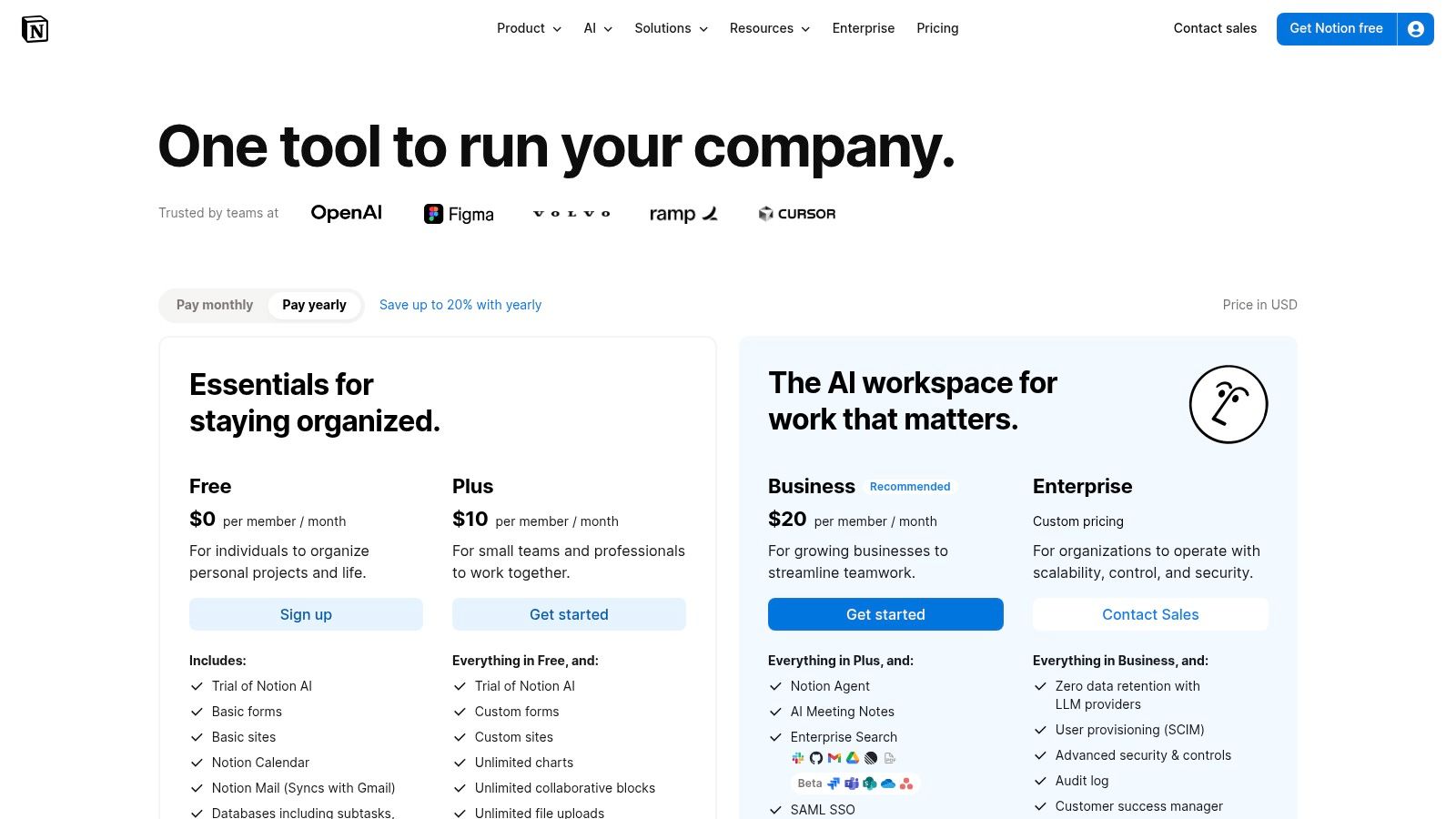
Its core strength is its database feature, which allows you to create structured information hubs for anything from competitor analysis to a content calendar. You can then visualize this data in multiple ways: as a Kanban board for tasks, a timeline for roadmaps, or a simple table for quick reference. This adaptability is key for product teams that need to align their work with broader product management best practices. With a generous free tier for individuals and paid plans starting at $8 per user/month, it's accessible for teams of all sizes.
Pros:
- Unified Workspace: Consolidates docs, wikis, and tasks, reducing tool sprawl.
- Extreme Flexibility: Databases with custom views allow for highly tailored workflows.
- Public-Facing Docs: Easily publish beautiful, public-facing documentation or help centers.
Cons:
- Governance Needed: Unstructured use can lead to a messy, hard-to-navigate workspace.
- Tiered Features: Advanced security, admin controls, and analytics are reserved for more expensive Business and Enterprise plans.
Website: https://www.notion.so/pricing
3. Asana
Asana serves as a central work management platform for teams needing to coordinate complex, cross-functional initiatives. Where simpler tools track tasks, Asana excels at showing how those tasks connect to larger strategic goals. It’s designed for organizations seeking to scale execution visibility, moving beyond individual project boards to a portfolio-level view of progress. This makes it one of the more mature productivity tools for leadership who need to track launches, key initiatives, and resource allocation across multiple teams in a single, coherent system.
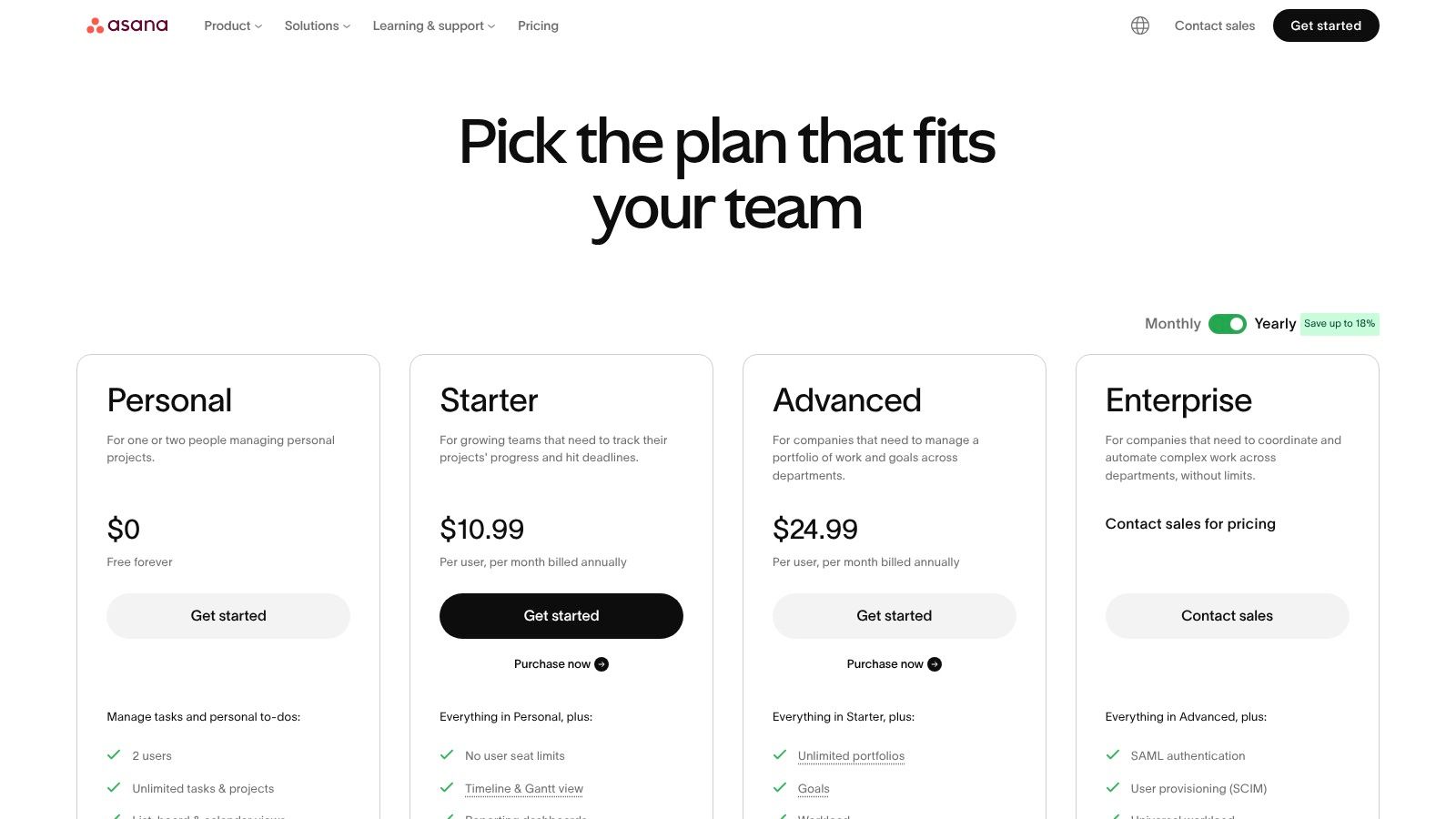
Its strength lies in its hierarchical structure: tasks live within projects, which can be grouped into portfolios, which in turn are tied to company-wide goals. This provides clear line-of-sight from top-level objectives down to the daily work of individual contributors. With views like timelines, boards, and lists, plus powerful reporting dashboards, it offers multiple ways to visualize and communicate progress. Asana’s workflow builder also automates routine processes, reducing manual overhead. Plans start with a free forever tier, with paid plans beginning at $10.99 per user/month, offering more advanced features like portfolio management and automation rules.
Pros:
- Mature Portfolio and Goal Features: Excellent for providing leadership with high-level visibility into strategic initiatives.
- Scales Across Teams: Offers strong reporting and administrative controls needed for larger organizations.
- Rich Ecosystem: A wide array of integrations and templates supports common product development workflows.
Cons:
- Tiered Capabilities: Advanced features like approvals, portfolio management, and custom rules are locked behind higher-tier plans.
- Cost at Scale: Per-seat billing can become expensive for large teams or when including many external collaborators.
Website: https://asana.com/pricing
4. Jira Software (Cloud)
For many engineering-led organizations, Jira is the central nervous system for software development. It serves as the definitive record for what needs to be built, who is building it, and how work is progressing. Jira provides a highly structured environment for issue tracking and agile project management, making it one of the most powerful productivity tools for teams that require deep workflow customization and auditable trails. Its strength lies in turning abstract plans into concrete, trackable units of work like stories, bugs, and tasks.
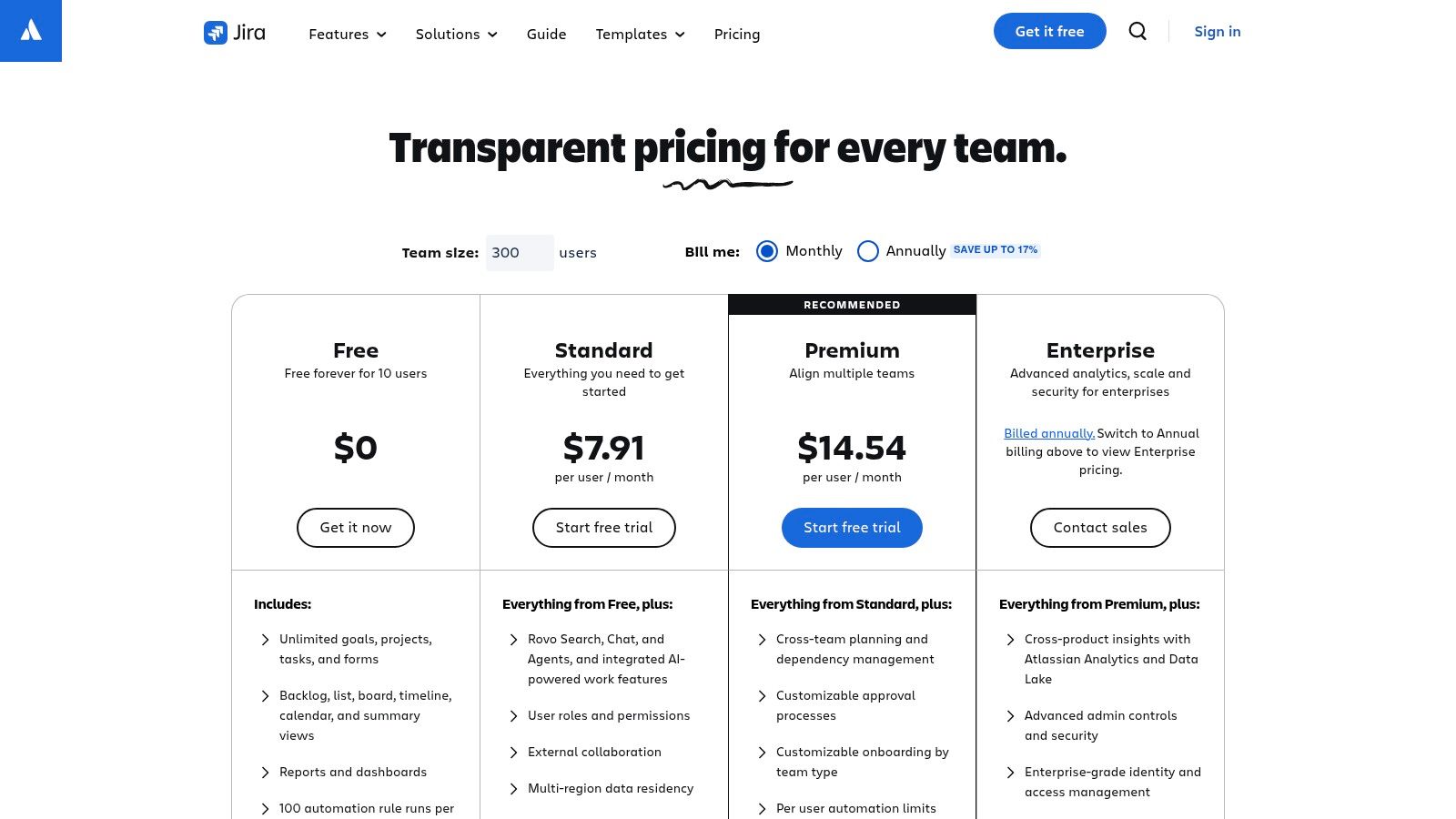
The platform is built around Scrum and Kanban boards, offering deep configurability that allows teams to perfectly mirror their development processes. You can create custom workflows, fields, and permissions to manage everything from simple bug fixes to complex feature releases. This detailed approach is critical for regulated industries or large enterprises needing strict governance. For product teams, this means having a reliable system for backlog grooming and release planning, which you can learn more about in this agile sprint planning guide. A free plan for up to 10 users provides a solid starting point, with paid plans scaling to meet enterprise security and analytics needs.
Pros:
- Extremely Configurable: Workflows, issue types, and permissions can be tailored to any team’s specific process.
- Deep Ecosystem: Integrates seamlessly with a huge marketplace of apps and developer tools.
- Enterprise-Ready: Offers advanced security, compliance controls, and SLAs needed for large, regulated organizations.
Cons:
- Configuration Complexity: Can require a dedicated administrator to set up and maintain effectively.
- Scaling Costs: Per-user pricing and marketplace app fees can become expensive for large teams.
Website: https://www.atlassian.com/software/jira/pricing
5. Linear
Linear is an opinionated issue-tracking and product-planning tool built for teams that live and die by their velocity. It strips away the complex configurations and administrative weight of legacy systems, focusing instead on speed, simplicity, and a refined user experience. It's designed around the idea that issue trackers should accelerate work, not create more of it. For modern product and engineering teams, it provides a fast, keyboard-driven interface for managing cycles, projects, and roadmaps without the usual friction.
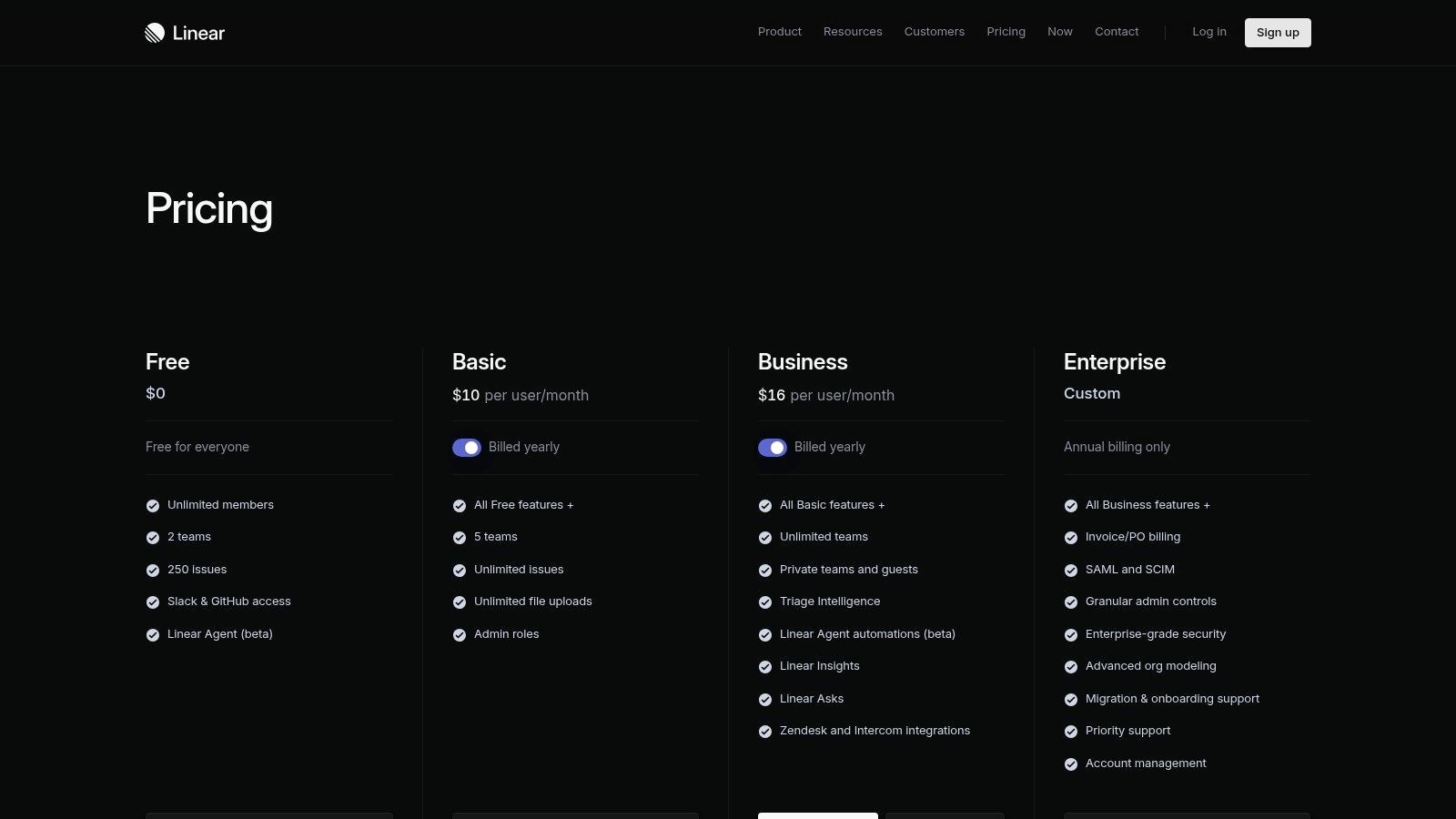
Its core philosophy is visible in its features: lightning-fast issue creation, intelligent triage to automatically categorize incoming feedback, and built-in cycles that encourage a steady, sustainable pace. Linear stands out among other productivity tools by being prescriptive, offering a clear methodology rather than an empty canvas. This approach means teams can adopt it and see benefits almost immediately. With a generous free plan and paid tiers starting at $10 per user/month, it’s a powerful choice for startups and high-growth tech companies aiming to build better products faster.
Pros:
- Minimal Overhead: The opinionated design allows for rapid adoption with little to no configuration required.
- Excellent Performance: A clean, keyboard-first interface makes interacting with the tool exceptionally fast.
- Intelligent Features: AI-powered triage and insights help teams prioritize and manage issues without heavy manual effort.
Cons:
- Fewer Enterprise Add-ons: Lacks some of the extensive security and governance features found in legacy ALM suites.
- Smaller App Marketplace: While its core integrations are strong, its marketplace is less extensive than Jira's.
Website: https://linear.app/pricing
6. ClickUp
ClickUp positions itself as the one app to replace them all. It's a unified work hub attempting to bring tasks, docs, goals, whiteboards, and chat under a single, highly configurable roof. The core idea is to eliminate the constant shuffling between different applications by creating an all-encompassing environment for product teams. Its appeal lies in its ambition to be a single source of truth, from high-level roadmapping with goal-tracking down to granular sub-tasks and conversations, with a growing set of AI capabilities woven throughout.
What makes ClickUp a distinct option among productivity tools is its sheer breadth and customization. Teams can build complex task hierarchies, visualize work with Gantt charts and timelines, and manage resources with built-in time tracking. It also includes native docs, whiteboards for brainstorming, and basic chat, further reducing the need for other subscriptions. With built-in automations and various AI features available as add-ons, it aims to be a powerful, centralized system. A free plan exists, with paid tiers offering more features starting at a competitive price point for small to mid-sized teams.
Pros:
- Broad Feature Set: The wide array of tools from tasks to whiteboards can significantly reduce context-switching.
- Competitive Pricing: The entry-level paid plans (Unlimited/Business) offer substantial value for the features provided.
- Rapid AI Development: The platform is quickly adding AI-powered features across its entire suite of tools.
Cons:
- Setup Complexity: The platform's extensive customization options can be overwhelming and require a significant upfront investment to configure properly.
- Additional AI Costs: Access to the more advanced AI capabilities requires a separate, per-user add-on fee.
Website: https://clickup.com/pricing
7. monday.com Work Management
monday.com is a visual work management platform designed for planning, tracking, and automating workflows across different teams. Think of it as a set of highly configurable digital Lego bricks for your projects. Where some project tools impose a rigid structure, monday.com offers a flexible canvas of boards, views, and dashboards. This makes it a great choice for teams, especially those with non-technical stakeholders, who need an intuitive way to visualize everything from go-to-market campaigns to complex operational programs. It’s one of the best productivity tools for getting a portfolio-level overview without sacrificing granular detail.
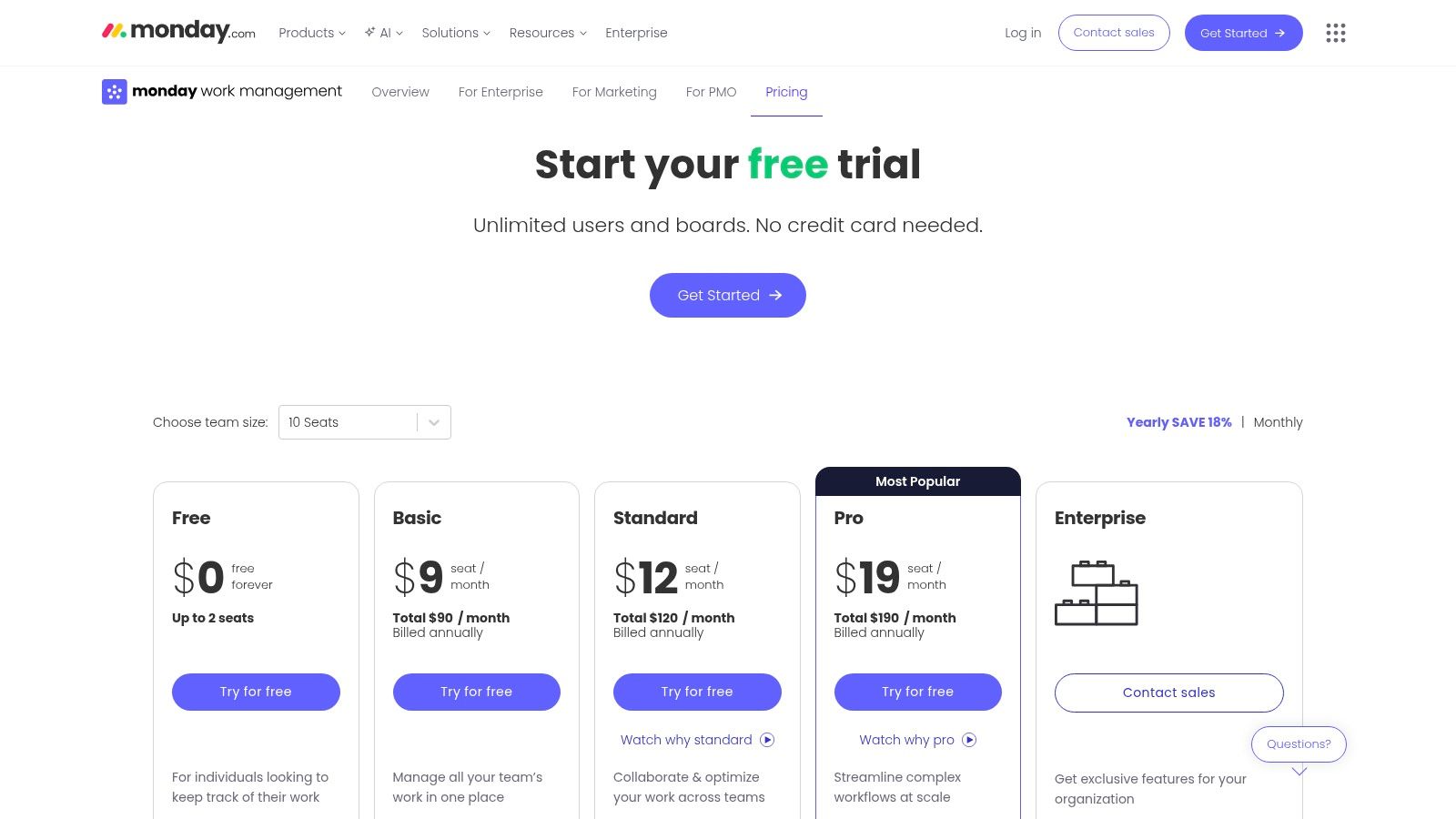
Its core lies in its colorful, customizable "boards" that can be viewed as traditional task lists, timelines, Gantt charts, or Kanban-style workflows. The platform's extensive template library helps teams get started quickly, while its automation and integration recipes can connect disparate tools and eliminate manual updates. Advanced dashboards allow leaders to roll up data from multiple boards for high-level reporting on resources and progress. Pricing starts with a limited free tier, but paid plans with seat minimums are required for its most powerful features, so teams should model costs carefully.
Pros:
- Intuitive UI: Its visual-first interface is easy for non-technical users to adopt.
- Strong Template Catalog: A large library of pre-built boards accelerates onboarding and setup.
- Scalable Dashboards: Connects multiple projects for department-wide and portfolio-level reporting.
Cons:
- Limited Lower Tiers: Complex reporting and some key views are reserved for more expensive plans.
- Cost Modeling: Tiered features combined with seat minimums can make pricing complex for smaller teams.
Website: https://monday.com/work-management/pricing
8. Airtable
Airtable is where spreadsheets meet the power of a relational database, creating a unique platform for building custom internal applications without writing code. Imagine needing a sophisticated user research repository that connects interview notes to user personas and feature requests. Airtable allows you to build that, creating a structured, interconnected system that a simple spreadsheet could never manage. It shines by offering powerful data modeling capabilities wrapped in an approachable, colorful interface, making it one of the most versatile productivity tools for teams that need more than just rows and columns.
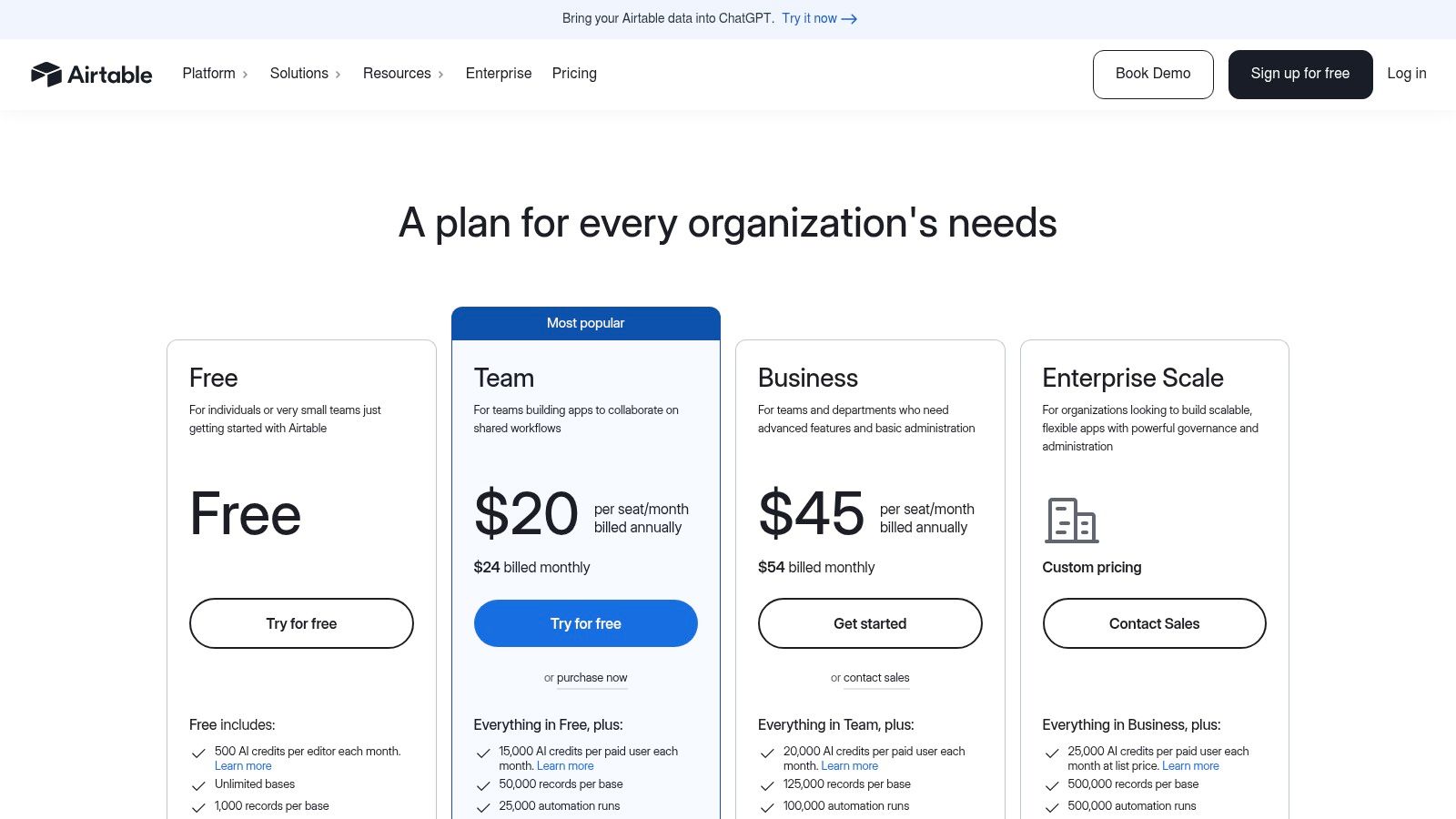
Its main strength is the ability to create relational "bases" with multiple views, such as Kanban boards for task tracking, calendars for content schedules, and forms for data collection. The newer "Interfaces" feature takes this further, letting you build polished, app-like dashboards for stakeholders to interact with data without needing full access. With a free plan for small projects and paid tiers starting at $20 per seat/month, it supports everything from personal organization to complex, company-wide operations. The addition of AI features also allows for summarizing text, categorizing data, and generating content directly within your base.
Pros:
- Powerful Data Modeling: Creates relational databases with a user-friendly, spreadsheet-like UI.
- Custom Internal Tools: Interfaces let PMs build and ship internal apps without engineering resources.
- Mature Integrations: Offers strong automation capabilities and a wide range of marketplace apps.
Cons:
- Costly for Large Teams: Seat-based pricing for editors can become expensive as more contributors are added.
- Plan Limitations: Record and automation limits on lower tiers require careful planning to avoid hitting usage caps.
Website: https://airtable.com/pricing
9. Coda
Coda asks a provocative question: what if your documents could function like applications? It’s a platform where rich documents, powerful tables, and workflow automations converge, creating a space for product teams to build lightweight internal tools without writing a line of code. Think of it as a doc that has outgrown its static nature, perfect for creating dynamic product playbooks, interactive team hubs, and centralized knowledge bases that replace the need for multiple, disconnected apps. This focus on "docs-as-apps" makes it one of the most interesting productivity tools for teams looking to consolidate their workflows.
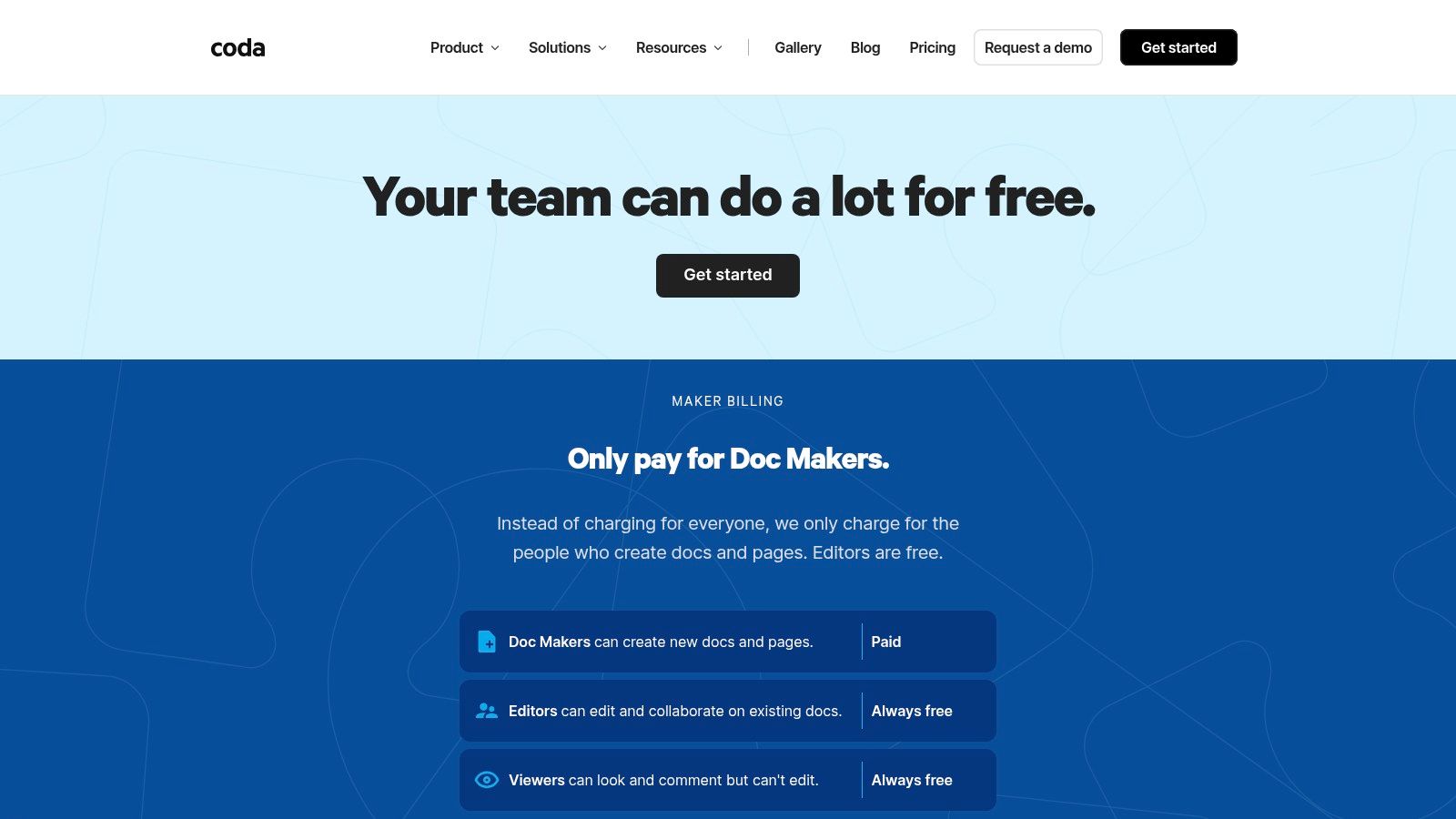
The platform’s power comes from its blend of familiar text editing with app-like components. You can embed interactive buttons, sophisticated formulas, and controls directly into the page. Coda's "Packs" marketplace allows you to pull live data from other tools like Jira or Slack directly into your tables, creating a single source of truth. Its unique "Maker" billing is also a key differentiator, where you primarily pay for the individuals building and managing docs, while others can view and edit for free or at a lower cost. Pricing begins with a solid free tier, and paid plans start at $10 per Maker/month.
Pros:
- App-like Docs: Creates interactive documents that can replace bespoke internal tools.
- Cost-Efficient Billing: The "Maker" model can be economical for teams with many viewers and fewer builders.
- High Customization: Buttons, formulas, and a marketplace of "Packs" allow for deep workflow integration.
Cons:
- Performance at Scale: Large, complex documents require thoughtful architecture to maintain speed.
- Learning Curve: Advanced features like formulas and Pack configurations can be complex for new users.
Website: https://coda.io/pricing
10. Miro
Miro is an online visual workspace that acts as a digital whiteboard for product strategy, discovery, workshops, and cross-functional planning. Think of it as the infinite canvas where your team's abstract ideas take concrete shape, from initial brainstorming sessions to detailed architecture diagrams. It excels in bringing disparate teams together for remote ideation and facilitation, replacing the physical sticky notes and whiteboards of pre-remote work. With features like Miro AI and optional Prototypes for early UI concepts, it's one of the most effective productivity tools for collaborative thinking.
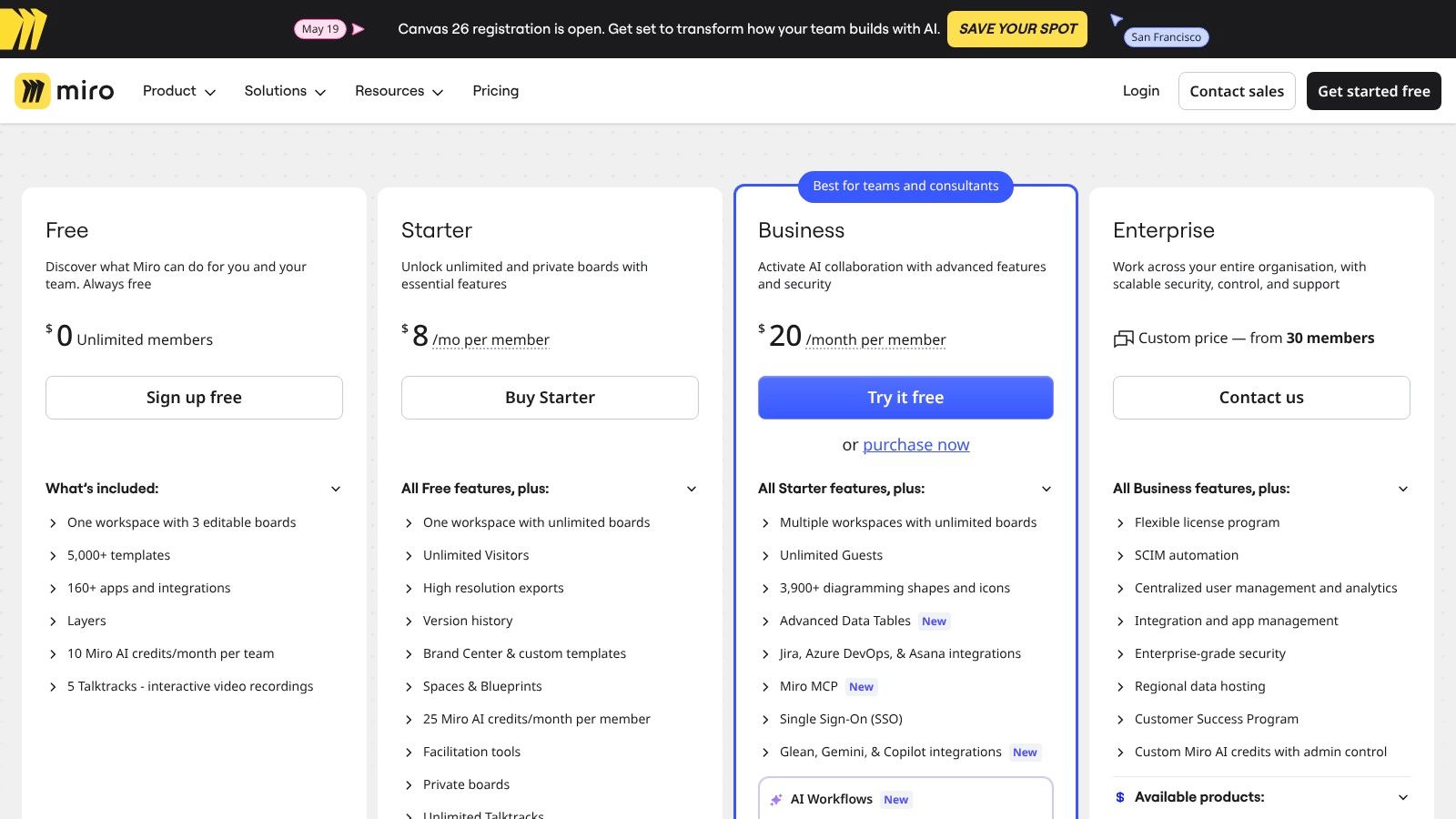
Its main advantage is its near-limitless flexibility, supported by a rich library of templates for everything from user story mapping to retrospectives. This makes it a central hub for the messy, nonlinear parts of product development. The platform's two-way synchronization with Jira and Azure DevOps also provides a crucial bridge between high-level strategy and day-to-day execution, a key challenge when connecting wireframe and prototype tools with product management platforms. A free plan is available for small teams, while paid plans with advanced features like SSO start at $8 per user/month.
Pros:
- Excellent for Facilitation: Unmatched for running remote workshops and ideation sessions.
- Strong Plugin and Template Ecosystem: A vast library accelerates nearly any collaborative task.
- Secure External Collaboration: Business and Enterprise tiers offer secure guest access for partners and clients.
Cons:
- Governance Needed: The freedom of an infinite canvas means large boards can become chaotic without clear organization.
- Per-Seat Pricing: Costs can escalate quickly when adding occasional collaborators who only need temporary access.
Website: https://miro.com/pricing/
11. Slack
Slack is the central nervous system for countless product teams, a channel-based communication platform that organizes conversations, files, and application workflows away from the black hole of email. It acts as the connective tissue, tying together disparate tools and people into focused discussions. Instead of scattered updates, teams create dedicated channels for projects, features, or disciplines, ensuring information flows to the right people at the right time. Its unique value comes from being the default hub where work happens, a real-time layer that sits on top of all other productivity tools.
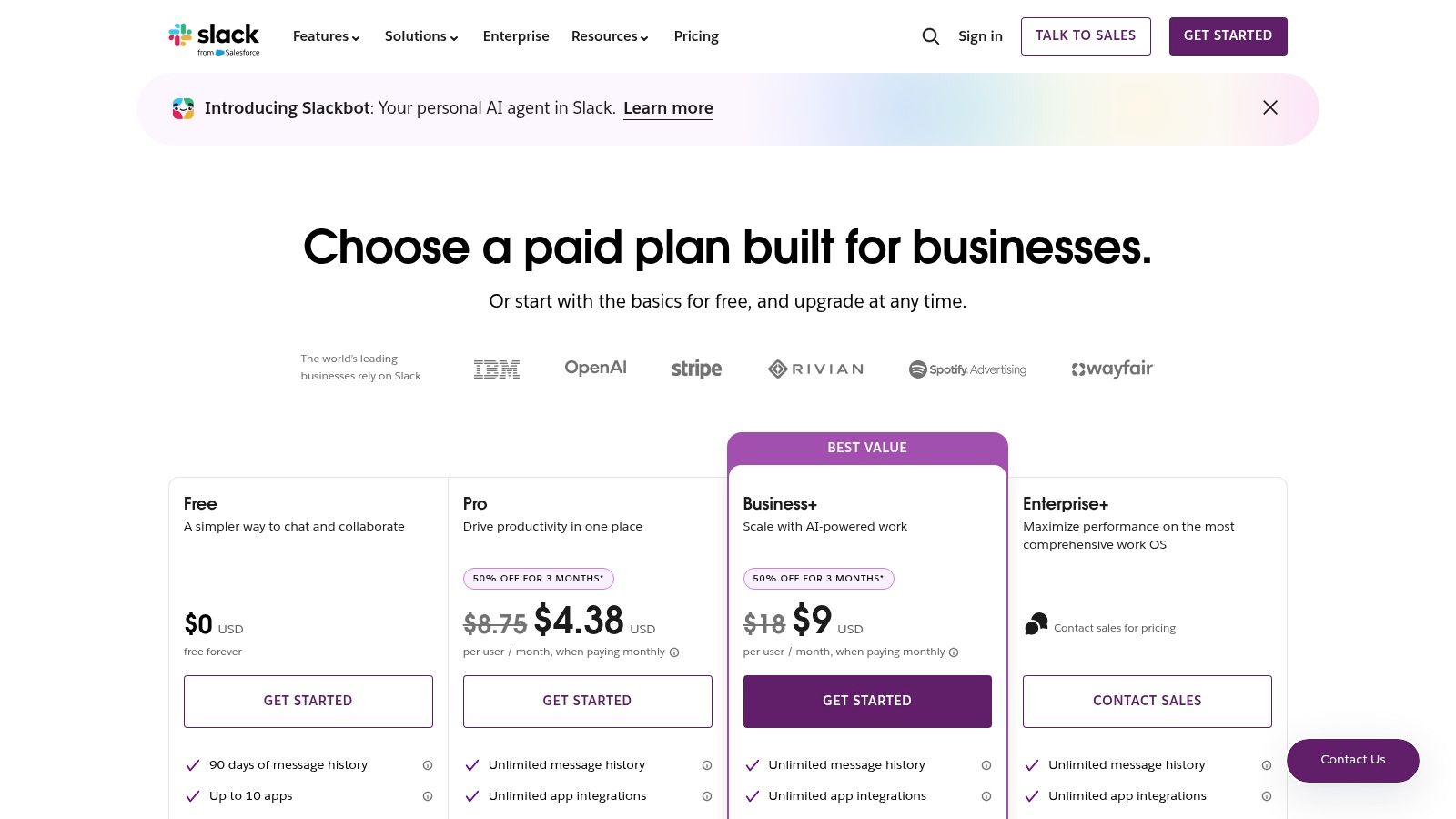
The platform’s strength is its ecosystem. With a vast app directory, you can pipe notifications from Jira, Figma, and GitHub directly into relevant channels, creating a single feed of project activity. Features like Huddles offer quick, spontaneous voice chats that replace needless meetings, while Clips allow for asynchronous video and screen sharing. The free plan is useful for small teams, but features like unlimited message history, AI-powered summaries, and enterprise security are in paid plans, which start at $7.25 per user/month. Slack is often a core piece of product management software that helps resolve team communication and alignment problems, making it an essential investment for collaborative teams.
Pros:
- Reduces Meetings: Asynchronous updates, clips, and huddles provide alternatives to scheduled calls.
- Deep Integrations: Connects nearly all PM, design, and development tools into a unified feed.
- Enterprise Administration: Offers strong admin controls, governance, and security for large organizations.
Cons:
- Tiered History: Message history and key governance features are limited or unavailable on lower tiers.
- Increasing Costs: Can become a significant expense when deployed across an entire organization.
Website: https://slack.com/pricing
12. Loom
How many times have you scheduled a 30-minute meeting to explain a 5-minute concept? Loom targets this exact productivity drain by making asynchronous video messaging dead simple. It replaces many meetings and long-winded emails with quick, shareable screen and camera recordings. Product teams use it to deliver design walkthroughs, document bug reports with visual context, and provide stakeholder updates without needing to align calendars across time zones. It's one of the best productivity tools for adding a human touch to async communication.
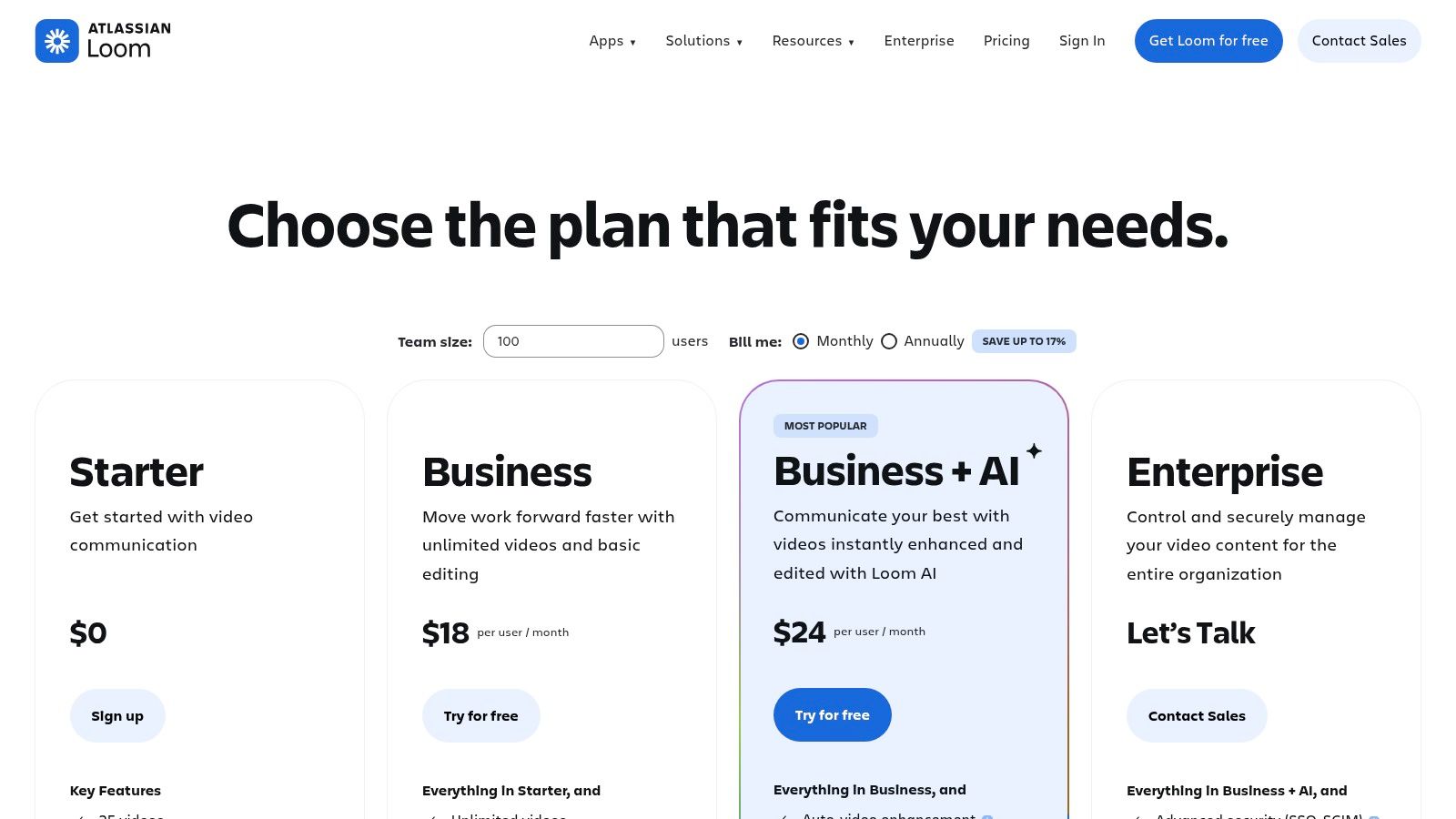
Loom stands out by focusing entirely on the speed and clarity of video. With automatic transcription, closed captions, and AI-powered summaries on paid plans, it turns a simple recording into a searchable asset. A PM can record a quick rationale for a feature change, and the engineering team can watch it on their own time, absorbing the context faster than a formal meeting would allow. The free plan is generous, but the Business plan ($12.50 per user/month) unlocks unlimited recording time and advanced features, making it a powerful addition for distributed teams looking to cut down on meeting fatigue.
Pros:
- Reduces Meeting Load: Perfect for async context sharing, design reviews, and bug reports, freeing up calendars.
- Speeds Up Reviews: Allows stakeholders to provide feedback on their own schedule.
- Searchable Content: Strong transcription and search capabilities make it easy to find information later.
Cons:
- Video-First Limitations: Not all updates or discussions are well-suited for a one-way video format.
- Content Sprawl: Without clear team norms, you can end up with a disorganized library of videos.
Website: https://www.loom.com/pricing
Top 12 Productivity Tools: Feature Comparison
| Product | Core capability | Unique selling point | Target users | UX / Integrations / Pricing & Security |
|---|---|---|---|---|
| Figr (Recommended) | AI design agent that captures live apps and auto‑generates PRDs, flows, prototypes | One‑click Chrome capture + Figma import/export; learns from 200k+ screens; data‑grounded recommendations | Product teams, PMs, UX researchers, QA, SaaS leaders | High‑fidelity, design‑system enforcement, analytics benchmarking; enterprise pricing (contact); SOC 2, SSO, zero data retention |
| Notion | All‑in‑one docs, wikis, databases | Flexible databases + built‑in AI for summaries and search | PMs, docs owners, small–mid teams | Fast authoring, Figma/Slack/GitHub integrations; tiered pricing, advanced admin on higher plans |
| Asana | Work & project management with timelines and portfolios | Portfolio/goal tracking and workflow automations | Product managers, program leads, ops | Timelines/dashboards, automations; tiered pricing, higher tiers for advanced features |
| Jira Software (Cloud) | Issue tracking and agile planning for dev teams | Deep workflow customization and developer ecosystem | Engineering teams, PMs needing robust backlogs | Boards/roadmaps, Marketplace apps; per‑seat pricing, free up to 10 users, enterprise controls & data residency |
| Linear | Fast, opinionated issue tracking and planning | Lightning speed UX, keyboard‑driven workflow, triage intelligence | Modern product + engineering teams, startups | Clean performance, GitHub/Slack integrations; tiered pricing, fewer enterprise add‑ons |
| ClickUp | Unified work hub: tasks, docs, goals, chat | Broad feature surface to replace multiple tools; evolving AI | Teams wanting a single app for work management | Rich views, automations, AI tiers; competitive entry pricing, AI add‑ons may cost extra |
| monday.com Work Management | Visual boards for planning, tracking, automations | Intuitive visual templates and dashboarding for non‑technical users | Ops, GTM, cross‑functional teams, business users | Boards, automations, resource views; tiered pricing, seat minimums, SSO on higher plans |
| Airtable | Spreadsheet‑database for internal apps and roadmaps | Relational bases + Interfaces for lightweight apps without engineering | PMs, analysts, ops building internal tools | Multiple views, Marketplace, automations; seat‑based pricing, record/automation limits |
| Coda | Docs‑as‑apps with Packs and automations | App‑like documents with maker billing model | Makers, PMs building playbooks and internal tools | Powerful tables/buttons/Packs; maker pricing, doc‑level permissions |
| Miro | Visual whiteboard for discovery, workshops and mapping | Best for facilitation, infinite boards and templates | UX teams, facilitators, cross‑functional workshops | Templates, Jira/Azure sync, guest sharing; per‑seat pricing, governance needed |
| Slack | Channel‑based communication and workflow hub | Centralizes conversations + vast app ecosystem and workflows | Organization‑wide teams, PM/design/dev | Channels, Canvas, app integrations; tiered/enterprise pricing, advanced security options |
| Loom | Async video messaging for walkthroughs and reviews | Fast screen + camera recordings with transcripts and captions | Design reviews, stakeholder updates, async demos | HD recordings, transcripts, integrations; tiered pricing, admin controls on Enterprise |
From Tools to Workflow: Your Next Move
We’ve just walked through a dozen powerful productivity tools, from the all-in-one workspaces of Notion and Coda to the focused precision of Linear and Jira. But the real takeaway isn't about picking one winner. A tool, in isolation, is just a piece of software. It’s a solution waiting for a problem. The true challenge, and the greatest opportunity, is to look beyond the individual application and see the entire system. We need to stop thinking about a toolbox and start designing an assembly line.
This is what I mean: the goal is not to accumulate the most impressive collection of productivity tools. The goal is to build a seamless, low-friction workflow that moves an idea from concept to customer with speed and clarity. Each tool you choose should be a deliberate link in that chain, not just another subscription on the company credit card. For product managers seeking a curated list of essential software for their mobile-specific needs, you might find additional value in this guide on the 12 Best Tools for Mobile Product Managers. It offers another perspective on building an effective stack.
The Real Cost of Disconnected Tools
Let's do a quick zoom-out moment. The hidden tax on most product teams isn't the monthly cost of their software. It's the cognitive overhead of context switching. It's the time spent manually copying-pasting updates from a roadmap in Airtable to a sprint board in Jira. It's the version control nightmare when designs in Miro become disconnected from the user stories in Asana.
These small moments of friction seem minor, but they compound. They introduce errors, slow down decisions, and drain your team's most valuable resource: focused attention. This is why the market is pushing towards consolidation and deep, native integrations. The economic incentive for software companies is to become the central nervous system for your team, not just a peripheral limb.
In short, the value is no longer in the individual tool but in the connected workflow that accelerates decisions. Research from Gartner supports this shift, noting that organizations are moving away from best-of-breed point solutions toward platforms that offer integrated experiences. Their findings suggest that the future of work depends on creating a "composable enterprise" where applications can be easily connected and rearranged to meet specific business needs. The productivity tools we've discussed are the building blocks for that future.
Your Actionable Next Step: Map the Friction
Reading a list of tools is easy. Implementing them effectively is hard. So, where do you begin? Not with a demo, but with a diagnosis.
Your grounded takeaway is this: before you trial a single new piece of software, map your team’s current process. Get a whiteboard, physical or digital, and diagram the entire journey of a feature, from initial insight to post-launch analysis.
- Trace the Path: Start with the "Aha." Where does the idea originate? Follow it through research, specification, design, development, QA, and release.
- Identify the Handoffs: Mark every point where work moves from one person or team to another. Pay special attention to handoffs between different functions, like from the PM to the designer, or from the developer to the QA analyst.
- Pinpoint the Friction: Now, ask the painful questions. Where do things slow down? Where does information get lost? Is it the spec handoff? The design feedback loop? The process of logging and tracking bugs?
Circle the single biggest point of friction in your current workflow. That is your target. Now, review the list of productivity tools in this article through that specific lens. Are you struggling with chaotic feedback? Perhaps a tool like Figr is the answer. Is your roadmap disconnected from daily execution? Look at how Coda or Airtable might bridge that gap.
Choose one tool that directly addresses your most significant bottleneck. Sign up for a trial and run a small, contained experiment with your team to solve that one problem. This focused approach prevents tool fatigue and ensures you're adopting technology to solve a real, identified pain point, not just for the sake of having something new. This is how you move from a list of tools to a truly productive workflow.
Tired of the friction between design, specs, and engineering handoffs? Figr is built to solve that exact problem. It combines visual specs, user flows, and code into a single source of truth, creating a seamless workflow from concept to code. See how you can eliminate ambiguity and accelerate your team by trying Figr today.
