
It’s 4:47 PM on a Thursday. Your VP just asked for a visual to anchor tomorrow's board discussion on the new feature. You have a PRD, bullet points, and 16 hours. You don't have a designer available. The silent panic begins. What you need isn't a diagramming tool; you need a way to prove the logic is sound.
This moment reveals a fundamental truth: a simple yes/no decision in a flowchart isn't a mere diagramming convention. It's the cheapest insurance policy you can buy against ambiguity in product design. Forcing a binary choice means every path gets accounted for before a single line of code is written.
The High Cost of an Unanswered Question
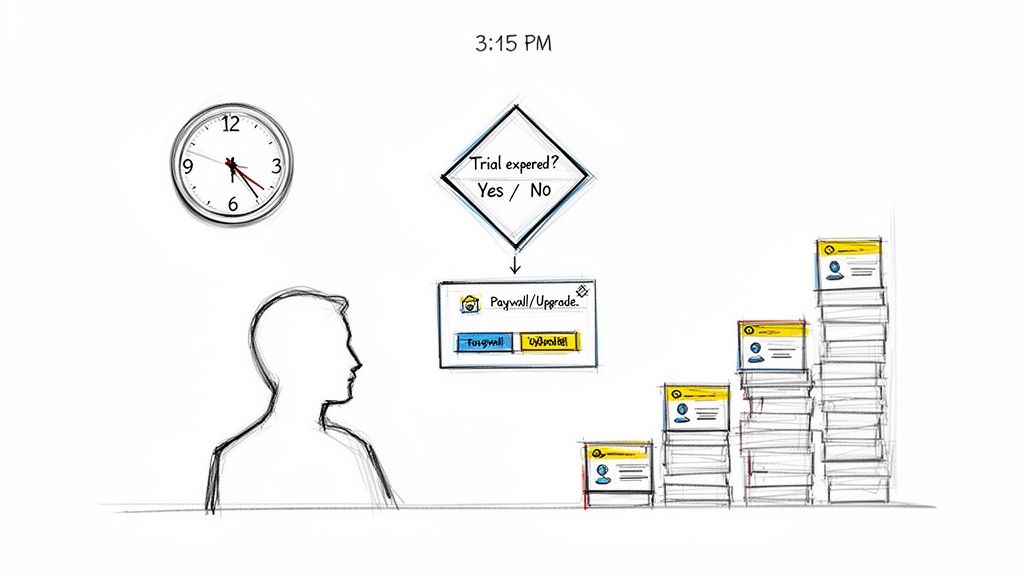
It’s 3:15 PM on a Tuesday. The feature shipped last week. Now, support tickets are piling up.
The problem? A simple user state was missed. A user is logged in, but their trial has expired. Should they see a hard paywall or just a small prompt to upgrade? The spec was silent. This scenario plays out constantly, and it shows how one missed yes/no decision during design creates expensive chaos after launch.
This is why I’m a fanatic about a risk management strategy I call decision mapping. It’s not about drawing neat diagrams. It's about proactively forcing these uncomfortable questions to the surface early.
It’s the polar opposite of the reactive scramble most teams find themselves in when a user flow turns out to be vague. The problem often starts way before you open a design tool, which is why it’s critical to first understand how to write a problem statement that frames the actual challenge.
The Economics of Clarity
The financial upside of this kind of clarity is real. In A/B testing scenarios I've seen, teams that map out every binary choice see 25% fewer revisions. Why? Because they've already answered questions like, "Does the user have an account? Yes → show the dashboard. No → send to the signup funnel."
A single "no" path that leads to a dead end in a diagram is a future support ticket, a frustrated user, and another item on the engineering debt report.
Most teams are incentivized to move fast, which often means sacrificing rigor. We prioritize the happy path because shipping feels like progress. But the real cost isn't paid during the initial design sprint; it’s paid with interest later on. Every vague flow is a tax on future development, a tax paid by engineers, support agents, and ultimately, your users. Decision mapping flips that script. You front-load the hard questions to buy yourself certainty down the road.
Flowcharts aren't just pretty pictures. They're a blueprint for user behavior. And the most critical piece of that blueprint? The humble flowchart yes no decision point. Think of these nodes as the DNA of your product experience. Each binary question is a gene that dictates a specific action and outcome, and it's from these choices that a resilient, clear product is born.
This goes way beyond just dropping a diamond shape onto a canvas. Crafting a powerful yes/no node is an exercise in precision.
The Art of the Binary Question
Vague instructions like "Check user status" are a recipe for ambiguity. What does that even mean? A strong decision node asks a sharp, closed question: "Is the user's subscription active?" This immediately forces two distinct, mutually exclusive paths. There's no room for a 'maybe' that cripples logic and creates a mess for engineers down the line.
A well-crafted question surfaces assumptions that would otherwise stay buried until a frantic, late-night QA cycle.
I once watched a product manager map out every conceivable failure state for a simple file upload feature. It was a masterclass in defensive design. Each 'no' path she defined, from "File size exceeds limit?" to "Duplicate filename exists?", represented a frustrated user she was saving. You can see this same ruthless logic in the detailed Dropbox File Upload Pathfinder canvas, which reveals a complex but crystal-clear series of binary decisions that tame chaos.
The basic gist is this: for every action a user can take, there's an equal and opposite failure state. Your job is to find it and map it. For a deeper dive into structuring these logical pathways, our guide on how to create a decision tree is a solid place to start.
This rigorous approach to defining boundaries isn’t just an academic exercise; it has a real impact on the bottom line. According to research from the American Society for Quality, organizations that use clear flowchart logic can see up to 40% improvements in process efficiency. In enterprise software, that same clarity correlates with a 35% reduction in the time it takes to find a problem's root cause, simply because binary nodes make it so much easier to isolate bottlenecks.
Avoiding the 'Maybe' Trap
The most common mistake I see is allowing for a third, undefined path. A decision node that isn't truly binary is just a bug waiting to happen. The discipline of the yes/no model is its greatest strength. It forces you to make a call.
If a question can be answered with "maybe," the question itself is wrong. You need to reframe it. Break it down into smaller, sequential binary choices until every single possible outcome is explicitly handled. This is the hard work that separates a thoughtful, robust product from a fragile one.
Mapping the Hidden Factory of Edge Cases
The happy path is a comforting lie. It’s the single, perfect route everyone designs for, but it’s almost never the one users actually take. Real product usage is a messy, unpredictable journey through a labyrinth of edge cases, errors, and unexpected choices. This is where a simple yes/no flowchart becomes your most powerful tool for uncovering what I call the ‘hidden factory’.
The hidden factory is all the invisible work, complexity, and cost your team incurs from unhandled states in your product. Every time a developer has to ask, "But what happens if...", a new production line in that factory just fired up.
The True Cost of a Simple Action
Last week, I was advising a product team on a seemingly simple task assignment feature. The core flow was obvious: a binary choice to either Approve or Reject. Simple enough, right?
But then the questions started. What happens if the designated approver is on vacation? What if the task gets reassigned, but the new person lacks the correct permissions to even see it?
Each of these questions is a ‘no’ path that needs a destination. A fantastic visualization of this is the component states map for a simple Assign a Task Component. It shows how two buttons can explode into over a dozen distinct states. That complexity was always there, lurking right under the surface. The flowchart just forced us to see it.
The decision tree below visualizes how each binary choice builds on the last, forming the very DNA of a product's logic.
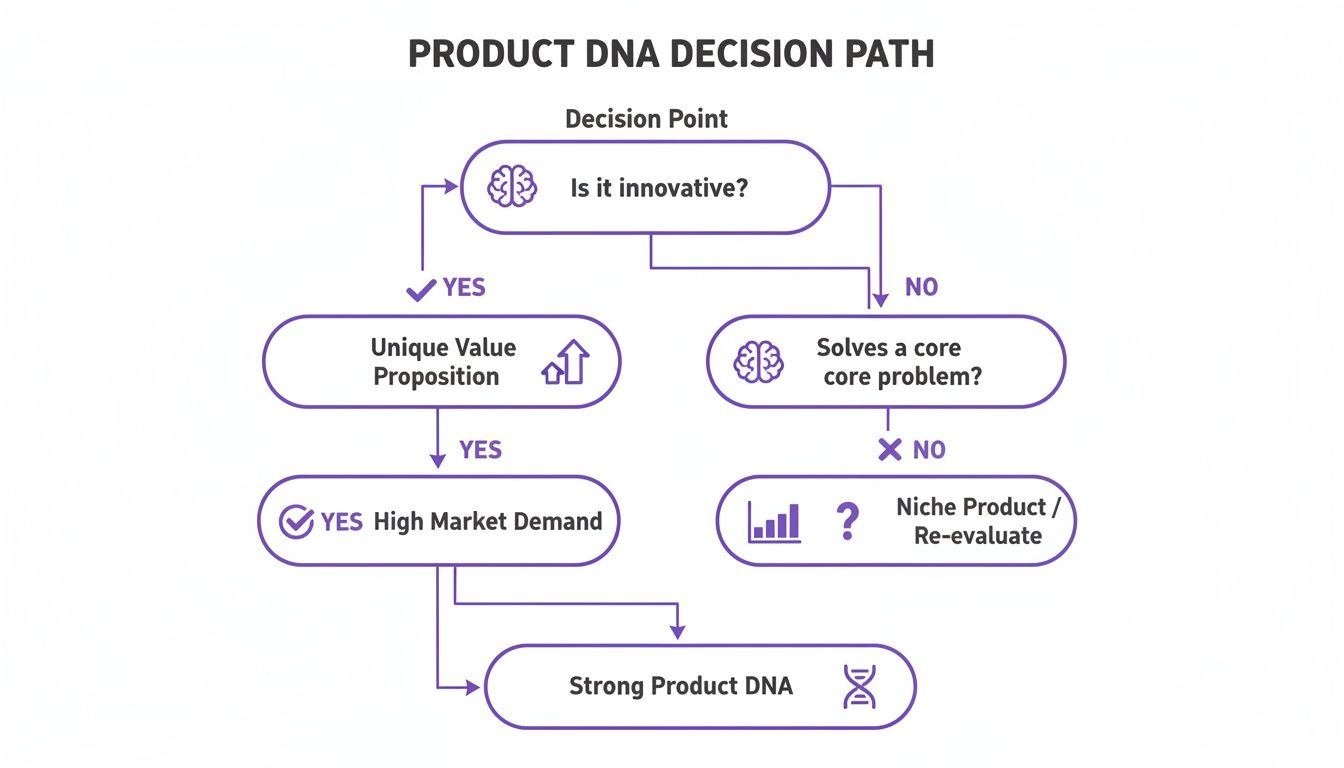
This map shows that product integrity isn't about one big decision. It’s a cascade of small, interconnected yes/no checks.
This is where the tactical connects to the economic. Unmapped edge cases are the primary source of scope creep and expensive rework. Research shows that fixing an error after launch can cost 50 to 100 times more than addressing it during design. You can see a breakdown of these hidden costs by exploring the 10 edge cases every PM misses and why they’re so expensive to ignore.
Your product isn’t defined by the features you build. It’s defined by the corner cases you choose to handle.
Each ‘no’ branch you intentionally map is a direct investment in stability. It’s a deliberate choice to shut down one part of that hidden factory, saving your team from unexpected, costly firefighting down the line. Suddenly, flowcharting isn't just a documentation exercise: it's a core financial strategy.
From Manual Diagrams to AI-Powered Flows
For years, making a flowchart was a manual ritual. You’d fire up Visio or Miro, drag out some boxes, and connect them with painstaking precision. The static diagram you ended up with often felt like a map of a city drawn from a rumor: you just had to hope it matched the code that would eventually get written.
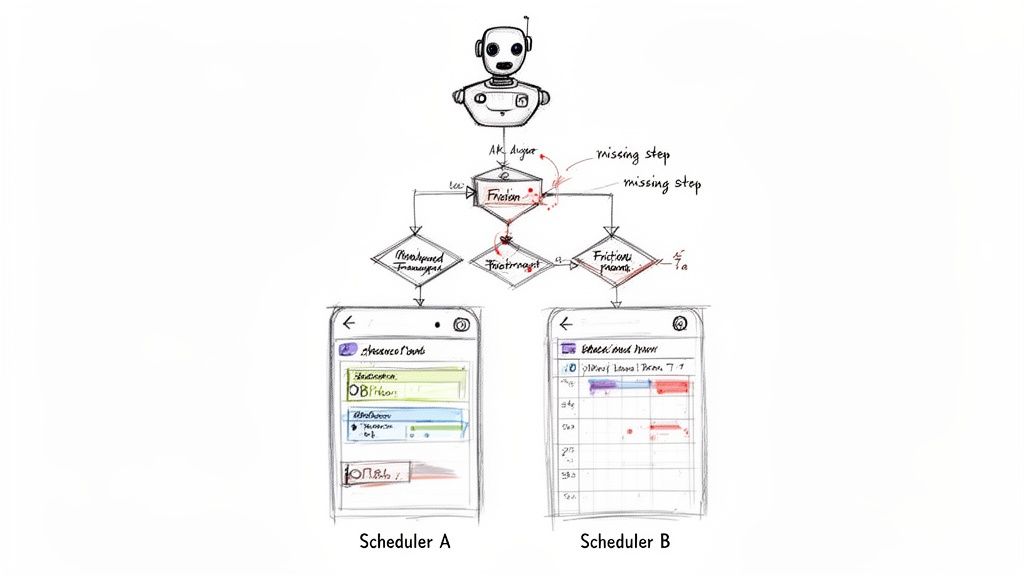
That whole workflow is now being turned on its head. We’re finally shifting from static diagrams to intelligent, context-aware flows. The modern process uses an AI agent to generate user flows automatically, right from a live product. Instead of guessing at the path, you capture reality.
The Shift From Drawing to Analyzing
I saw this firsthand a while back, watching a product manager compare the setup flows for Cal.com and Calendly. She just recorded her screen as she went through both products, and that was it. She didn't just get a diagram. She got a side-by-side analysis with friction points automatically flagged, all laid out in a single project canvas.
That’s the core of it: AI doesn't just draw the chart anymore; it provides the analysis.
This approach completely changes the game for competitive analysis, heuristic evaluations, and redesign proposals. Work that used to eat up days of manual screenshotting and diagramming now takes minutes. It frees up product teams to do what they're supposed to do: focus on strategy, not documentation.
This evolution is a huge deal for how we design and build software, touching the very core of strategic system design. To really dig into this transformation, it's worth exploring the evolving future of software engineering.
Why Specialized AI Matters for Flowcharts
General-purpose AI models are impressive, but they often get tripped up by the specific logic of product flows. A 2021 EMNLP paper studying model capabilities found that while large models show strong general reasoning, they often falter on the procedural logic required for flowcharts. You can read more about these findings on model capabilities.
This highlights a critical gap: understanding the structure of a diagram is different from understanding the user's intent behind it.
Specialized agents, on the other hand, are trained on product-specific context. They don’t just see a diamond shape; they understand it’s a decision point in a much larger user journey. That distinction is everything when you're trying to create accurate, high-fidelity artifacts. Our guide on AI for product design gets into how this specialized intelligence is reshaping the entire workflow.
In short, the conversation isn’t about whether to use AI anymore. It’s about using specialized AI that actually speaks the language of product development. The goal is to get beyond simple automation and toward genuine design intelligence: the kind that spots problems, surfaces insights, and helps teams build with real confidence.
From Theory to Action
You’ve seen the cost of ambiguity. You get the power of clarity. But let's be honest, theory without practice is just a good story.
Making it real is what counts.
This isn’t some vague mandate to "start making more flowcharts." The real action is much more focused. It's surgical. Here’s your next step: pick one, just one, critical user flow in your product that feels murky or half-baked.
Target Your First Flow
Don't try to boil the ocean. Pick the one flow that’s drowning your support team in tickets. Or the one that every engineer on the team is terrified to touch. Map that one path.
Grab a tool and capture the flow straight from your app. Then, for every single step, ask the simple, powerful question that drives this whole discipline: “What happens if the answer is no?” This question forces you to stare into the negative space of your product logic, the places where things break. To get from a high-level idea to something tangible, you first have to grasp what a Minimum Viable Product (MVP) is and build it from a place of clarity.
This focused approach keeps the task from feeling overwhelming. You’re not redesigning the whole system. You’re just fortifying one small, critical piece of it.
This simple exercise will do more to improve your product's stability than a dozen feature-planning meetings. It transforms you from a problem-haver into a solution-driver in your very next sprint planning meeting.
Take this one concrete step. It's how you turn ambiguity into action.
Frequently Asked Questions
Once teams get serious about using a flowchart yes no model, a few questions always come up. Let’s get into the ones I hear most often.
What Is the Best Way to Handle a Process with More Than Two Outcomes?
This is a classic. You have a process with multiple results, like 'Approved', 'Rejected', or 'Needs More Info'. The temptation is to create one big decision node with three or four branches coming off it. Don't do it. That clutters the diagram and breaks the clean logic that makes flowcharts so powerful in the first place.
Instead, think in series. Use nested yes/no diamonds to break down the complex choice. Your first diamond might ask, "Is the request complete?". A "No" immediately routes to the 'Needs More Info' state. A "Yes" flows into a second diamond: "Does it meet all criteria?". This keeps the flow clean, sequential, and dead simple to follow.
How Do I Keep My Flowcharts from Becoming Too Complex?
It happens. As you add detail, your once-elegant flow can balloon into an unreadable monster. The key here is modularization. You absolutely should not try to map an entire user journey in one gigantic diagram.
Break down the big process into smaller, self-contained sub-flows. A single 'New User Onboarding' flowchart is a recipe for chaos. Instead, create separate charts for 'Account Creation', 'Profile Setup', and 'First Project Creation'. You can then use a dedicated symbol (usually a rectangle with double-lined sides) to represent a "Sub-process" that links out to one of these other charts. This keeps each diagram focused while still showing how the whole system fits together.
How Can I Use a Flowchart to Effectively Communicate with Engineers?
Engineers thrive on logic and the elimination of ambiguity. That’s precisely what a good flowchart delivers. To make it truly useful for them, you have to make sure every single "No" path has a clearly defined outcome. Undefined negative paths are where bugs and scope creep are born.
A friend at a Series C company told me their biggest breakthrough happened when PMs started generating test cases directly from their flow diagrams. It instantly created a shared language between product and QA.
This is what I mean. You can turn a design artifact into a QA plan. For example, mapping the logic for something like the Wise Card Freeze test case generation gives engineers a visual map and the exact scenarios they need to build and test for. You can even see how this plays out by exploring the resulting edge case simulation. It closes the loop between design, development, and quality.
Ready to move from ambiguity to action? With Figr, you can automatically generate user flows, uncover hidden edge cases, and create high-fidelity prototypes that reflect your real product. Stop guessing and start designing with confidence.
