
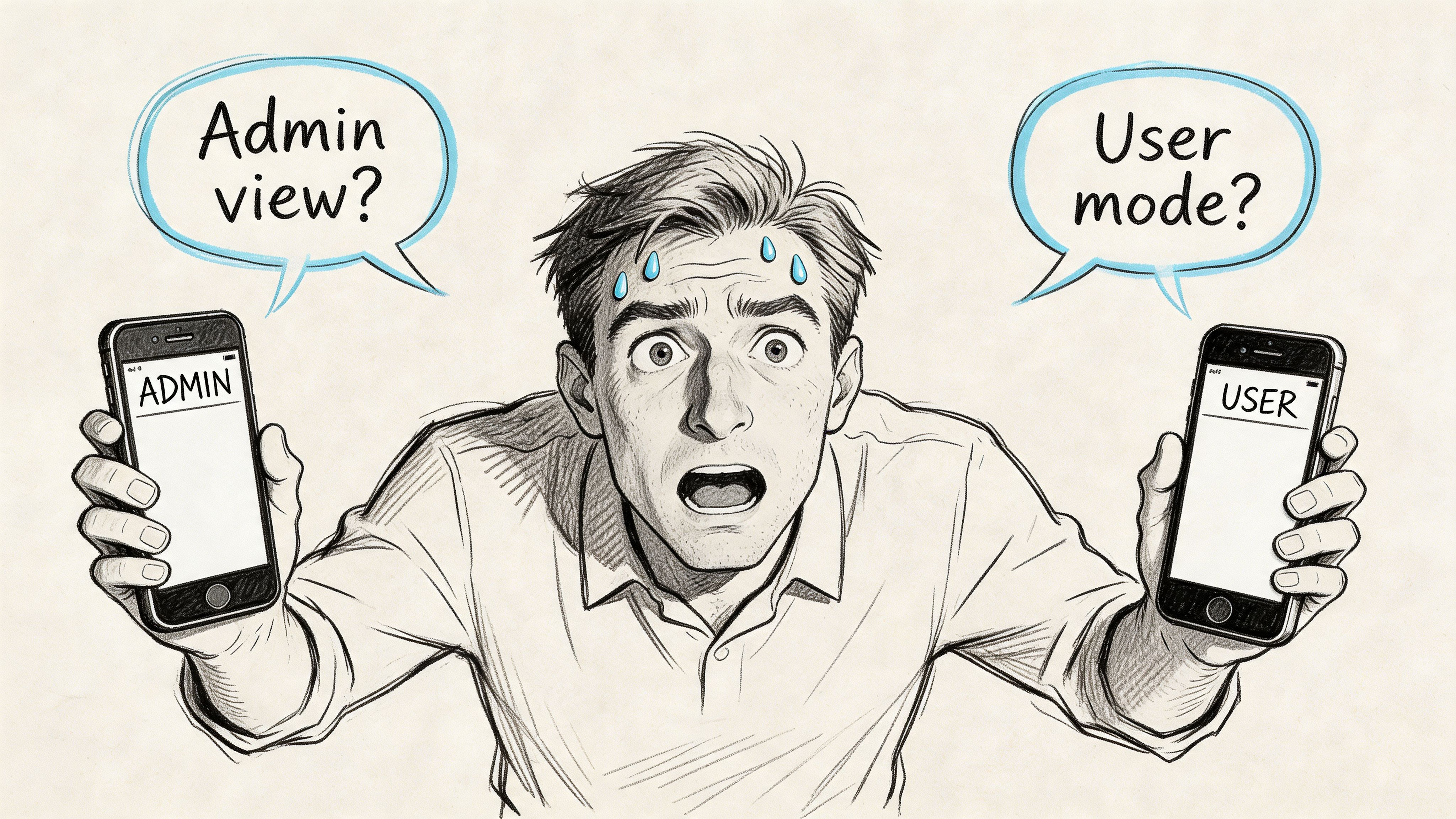
Monday morning, ten minutes before a stakeholder demo, someone on your team is holding one iPhone and trying to be two users at once. They need the admin view and the standard-user view. They need one account with permissions and another without. They need to trigger a workflow from one side and verify the result on the other.
And iOS, predictably, says no.
That’s usually when the search starts: app cloner for iphone. Not because anyone woke up wanting a hacker workaround, but because the product workflow broke down at the exact moment pressure went up. A request for cloning is rarely about cloning itself. It’s a signal that your team needs cleaner multi-account testing, cleaner role switching, or a cleaner way to represent how real customers use your product.
I watched a PM at a growth-stage SaaS company hit this exact wall. They weren’t trying to do anything exotic. They just wanted to test a collaboration flow between two user roles on one company-managed device. By the time they had logged out, logged in, re-entered codes, and retraced the flow, the meeting had already drifted into opinions instead of evidence.
That’s the actual problem.
The Search for an App Cloner Begins
The most honest reason people look for an app cloner for iphone is simple: they’re trying to compress reality into one device. Product teams need to simulate more than one identity at once. Users need separate work and personal accounts. QA needs to verify notifications, permissions, and role-based states without turning every test into a login marathon.
By now, there’s a visible market responding to that need. The iPhone app cloning ecosystem emerged as a response to Apple’s native limits on multi-account functionality, and by 2026 it includes at least 13 recognized clone apps for iPhone, with tools like Parallel Space, App Cloner: Dual Space, and Super Clone becoming mainstream enough to support apps such as WhatsApp, Facebook, Instagram, and Messenger, according to CloudEmulator’s review of iPhone clone apps.
The request behind the request
When a PM asks for cloning, what they often mean is one of these:
- Role simulation on one device: admin and member, buyer and seller, host and guest.
- Account separation: work identity and personal identity without repeated logouts.
- Test speed: moving through edge cases without resetting the whole session each time.
- Demo reliability: showing a complete interaction loop in one meeting.
This is what I mean: cloning demand is often a product operations problem wearing a consumer-tech costume.
A lot of these apps are free to download and add paid features later, which makes them easy to try and easy to normalize. That matters because once the workaround becomes easy, teams stop asking the deeper question. Should we really be solving this at the device level, or is our product architecture forcing people into a workaround they shouldn’t need?
Why the search keeps happening
There’s a second layer here. Apple’s design assumptions still map poorly to some very common workflows. If you’re managing social accounts, gaming profiles, customer support identities, or two company personas in one product environment, iOS feels opinionated in a way that doesn’t match the messiness of real work.
Search volume around cloning isn’t just curiosity. It’s operational friction made visible.
That’s why this topic matters for product leaders. If your team keeps improvising around multi-account behavior, you don’t have a one-off testing annoyance. You have a recurring systems issue.
Why iPhones Natively Resist Cloning
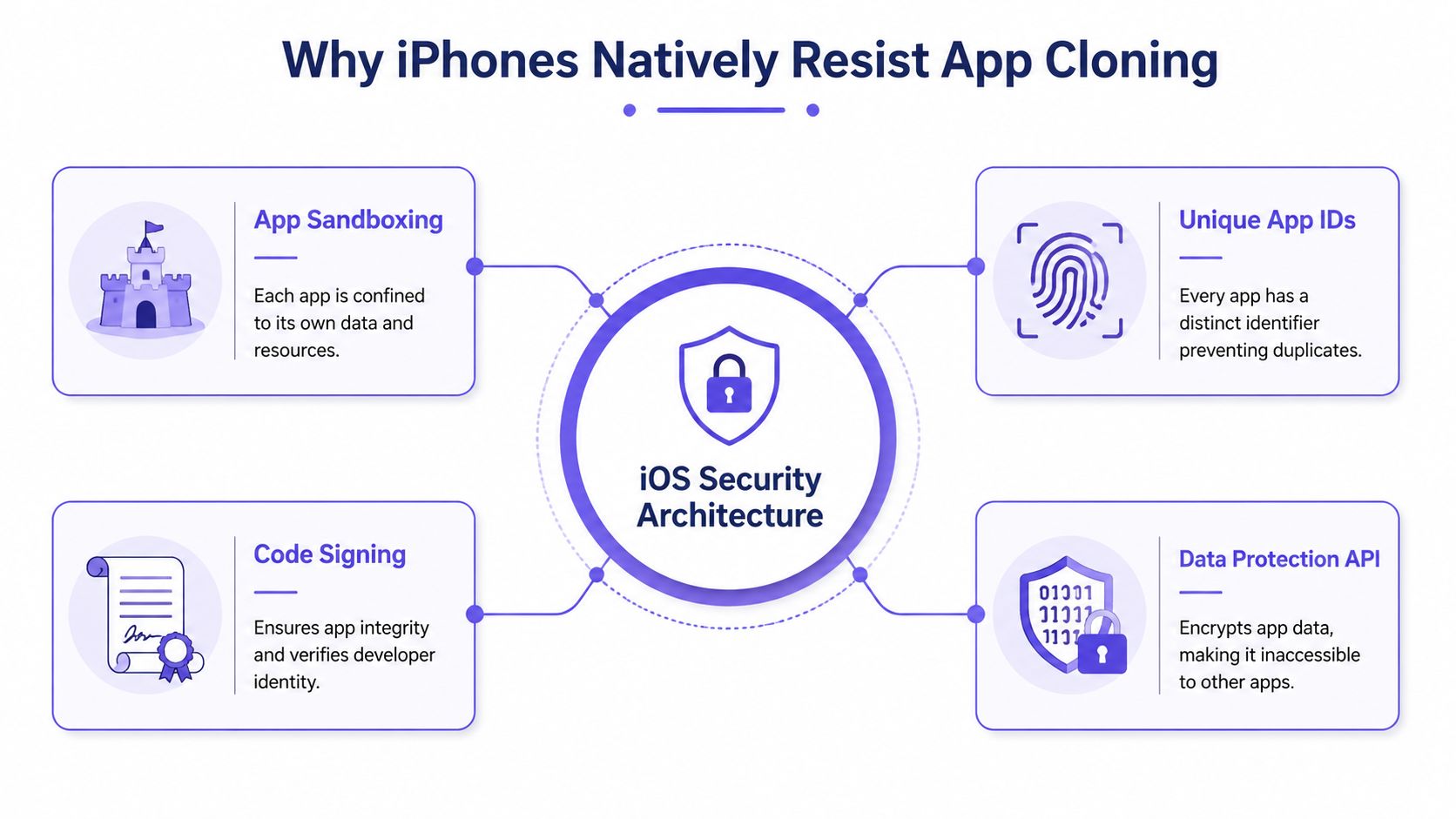
An iPhone app doesn’t live in a shared apartment building. It lives on a private island.
Each app gets its own container, its own identity, and its own guarded relationship with system resources. Apple designed iOS that way on purpose. It’s part security model, part platform philosophy. If you understand that, the whole app cloner for iphone story gets clearer fast.
The island model of iOS
The hard constraint is sandboxing. iOS runs each app in a dedicated container with a unique bundle identifier, which blocks true native duplication in the way many Android users expect. Third-party cloners get around this by using lightweight wrappers inside their own sandbox and launching parallel sessions through URL schemes and private API hooks, as described in the Parallel Space App Store listing.
That same source notes the trade-offs: each clone requires about 500 MB of storage, and simultaneous use can increase battery drain by about 15 to 20 percent because duplicated processes stay active. It also notes that iOS 17 and later can throttle clone CPU usage by 30 percent compared with originals.
Those numbers matter because they explain why cloned experiences often feel a little off. They’re not magical duplicates. They’re translated copies running through extra layers.
Why home screen duplication isn’t real duplication
One common misconception is that if an icon appears twice, the app has been cloned. It hasn’t.
Some methods only create another shortcut to the same binary. The app may look duplicated on the home screen, but both icons still point back to the same underlying app state. For product teams, that’s a trap. You think you’re testing isolated behavior when you’re really testing shared state with a cosmetic disguise.
Here’s the practical checklist I use when evaluating whether a workaround is real or superficial:
- Check data isolation first: if both instances share session state, notifications, or preferences, it isn’t a real parallel environment.
- Check resource cost next: if setup feels heavy, that’s because wrappers and duplicated caches add overhead.
- Check policy exposure: if the method depends on private hooks or sideloading tactics, expect fragility.
- Check your intent: if this is for recurring QA, a brittle workaround becomes operational debt.
The product lesson hidden inside the constraint
Apple’s architecture isn’t a bug. It’s a policy choice expressed through technology. The platform rewards single-instance, tightly controlled app identity. That’s fine for many consumer apps. It’s much less helpful when your product depends on role switching, account isolation, or cross-user interaction.
That’s why good teams stop treating cloning as the primary goal. The better question is, what workflow are we trying to support that iOS won’t support by default?
For teams sharing prototypes or internal builds while exploring these workflows, the adjacent concern is often security around artifacts and handoff, not just app state. That’s why it’s worth tightening your approach to IP protection for product teams before workaround culture spreads too far.
Practical rule: if a workaround fights the operating system’s core trust model, treat it as temporary by definition.
The Unsanctioned Path of Third-Party Duplicators
There’s always a moment when a team says, “Let’s just use one of the cloner apps and move on.”
That sentence sounds efficient right up until someone asks where the credentials go, how notifications are handled, or whether your compliance lead knows this is happening.
Convenience hides the real exposure
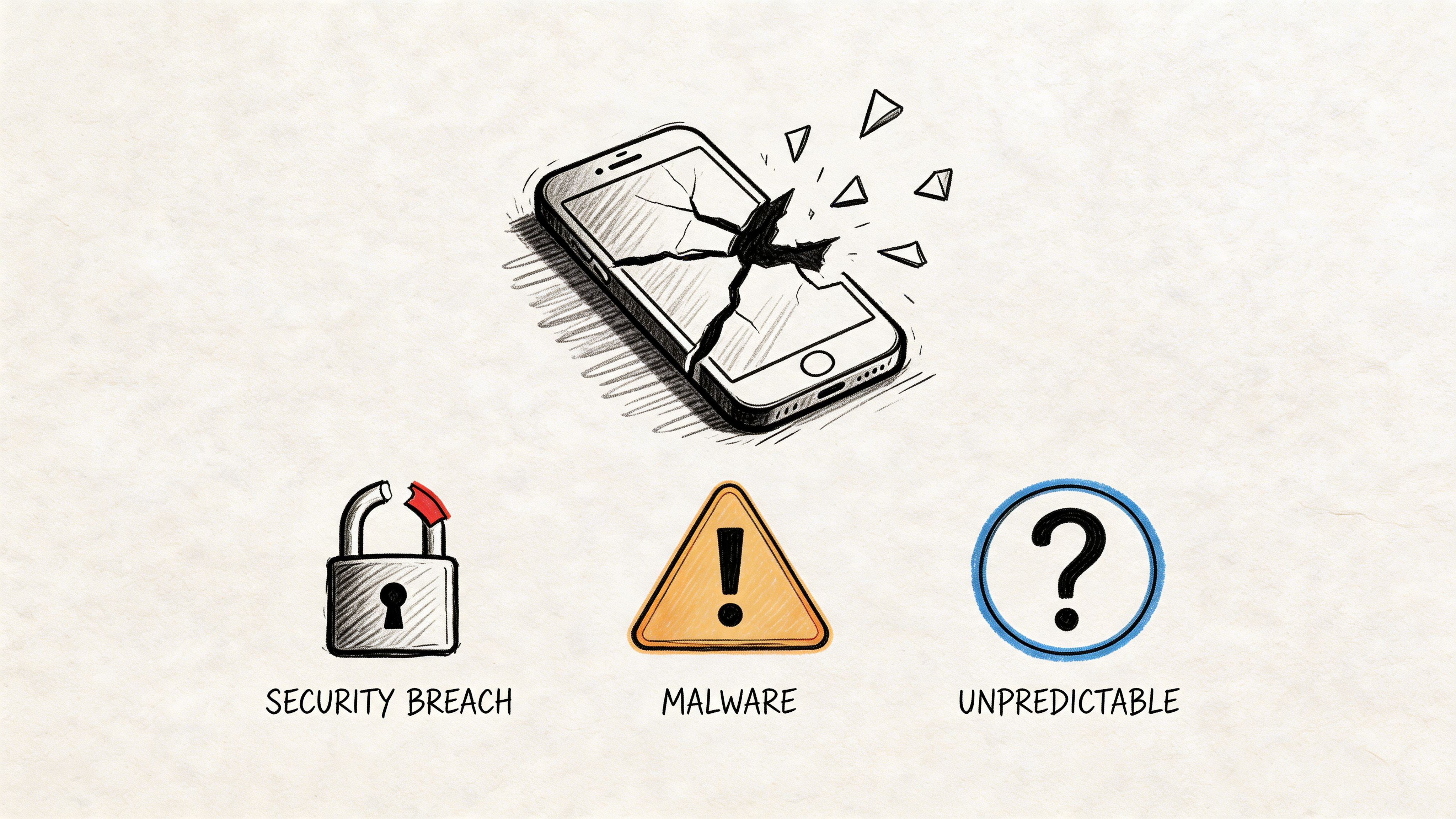
The biggest problem with the unsanctioned app cloner for iphone path isn’t that it’s clunky. It’s that teams often don’t know what trust boundary they just crossed.
Security guidance around these tools is thin. The risks are broader than most tutorials admit: cloned apps may access shared keychain elements, notifications can leak across accounts, and unverified App Store cloners may collect login data. Some tools rely on web versions of apps, which can bypass native encryption expectations and create exposure around remote interception, according to this analysis of iPhone app cloner security risks.
That’s a very different category of risk from “this setup is annoying.”
A plausible team failure mode
A realistic scenario looks like this. A QA lead installs a duplicator to test dual-account behavior in a messaging flow. The clone works well enough for the afternoon. Screens render. Messages sync. The demo gets done.
A week later, the security team discovers the cloned environment handled authentication through a wrapper that no one vetted. Nobody can clearly explain how credentials were stored, whether session artifacts persisted, or what retention policy applied to the intermediary tool.
That’s not paranoia. That’s a governance blind spot.
The three risky routes teams drift into
Most unsafe cloning attempts fall into one of these buckets:
- Consumer-grade App Store cloners: easy to install, hard to audit.
- Sideloaded modified builds: powerful for internal experiments, risky when they spread beyond controlled devices.
- Jailbreak-based methods: high control, high exposure, and rarely defensible in enterprise environments.
Each path looks different on the surface, but they share a pattern. They solve a narrow operational problem by introducing a wider trust problem.
If you can’t explain where session data lives, you don’t have a testing solution. You have an unexamined liability.
Why product leaders should care
This isn’t only a security team concern. Product leaders own workflow design, internal tooling norms, and the hidden costs of bad shortcuts. If your PMs or QA team are reaching for consumer cloners, they’re usually trying to close a gap your official process didn’t close.
That’s why the right response isn’t just “don’t do that.” It’s to ask what role-switching, account-isolation, or cross-user testing problem remains unsolved.
And this is where disciplined edge-case work matters. Multi-account behavior is exactly the sort of thing that slips through until late, then becomes expensive and politically annoying. Teams that are serious about preventing PM edge case errors usually catch this category earlier, before someone installs a shortcut that legal and security never approved.
The Enterprise Playbook for Legitimate App Duplication
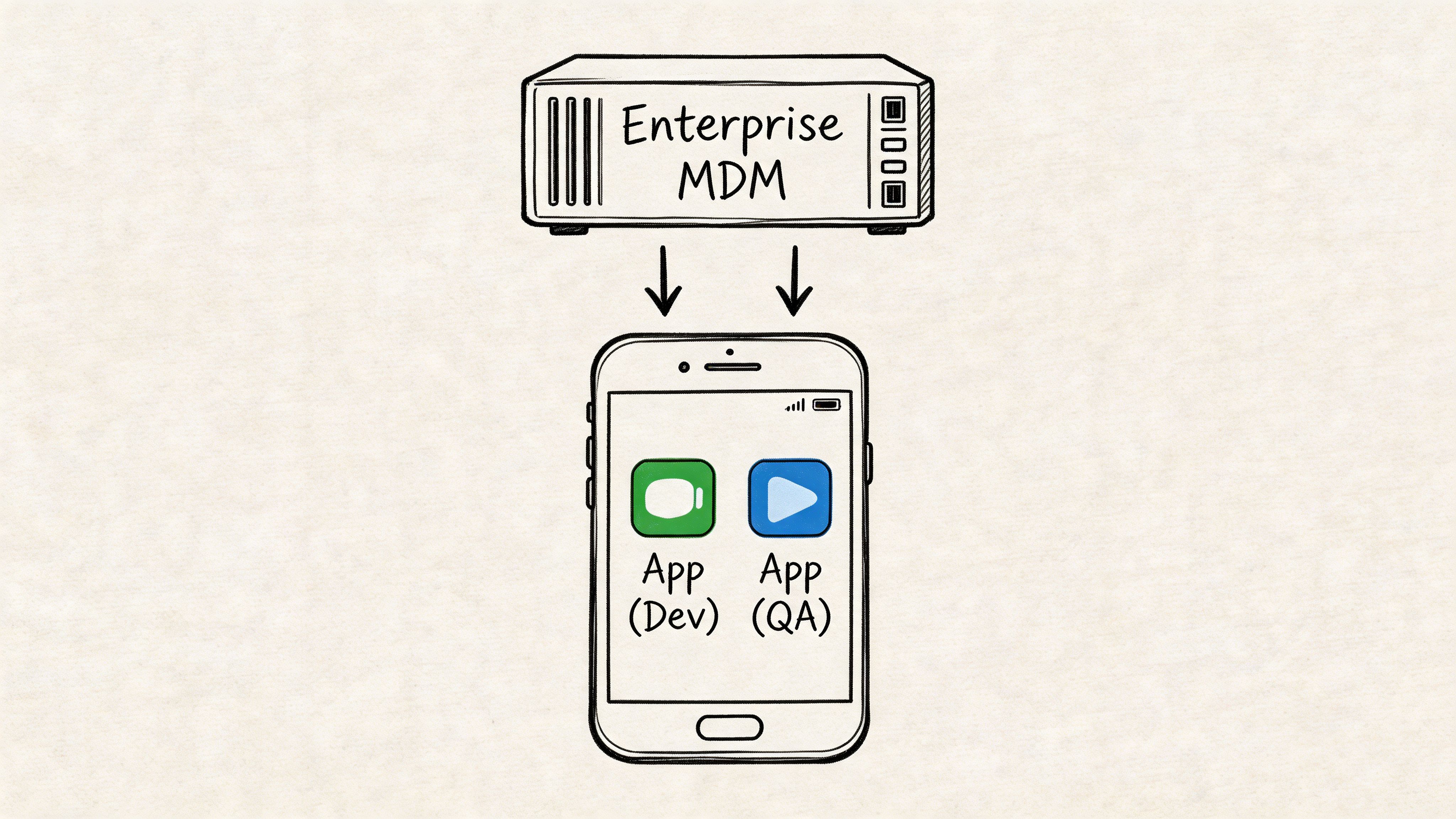
The clean answer usually isn’t “find a better cloner.” It’s “use enterprise-grade controls to create sanctioned parallel workflows.”
That shift matters because your goal is not to outsmart iOS. Your goal is to support multiple identities, environments, or configurations without sacrificing governance. Those are different goals, and they produce very different tooling choices.
Start with managed distribution, not consumer hacks
By 2026, multi-account workflow demand is rising, but most public conversation still focuses on social apps instead of enterprise operations. There’s also a coverage gap around iOS 18 and later MDM policies that allow IT-approved app duplication for corporate accounts, along with the role of Apple Business Manager in managing secure dual-app setups. The same source frames this against a projected 40 percent growth in multi-profile needs post-2025, while warning that consumer-grade cloners are not equipped to meet that need securely, in this overview of enterprise cloning and MDM trends.
That projection shouldn’t push you toward consumer tools. It should push you toward infrastructure.
What legitimate duplication looks like in practice
The basic gist is this: sanctioned duplication is usually a combination of device management, controlled build distribution, and app-level configuration.
The practical toolkit looks like this:
- MDM-managed app configurations: IT can push separate managed app states, policies, or account configurations to approved devices.
- Apple Business Manager workflows: licensing and distribution become traceable, controlled, and easier to govern at scale.
- TestFlight or internal build channels: teams can distribute distinct internal builds for QA and role testing without normalizing random sideloading.
- Managed identities: corporate accounts can be separated from personal use with clearer ownership and offboarding paths.
Why this wins at scale
A product team can get away with an improvised workaround once or twice. An organization can’t. Hybrid work, BYOD policies, regulated environments, and distributed QA all make ad hoc cloning less acceptable over time.
The economics are straightforward. The more often a workflow repeats, the more dangerous a fragile workaround becomes. One PM with one test device is a local problem. Twenty PMs, a QA function, contractors, and customer success using role-based test accounts turn it into a systems problem.
This is also where broader modernization thinking shows up. Teams that are already reworking old internal tooling, admin surfaces, and deployment processes often find that duplication requests are a symptom of legacy product assumptions. If you’re untangling those assumptions, this perspective on AI for modernizing enterprise software is often relevant at the workflow level, even when the cloning problem first appeared as a device issue.
A working decision lens
When teams ask for an app cloner for iphone in a corporate setting, run the request through these questions:
- Is this a device-management problem or an app-design problem?
- Does the workflow involve regulated data, customer communications, or internal credentials?
- Will the need recur across teams, or is it a one-time QA edge case?
- Can IT support the method, revoke it, and audit it later?
If the answer to those questions points toward repeatability, governance, and team-wide use, the enterprise playbook is the right one.
Managed duplication is less exciting than hacky duplication. It’s also the only version that ages well.
Building a Better Workflow Inside Your App
The strongest long-term answer to app cloning isn’t outside your product. It’s inside it.
If users and internal teams keep needing two identities at once, that isn’t just an iOS annoyance. It’s feedback on your product design. Maybe your app assumes one stable persona when real users switch roles all day. Maybe your QA process still depends on device tricks because the app lacks role toggles, environment switching, or test-friendly session controls.
Design for role switching, not duplicate binaries
Functional parallelism requires isolated data. External cloners get there through duplicated caches and separate SQLite databases, but they come with a 10 to 15 percent RAM spike, about 500 MB of overhead per clone, and, in CI or longer-lived testing flows, 30-day signing expirations that force re-signing scripts, according to this technical analysis of parallel app behavior for QA.
That cost profile is useful because it gives product teams a clean argument for internal investment. If the operating-system workaround is resource-heavy and operationally fragile, the business case for app-level solutions becomes easier to defend.
What to build instead
A better internal workflow usually combines a few boring but effective patterns:
- Multiple Xcode build configurations: separate dev, staging, and production targets with clear labeling and environment safeguards.
- Hidden debug menus: internal-only controls for account switching, role toggles, feature flags, and seed-data resets.
- Multi-tenant session design: support for more than one account context as required by the product.
- Server-side persona tools: admin-assisted impersonation or view-as modes with audit logging.
- Dedicated test identity flows: quick login paths for QA that don’t mirror fragile end-user friction every time.
The key is not to fake isolation if your use case requires it. If a PM needs to observe both sides of an interaction, your tooling should accurately reflect that reality.
Comparison of cloning methods for QA
| Method | Security Risk | Setup Effort | Scalability | Best For |
|---|---|---|---|---|
| Consumer app cloner | High | Low at first | Poor | One-off experiments on low-risk apps |
| Sideloaded modified build | Medium to high | Medium | Limited | Controlled internal debugging by engineering |
| MDM-managed duplicate configuration | Lower in enterprise context | Higher upfront | Strong | Corporate devices and governed workflows |
| In-app account switcher | Lower when properly designed | Medium to high | Strong | Recurring PM, QA, and support workflows |
| Separate internal builds with role tools | Lower when controlled | Medium | Strong | QA, demos, and pre-release validation |
Why this is a product strategy issue
A friend at a Series C company told me their team stopped debating cloners the day they shipped an internal role switcher for staging. Suddenly demos were shorter, bug reproduction got cleaner, and QA stopped inventing side channels. Same devices. Same people. Different product assumptions.
That’s the opportunity.
The app cloner for iphone problem often reveals a missing layer in your product operations stack. Once you treat it that way, the roadmap discussion changes. You’re no longer asking whether you can force two app instances onto one device. You’re asking how to make multi-role behavior testable, supportable, and safe by design.
If you’re turning these recurring checks into reusable team rituals, it helps to formalize them. Structured prompts, scenario lists, and release gates benefit from AI tools for interactive product checklists, especially when multi-account behavior has a habit of slipping between PM, design, QA, and engineering.
What the Demand for App Cloners Reveals
The market for app cloners exists because the workflow problem is real, not because people love wrappers and side channels.
By 2026, app cloner tools had matured enough to earn dedicated app-store-style categorization and broad feature standardization, with accessibility reaching devices that support iOS 15 and later. That combination of mature features, low barriers to entry, and segmentation from lightweight tools to cloud-based alternatives points to sustained demand, as described in this market overview of iPhone clone app tools.
This is user research, whether you asked for it or not
When users search for an app cloner for iphone, they’re telling you something very specific. They want to maintain separate identities, roles, or contexts without friction. When your internal teams search for it, they’re telling you something equally useful. Your product or process doesn’t handle multi-account reality gracefully.
Those are not the same problem, but they rhyme.
For customer-facing products, the signal might point to unmet demand for profile separation, account switching, delegated access, or permission-aware collaboration. For internal teams, it usually points to weak testing ergonomics. Either way, the cloning request is not random behavior. It is evidence.
The strategic pattern underneath
At scale, this is a classic platform mismatch. Apple optimizes for security and controlled identity. Users and product teams often need fluid identity. Work moves across roles, companies, side projects, and personal contexts. Software increasingly assumes collaboration across boundaries, while the device still prefers singularity.
That tension creates a market.
A useful lens here comes from Clayton Christensen’s The Innovator’s Dilemma, which argues that persistent workarounds often reveal overserved assumptions and underserved jobs. The cloning ecosystem fits that pattern well. Apple serves one set of priorities very well. Another set of jobs keeps leaking into aftermarket tools.
What smart teams do with that signal
They don’t dismiss it as a fringe need.
They investigate where the friction shows up, who experiences it most often, and whether the better answer belongs in product design, internal tooling, or enterprise distribution controls. They also separate “customer demand for multiple identities” from “team demand for easier testing,” because solving one won’t automatically solve the other.
The workaround market is often your shadow roadmap. It shows what people need badly enough to solve poorly.
If you’re a product leader, that’s the takeaway worth keeping. Don’t become fascinated with cloning itself. Get interested in the unmet workflow that made cloning attractive.
Your Action Plan for Multi-Account Workflows
You don’t need a dramatic program to fix this. You need a disciplined one.
Start with an audit. Pick one high-friction flow that requires two roles or two accounts. Watch a PM, QA lead, or researcher run it on iPhone. Don’t ask for opinions first. Watch where they relogin, where they lose context, and where they reach for a workaround. Then document the exact breakpoints.
Next, meet with engineering and IT together. That matters. Product teams often frame this as a usability issue while IT sees a policy issue. It’s both. Decide whether the near-term answer is managed distribution, separate internal builds, or an in-app role switcher. If account creation is part of your testing path, include safe, policy-aware options for secure account verification strategies so your team doesn’t improvise with personal numbers or unreliable ad hoc methods.
Then map the workflow end to end. Not just the happy path. Include permissions, notifications, role transitions, session resets, and verification steps. If your team needs a structured approach, this guide on mastering workflow mapping techniques is a useful way to make the blind spots visible before they turn into release debt.
A short version of the plan looks like this:
- Audit one real flow: use a live device, a real task, and two identities.
- Choose the sanctioned layer: MDM, internal builds, or app-level switching.
- Turn it into a repeatable artifact: document the edge cases and make them part of release readiness.
That’s enough to get moving.
Figr helps product teams turn these messy workflow questions into concrete outputs, from user flows and edge cases to QA cases, prototypes, and product artifacts grounded in your real app context. If your team keeps discovering multi-account complexity too late, Figr is worth a look.
