

It's 4:47 PM on Thursday. Your VP just asked for something visual to anchor tomorrow's board discussion. You have a PRD. You have bullet points. You have sixteen hours and no designer availability. The idea is clear in your head, but the path to a tangible asset like a user flow or a prototype is a chasm of manual work. This is the product manager's universal bottleneck: the slow, friction-filled translation of strategy into shareable, executable artifacts.
If you're new to the role itself, start with our guide to what an AI product manager actually does. This piece focuses on the toolkit.
Every PM acts as a human compiler, converting high-level goals into the detailed logic engineers and designers need. The work carries a heavy “Translation Tax,” which is the hours spent meticulously documenting every state, edge case, and interaction. I watched a friend at a Series C company spend two full days mapping the failure states for a simple file upload. What began as a single screen ballooned into a complex diagram covering network drops and permission errors, a perfect example of this hidden workload. What if AI could act as your co-compiler and drastically reduce that tax?
This is what I mean: modern AI tools for product managers aren't just for summarizing notes or generating text. They are for collapsing the distance between idea and asset. They help articulate value propositions more clearly, almost like having a dedicated AI product description optimizer on hand to refine your messaging as you build.
In this guide, we explore the platforms designed to eliminate these bottlenecks. We've categorized them by core PM functions, from research to prototyping. For each tool, you'll find a concise summary, practical use cases, and direct links. This isn't just a list; it’s a toolkit to get ideas out of your head and into hands, faster.
1. Figr
Most AI tools start from a blank slate, forcing you to feed them context piece by piece. Figr operates on a different principle: it starts with your live product. This isn't just another AI tool for product managers, it's an AI design agent that captures your application, learns your Figma design system, and remembers your past decisions. The result is a set of artifacts that mirror your actual product, not generic templates.
This approach is like giving the AI a memory of your product's DNA.
This "product-aware" foundation is where Figr distinguishes itself. It grounds its recommendations in data and proven patterns, analyzing over 200,000 screens to inform its logic. By connecting to your analytics, it can pinpoint funnel drop-offs and suggest measurable changes backed by your own data. The conversation shifts from subjective opinion to defensible strategy. The core idea is that the AI builds a deep understanding of your product, which some call the power of product memory.
Core Use Cases and Strengths
Figr excels at accelerating the entire pre-development workflow, turning abstract thinking into tangible, engineering-ready outputs.
- Automated UX Reviews & Prototyping: Instead of starting from scratch, you capture live screens to generate high-fidelity prototypes. The AI can then perform a UX audit, highlighting usability issues and suggesting improvements. For a practical example, see how it was used to create a more accessible flight search experience in this Skyscanner Accessibility Audit.
- Edge Case & Test Case Generation: This is a massive time-saver. The platform can analyze a user flow, like a card freeze feature for a fintech app, and automatically generate comprehensive test cases and simulate potential edge cases and failure states. This drastically reduces QA cycles. For curious readers, exploring the full test cases for a Waymo trip modification shows the depth it can achieve.
- Complex Flow Mapping: Visualizing intricate journeys is often a manual process. Figr automates this by mapping flows directly from your product, as seen in this detailed exploration of Zoom's network degradation states. This clarity helps teams align on logic early.
Who It's For
Figr is built for product managers, UX researchers, QA teams, and design leaders, particularly within SaaS companies. If your team consistently struggles with the gap between initial specs and final implementation, this tool is designed to bridge that divide.
Practical Considerations
- Pros: Its outputs are product-aware, significantly reducing rework. The data-driven recommendations provide a strong rationale for design changes. It’s enterprise-ready with SOC 2 compliance, SSO, and one-click Figma export.
- Cons: The full value requires connecting it to your live product and design files, which involves an initial setup. Pricing isn't public, requiring you to contact sales, suggesting it's geared toward established teams.
Bottom Line: Figr offers a secure and practical way to convert product strategy into production-ready designs with remarkable speed.
Website: https://figr.design
2. Notion AI (official site)
Notion has evolved from a flexible workspace into an intelligent hub, the central nervous system for product teams. For product managers, this means the documents you already live in, like PRDs and roadmaps, now think alongside you. Notion AI isn't a separate tool you visit; it's an ambient layer integrated directly into your documentation.
The basic gist is this: instead of switching contexts to summarize research, you can invoke the AI directly on the page. Highlight a dozen user interview transcripts and ask it to synthesize key pain points. Select a messy brainstorm and ask it to generate a structured feature brief. This proximity of knowledge to action is its core strength. It excels at turning raw data into coherent documents, making it one of the most practical ai tools for product managers focused on documentation.
Primary Use Case & Workflow
- Best For: Drafting and summarizing product documentation directly within a unified workspace.
- Workflow Example: A PM can aggregate raw customer feedback into a central database. Using Notion AI, they can then generate a summary of the top three requested features, draft a one-page brief for each, and create a related task list, all without leaving the platform.
Pros & Cons
- Pro: Consolidates multiple tools into a single subscription, with AI included on team plans. This reduces tool fatigue and simplifies knowledge management.
- Con: The most powerful AI features are gated behind the Business or Enterprise tiers. The platform's flexibility can also introduce a significant learning curve.
Pricing & Access
Notion AI is included as part of the Business Plan ($18/user/month) and Enterprise plans. There is also an add-on option for lower-tier plans.
Website: https://www.notion.com/ai
3. ClickUp AI (official site)
Where some tools bolt on AI as an afterthought, ClickUp has woven it into the fabric of its work management platform. For product managers, this means the AI isn't just a writer: it's a project accelerator. It operates across tasks, documents, and communication, aiming to automate the administrative overhead that bogs down the product lifecycle. The goal is to keep the entire product process flowing within a single system.
The core analogy here is a project co-pilot.
ClickUp AI acts as an assistant that understands the context of your work. It can summarize long comment threads on a task, generate progress updates based on recent activity, or help structure a project plan from a prompt. Its strength lies in connecting disparate work items, making it one of the better ai tools for product managers who need to manage complex projects from end to end.
Primary Use Case & Workflow
- Best For: Automating routine project management tasks and generating summaries across a connected workspace.
- Workflow Example: A PM can use ClickUp AI to automatically triage new backlog items by summarizing the request and suggesting a priority level. They can then generate subtasks for design and engineering and create a summary report of all new items for a stakeholder update.
Pros & Cons
- Pro: AI is deeply integrated into a very broad feature set. The clear AI bundle options with included monthly credits make it easy to predict costs.
- Con: The sheer number of features in ClickUp can be overwhelming. Understanding the different plans and feature tiers requires a significant upfront evaluation.
Pricing & Access
ClickUp AI is available as a paid add-on to all workspace plans, starting at $5 per member per month. This provides a set number of AI uses that are pooled across the workspace.
Website: https://clickup.com/pricing
4. Linear (official site)
Linear is less a project management tool and more a high-velocity operating system for product and engineering teams. Where other tools become bloated databases of stale tickets, Linear is built for speed. Its AI layer isn't a bolt-on feature, it's woven into the core triage process, designed to reduce the administrative drag that consumes a PM's day.
Think of it as an intelligent filter for your backlog.
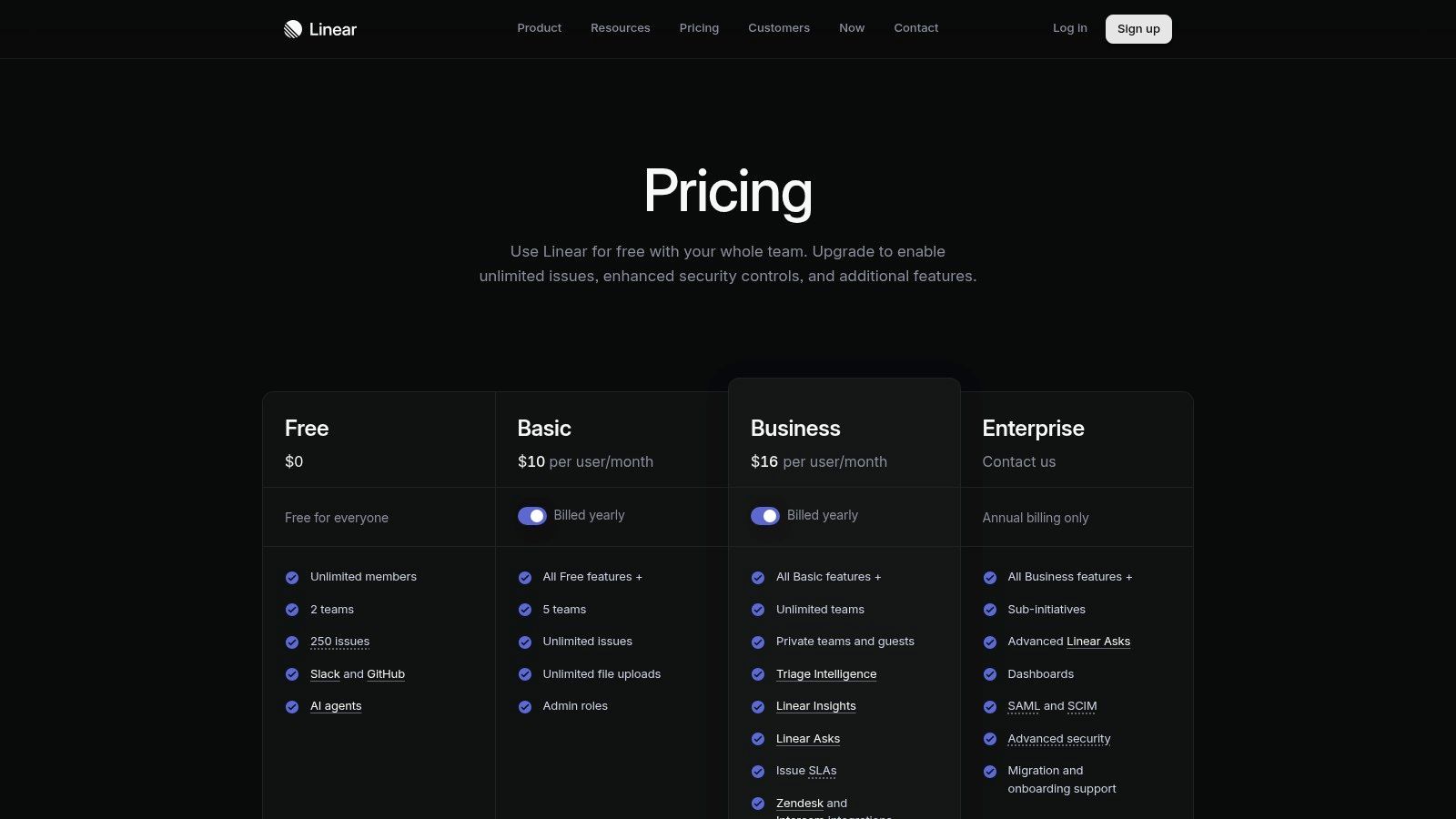
The basic gist is this: incoming bugs and requests from sources like Slack are automatically enriched and categorized by AI. Instead of manually sorting a chaotic inbox, PMs see intelligently triaged issues with suggested priorities. Linear uses AI to automate the janitorial work of backlog grooming, making it one of the essential ai tools for product managers who want to spend more time on strategy and less on ticket administration.
Primary Use Case & Workflow
- Best For: AI-assisted backlog grooming, issue triage, and maintaining engineering momentum.
- Workflow Example: A customer reports a bug via a Slack integration. Linear's Triage AI automatically creates an issue, pulls in relevant user context, suggests a priority level, and recommends the right engineer. The PM simply reviews and approves, turning a multi-step process into a single click.
Pros & Cons
- Pro: Blazing-fast interface and keyboard-first design significantly reduce cognitive overhead. The AI-powered triage is a genuine time-saver for teams with high-volume feedback.
- Con: Its opinionated nature means it's less flexible for teams that need complex, custom workflows or detailed portfolio-level reporting common in larger tools like Jira.
Pricing & Access
Linear offers a free plan with basic AI features. The more advanced AI Triage and Linear Asks are included in the Business plan at $25/user/month.
Website: https://linear.app/pricing
5. Asana with Asana AI and AI Studio (official site)
Asana, long a staple for orchestrating complex projects, now layers intelligence directly onto its work graph. For product managers, this isn't about replacing core PM functions but accelerating the administrative overhead that consumes the week. Asana AI acts as a smart assistant embedded within the project plans your team already uses, reducing the friction of keeping everyone aligned.
It’s like an automated project manager for your project manager.
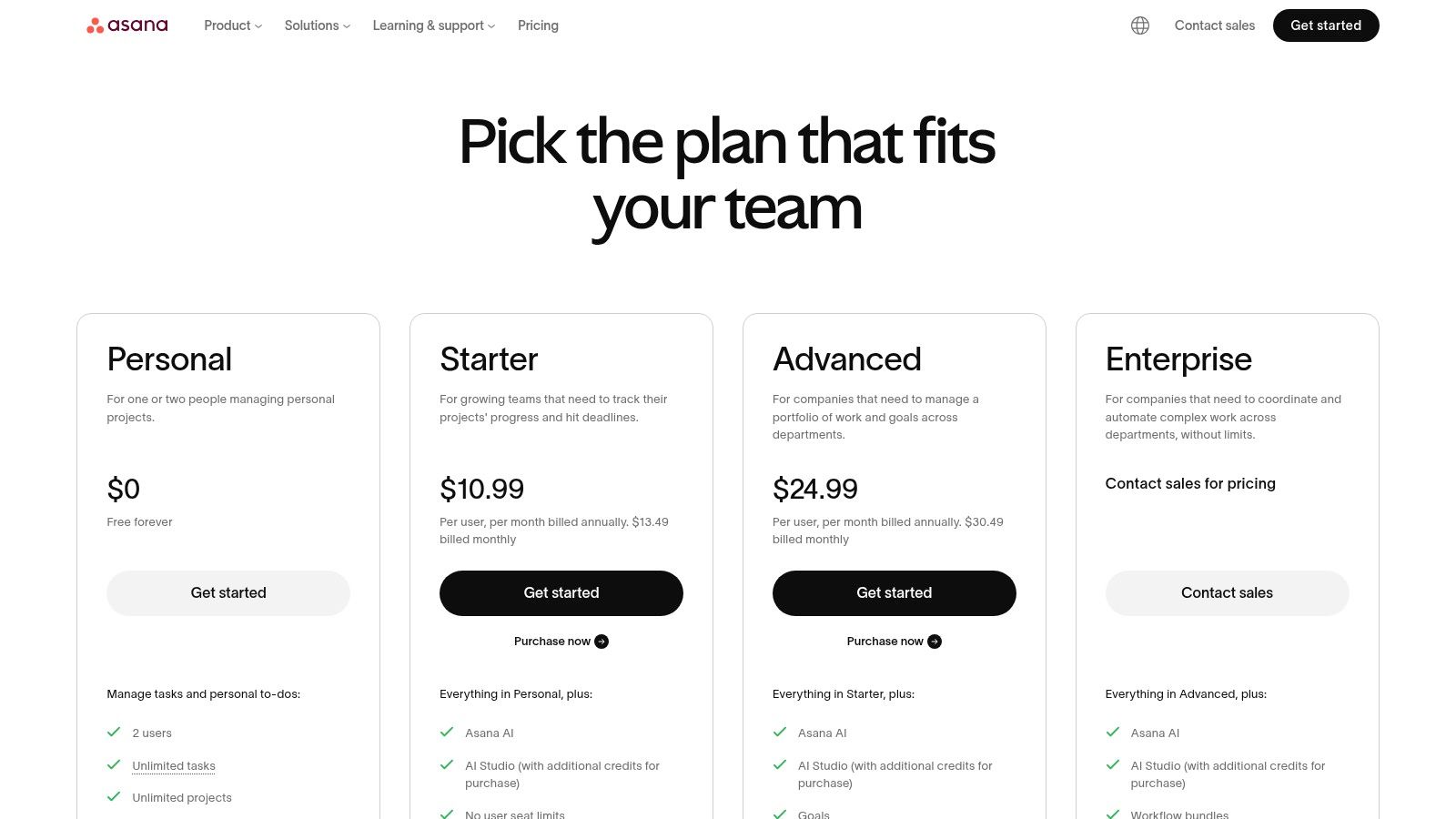
The basic gist is this: instead of manually collating progress from ten different workstreams, you can ask Asana AI to generate a status report highlighting key blockers and recent wins. This is where it shines: synthesizing structured data that already lives within its ecosystem. It excels at generating summaries, drafting goal updates, and clarifying task ownership, making it one of the most practical ai tools for product managers for operational efficiency.
Primary Use Case & Workflow
- Best For: Automating project status reporting and managing cross-functional team alignment.
- Workflow Example: A PM overseeing a major feature launch can use Asana AI to draft a weekly progress summary for leadership. The AI scans all related tasks, subtasks, and comments to identify risks and milestones, producing a draft update that the PM can edit in minutes.
Pros & Cons
- Pro: AI features are included across all paid tiers, making the cost predictable. Its mature enterprise integrations allow AI to work with a broader data set.
- Con: The most advanced capabilities are locked behind AI Studio, which uses a credit system, adding a layer of complexity to usage and budgeting.
Pricing & Access
Asana AI is integrated into all paid plans, starting with the Premium tier ($10.99/user/month). Advanced features via AI Studio are available on Business and Enterprise plans and may consume credits.
Website: https://asana.com/pricing
6. Productboard Spark (official site)
Where many AI tools offer a generic canvas, Productboard Spark acts as a specialized lens, focusing AI onto the core artifacts of product management. It isn't a separate chat window; it's an intelligent agent embedded within the platform you already use for roadmapping and feedback management. Its purpose is to connect your strategic context directly to the documents you create.
It turns a mountain of feedback into a molehill of actionable insights.
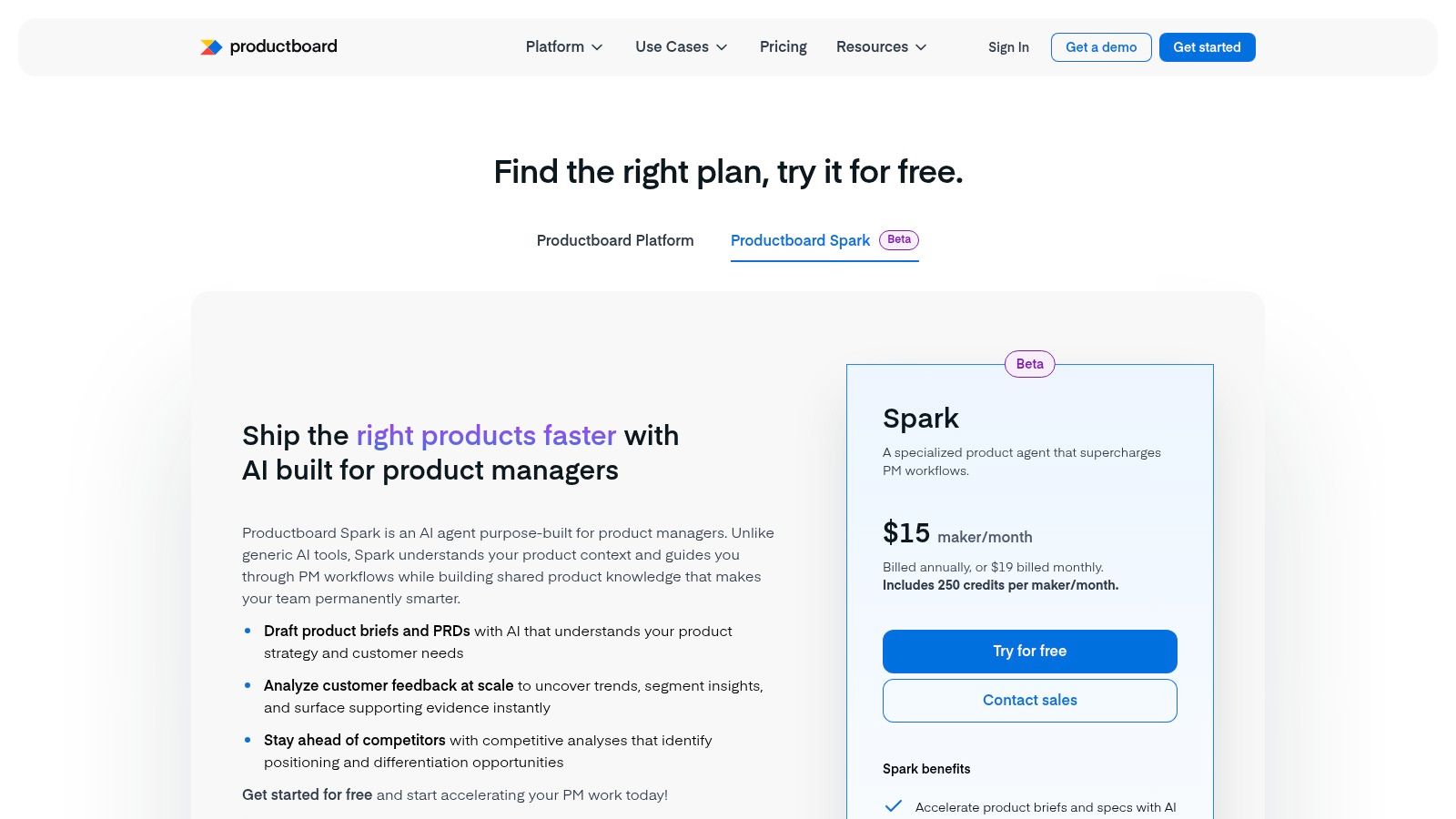
The basic gist is this: Spark analyzes vast amounts of customer feedback, surfaces the most critical themes, and then helps you draft a PRD that is automatically grounded in that evidence. Instead of manually copying and pasting user quotes to justify a decision, Spark does the synthesis for you. This makes it one of the most effective ai tools for product managers for bridging the gap between raw customer data and strategic documents.
Primary Use Case & Workflow
- Best For: Analyzing qualitative feedback at scale and generating context-aware product documents.
- Workflow Example: A PM connects a feedback source with hundreds of user comments. Using Spark, they can ask it to identify the most common frustrations related to "onboarding." Spark will cluster the feedback, provide a summary, and then use that analysis to generate a first draft of a product brief.
Pros & Cons
- Pro: It's purpose-built for the product management lifecycle, connecting strategy, feedback, and execution. The free trial path allows teams to test its value on real-world tasks.
- Con: The credit-based system (e.g., 250 credits per month on the base plan) can feel limiting for power users, potentially requiring additional purchases.
Pricing & Access
Productboard Spark is available on all paid plans, starting with the Pro plan at $60/maker/month, which includes a set number of AI credits. Higher tiers offer more credits.
Website: https://www.productboard.com/pricing/
7. Aha! (Roadmaps, Ideas, Discovery, Knowledge/Whiteboards) with AI assistant (official site)
Aha! represents a move toward the "all-in-one" product management suite, aiming to be the single source of truth from high-level strategy to detailed user stories. For PMs, this means the context from a customer interview in Aha! Discover can directly inform a feature in Aha! Roadmaps. Its AI assistant is a connective tissue woven through this entire ecosystem.
It’s less a single tool and more a fully integrated city planning department for your product.
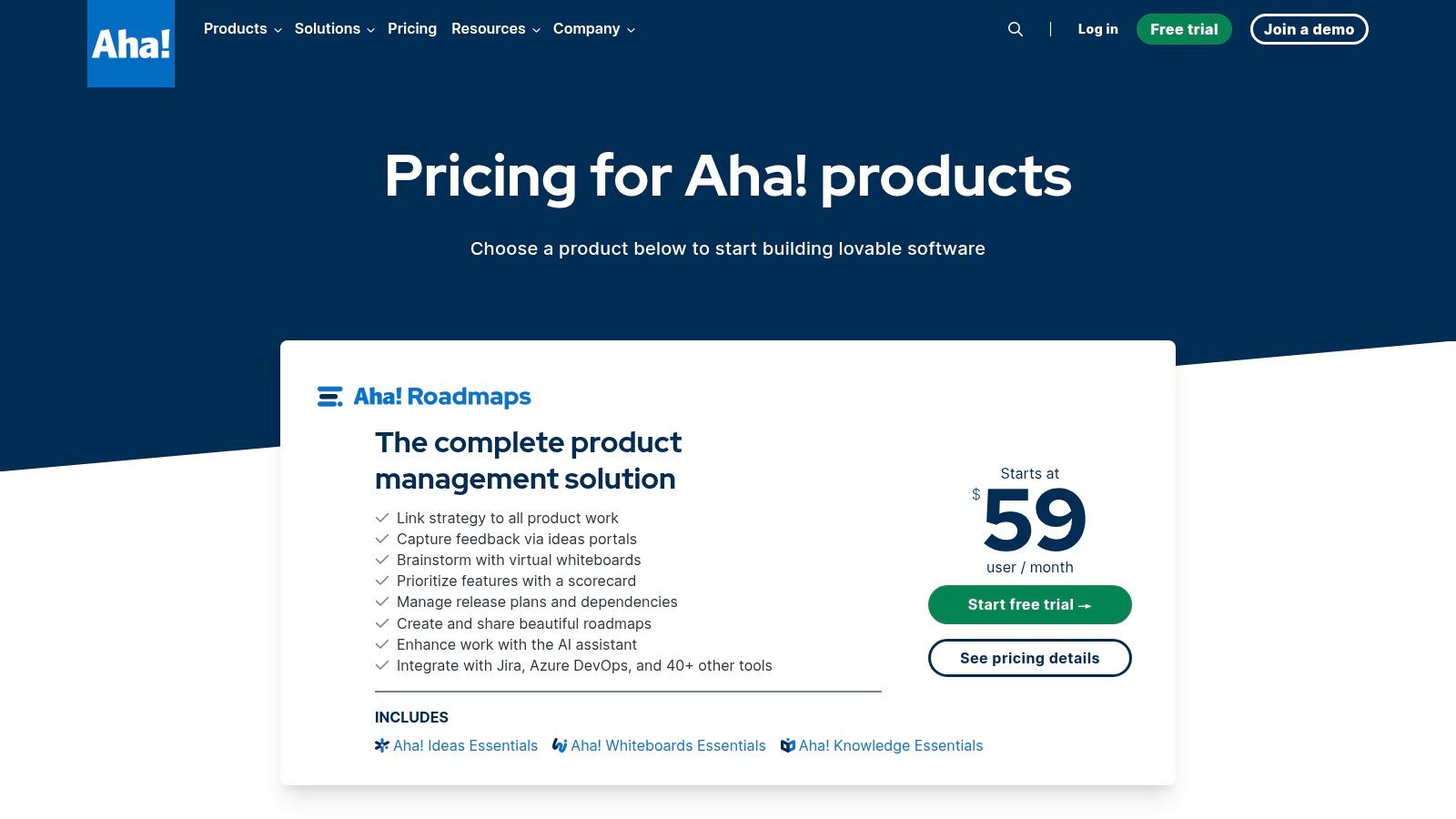
The basic gist is this: by centralizing everything, the AI can draw connections that siloed tools cannot. It can summarize a hundred pieces of user feedback from an idea portal and suggest which strategic initiative they align with. This makes it one of the most powerful ai tools for product managers who need to justify their roadmap with data. It transforms disparate data points into a coherent narrative.
Primary Use Case & Workflow
- Best For: Managing the entire product lifecycle within a single, integrated platform.
- Workflow Example: A product manager collects customer interview notes in Aha! Discover. They use the AI assistant to identify the top five recurring themes. From there, they generate feature briefs for the top two themes, create wireframes in a connected whiteboard, and drag the resulting features onto their strategic roadmap.
Pros & Cons
- Pro: The depth of integration across the end-to-end PM lifecycle is its greatest strength. It provides a holistic view that other point solutions cannot match.
- Con: The platform can feel overwhelming for smaller teams. Minimum seat requirements and per-product pricing can make it a significant investment.
Pricing & Access
Aha! offers a suite of different products, each with its own pricing, starting from $59/user/month for Roadmaps. They offer 30-day trials for evaluation.
Website: https://www.aha.io/pricing
8. Miro (AI Sidekicks, Flows, Prototypes, Insights) — official site
Miro has always been the digital equivalent of a conference room with wall-to-wall whiteboards. With Miro AI, that room now has a built-in facilitator. The platform's AI features are less about replacing the PM and more about augmenting their ideation and synthesis processes directly on the canvas where the work is happening.
The AI is a collaborator that tidies up after the creative storm.
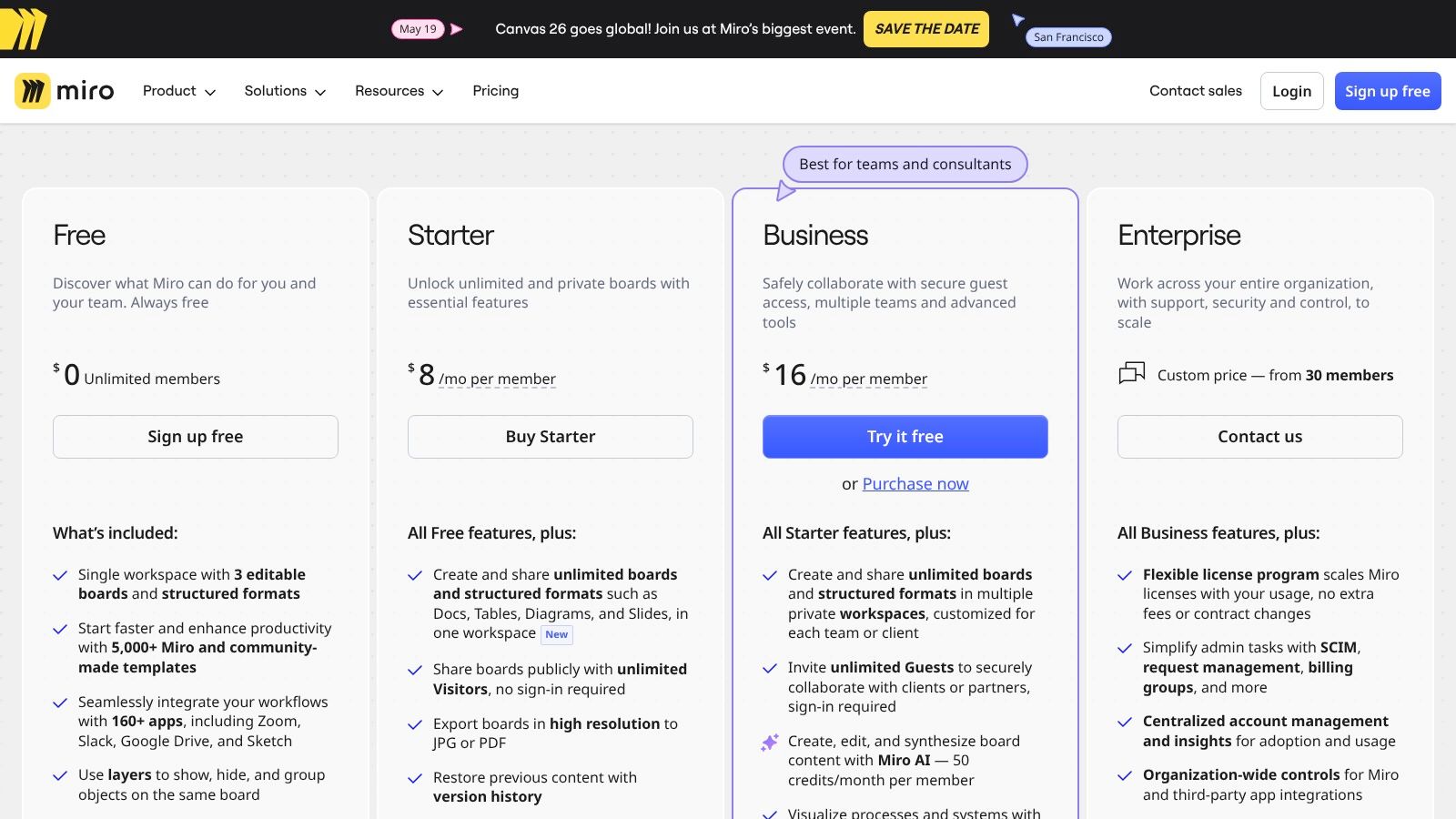
The core idea is to reduce the friction between divergent brainstorming and convergent action. Instead of manually grouping hundreds of digital sticky notes, you can ask Miro AI to cluster them by theme and generate a summary. This transforms the canvas from a static artifact into a dynamic workspace, making it one of the essential ai tools for product managers who lead collaborative discovery sessions.
Primary Use Case & Workflow
- Best For: Collaborative ideation, user journey mapping, and synthesizing qualitative data from workshops.
- Workflow Example: A product manager hosts a remote brainstorming session. Afterward, they use Miro AI to automatically cluster the notes into affinity groups, generate a mind map from those clusters, and then create a user story map for the top ideas, all on the same board.
Pros & Cons
- Pro: Extremely flexible for visual collaboration like creating user journeys and running workshops. Add-ons allow PMs to scale from ideation to prototyping within one ecosystem.
- Con: Key AI actions are governed by a credits system on standard plans. To get unlimited access, you often need to purchase separate add-ons, increasing the total cost.
Pricing & Access
Miro AI features are available on paid plans, starting with the Starter plan ($10/user/month). It operates on a credits model, with the option to purchase an unlimited AI add-on.
Website: https://miro.com/pricing/
9. monday.com with monday AI and AI Sidekick (official site)
monday.com has transformed its Work OS into an operational brain for product teams by embedding AI directly into its core workflows. For product managers orchestrating complex execution, this means the very boards used for sprint planning now offer intelligent assistance. The AI isn't a separate destination, it's a native capability designed to accelerate operational tasks.
It acts as the central nervous system for your team's operational data.
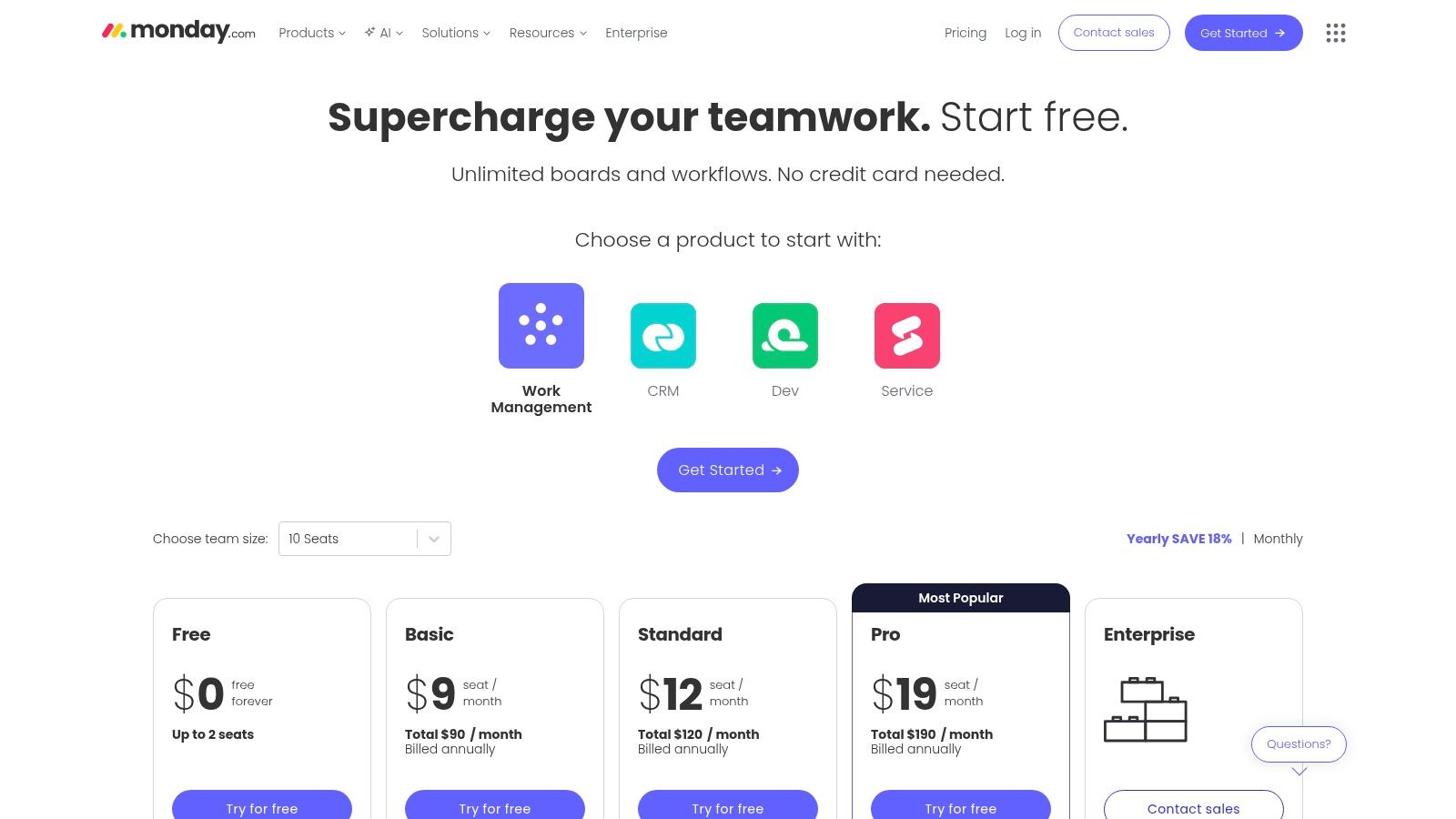
The basic gist is this: monday AI acts as a smart layer on top of your existing product operations. Instead of manually sifting through a backlog of tickets, you can use an AI-powered automation to categorize and assign them. This makes it one of the most effective ai tools for product managers focused on streamlining execution and team coordination, turning raw operational data into managed progress.
Primary Use Case & Workflow
- Best For: Automating operational tasks and coordinating cross-functional product execution.
- Workflow Example: A PM can set up an automation where incoming support tickets are automatically analyzed by monday AI. The AI triages them by sentiment and feature area, assigns them to the correct engineering pod, and drafts a summary of the most critical bugs.
Pros & Cons
- Pro: Excellent templates for product operations that are immediately enhanced by AI features. The platform scales from a single team to a full enterprise.
- Con: The credit-based system for AI usage adds another budgetary item to track. Initial credit allowances can be inconsistent across different plans, requiring careful review.
Pricing & Access
monday AI features are available through AI credits, which can be purchased. Some plans include a lite version of the AI Sidekick.
Website: https://monday.com/pricing
10. Atlassian Marketplace (AI for Jira/Confluence apps)
For the millions of product teams living inside Jira and Confluence, AI isn't a destination, it's an upgrade. The Atlassian Marketplace acts as the central depot for these upgrades, offering apps that infuse AI directly into the workflows you already depend on. Instead of bolting on a separate AI tool, this approach lets PMs enhance their existing environment.
Think of it as an app store for your team’s brain.
The basic gist is this: the marketplace provides a secure and vetted ecosystem to augment your Atlassian stack. You can find AI agents to automatically triage bug reports, search tools that understand intent, or copilots to help draft release notes. This makes it one of the most practical collections of ai tools for product managers who want to enhance, not replace, their core Atlassian operations. For a deeper look into the company's full suite of solutions, you can view the Atlassian company profile.
Primary Use Case & Workflow
- Best For: Enhancing existing Jira and Confluence workflows with specific, integrated AI capabilities.
- Workflow Example: A PM can install an app like 'JQL AI' to translate a plain English request ("show me all high-priority bugs in the current sprint that haven't been updated in 3 days") into a precise JQL query. They can use another app to generate an AI summary of a long comment thread on a Jira ticket.
Pros & Cons
- Pro: Apps are natively integrated, ensuring a seamless fit for teams already invested in the Atlassian ecosystem. Centralized billing and try-before-you-buy options simplify procurement.
- Con: The quality, feature set, and pricing of AI apps vary significantly between third-party vendors. PMs must carefully vet each app to ensure it meets their needs.
Pricing & Access
Pricing is set by individual app vendors and varies widely from free to per-user monthly subscriptions. Most apps offer a free trial period.
Website: https://marketplace.atlassian.com/apps/1231400/ai-agents-for-jira
11. Capterra — Product Management Software directory
Before you can choose the right tool, you need to know what the options are. Capterra acts as a neutral, comprehensive marketplace for B2B software, preventing you from defaulting to the first tool you see on social media. For product managers, its value lies in creating a structured, unbiased starting point for vendor evaluation.
It’s the map you consult before starting the journey.
The basic gist is this: it's a tool for building your consideration set. You can apply filters not just for core PM functions but specifically for AI capabilities like "Generative AI" or "AI Copilot." This allows you to quickly segment the market and see which established players are adding AI features. While not an AI tool itself, it's an indispensable resource for discovering and vetting the ai tools for product managers that are reshaping the landscape.
Primary Use Case & Workflow
- Best For: Conducting market scans and creating a shortlist of vendors before starting free trials.
- Workflow Example: A Head of Product wants to find a new roadmapping tool with AI-powered dependency analysis. They can go to Capterra, filter the Product Management category for "AI Copilot" and "Roadmapping," and sort by user rating. This produces a shortlist of 5-7 relevant tools to evaluate.
Pros & Cons
- Pro: Its longevity and focus on verified reviews make it a trustworthy source for building a vendor longlist. The ability to filter by specific AI features accelerates research.
- Con: Be mindful that sponsored placements often appear at the top of the list. It’s crucial to cross-reference claims directly on vendor websites.
Pricing & Access
Access to Capterra's directory and reviews is free for users.
Website: https://www.capterra.com/product-management-software/
12. G2 — Project/Product Management and AI-related categories
Selecting a tool is a high-stakes decision, and G2 acts as the collective memory of the entire software industry. For product managers, it's less a tool and more an essential due diligence platform. Instead of relying on vendor marketing, you get access to thousands of peer reviews and comparative Grid reports that reveal not just what a tool does, but how it actually performs in the real world.
G2 provides the social proof that turns a vendor's promise into a credible option.
The basic gist is this: when you're evaluating a new category of ai tools for product managers, G2 provides the necessary competitive context. You can filter by company size and industry to find reviews from teams like yours. Its rapidly updated AI categories offer a real-time map of a volatile landscape. It transforms the chaotic process of tool discovery into a structured, data-informed investigation.
Primary Use Case & Workflow
- Best For: Validating and comparing software choices using peer reviews and market intelligence before committing to a purchase.
- Workflow Example: A Head of Product is tasked with finding a new roadmap tool. They use G2 to identify the top five leaders in the "Product Management Software" category, read reviews from other SaaS companies, and compare feature ratings side-by-side to create a shortlist for demos. This process helps establish a clear framework for evaluating AI tools before investing time in vendor calls.
Pros & Cons
- Pro: The immense volume of verified user reviews and comparative visuals like the Grid reports provides powerful social proof and helps quickly narrow down a crowded field.
- Con: Key data and some premium reports can be gated behind a sign-in or lead capture form. Sponsored placements can sometimes influence visibility.
Pricing & Access
G2 is free to use for browsing reviews and reports. Vendors pay for enhanced profiles and marketing services.
Website: https://www.g2.com/
Choosing an Augment, Not a Replacement
We’ve surveyed the landscape, from AI-powered project management suites like ClickUp to specialized ideation platforms like Productboard. The sheer number of ai tools for product managers can feel like standing in front of a vast switchboard, with every switch promising a faster, smarter version of your workflow. But the real leverage isn’t in flipping every switch. It’s about understanding which circuits are currently costing you the most. For a strategic overview of how AI reshapes the PM role, read our guide to AI in product management.
Why does this matter at scale? The biggest hidden cost in product development isn't raw engineering hours. It's the friction and rework between product, design, and engineering. This is the tax of translation. The Standish Group’s CHAOS reports have consistently shown for years that a significant percentage of software projects fail not because of technical incompetence, but due to poor communication and unclear requirements. Each handoff, from PRD to Figma file to Jira ticket, is a point of potential context degradation.
Think of your workflow as a cognitive supply chain. Every time you have to manually re-explain a user story or re-document edge cases, you are creating waste. The core challenge is that different teams speak different languages: product speaks in outcomes, design in interactions, and engineering in implementation logic. This is where we can separate the AI tools we’ve discussed into two distinct categories.
Accelerators vs. Translators
Most of the tools on this list are powerful Accelerators. They take a task you already do, like writing user stories or summarizing research, and help you do it faster. Notion AI and ClickUp AI are brilliant at this. They reduce the time it takes to get from a blank page to a first draft. They speed up a single leg of the journey.
A much smaller, more powerful class of tools are Translators. These tools don’t just speed up a task, they convert intent from one domain directly into another. They bridge the gap in the cognitive supply chain. This is where a tool like Figr operates differently. It takes a PRD or a screen recording and translates it directly into tangible, cross-functional artifacts: interactive prototypes for design validation, user flows for stakeholder alignment, and comprehensive test cases for QA. A PM could map every failure state for a complex file upload in Shopify's checkout redesign, a task that would normally take days of back-and-forth documentation.
In short, Accelerators help you write the recipe faster, while Translators help you cook the meal.
Your Actionable First Step
So, what is the grounded takeaway? Don't just book a demo. Demos are designed to show a tool's ideal state, not your messy reality. Instead, pick one specific, painful, recurring task from your last sprint.
Was it documenting every possible error message for a login flow?
Was it creating a user flow diagram for a feature change request that came in halfway through the sprint? Maybe it was generating all the test cases for a seemingly simple UI component, like the ones needed for this task assignment card.
Choose that one point of friction.
Take that specific problem and run it through one of the tools mentioned here. See if it can take your raw input and generate the precise output your designer or engineer needs, without a meeting. That is the true test of an AI partner. The goal is not to replace your thinking, but to augment it by handling the exhausting, repetitive work of translation, freeing you to focus on the strategic decisions that truly matter. For a broader look at how AI is reshaping product work end-to-end, read our guide to AI in product management.
Ready to stop translating and start building? Figr is the AI partner that turns your product specs into interactive prototypes, user flows, and test cases automatically. See how it bridges the gap between your vision and your team's execution by trying it for yourself at Figr.