Bring your product context
Add relevant Figma files, screens, components and usage rules. Start with the part of your product you want to improve.

Bring your Figma files, components and existing screens into Figr.
Explore new features and improve current flows with AI grounded in your product.
Start with one feature. Build on what you already ship.
Your components, tokens and product patterns help shape the next design direction.
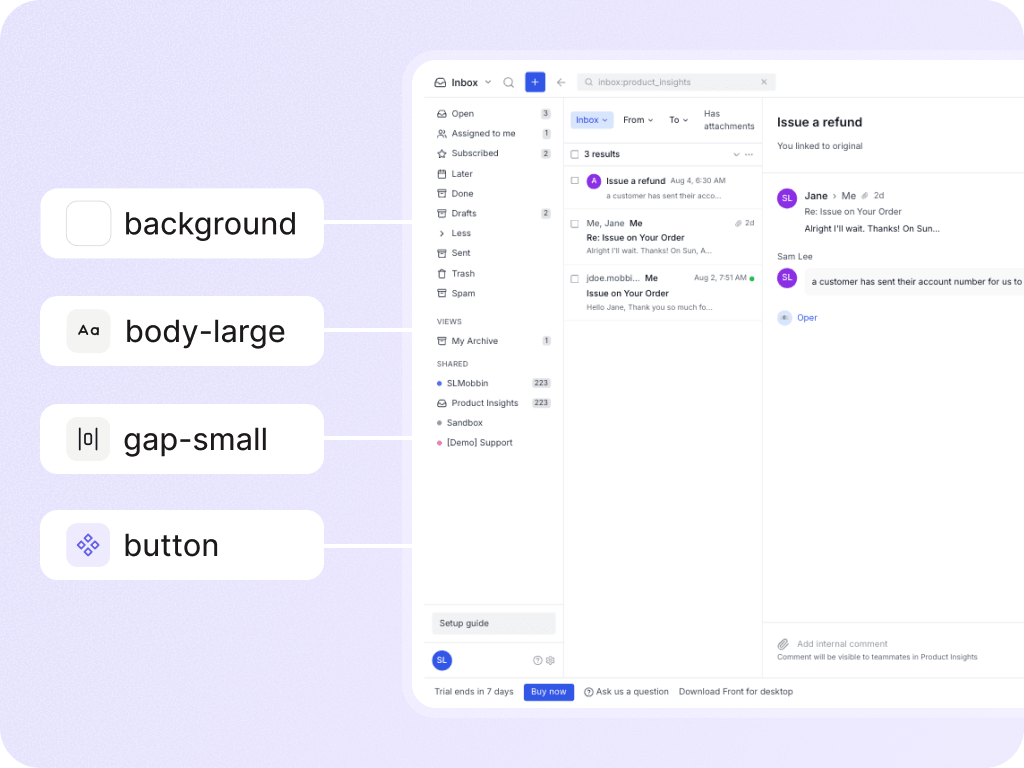
Your design system in the context of your product.
500+ product teams use Figr




BUILDING ON AN EXISTING PRODUCT
“After that, it could mock up new features in our own style — same components, same styling.”

CPO, Letta
Customer story on Figr ↗BUILT AROUND YOUR PRODUCT
Your product has established patterns. Give Figr the context to work with them when you add a feature or improve a flow.

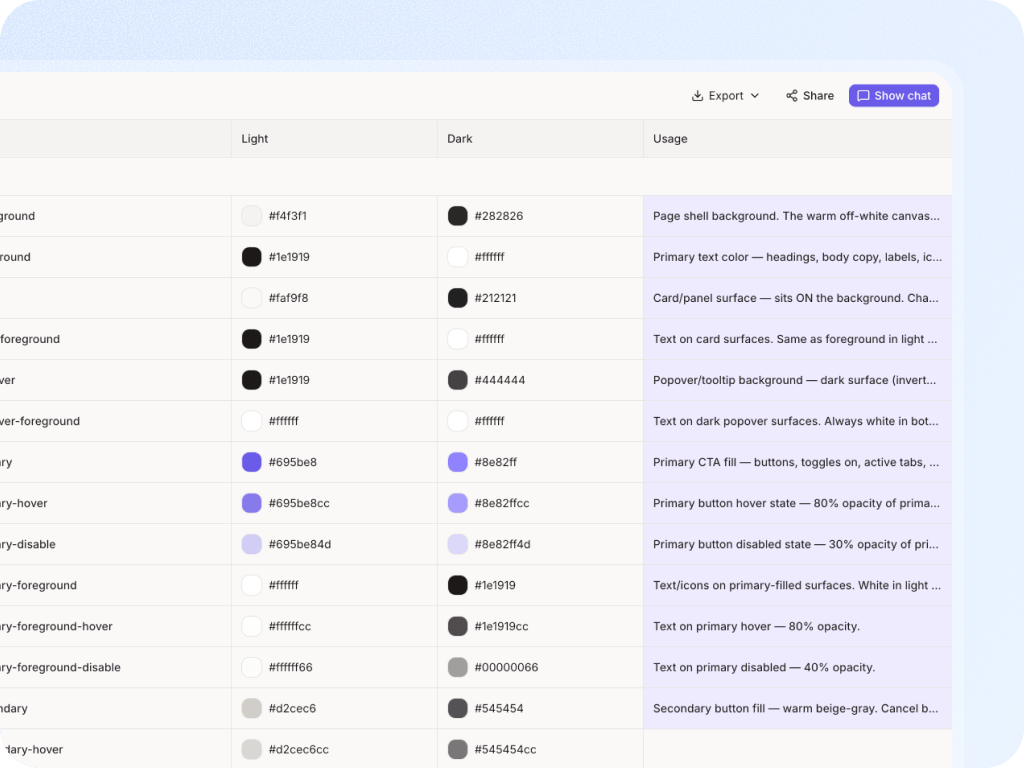
Give Figr your colors, typography, spacing and token relationships, so UI decisions have a foundation in your system.

Use components, variants and states as context when exploring the next screen or improving an existing flow.

Bring the decisions behind the UI: when a modal belongs, how dense a table should be, and how errors are handled.

Show how your system works in practice. Figr uses the surrounding product to inform the feature you’re designing.


FROM YOUR PRODUCT TO YOUR NEXT FEATURE
Bring the context you already have. Explore a direction your team can evaluate.
Add relevant Figma files, screens, components and usage rules. Start with the part of your product you want to improve.
Tell Figr the goal, the user and what should change. Include the current flow and any constraints your team needs to respect.
Review the screens and states with your team. Refine the direction, then export to Figma to keep the design moving.
“Add a bulk-edit flow to this table using our existing components. Include selection, confirmation, empty and error states.”
Free plan includes limited credits and design-system access. View plans
THE RULES BEHIND THE UI
A color value alone doesn’t explain when to use it. Add semantic roles and usage guidance so Figr has more of the reasoning behind your design decisions.
Review and refine the result with your team. Your designers remain in control of the final experience.
BEFORE YOU START
Working with a complex system?
See a demo with the Figr team ↗
Yes. Bring your Figma files, components, tokens and existing product screens into Figr as context. Start with the part of your product relevant to the feature you want to explore.
Yes. Add the current screens and describe what should change. Figr can help you explore improvements, consider missing states and develop a design direction in the context of the existing product.
No. Existing screens and examples can provide useful context alongside your library. Add the rules you know, then review the output with your team and refine it as needed.
Yes. Figr supports exporting designs to Figma, so your team can continue reviewing and refining the work in its existing design workflow.
Generated designs still need review. Providing relevant components, tokens, usage rules and screens helps Figr produce a closer starting point. Your designers retain the final say on consistency and usability.
Yes. Figr has a free plan with limited credits and design-system access. You can start with a focused feature exploration; check the pricing page for current limits and paid-plan options.